
Numsy Mini
Numsy Mini White Noise Machine Baby User Manual
Model: Mini | Brand: Numsy
Introduction
The Numsy Mini White Noise Machine is designed to create a calming and consistent sound environment, aiding in sleep for babies and individuals of all ages. This compact device features a variety of natural sounds, a dimmable night light, and a convenient timer function, making it an essential tool for promoting restful sleep.

Image: The Numsy Mini White Noise Machine, a circular device with control buttons, shown alongside its product packaging and a small instruction booklet.
What's Included
Upon unboxing your Numsy Mini, please verify that all the following components are present:
- Numsy Mini White Noise Machine
- USB-C Charging Cable
- User Manual (NL & EN)
- Lanyard (Hanging Cord)
- Digital Sleep Guide (received via email)

Image: A visual representation of the Numsy Mini package contents, including the device, USB-C cable, manual, and lanyard.
Setup
Charging the Device
Before first use, fully charge your Numsy Mini. Connect the provided USB-C cable to the charging port on the device and the other end to a compatible USB power adapter (not included) or a computer USB port. A full charge takes approximately 3.5 hours and provides up to 16 hours of playback at 80dB volume.

Image: The Numsy Mini device shown with its USB-C charging port and the included lanyard, highlighting its portability and charging method.
Attaching the Lanyard
The Numsy Mini comes with a convenient lanyard for easy portability. Attach the lanyard to the designated loop on the device. This allows you to hang the machine on a crib, stroller, or other suitable location.
Operating Instructions
Power On/Off
Press and hold the Power button (symbol: circle with vertical line) to turn the device on or off.
Sound Selection
The Numsy Mini offers 27 natural sounds. Use the Sound Selection buttons (symbols: musical note, waves, fan, etc.) to cycle through the available sound categories. Press the central button to play/pause the current sound.
Volume Control
Adjust the volume using the Volume Up (symbol: plus sign) and Volume Down (symbol: minus sign) buttons.
Night Light Function
The device features a night light with 4 dimmable levels. Press the Light button (symbol: sun/lightbulb) to turn the light on and cycle through brightness levels. Press and hold to turn the light off.

Image: A child sleeping peacefully with the Numsy Mini providing a soft glow, illustrating the night light feature with its four adjustable brightness levels.
Timer Function
Set a timer for automatic shut-off. The Numsy Mini offers timer options of 30 minutes, 60 minutes, 90 minutes, or continuous play for up to 16 hours. Press the Timer button (symbol: clock) to select your desired duration.

Image: The Numsy Mini device with visual indicators for its timer settings: 30 minutes, 60 minutes, 90 minutes, and 16 hours of continuous play.
Key Features and Benefits
The Numsy Mini is designed with features to enhance sleep quality and create a peaceful environment:
- Womb Simulation: Recreates the secure and familiar environment of the womb, promoting comfort.
- Breathing Simulation: Generates a warm, sleep-inducing atmosphere.
- Noise Blocking: Acts as a protective barrier, blocking abrupt and disruptive external sounds.
- Promotes Deeper Sleep: Contributes to faster, deeper, and longer sleep cycles.
- Calm and Security: Provides a sense of peace, calmness, and security.
- Supports Sleep Transitions: Helpful during sleep regressions and nap transitions.
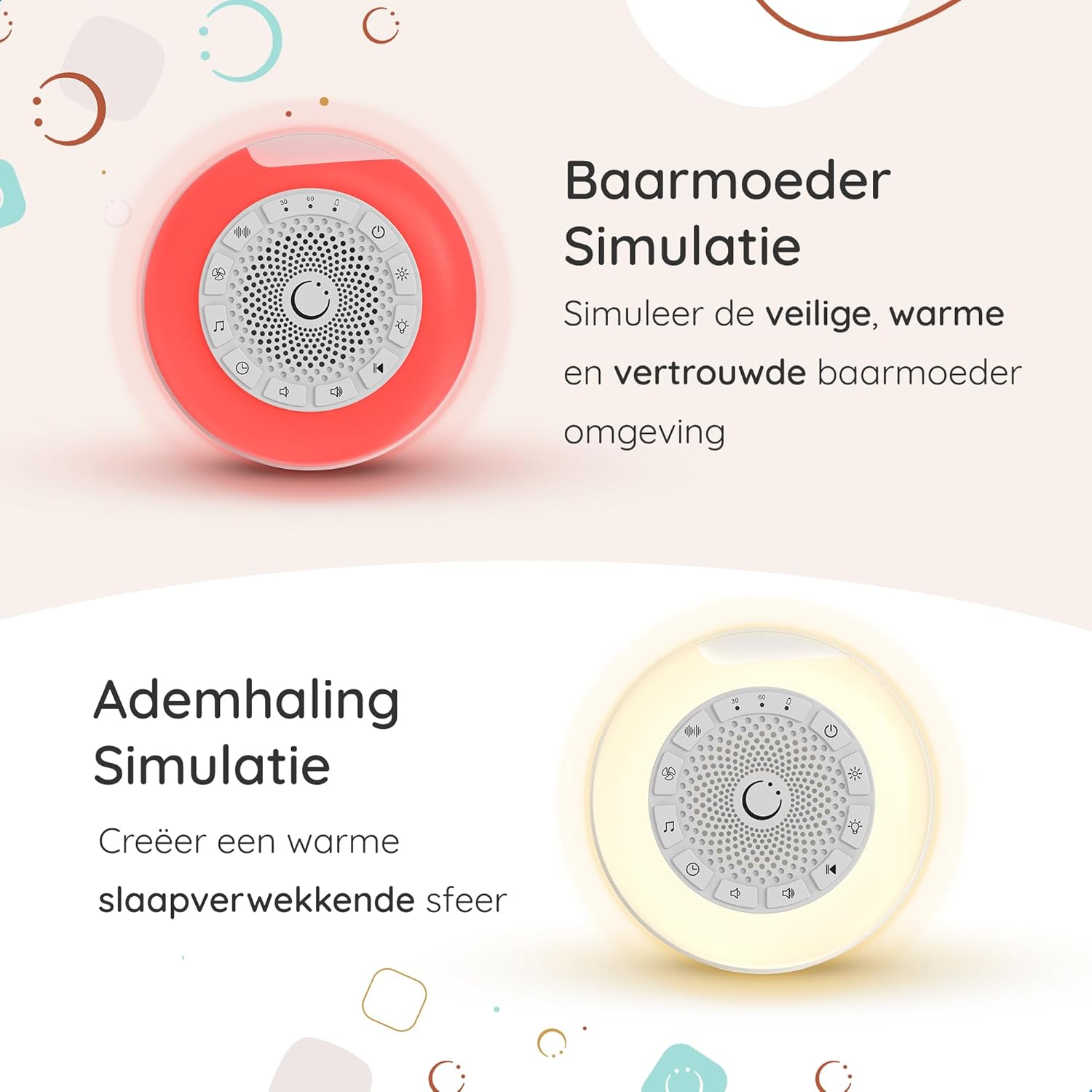
Image: Illustrations depicting the Womb Simulation (red device) and Breathing Simulation (white device) features, designed to create a comforting environment.

Image: A graphic illustrating the Numsy Mini's ability to block external sounds, creating a quiet zone around a sleeping baby.
Maintenance
To ensure the longevity and optimal performance of your Numsy Mini, follow these maintenance guidelines:
- Cleaning: Wipe the device with a soft, dry cloth. Do not use abrasive cleaners or immerse the device in water.
- Storage: Store the device in a cool, dry place when not in use.
- Battery Care: For best battery life, avoid fully discharging the battery frequently. Charge the device regularly.
Troubleshooting
If you encounter any issues with your Numsy Mini, please refer to the following common solutions:
- Device not turning on: Ensure the device is fully charged. Connect it to a power source using the USB-C cable.
- No sound: Check the volume level. Ensure the device is not muted. Try selecting a different sound.
- Night light not working: Press the light button to cycle through brightness levels. Ensure the device is powered on.
- Short battery life: Ensure the device is fully charged before use. Battery performance may decrease over time with regular use.
Specifications
| Model Number | Mini |
| Manufacturer | Numsy |
| ASIN | B0DKJGL4Y6 |
| First Available Date | October 22, 2024 |
| Charging Time | Approx. 3.5 hours |
| Playback Time | Up to 16 hours (at 80dB) |
| Sound Options | 27 Natural Sounds |
| Night Light Levels | 4 Dimmable Levels |
Warranty and Support
For warranty information or technical support, please refer to the contact details provided with your purchase or visit the official Numsy website. Keep your proof of purchase for any warranty claims.
The product is subject to a 30-day return policy for refund or replacement, as per the buybox winner information.
Related documentsMini


Ask a question about this manual
Ask about setup, troubleshooting, compatibility, parts, safety, or missing instructions. Manuals+ will review the question and use this page’s manual context to help answer it.