
Introduction
These JingHao In-The-Ear (ITE) rechargeable hearing aids are designed to provide enhanced sound clarity and comfort. This manual will guide you through the setup, operation, and maintenance to ensure optimal performance and a seamless listening experience.
Key Features
- Effortless Operation: Navigate your hearing experience with ease thanks to distinct color-coding (red for right, blue for left) and simple one-button control for adjustments.
- Extended Battery Life: Enjoy up to 20 hours of continuous use on a single charge.
- Sleek and Comfortable Design: The compact, lightweight design ensures a snug and comfortable fit for prolonged, all-day wear.
- Portable Power: The included charging case provides three full recharges for your hearing aids, keeping you connected on the go.
- Enhanced Clarity: Intelligent noise reduction technology ensures loud and clear sound for a comfortable listening experience.
Product Overview and Package Contents
Familiarize yourself with the components included in your JingHao JH-A490 package.

Setup Instructions
Follow these steps to prepare your hearing aids for first-time use.
1. Installing Ear Tips
Select the ear tips that best fit your ear canal for optimal comfort and sound quality. The kit includes two different ear tip shapes in three sizes (S, M, L) to minimize feedback.

2. Wearing the Hearing Aids
The hearing aids are color-coded for easy identification: blue for the left ear and red for the right ear. Gently insert the aid into your ear canal, ensuring the ear tip fits comfortably without pain or discomfort.

3. Powering On/Off
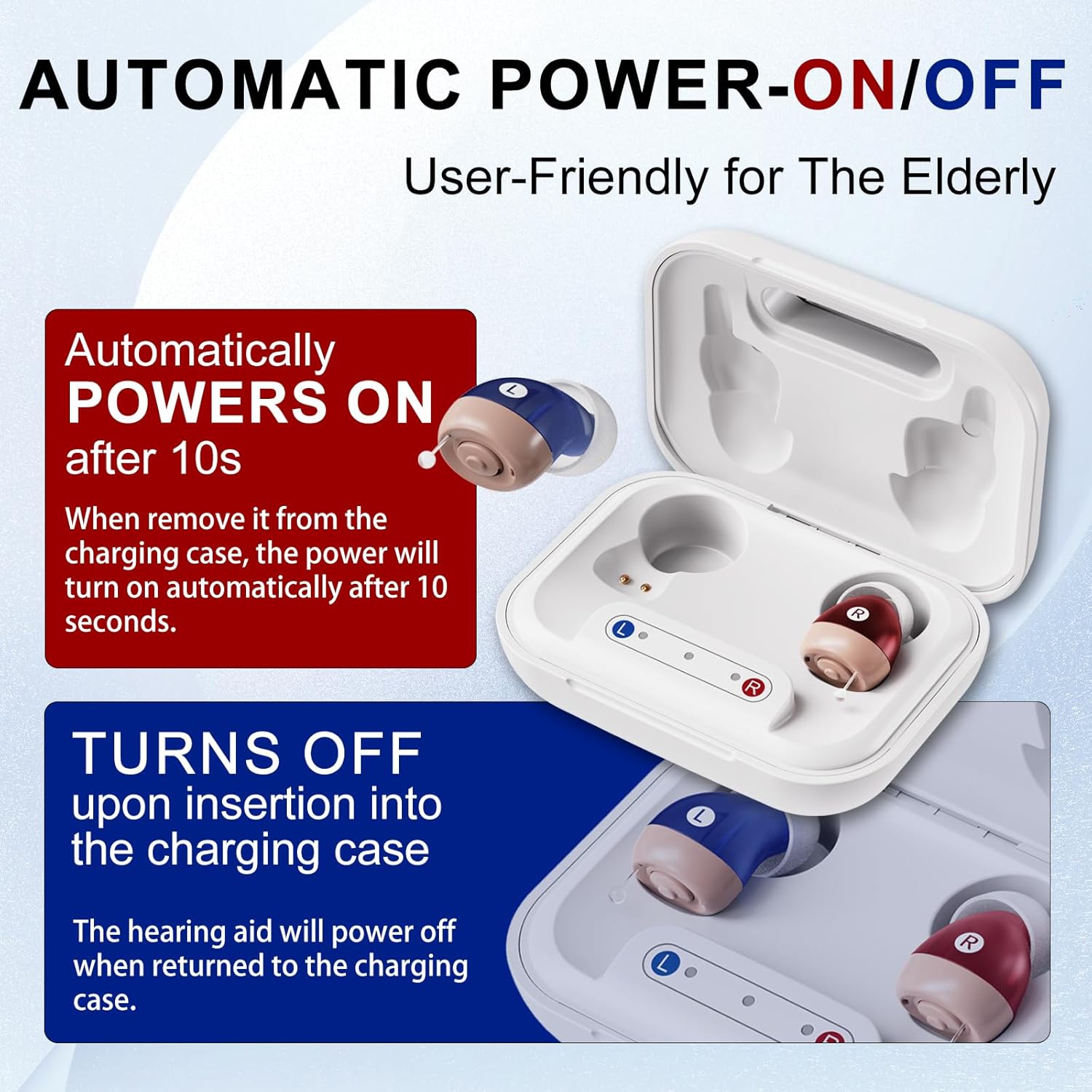
To manually turn on the hearing aid, press and hold the volume button for 4 seconds until you hear a prompt tone. To turn it off, press and hold the volume button for 4 seconds until you hear a long pure tone prompt "Beep". If there is no sound, it means the hearing aid is turned off. The hearing aids also feature automatic power on/off: they power on 10 seconds after removal from the charging case and power off when returned to the case.
Operating Instructions
1. Adjusting Volume
The hearing aid has one circular volume button. You will hear a single beep every time you adjust the volume. Once you reach the highest volume, you will hear three beeps.

2. Switching Programs
Hearing aids can adjust programs according to different environments. To switch programs, press the button for 2 seconds. Each time the program is switched, the hearing aid cycles to the next preset program, and you will hear different prompt sounds to indicate the current program (e.g., 1 beep for program 1, 2 beeps for program 2, etc.).
Charging Your Devices
Ensure your hearing aids and charging case are adequately charged for uninterrupted use.
1. Charging the Hearing Aids
When the hearing aid battery is low, you need to charge it. Place the hearing aid correctly into the charging slot of the charging case. When charging begins, the indicator light will turn orange. When fully charged, the indicator light will turn green, which will last for five minutes and then turn off.
2. Charging the Charging Case
When the charging case is low on power, you need to charge it. Plug the A end of the USB charging cable into a power source and plug the B end into the charging port of the charging case. The middle orange light indicates the charging case is charging. The middle green light indicates the charging case is fully charged.
Maintenance
Cleaning Instructions
To maintain optimal performance of your hearing aids, regular cleaning is important. Please use the cleaning tool provided. Use the cleaning brush to gently brush away dust and earwax from the ear tips, around the button, and the charging port.
Instructional Video
Watch this comprehensive video for a visual guide on operating your JingHao JH-A490 hearing aids.
Troubleshooting Guide
If you encounter any issues with your hearing aids, refer to the following common problems and solutions:
| Problem | Possible Cause | Solution |
|---|---|---|
| No Sound | Low battery; Device not turned on; Ear tip blocked. | Charge the hearing aid; Press and hold power button for 4 seconds; Clean ear tip. |
| Weak Sound | Low volume setting; Ear tip blocked. | Increase volume; Clean ear tip. |
| Whistling/Feedback | Improperly fitted ear tip; Device not fully inserted. | Replace with a larger ear tip; Re-insert the hearing aid snugly. |
| Charging Issue | Improper placement in case; Charging cable not connected. | Ensure hearing aids are correctly seated; Check USB cable connection. |
Product Specifications
- Manufacturer: HUIZHOU JINGHAO MEDICAL TECHNOLOGY CO., LTD.
- Item Model Number: JH-A490
- ASIN: B0DKHPLBWS
- Parcel Dimensions: 12.6 x 10.2 x 5.4 cm; 170 g
- Batteries: 1 Lithium Ion batteries required (included)
- Country of Origin: China
- Date First Available: Aug. 27 2024
Warranty and Customer Support
For any warranty claims, technical assistance, or customer support inquiries, please refer to the contact information provided on the 'After Service Card' included in your product package. It is recommended to keep your purchase receipt for warranty validation.


