
1. Introduction
This manual provides instructions for the proper use and maintenance of your Monster Open Ear AC335 Wireless Headphones. Please read this manual thoroughly before using the product to ensure optimal performance and longevity.

Image 1.1: Monster Open Ear AC335 Headphones and Charging Case.
2. What's in the Box
Verify that all items are present in your package:
- Monster Open Ear AC335 Headphones × 1 pair
- Type-C Charging Cable × 1
- User Manual × 1

Image 2.1: Package contents including headphones, charging case, cable, and manual.
3. Product Overview and Features
The Monster Open Ear AC335 Headphones are designed for comfort and situational awareness, featuring an open-ear design and advanced audio technology.
Key Features:
- Open-Ear Design: Allows awareness of surroundings.
- Pure Monster Sound: Enhanced audio quality with a unique digital audio processor.
- Bluetooth 5.4: Ensures stable and low-latency wireless connection.
- Crystal Clear Calls: Equipped with ENC noise cancellation technology.
- Extended Playtime: Up to 8 hours on a single charge, 24 hours with the charging case.
- IPX5 Water Resistance: Resistant to sweat and light rain.

Image 3.1: Illustration of the internal audio components for Pure Monster Sound.
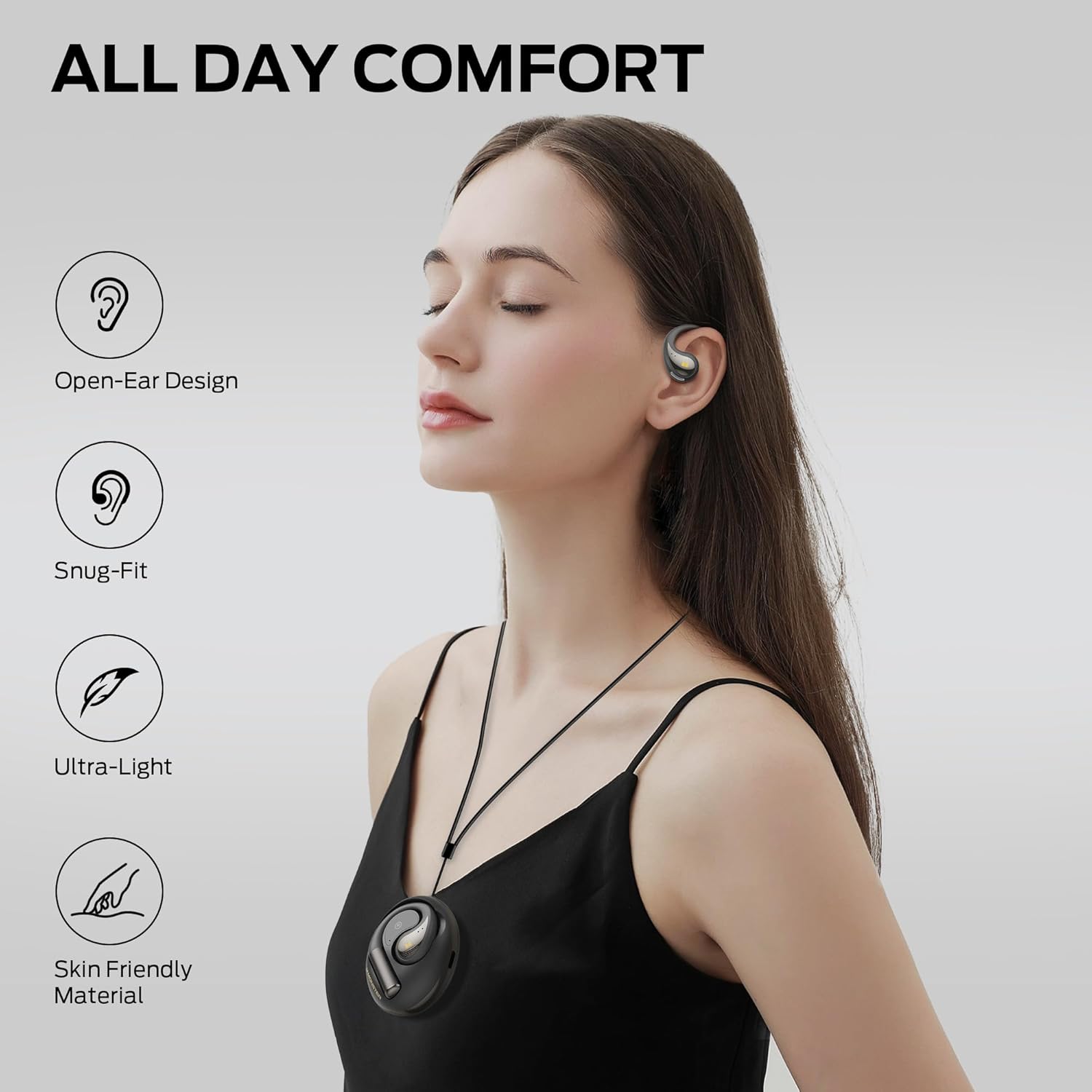
Image 3.2: Demonstrating the comfortable and secure fit of the open-ear design.
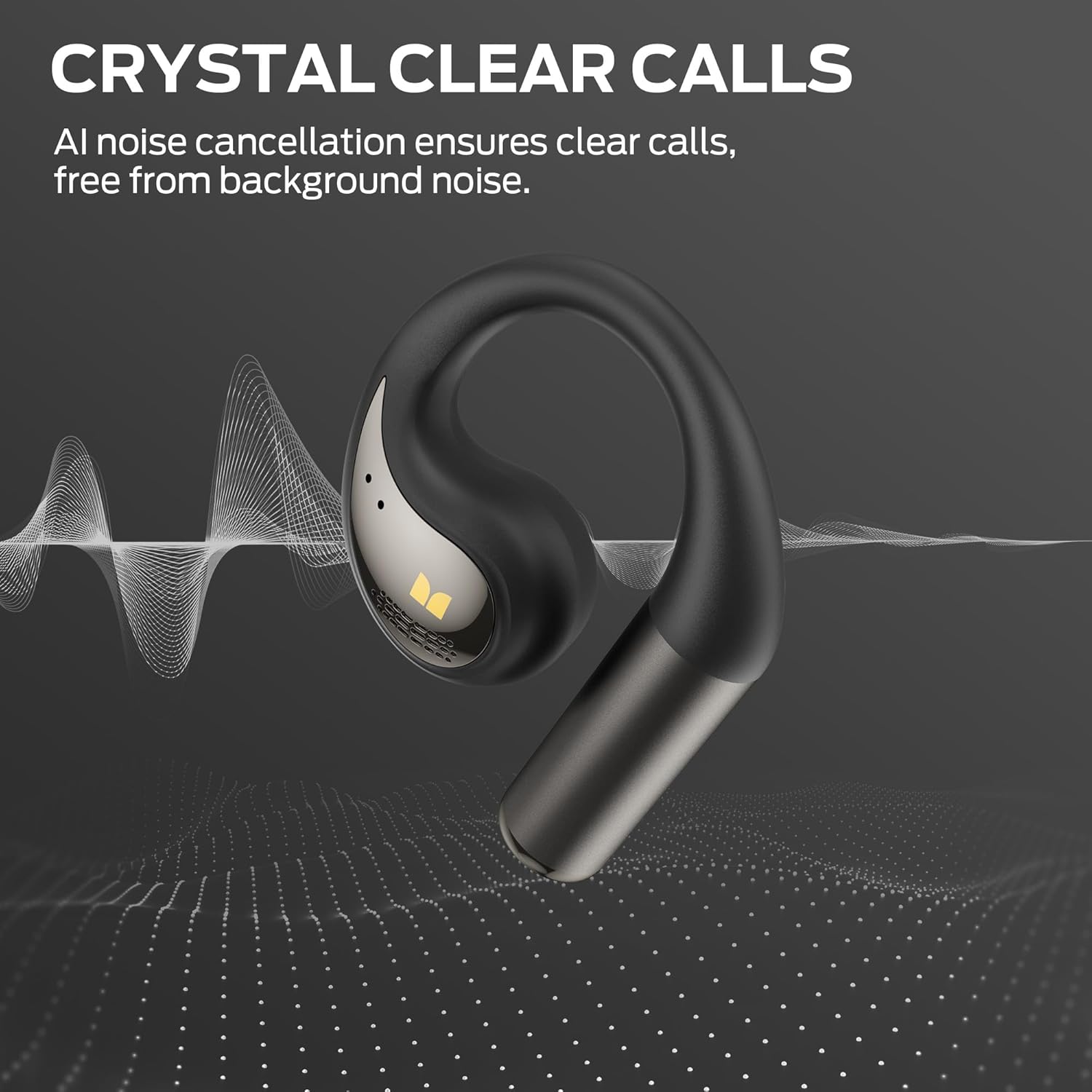
Image 3.3: Visual representation of the Crystal Clear Call technology.

Image 3.4: Benefits of Bluetooth 5.4, including stability and lower latency.
4. Setup
4.1. Wearing the Headphones
- Take out the earbuds from the charging case.
- Slide the ear hook behind your ear.
- Turn the headphones to adjust firmly to the most comfortable angle.

Image 4.1: Step-by-step guide for correctly wearing the headphones.
4.2. Bluetooth Pairing
- Ensure the headphones are charged.
- Open the charging case. The headphones will automatically enter pairing mode.
- On your device (smartphone, tablet, etc.), go to Bluetooth settings.
- Select "Monster AC335" from the list of available devices.
- Once connected, a voice prompt will confirm successful pairing.
5. Operating Instructions
The Monster Open Ear AC335 Headphones feature intuitive touch controls on each earbud.
Touch Controls:
- Play/Pause: Click × 2 (Left or Right earbud)
- Voice Assistant: Hold × 2s (Left or Right earbud)
- Previous Song: Click × 3 (Left earbud)
- Next Song: Click × 3 (Right earbud)
- Answer Call: Click × 2 (Left or Right earbud)
- Reject Call: Hold × 2s (Left or Right earbud)
- Volume Down: Click × 1 (Left earbud)
- Volume Up: Click × 1 (Right earbud)

Image 5.1: Detailed diagram of earbud touch controls.
6. Charging
To charge your Monster Open Ear AC335 Headphones:
- Place the earbuds into the charging case. Ensure they are correctly seated.
- Connect the Type-C charging cable to the charging port on the case and to a power source.
- The indicator lights on the case will show the charging status.
A full charge for the earbuds provides approximately 8 hours of playback. The charging case provides an additional 16 hours, totaling 24 hours of playback time.

Image 6.1: Charging information, showing 8 hours single charge and 24 hours with case.
7. Maintenance
- Cleaning: Use a soft, dry cloth to clean the earbuds and charging case. Do not use abrasive cleaners or solvents.
- Water Resistance: The headphones are IPX5 water-resistant, meaning they can withstand sweat and light splashes. Do not submerge them in water.
- Storage: Store the headphones in their charging case when not in use to protect them and keep them charged. Avoid extreme temperatures.
8. Troubleshooting
8.1. No Sound or Intermittent Connection
- Ensure the headphones are charged.
- Verify Bluetooth is enabled on your device and the headphones are paired.
- Move closer to your device to ensure you are within the Bluetooth range (up to 15 meters).
- Try unpairing and re-pairing the headphones with your device.
8.2. Headphones Not Charging
- Check that the charging cable is securely connected to both the case and the power source.
- Ensure the earbuds are properly seated in the charging case.
- Try using a different Type-C charging cable or power adapter.
8.3. Unable to Connect to Voice Assistant
- Ensure your device's voice assistant is enabled and configured.
- Confirm the headphones are properly paired and connected.
9. Specifications
| Feature | Detail |
|---|---|
| Model Name | E86 |
| Connectivity Technology | Wireless (Bluetooth) |
| Bluetooth Version | 5.4 |
| Battery Life (Earbuds) | Up to 8 hours |
| Total Playtime (with Case) | Up to 24 hours |
| Water Resistance Rating | IPX5 |
| Audio Driver Type | Dynamic Driver |
| Control Method | Remote (Touch) |
| Ear Placement | Open Ear |
| Item Weight | 5.6 ounces |
10. Warranty and Support
For warranty information and customer support, please refer to the official Monster website or contact your retailer. Keep your proof of purchase for warranty claims.


