
1. Introduction
Thank you for choosing JLab Go Pop ANC True Wireless Earbuds. These earbuds are designed to provide a high-quality audio experience with active noise cancellation, a comfortable fit, and convenient features for daily use. This guide will help you get started and make the most of your device.
2. What's in the Box
- JLab Go Pop ANC Earbuds
- Charging Case with integrated USB-C Cable
- Extra Sizes of Gel Eartips (Small, Medium, Large)
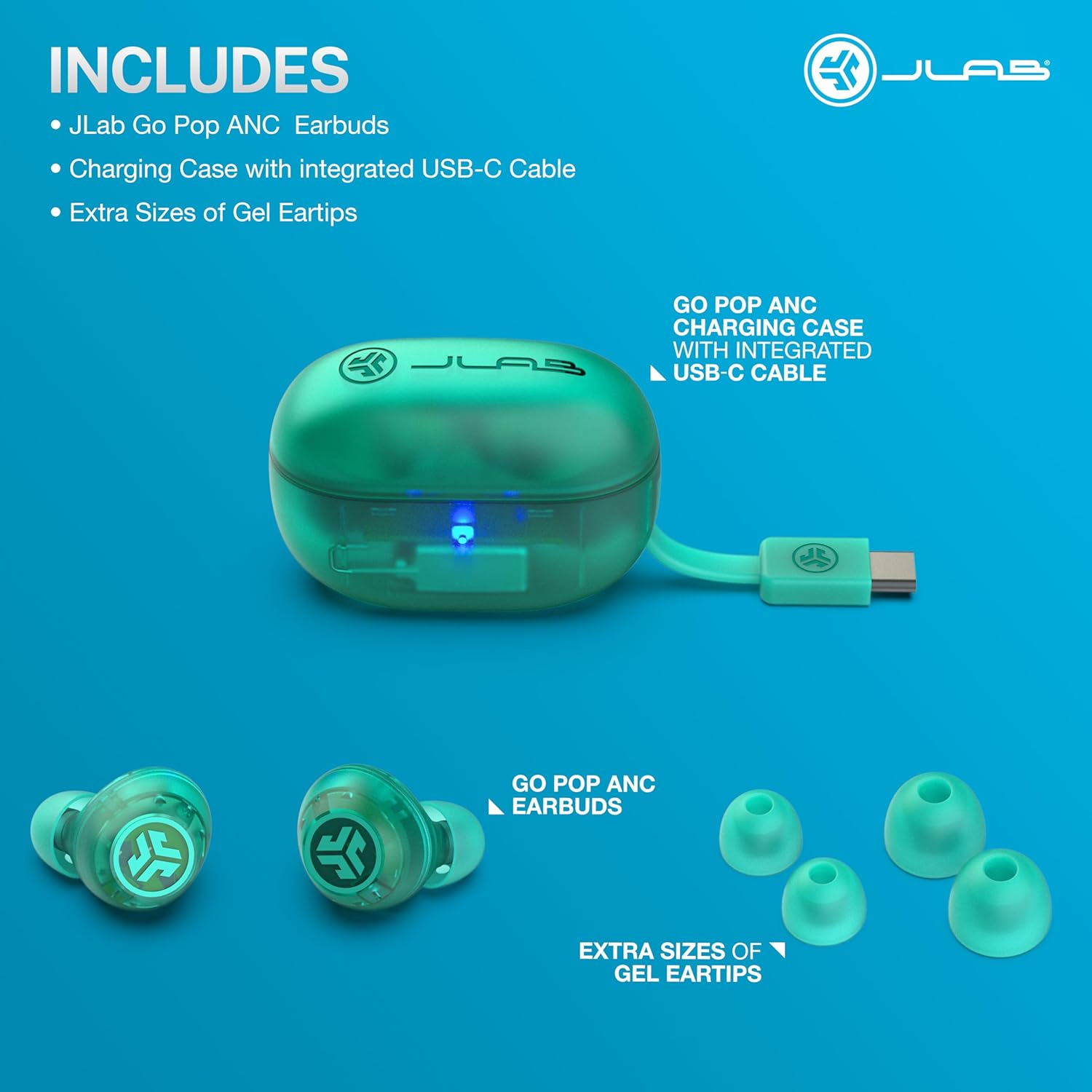
Image: JLab Go Pop ANC Earbuds, charging case, and various eartip sizes.
3. Setup
3.1 Initial Charge
Before first use, fully charge your earbuds and charging case. The charging case features an integrated USB-C cable. Connect the USB-C cable to a compatible USB power source. The indicator light on the case will show charging status. A full charge provides up to 24+ hours of total playtime.

Image: Demonstrating the long battery life of JLab Go Pop ANC earbuds.
3.2 Pairing with Your Device
- Remove both earbuds from the charging case. They will automatically enter pairing mode.
- On your device (smartphone, tablet, computer), open Bluetooth settings.
- Select "JLab Go Pop ANC" from the list of available devices.
- Once connected, you will hear an audio prompt confirming successful pairing.
Google Fast Pair: For Android devices, the earbuds support Google Fast Pair for effortless connection and locating missing earbuds.
3.3 JLab App Setup
Download the JLab App from your device's app store to customize your listening experience. The app allows you to:
- Control touch functions.
- Adjust Be Aware settings.
- Personalize sound preferences with EQ presets (JLab Signature, Balanced, Bass Boost).

Image: JLab App interface for customizing earbud settings.
4. Operating Instructions
4.1 Power On/Off
- Power On: Remove earbuds from the charging case. They will automatically power on.
- Power Off: Place earbuds back into the charging case. They will automatically power off and begin charging.
4.2 Active Noise Cancelling (ANC) and Be Aware Mode
The JLab Go Pop ANC earbuds offer three noise control modes:
- ANC On: Reduces ambient noise for a quieter listening experience.
- ANC Off: Standard listening mode without active noise cancellation.
- Be Aware Mode: Allows outside noises to pass through, enabling you to stay aware of your surroundings for safety.
You can switch between these modes using the touch controls on the earbuds (customizable via the JLab App) or directly through the JLab App.

Image: Illustrating the noise-cancelling feature of the earbuds.
4.3 Touch Controls
The earbuds feature touch-sensitive controls for managing playback, calls, and noise modes. Refer to the JLab App for a detailed diagram and customization options for these controls.
4.4 Dual Connect and Clear Calls
You can use either earbud independently or both together. Each earbud includes a built-in MEMS microphone, ensuring clear calls regardless of whether you use one or both earbuds.
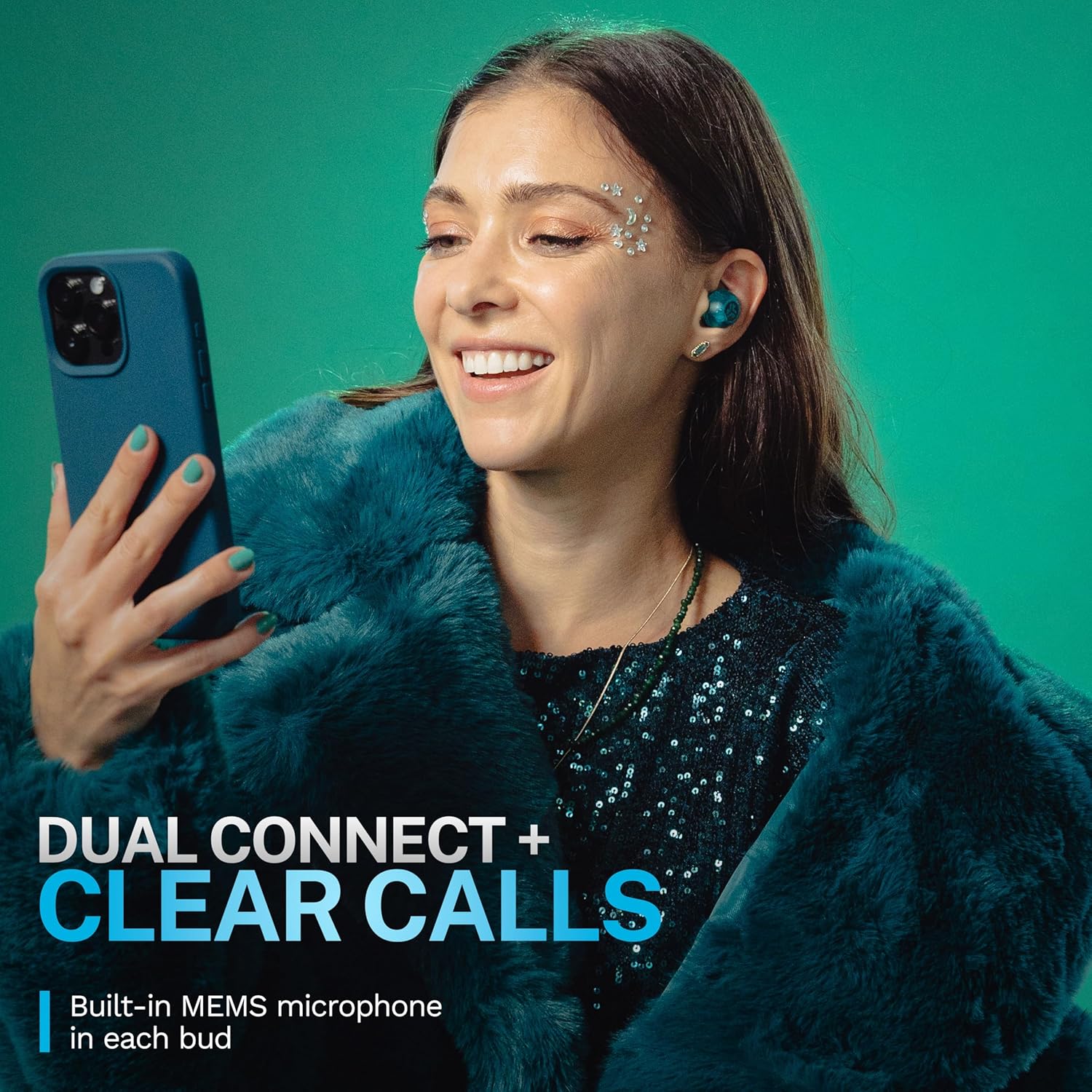
Image: Highlighting the dual connect and clear call features.
4.5 Sound Quality and Customization
The earbuds are equipped with 10mm drivers for crystal clear sound. Use the JLab App to adjust the equalizer settings to your preference, choosing from presets like JLab Signature, Balanced, or Bass Boost.

Image: Showcasing the 10mm drivers for enhanced sound quality.
5. Maintenance
5.1 Cleaning
- Gently wipe the earbuds and charging case with a soft, dry, lint-free cloth.
- Remove eartips and clean them with mild soap and water if necessary. Ensure they are completely dry before reattaching.
- Avoid using harsh chemicals or abrasive materials.
5.2 Storage
Store the earbuds in their charging case when not in use to protect them and keep them charged. Store in a cool, dry place away from extreme temperatures.
5.3 Battery Care
To prolong battery life, avoid fully discharging the earbuds and charging case frequently. Charge them regularly, even if not in constant use.
6. Troubleshooting
6.1 Earbuds Not Pairing
- Ensure both earbuds are removed from the case and have sufficient charge.
- Turn off and on your device's Bluetooth.
- Forget "JLab Go Pop ANC" from your device's Bluetooth list and attempt to pair again.
6.2 No Sound or Low Volume
- Check the volume levels on both your connected device and the earbuds.
- Ensure earbuds are properly seated in your ears and eartips provide a good seal.
- Clean any debris from the earbud speakers.
6.3 Charging Issues
- Verify the integrated USB-C cable is securely connected to a working power source.
- Ensure the charging contacts on the earbuds and inside the case are clean and free of obstruction.
7. Specifications
| Model Name | Go Pop ANC |
| Item Model Number | EBGOANCTRATEL50WEB |
| Connectivity Technology | Bluetooth, Wireless |
| Bluetooth Version | 5.0 |
| Noise Control | Active Noise Cancellation |
| Audio Driver Type | Dynamic Driver |
| Driver Size | 10mm |
| Frequency Range | 20 Hz - 20,000 Hz |
| Battery Life (Earbuds) | Up to 7+ hours per charge |
| Total Playtime (with Case) | 24+ Hours |
| Control Method | Touch |
| Microphone | MEMS Microphone (in each bud) |
| Water Resistance Level | Water Resistant |
| Material | Plastic |
| Item Weight | 0.06 Kilograms (2.11 ounces) |
| UPC | 810119073181 |
8. Warranty and Support
For warranty information, technical support, or further assistance, please visit the official JLab website or contact JLab customer service. Details regarding product registration and warranty claims can typically be found on the manufacturer's support pages.
Online Support: www.jlab.com/support


