
Introduction
This manual provides instructions for the AWEI H25 Smart Watch. Please read this manual carefully before using the device to ensure proper operation and maintenance.

Figure 1: AWEI H25 Smart Watch in use.
1. Setup
1.1 Package Contents
Ensure the following items are included in your package:
- AWEI H25 Smart Watch
- Charging Cable
- User Manual (this document)
1.2 Charging the Device
Before first use, fully charge the smart watch. Connect the charging cable to the charging port on the back of the watch and to a standard USB power adapter (not included).
- A full charge typically takes 2-3 hours.
- The watch has a 230mAh battery capacity.
- Battery life is approximately 5-7 days with daily use, and up to 30 days in standby mode.

Figure 2: Battery life and performance overview.
1.3 App Download and Pairing
To utilize all features, download the companion app to your smartphone. Scan the QR code provided in the watch's interface or search for the app name (usually mentioned in the watch's initial setup screen or packaging) in your phone's app store.
- Enable Bluetooth on your smartphone.
- Open the companion app and follow the on-screen instructions to create an account or log in.
- Select "Add Device" or "Pair Device" within the app.
- The app will search for available devices. Select "AWEI H25" from the list.
- Confirm the pairing request on both your watch and smartphone.
1.4 Watch Face Customization
The AWEI H25 features a 1.83-inch screen. You can customize the watch face through the companion app.
- Choose from multiple cloud-based watch faces.
- Upload your own photos to create a personalized watch face.
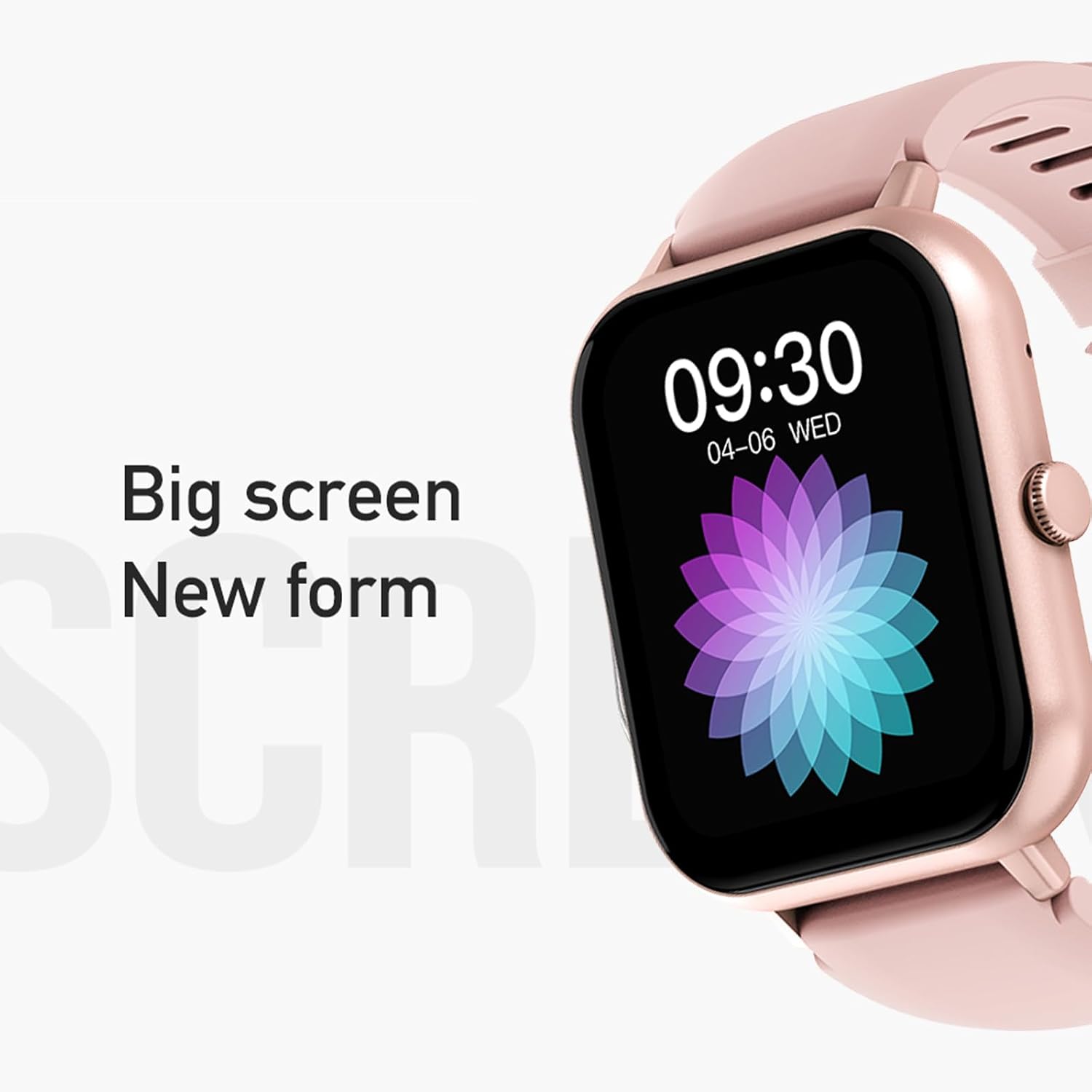
Figure 3: The 1.83-inch screen of the AWEI H25 Smart Watch.
2. Operating Instructions
2.1 Basic Navigation
- Swipe Up/Down: Navigate through menus and notifications.
- Swipe Left/Right: Access quick functions or widgets.
- Press Side Button: Return to the home screen or access the app list.
- Long Press Side Button: Power on/off or access system settings.
2.2 Bluetooth Call Function
After successful pairing with your smartphone, the watch supports Bluetooth calls.
- Answering Calls: When a call comes in, tap the green icon on the watch screen.
- Making Calls: Access the dial pad or contact list on the watch to initiate a call.
2.3 Sport Modes
The AWEI H25 offers over 100 sport modes to track your physical activity.
- Access the "Sports" menu on the watch.
- Select your desired activity (e.g., Running, Walking, Hiking, Basketball, Cycling, Yoga).
- The watch will track exercise time, calories burned, and other relevant metrics.

Figure 4: Overview of available sport modes.
2.4 Health Monitoring
The watch provides monitoring for various health metrics:
- Heart Rate Monitoring: Continuous or on-demand heart rate measurement.
- Blood Pressure Monitoring: Provides estimated blood pressure readings.
- Blood Oxygen Monitoring: Measures blood oxygen saturation (SpO2).
- Female Physiological Cycle: Track and predict menstrual cycles (requires setup in the app).
- Sedentary Reminders: Alerts you to move after periods of inactivity.
Note: The health monitoring features are for reference only and should not be used for medical diagnosis or treatment. Consult a medical professional for health concerns.
2.5 Smart Voice Assistant
After binding the watch to the companion app, you can use the smart voice assistant function.
- Click the voice function icon on the watch's menu screen.
- Speak your command (e.g., "What's the weather today?", "Call [Contact Name]").

Figure 5: Smart Voice Assistant interface.
2.6 Additional Features
- Music Control: Control music playback on your smartphone.
- Remote Photography: Use the watch as a remote shutter for your phone's camera.
- Alarm Clock: Set alarms directly from the watch.
- Time Display: Standard time and date display.
- Wrist-Flip Display: Screen activates when you raise your wrist.
3. Maintenance
3.1 Waterproof Rating (IP67)
The AWEI H25 Smart Watch has an IP67 waterproof rating. This means it is protected against dust ingress and can withstand immersion in water up to 1 meter for up to 30 minutes.
- Suitable for daily use such as washing hands, face, or light rain.
- Not suitable for: Swimming, diving, hot showers, saunas, or high-pressure water activities.
- Avoid contact with hot water, steam, or corrosive liquids.
3.2 Cleaning and Care
- Wipe the watch and strap regularly with a soft, dry cloth.
- If necessary, use a slightly damp cloth with mild soap, then wipe dry.
- Do not use harsh chemicals, abrasive cleaners, or solvents.
- Keep the charging contacts clean and dry to ensure proper charging.
3.3 Battery Care
- Avoid fully discharging the battery frequently.
- Do not expose the watch to extreme temperatures (very hot or very cold).
- If storing the watch for an extended period, charge it to about 50% and store in a cool, dry place.
4. Troubleshooting
4.1 Device Not Powering On
- Ensure the watch is fully charged. Connect it to the charger for at least 30 minutes.
- Try a long press (approx. 10-15 seconds) of the side button to force a power-on.
4.2 Unable to Pair with Smartphone
- Ensure Bluetooth is enabled on your smartphone.
- Make sure the watch is within Bluetooth range (typically 10 meters).
- Restart both the watch and your smartphone.
- Clear the Bluetooth cache on your phone (if applicable) and try pairing again.
- Ensure the companion app is updated to the latest version.
4.3 Inaccurate Health Readings
- Ensure the watch is worn snugly on your wrist, not too tight or too loose.
- Keep the sensor on the back of the watch clean and free from debris.
- Avoid excessive movement during measurements.
- Remember that these readings are for reference and not medical grade.
4.4 Watch Not Receiving Notifications
- Check notification permissions for the companion app on your smartphone.
- Ensure the watch is connected via Bluetooth to your phone.
- Verify that "Do Not Disturb" mode is not active on either the watch or phone.
5. Specifications
| Model Number | H25 |
| Brand | AWEI |
| Screen Size | 1.83 Inches |
| Battery Capacity | 230 mAh |
| Connectivity | Bluetooth |
| Waterproof Rating | IP67 |
| Special Features | 100+ sport modes, Multiple customizable dials, Smart voice assistant, Heart rate, Blood pressure, Blood oxygen monitoring, Bluetooth call function. |
| GPS | No GPS |
6. Warranty and Support
6.1 Product Warranty
The AWEI H25 Smart Watch comes with a one-year warranty from the date of purchase. This warranty covers manufacturing defects under normal use. It does not cover damage caused by misuse, accidents, unauthorized modifications, or failure to follow instructions in this manual.
Please retain your proof of purchase for warranty claims.
6.2 Customer Support
If you encounter any issues not covered in the troubleshooting section or require further assistance, please contact AWEI customer support. Refer to the product packaging or the official AWEI website for the most current contact information.
