
LIGE FV12
LIGE FV12 Smartwatch User Manual
Model: FV12
1. Introduction
This manual provides detailed instructions for the LIGE FV12 Smartwatch. Please read this guide thoroughly to ensure proper setup, operation, and maintenance of your device. The LIGE FV12 Smartwatch combines elegant design with advanced technology, offering features such as Bluetooth calling, a vibrant AMOLED display, comprehensive health monitoring, and various sport modes.

Image 1.1: LIGE FV12 Smartwatch with both metal and silicone straps.
2. Package Contents
Upon opening the package, please verify that all the following items are included:
- LIGE FV12 Smartwatch
- Stainless Steel Strap
- Silicone Strap
- Strap Extension Accessories
- Tools for strap adjustment
- User Manual
3. Setup Guide
3.1. Initial Charging
Before first use, fully charge your smartwatch. Connect the magnetic charging cable to the charging contacts on the back of the watch and plug the USB end into a power adapter (not included). A full charge typically takes approximately 2 hours. The watch offers 4-7 days of daily use and up to 15 days of standby time.
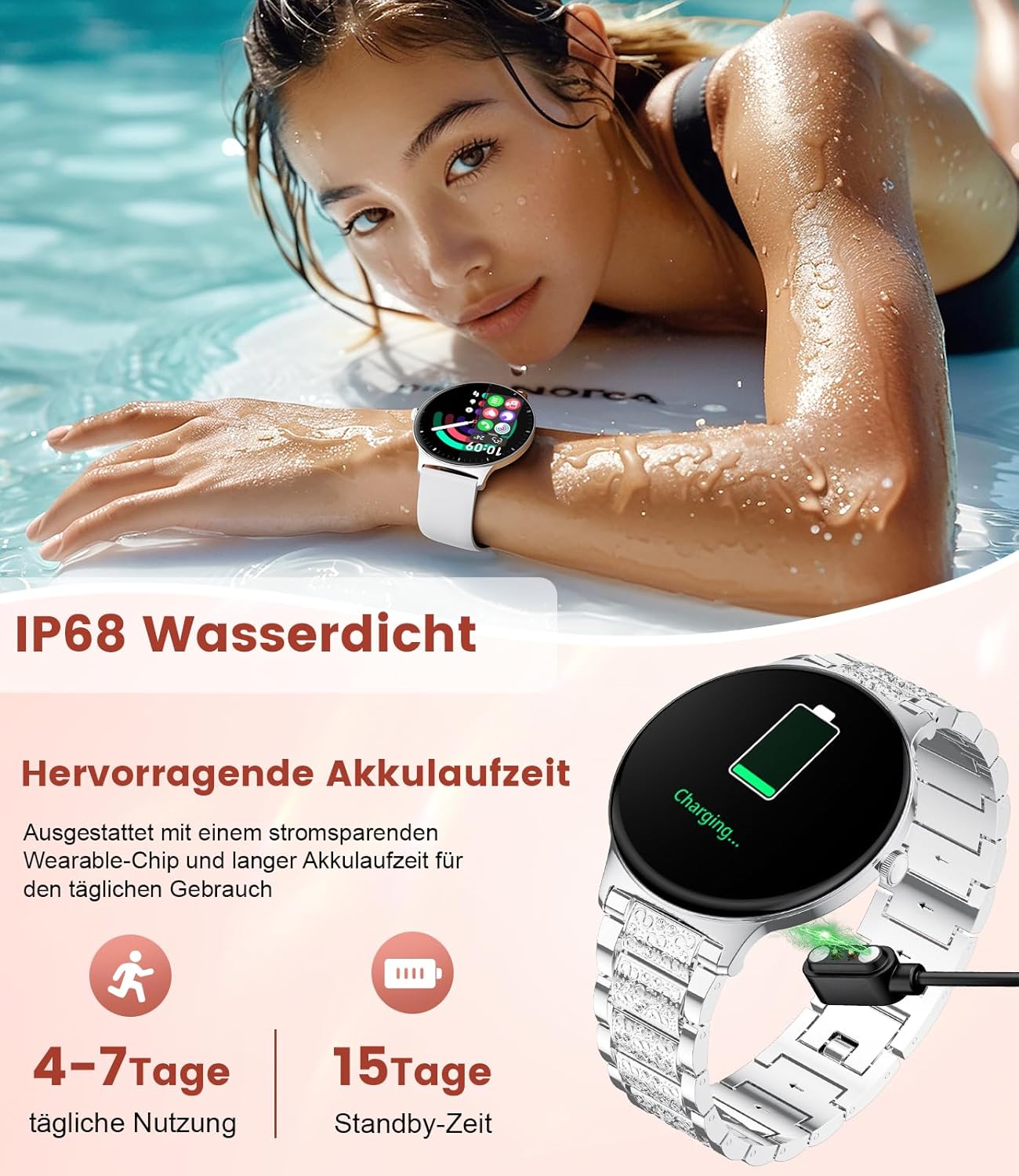
Image 3.1: Smartwatch charging and highlighting IP68 water resistance.
3.2. App Installation
To unlock all features and synchronize data, download the companion application to your smartphone. Scan the QR code provided in the manual or search for the app name (usually mentioned in the included paper manual or on the watch screen during initial setup) in your phone's app store. The app is compatible with Android 4.0+ and iOS 9.0+ devices.
3.3. Device Pairing
- Ensure your smartwatch is charged and powered on.
- Enable Bluetooth on your smartphone.
- Open the companion app and follow the on-screen instructions to add a new device.
- Select 'FV12' from the list of available Bluetooth devices.
- Confirm the pairing request on both your phone and the smartwatch.
Once paired, the watch will synchronize time and data with your phone.
4. Operating Instructions
4.1. Display and Navigation
The LIGE FV12 features a 1.43-inch AMOLED full-touch display with a 460x460 resolution. You can navigate the interface by swiping up, down, left, or right, and tapping to select options.
- Swipe Down: Access quick settings (e.g., brightness, do not disturb).
- Swipe Up: View notifications.
- Swipe Left/Right: Cycle through widgets (e.g., activity data, heart rate, weather).
- Press Side Button: Return to the main watch face or access the app menu.
Customize your watch face from over 100 downloadable options or create your own DIY watch face through the app.

Image 4.1: Customizable AMOLED display with various watch face options.
4.2. Bluetooth Calls and Message Notifications
With Bluetooth 5.0 connectivity, the smartwatch allows you to make and receive calls directly from your wrist. It also displays notifications from various social media applications.
- Making Calls: Access the dial pad or contacts list on the watch.
- Receiving Calls: Answer or reject incoming calls directly from the watch screen.
- Notifications: Receive alerts for messages from WhatsApp, Twitter, Facebook, Instagram, and other apps.

Image 4.2: Bluetooth call interface and notification icons.
4.3. Health Monitoring
The LIGE FV12 Smartwatch continuously monitors your health using advanced biometric sensors.
- Heart Rate Monitoring: Real-time tracking of your heart rate.
- Blood Oxygen (SpO2) Monitoring: Measures blood oxygen levels.
- Sleep Tracking: Analyzes sleep quality, including deep and light sleep phases.
- Stress Monitoring: Helps manage stress levels through real-time tracking and breathing exercises.
- Menstrual Cycle Tracking: Provides accurate tracking and personalized reminders for menstrual periods, ovulation, and fertile windows.

Image 4.3: Health monitoring features including sleep, heart rate, SpO2, and stress.

Image 4.4: Menstrual cycle tracking interface.
4.4. Sport Modes
The smartwatch offers over 120 sport modes, accurately recording calories burned, steps taken, pace, and heart rate changes to help you plan your workouts effectively.
- Includes modes for endurance training, outdoor activities, yoga, Pilates, running, cycling, and more.
- Provides detailed post-workout reports for progress tracking.

Image 4.5: Overview of sport modes and activity tracking.
4.5. Smart Functions
The LIGE FV12 Smartwatch integrates several smart features to enhance daily convenience:
- Music Control: Play, pause, skip tracks on your smartphone.
- Remote Camera Control: Use the watch as a remote shutter for your phone's camera.
- Weather Forecasts: Real-time weather updates.
- Alarms and Reminders: Set alarms, sedentary reminders, and hydration reminders.
- Voice Assistant: Access your phone's voice assistant.
- Stopwatch and Timer: For precise timing during activities.

Image 4.6: Smart functions overview.
5. Maintenance
5.1. Cleaning
Regularly clean your smartwatch and straps to prevent skin irritation and maintain device functionality. Use a soft, damp cloth to wipe the watch body and straps. Avoid harsh chemicals or abrasive materials.
5.2. Water Resistance
The LIGE FV12 Smartwatch is IP68 water-resistant, meaning it can withstand dust, dirt, and sand, and is resistant to submersion up to a maximum depth of 1.5m for up to 30 minutes. It is suitable for daily use, hand washing, and light rain. However, it is not recommended for hot showers, saunas, or diving, as steam and high water pressure can compromise the seals.
5.3. Strap Replacement
The package includes tools and accessories for adjusting or replacing the straps. Follow the instructions provided with the tools for safe and proper strap changes.

Image 5.1: Ultra-thin design and strap details.
6. Specifications
| Feature | Detail |
|---|---|
| Brand | LIGE |
| Model Number | FV12-B-JF |
| Display Size | 1.43 Inches |
| Display Type | AMOLED Touchscreen |
| Resolution | 460 x 460 |
| Connectivity | Bluetooth 5.0 |
| Operating System | Wear OS 3.0 (compatible with Android 4.0+ / iOS 9.0+) |
| Battery Capacity | 200 mAh Lithium-Polymer |
| Battery Life (Daily Use) | 4-7 Days |
| Battery Life (Standby) | Up to 15 Days |
| Water Resistance | IP68 |
| Special Features | Phone Call, Voice Call, Notification, Alarm Clock, Activity Tracker, Health Monitoring (HR, SpO2, Sleep, Stress, Menstrual Cycle), 120+ Sport Modes, Music Control, Remote Camera |
| GPS | No GPS |
7. Troubleshooting
If you encounter issues with your LIGE FV12 Smartwatch, please refer to the following common solutions:
- Device Not Turning On: Ensure the watch is fully charged. Connect it to the charger for at least 30 minutes.
- Cannot Pair with Phone:
- Ensure Bluetooth is enabled on your phone and the watch is discoverable.
- Make sure the watch is within the Bluetooth range of your phone.
- Restart both your phone and the smartwatch.
- Clear the Bluetooth cache on your phone (if applicable).
- Ensure the companion app is installed and running.
- Notifications Not Received:
- Check app notification settings on your phone and within the smartwatch app.
- Ensure the watch is connected via Bluetooth.
- Disable 'Do Not Disturb' mode on the watch.
- Inaccurate Health Data:
- Ensure the watch is worn snugly on your wrist, not too tight or too loose.
- Clean the sensor on the back of the watch.
- Note that smartwatches are not medical devices and data is for reference only.
- Short Battery Life:
- Reduce screen brightness.
- Limit frequent use of power-intensive features like continuous heart rate monitoring or calls.
- Ensure background app refresh is managed on your phone.
8. Warranty and Support
For any questions or issues after receiving your product, please do not hesitate to contact customer support. We aim to respond within 24 hours. Please refer to your purchase documentation for specific warranty details and contact information.
The LIGE FV12 Smartwatch is compatible with smartphones running Android 4.0 or iOS 9.0 and above.
Related documentsFV12


Ask a question about this manual
Ask about setup, troubleshooting, compatibility, parts, safety, or missing instructions. Manuals+ will review the question and use this page’s manual context to help answer it.