
FLEXISPOT Basic 140x60cm
FLEXISPOT Electric Standing Desk Basic 140x60cm User Manual
Model: Basic 140x60cm
Introduction
The FLEXISPOT Electric Standing Desk is designed to help you achieve an ideal balance during your workday by allowing seamless transitions between sitting and standing positions. This adjustable height desk promotes better focus and increased calorie expenditure, contributing to overall well-being by reducing sedentary time.

Image: The FLEXISPOT Electric Standing Desk in a typical office setup, showcasing its spacious desktop and ergonomic design.
Safety Warnings
Please read and adhere to the following safety warnings to ensure safe operation and prevent injury:
- This desk requires a flat and stable surface for operation. Anti-slip pads are included to ensure stability. Do not use on an unstable or sloped surface.
- Do not overload the desk beyond its recommended capacity of 100 kg (fixed) or 70 kg (mobile).
- Exercise caution when adjusting the height to avoid injury. Ensure no objects or body parts are in the path of the moving desk.
- The advanced anti-collision system will automatically stop the desk if it encounters an obstacle during height adjustment and move slightly back to prevent collisions.
Package Contents
Before assembly, please ensure all components are present and undamaged. The package typically includes:
- Desktop (Maple finish, 140x60cm)
- Electric Lifting Frame (White structure)
- Control Panel with 6 buttons
- Power Adapter and Cables
- Assembly Hardware (screws, tools)
- Anti-slip Pads
- 2 x Free Hooks
- 1 x Cup Holder

Image: Included accessories: two hooks for hanging items and a convenient cup holder.
Setup and Assembly
Assembly of the FLEXISPOT Electric Standing Desk is straightforward, though it is recommended to have two people due to the weight of the components. Ensure you have ample open space for assembly.
Assembly Steps:
- Unpack all components and verify against the package contents list.
- Attach the lifting columns to the desk feet using the provided screws.
- Connect the crossbar to the lifting columns.
- Secure the desktop to the assembled frame.
- Install the control panel and connect all necessary cables to the motor and power adapter.
- Attach the anti-slip pads to the bottom of the desk feet.
- Install the optional hooks and cup holder as desired.
For detailed visual instructions, please refer to the assembly video provided by FLEXISPOT (if available online) or the included graphical manual.
Operating Instructions
The FLEXISPOT Electric Standing Desk features an intuitive 6-button control panel for easy height adjustment and memory functions.

Image: The smart control panel, showing the LED display for height, up/down arrows, and four programmable preset buttons.
Height Adjustment:
- Use the ▲ and ▼ arrow buttons to manually adjust the desk height. The current height will be displayed on the LED screen.
- The desk height can be adjusted from 72 cm to 116.5 cm.

Image: Visual representation of the desk's adjustable height range, accommodating various user preferences.
Memory Presets:
- The control panel allows you to store up to 4 different height positions.
- To save a preset: Adjust the desk to your desired height. Press the 'M' button, then press one of the numbered buttons (1, 2, 3, or 4) within 3 seconds. The height is now saved to that number.
- To recall a preset: Simply press the corresponding numbered button (1, 2, 3, or 4). The desk will automatically move to the saved height.
Anti-Collision Feature:
The desk is equipped with an advanced anti-collision system. If the desk encounters an obstacle during height adjustment, it will automatically stop and reverse slightly to prevent damage or injury.
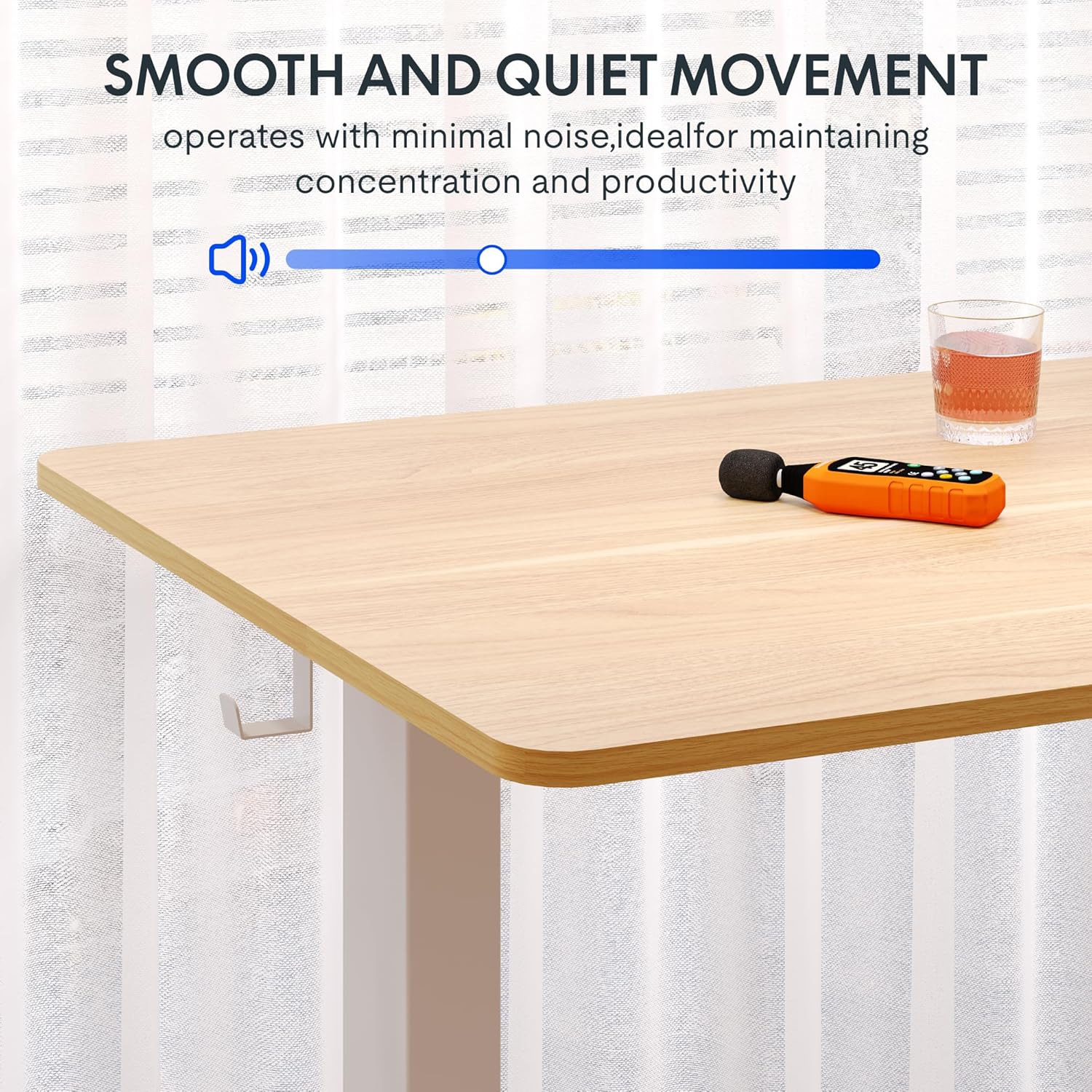
Image: The desk operates with minimal noise, ideal for maintaining concentration and productivity.
Maintenance
Proper maintenance will ensure the longevity and optimal performance of your FLEXISPOT desk.
- Cleaning: Wipe the desktop and frame with a soft, damp cloth. Avoid abrasive cleaners or harsh chemicals that could damage the finish.
- Cable Management: Periodically check that all cables are securely connected and not pinched or tangled.
- Regular Inspection: Ensure all screws and fasteners remain tight. Retighten if necessary.
- Load Capacity: Do not exceed the maximum load capacity to prevent strain on the motor and frame.
Troubleshooting
If you encounter issues with your FLEXISPOT desk, refer to the following common troubleshooting steps:
| Problem | Possible Cause | Solution |
|---|---|---|
| Desk does not move. | Power cable disconnected; Motor error. | Check power connections. Unplug and replug the desk for 10 seconds to reset. |
| Uneven desk surface. | Transmission rod misalignment during assembly. | Turn the transmission rod counter-clockwise for both legs to achieve the shortest maximum length, then re-insert the rod. Ensure both legs are at the same height before re-inserting. |
| Desk stops unexpectedly. | Anti-collision system activated. | Remove any obstacles. The desk should resume normal operation. |
| Noise during operation. | Loose components; Normal motor sound. | Check all screws and connections. A slight motor sound is normal, but excessive noise may indicate an issue. |
If the problem persists after attempting these solutions, please contact FLEXISPOT customer support.
Specifications
- Brand: FLEXISPOT
- Model: Basic 140x60cm
- Desktop Material: Maple Wood
- Frame Material: Alloy Steel (White structure)
- Product Dimensions (L x W x H): 140 x 60 x 72 cm (minimum height)
- Adjustable Height Range: 72 cm to 116.5 cm
- Load Capacity: Max 100 kg (fixed), 70 kg (mobile)
- Noise Level: Under 50 dbs
- Speed: 20mm/s
- Standby Power Consumption: Less than 0.5 W
- Components Included: Desk frame, desktop, control panel, hooks, memory function.

Image: Key specifications of the desk, including dimensions, load capacity, noise level, and adjustment speed.

Image: Highlighting the desk's robust construction and durability, tested for over 50,000 lifting/lowering cycles.
Warranty and Support
FLEXISPOT stands by the quality of its products. As an ergonomics expert with 20 years of experience, each desk undergoes comprehensive testing to ensure high quality and safety standards.
- Frame Warranty: 5 years
- Motor Warranty: 3 years
- Technical Support: Free lifetime technical support

Image: Summary of FLEXISPOT's warranty policy, ensuring long-term reliability and customer peace of mind.
For warranty claims, technical assistance, or any inquiries, please visit the official FLEXISPOT website or contact their customer service department directly.
Related documentsBasic 140x60cm


Ask a question about this manual
Ask about setup, troubleshooting, compatibility, parts, safety, or missing instructions. Manuals+ will review the question and use this page’s manual context to help answer it.