
AWEI T68
AWEI T68 Wireless Headphones User Manual
Model: T68
Introduction
Thank you for choosing the AWEI T68 Wireless Headphones. These Bluetooth 5.3 earbuds are designed to provide a high-fidelity audio experience with powerful bass, noise-cancelling microphone for clear calls, and IPX6 waterproof rating, making them suitable for various activities including sports and workouts. This manual will guide you through the setup, operation, and maintenance of your new headphones.

Image: The AWEI T68 purple wireless earbuds are shown inside their matching open charging case, ready for use.
What's in the Box
- AWEI T68 Wireless Earbuds (Left and Right)
- Charging Case
- USB Charging Cable (Type-C)
- Eartips (various sizes)
- User Manual
Setup
1. Charging the Earbuds and Case
Before first use, fully charge the charging case and earbuds. Place the earbuds into the charging case. Connect the USB Type-C cable to the charging port on the case and the other end to a USB power source.
- The charging case has a 300mAh battery capacity.
- A full charge for the case takes approximately 1.5 hours.
- Earbuds provide 7 hours of continuous use per charge.
- With the charging case, total playback time is up to 35 hours (dual-ear mode) or 70 hours (single-ear mode by alternating earbuds).

Image: Illustration showing the AWEI T68 charging case and earbuds, highlighting their battery life and charging capabilities.
2. Initial Pairing
- Open the charging case. The earbuds will automatically power on and enter pairing mode.
- On your device (smartphone, tablet, laptop), enable Bluetooth.
- Search for "AWEI T68" in the list of available Bluetooth devices.
- Select "AWEI T68" to connect. Once connected, you will hear a confirmation tone.
3. Automatic Reconnection
After the initial pairing, the earbuds will automatically reconnect to the last paired device when taken out of the charging case, provided Bluetooth is enabled on the device and it is within range (up to 10 meters).
Operating Instructions
1. Wearing the Earbuds
Choose the correct size of eartips for a comfortable and secure fit. Insert the earbuds into your ears and gently rotate them until they fit snugly. A proper fit ensures optimal sound quality and noise isolation.

Image: A person is shown wearing the AWEI T68 earbuds, demonstrating their comfortable semi-in-ear design.
2. Smart Touch Controls
The AWEI T68 earbuds feature intuitive touch controls on both earbuds. The functions are as follows:
| Action | Function |
|---|---|
| Single Tap (Left/Right) | Play/Pause Music, Answer/End Call |
| Double Tap (Right Earbud) | Next Song |
| Double Tap (Left Earbud) | Previous Song |
| Triple Tap (Right Earbud) | Volume Up |
| Triple Tap (Left Earbud) | Volume Down |
| Long Press (2 seconds) | Reject Call, Activate Voice Assistant |
3. Single-Earbud Mode
Either earbud can be used independently. Simply take one earbud out of the charging case, and it will automatically connect to your device. The other earbud can remain in the case or be used later.
Maintenance
- Cleaning: Regularly clean the earbuds and charging case with a soft, dry, lint-free cloth. Do not use harsh chemicals or abrasive materials. Ensure charging contacts are free of debris.
- Water Resistance: The earbuds are IPX6 waterproof, meaning they are protected against powerful water jets. They are suitable for workouts and light rain but should not be submerged in water. Dry them thoroughly before placing them back in the charging case.
- Storage: When not in use, store the earbuds in their charging case to protect them and keep them charged. Store in a cool, dry place away from extreme temperatures.
Troubleshooting
| Problem | Possible Solution |
|---|---|
| Earbuds not pairing with device |
|
| Only one earbud has sound |
|
| Earbuds not charging |
|
| Poor sound quality or connection drops |
|
Specifications
| Feature | Detail |
|---|---|
| Model Name | T68 |
| Bluetooth Version | 5.3 |
| Bluetooth Range | Up to 10 meters (33 feet) |
| Driver Size | 13mm |
| Noise Control | Adaptive Noise Cancellation (ENC for calls) |
| Water Resistance Level | IPX6 (Waterproof) |
| Earbud Playtime | Approx. 7 hours per charge |
| Total Playtime (with case) | Up to 35 hours (dual-ear), 70 hours (single-ear) |
| Charging Case Battery | 300mAh |
| Charging Time (Case) | Approx. 1.5 hours (Type-C) |
| Control Type | Touch Control |
| Compatible Devices | Laptops, Tablets, Mobile Phones (iOS, Android) |
| Impedance | 32 Ohm |

Image: An exploded view diagram illustrating the internal components of the AWEI T68 earbud, emphasizing the 13mm driver and high-elasticity composite diaphragms for high-fidelity sound.

Image: A schematic diagram highlighting the Bluetooth 5.3 chipset within the AWEI T68 earbuds, indicating stable and low-latency wireless communication.
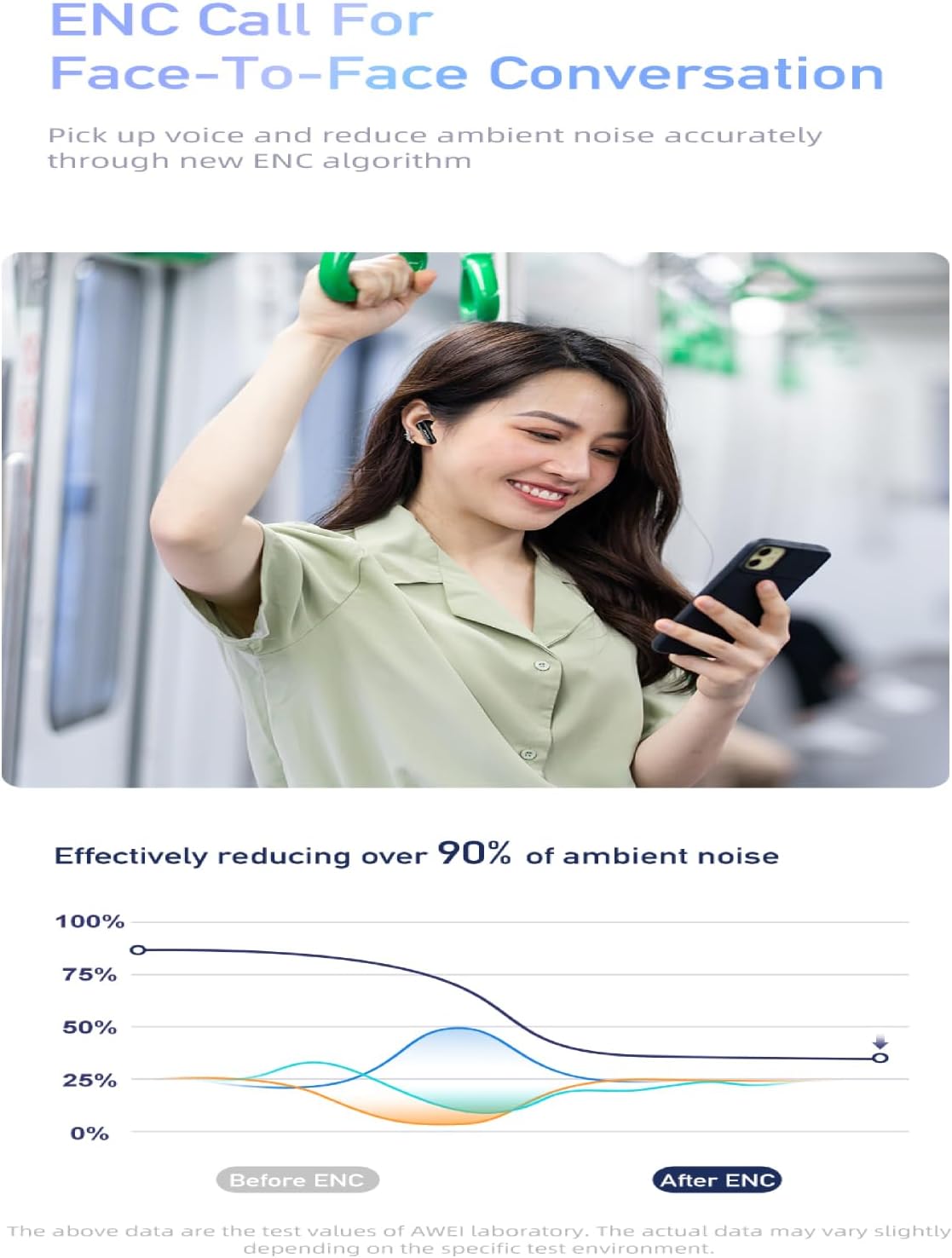
Image: A graph demonstrating the effectiveness of ENC (Environmental Noise Cancellation) technology in the AWEI T68 earbuds, showing significant reduction in ambient noise during calls.
Warranty and Support
For warranty information and customer support, please refer to the warranty card included in your product packaging or visit the official AWEI website. Keep your purchase receipt as proof of purchase for any warranty claims.
For further assistance, you may also contact the seller directly through the platform where you purchased the product.
Related documentsT68


Ask a question about this manual
Ask about setup, troubleshooting, compatibility, parts, safety, or missing instructions. Manuals+ will review the question and use this page’s manual context to help answer it.