
Introduction
Thank you for choosing the AWEI T95 Wireless Earbuds. These earbuds are designed for an active lifestyle, featuring a secure over-ear hook design, IPX6 waterproofing, and Bluetooth 5.4 technology for stable connectivity. This manual provides detailed instructions for setup, operation, and maintenance to ensure optimal performance and longevity of your device.

Image: AWEI T95 Wireless Earbuds in beige, with their charging case.
What's in the Box
- Wireless Earbuds (Left and Right)
- Earbuds Charging Case
- Type-C Charging Cable
- User Manual
Product Overview
The AWEI T95 earbuds are engineered for comfort and high-quality audio. They feature a shell-shaped appearance and skin-friendly silicone ear hooks for a secure fit during various activities.
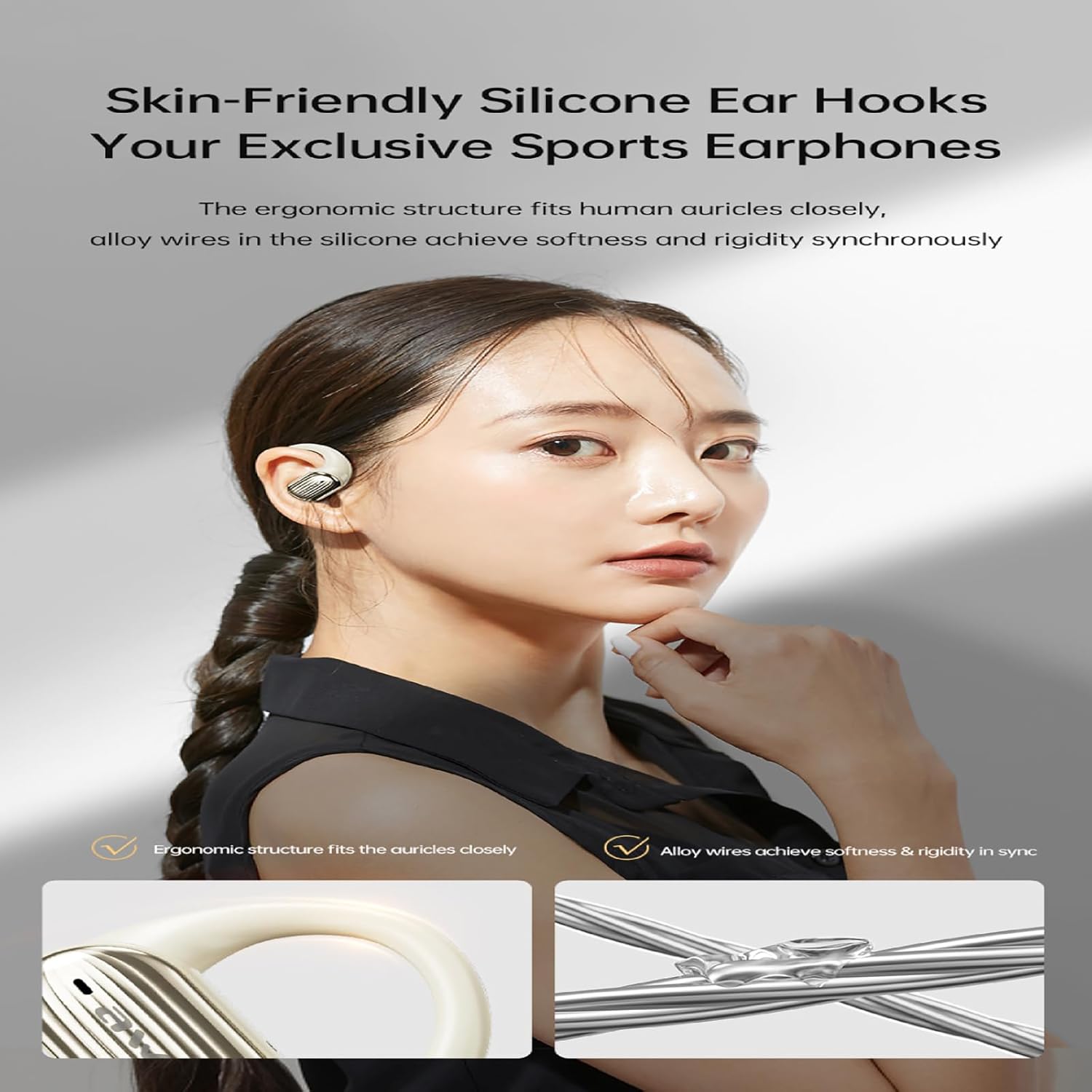
Image: Close-up view of an AWEI T95 earbud highlighting the skin-friendly silicone ear hook for a secure fit.
Key Features:
- Bluetooth 5.4 Technology: Ensures a fast, stable connection with low latency for synchronized audio and video.
- Extended Battery Life: Up to 5 hours of music playback per charge, with the 300mAh charging case providing up to 42 hours in dual-ear mode or 84 hours in single-ear mode.
- Stereo Audio & Clear Calls: Equipped with 14.2mm large speakers for deep bass and clear sound. Built-in microphones ensure clear voice transmission during calls.
- Secure & Comfortable Fit: Ergonomically designed with ear hooks to prevent accidental falling out during physical activities.
- IPX6 Waterproof: Resistant to splashes and sweat, suitable for sports and outdoor use.
- Touch Control: Easy and intuitive control for music playback and calls.

Image: Illustration showing the Bluetooth 5.3 chip within the earbud, emphasizing audio and video synchronization.

Image: A woman wearing the earbuds, with visual effects representing dynamic spatial sound for an immersive audio experience.

Image: Detailed view of the earbud's internal structure, illustrating the ULF enhancement algorithm for powerful bass.

Image: Diagram showing directional sound propagation from the earbud, designed for staying alert and privacy.
Setup
1. Charging the Earbuds and Case
Before first use, fully charge the earbuds and the charging case. Connect the provided Type-C cable to the charging port on the case and a USB power source. The LED indicator on the case will show the charging status. A full charge provides up to 42 hours of playback with the charging case.
2. Pairing with Your Device
- Ensure the charging case is charged and the earbuds are inside.
- Open the charging case. The earbuds will automatically enter pairing mode.
- On your device (smartphone, tablet, laptop), enable Bluetooth.
- Search for available Bluetooth devices and select "AWEI T95" from the list.
- Once connected, you will hear a confirmation prompt. The earbuds will automatically connect to the last paired device when removed from the case.
Operating Instructions
Wearing the Earbuds
Place the earbuds over your ears, ensuring the ear hooks securely fit around the back of your ears. Adjust the ear tips for a comfortable and snug fit to optimize sound quality and stability.
Touch Controls
The AWEI T95 earbuds feature intuitive touch controls on each earbud. Specific functions may vary slightly, but common controls include:
- Play/Pause: Single tap on either earbud.
- Next Track: Double tap on the right earbud.
- Previous Track: Double tap on the left earbud.
- Answer/End Call: Single tap on either earbud.
- Reject Call: Press and hold either earbud for 2 seconds.
- Activate Voice Assistant: Triple tap on either earbud.
Single-Ear Mode
You can use either earbud independently. Simply remove one earbud from the charging case, and it will automatically connect to your device. The other earbud can remain in the case or be used separately.
Maintenance
Cleaning
Regularly clean your earbuds and charging case to maintain optimal performance. Use a soft, dry, lint-free cloth. For ear tips, you may gently wipe them with a damp cloth and mild soap, ensuring they are completely dry before reattaching. Do not use harsh chemicals or abrasive materials.
Storage
When not in use, store the earbuds in their charging case to protect them from dust, damage, and to keep them charged. Avoid exposing the earbuds to extreme temperatures or direct sunlight for prolonged periods.
Troubleshooting
- Earbuds not pairing: Ensure both earbuds are charged and removed from the case. Turn off and on your device's Bluetooth, then try pairing again. If issues persist, try resetting the earbuds (refer to manufacturer's specific reset instructions if available).
- No sound: Check the volume on both your device and the earbuds. Ensure the earbuds are properly connected to your device.
- Charging issues: Verify the charging cable is securely connected to both the case and the power source. Ensure the charging contacts on the earbuds and inside the case are clean and free of debris.
- Unstable connection: Ensure your device is within the Bluetooth range (up to 33 feet) and there are no significant obstructions between the earbuds and your device.
Specifications
| Feature | Specification |
|---|---|
| Model Name | T95 |
| Connectivity Technology | Wireless (Bluetooth 5.4) |
| Bluetooth Range | 33 Feet |
| Battery Life (Earbuds) | 5 hours |
| Total Playback (with Case) | 42 hours (dual-ear), 84 hours (single-ear) |
| Charging Case Battery | 300mAh |
| Water Resistance Level | IPX6 Waterproof |
| Control Type | Touch Control |
| Included Components | Wireless Earbuds, Earbuds Charging Case, Type-C Cable, User Manual |
Official Product Videos
AWEI T95 Wireless Bluetooth Headset Overview
This video provides a general overview of the AWEI T95 Wireless Bluetooth Headset, demonstrating its design and key features.
AWEI T80 Sports TWS Earphone Features
This video showcases features of the AWEI T80 Sports TWS Earphone, including its design, sound quality, and ergonomic ear-hook fit, which are similar to the T95 model.
AWEI A12 Sport Bluetooth Headphones Overview
This video highlights various features of AWEI Sport Bluetooth Headphones, such as battery life, LED display, ear tip options, and secure fit, applicable to the T95 model.
Warranty and Support
For warranty information, technical support, or customer service inquiries, please refer to the contact details provided on the product packaging or visit the official AWEI website. Keep your purchase receipt for warranty claims.


