
JINJUNYE TTIM-G01AS
JINJUNYE Upgraded Nugget Ice Maker User Manual
Model: TTIM-G01AS
Introduction
Thank you for choosing the JINJUNYE Upgraded Nugget Ice Maker. This countertop appliance is designed to produce soft, chewable pellet ice efficiently, perfect for home and kitchen use. With a daily ice production capacity of 40LBS and a 1.5L water tank, it offers convenience and reliability. This manual provides essential information for the safe operation, setup, maintenance, and troubleshooting of your ice maker.

Image: The JINJUNYE Nugget Ice Maker, showcasing its sleek stainless steel design, an ice scoop, an ice basket filled with nugget ice, and an external water bottle connection for continuous water supply.

Image: A visual comparison highlighting the soft and chewable texture of nugget ice, contrasting it with traditional cube and bullet ice, emphasizing its benefits for drink pairing and oral health.
Important Safety Instructions
To reduce the risk of fire, electric shock, or injury when using your ice maker, follow these basic precautions:
- Read all instructions before use.
- Do not touch the evaporator or ice blades when the unit is operating.
- Do not immerse the appliance, power cord, or plug in water or other liquids.
- Close supervision is necessary when any appliance is used by or near children.
- Unplug the ice maker from the outlet when not in use and before cleaning.
- Do not operate any appliance with a damaged cord or plug, or after the appliance malfunctions or has been damaged in any manner.
- Do not use outdoors.
- Do not place on or near a hot gas or electric burner, or in a heated oven.
- Do not use the appliance for other than intended household use.
- Use only potable water for ice making.
- Ensure proper ventilation around the unit.
- Do not add too hot water or water above the MAX water level.
Package Contents
Upon unpacking, please ensure all items listed below are present and in good condition:
- JINJUNYE Nugget Ice Maker Unit
- Ice Scoop
- Ice Basket
- External Water Tube (approx. 5ft)
- User Manual

Image: The compact ice maker unit with its dimensions (8.5" W x 11" D x 13" H), alongside the included ice scoop, ice basket, and external water tube, illustrating its portability and accessories.
Setup
1. Unpacking and Placement
- Remove all packaging materials.
- Place the ice maker on a flat, stable surface away from direct sunlight and heat sources.
- Ensure at least 6 inches of space around the unit for proper ventilation.
- Allow the unit to stand upright for at least 24 hours before plugging it in, especially if it was transported horizontally. This allows the refrigerant to settle.
2. Initial Cleaning
- Before first use, clean the interior of the ice maker with a soft cloth and warm water with a mild detergent.
- Rinse thoroughly and wipe dry.
- Run a self-cleaning cycle (refer to Maintenance section) before making ice for consumption.
3. Water Filling Options
Your JINJUNYE ice maker offers two convenient ways to add water:
- Manual Water Filling: Open the top lid and pour potable water directly into the water tank until it reaches the MAX water level indicator. Do not overfill.
- Automatic Water Filling: Connect the provided external water tube to the designated inlet on the back of the ice maker. Place the other end of the tube into an external water reservoir (e.g., a large water bottle). The machine will automatically draw water when needed, especially when the internal tank is low.

Image: A visual guide demonstrating both manual water pouring into the ice maker's reservoir and the automatic water filling method using an external water source connected via a 5ft tube.
Operating Instructions
1. Control Panel Overview
The ice maker features an upgraded LCD touch screen control panel for easy operation.

Image: A detailed view of the ice maker's control panel, showing touch buttons for Timer, Clean, and On/Off, along with indicators for "Add Water", "Ice Full", and "Ice Making".
- On/Off Button: Press to power the unit on or off.
- Timer Button: Press to set a delayed start time (1-15 hours).
- Clean Button: Initiates the automatic self-cleaning cycle.
- Add Water Indicator: Lights up when the water tank needs refilling.
- Ice Full Indicator: Lights up when the ice basket is full, and the machine will pause operation.
- Ice Making Indicator: Illuminates when the ice maker is actively producing ice.
2. Making Ice
- Ensure the ice maker is plugged into a grounded electrical outlet.
- Add water using either the manual or automatic method (refer to Setup section).
- Press the "On/Off" button to start the ice making process. The "Ice Making" indicator will light up.
- The first batch of ice may take slightly longer to produce. Subsequent batches will be faster.
- When the "Ice Full" indicator lights up, the machine will automatically stop. Remove ice from the basket to resume production.
- When the "Add Water" indicator lights up, refill the water tank.
3. Timer Function
The timer function allows you to set a delayed start for ice production, up to 15 hours.
- With the unit off, press the "Timer" button.
- Each press will cycle through available delay times (e.g., 1H, 2H, 4H, 8H, up to 15H).
- Once the desired delay time is selected, the machine will start automatically after the set period.

Image: A graphic illustrating the 1-15 hour timer function, allowing users to set the ice maker to start at a later time, ensuring fresh ice is available when needed.
Maintenance and Cleaning
1. Self-Cleaning Function
The ice maker features an automatic self-cleaning function to maintain hygiene and performance.
- Ensure there is water in the tank.
- Press the "Clean" button.
- The machine will automatically perform a 10-minute cleaning cycle, removing impurities and dirt.
- After the cycle, drain the water from the unit.

Image: A step-by-step diagram illustrating the self-cleaning process: pressing the "Clean" button, the 10-minute cleaning cycle, and the final step of draining the water to ensure a clean environment for ice production.
2. Regular Cleaning
- Exterior: Wipe the exterior with a soft, damp cloth. For stainless steel surfaces, use a stainless steel cleaner if necessary.
- Interior: Regularly clean the water tank, ice basket, and ice-making components. Use a solution of water and mild detergent or vinegar. Rinse thoroughly with clean water.
- Drainage: Periodically drain all water from the unit using the drain plug located at the bottom or back of the unit.
3. Storage
If the ice maker will not be used for an extended period:
- Perform a self-cleaning cycle and drain all water.
- Unplug the unit and allow it to air dry completely.
- Store in a cool, dry place, away from direct sunlight.
Troubleshooting Guide
| Problem | Possible Cause | Solution |
|---|---|---|
| Ice maker not working | Not plugged in; Power outage; Unit is off. | Ensure unit is plugged in; Check power supply; Press On/Off button. |
| "Add Water" indicator is on | Water tank is empty or water level is too low. | Refill water tank to MAX level. If using external supply, ensure reservoir has water. |
| "Ice Full" indicator is on | Ice basket is full. | Remove ice from the basket. |
| Ice production is slow or ice is too soft | Room temperature too high; Water temperature too high; Poor ventilation. | Ensure room temperature is suitable (10°C-32°C); Use cold water; Ensure adequate space around the unit for ventilation. |
| Unusual noise during operation | Unit not level; Internal components settling; Fan obstruction. | Ensure unit is on a flat, stable surface; This is normal during initial operation; Check for obstructions around the fan vents. |
| Ice nuggets sticking together | Ice melting slightly in basket; High humidity. | Remove ice promptly after production; Store ice in a freezer; Break apart gently if needed. |
Specifications
| Feature | Detail |
|---|---|
| Model Name | TTIM-G01AS |
| Brand | JINJUNYE |
| Product Dimensions (W x D x H) | 21.6 cm x 27.9 cm x 33 cm (8.5" x 11" x 13") |
| Weight | 9.18 kg |
| Daily Ice Production | Up to 40 LBS (approx. 18.14 kg) |
| Water Tank Capacity | 1.5 L |
| Ice Basket Capacity | 1.8 LBS |
| Voltage | 110 Volts |
| Wattage | 110 watts |
| Refrigerant | R600a |
| Material | Stainless Steel |
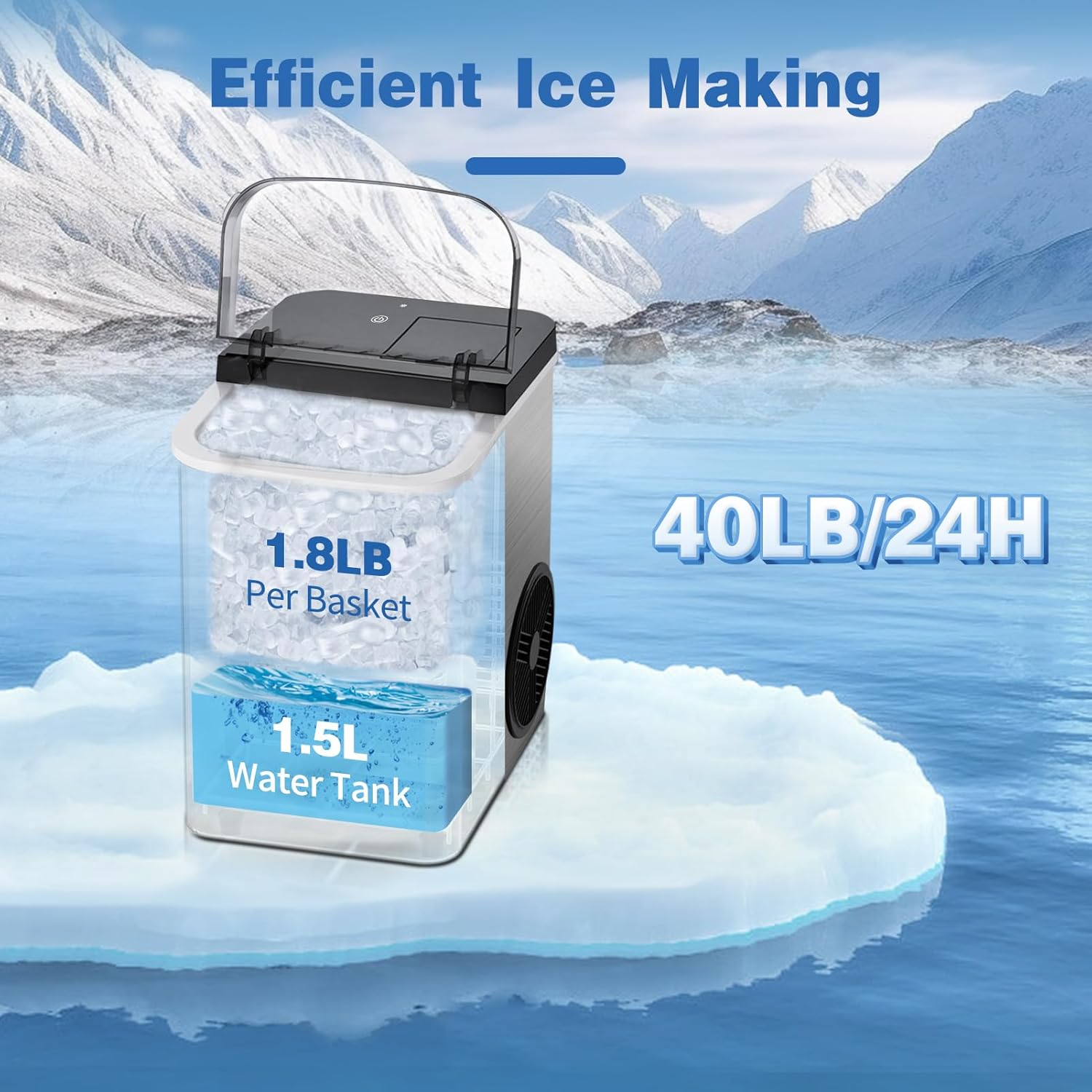
Image: A graphic illustrating the ice maker's key capacities: 1.8 LBS per ice basket, 1.5 L water tank, and a daily production rate of 40 LBS, set against a snowy mountain backdrop.
Warranty and Support
JINJUNYE products are manufactured to the highest quality standards. For specific warranty details, please refer to the warranty card included with your purchase or contact JINJUNYE customer support.
Customer Support:
If you encounter any issues or have questions regarding your JINJUNYE Nugget Ice Maker, please contact our customer support team. Have your model number (TTIM-G01AS) and purchase information ready for faster service.
Contact information (e.g., email, phone number, website) can typically be found on the product packaging, warranty card, or the official JINJUNYE website.
Related documentsTTIM-G01AS

Ask a question about this manual
Ask about setup, troubleshooting, compatibility, parts, safety, or missing instructions. Manuals+ will review the question and use this page’s manual context to help answer it.