
1. Introduction
Thank you for choosing the Fafrees F20 Mate E Electric Tricycle. This manual provides essential information for the safe assembly, operation, maintenance, and troubleshooting of your new electric tricycle. Please read this manual thoroughly before your first ride to ensure optimal performance and safety.
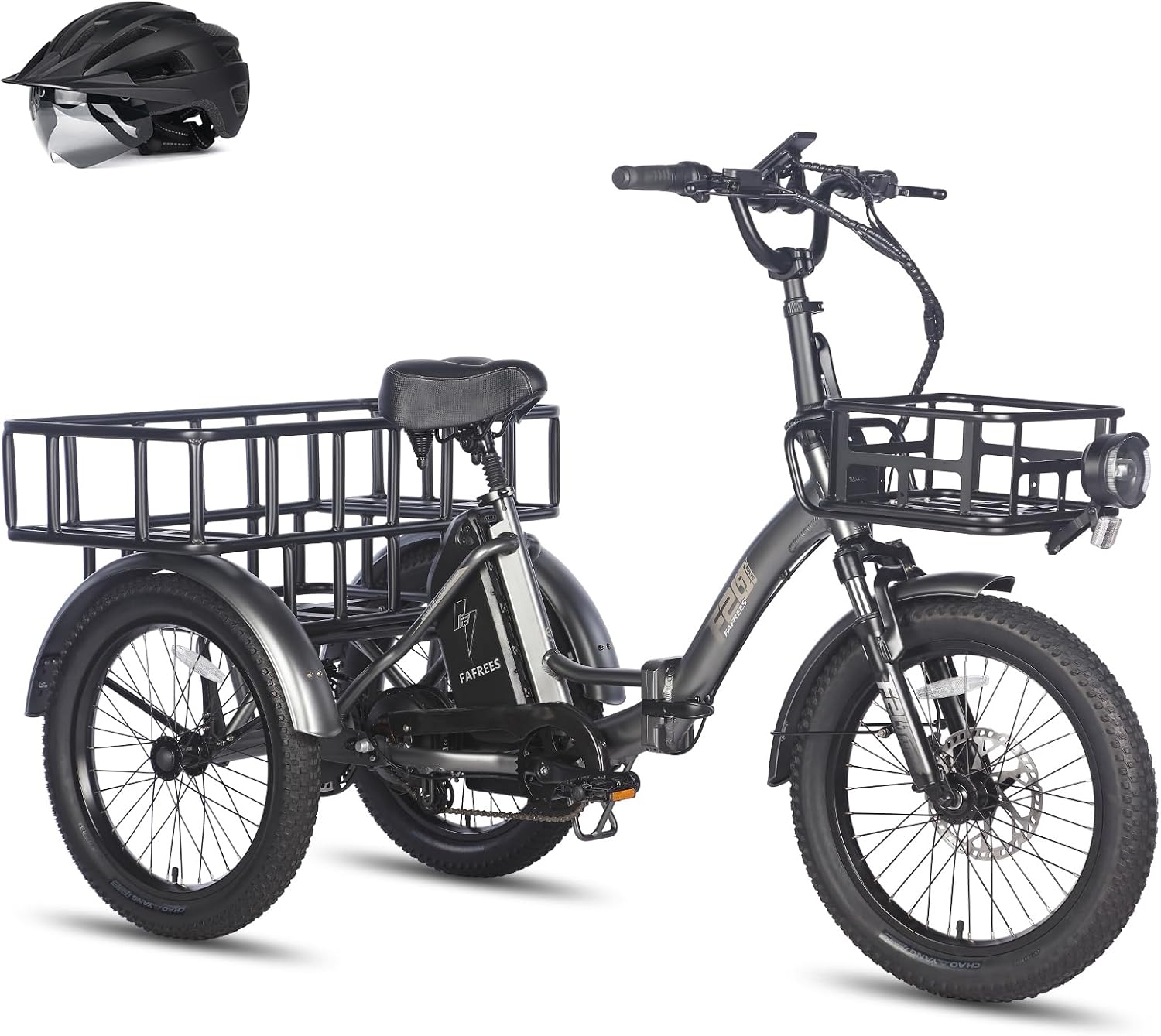
Image: Side view of the Fafrees F20 Mate E Electric Tricycle, showcasing its design and components.
2. Safety Information
Always prioritize safety when operating your electric tricycle. Failure to follow safety guidelines can result in serious injury or damage to the product.
- Wear a helmet and appropriate safety gear at all times.
- Familiarize yourself with local traffic laws and regulations for electric bicycles and tricycles.
- Perform a pre-ride inspection before each use, checking brakes, tires, and battery.
- Do not exceed the maximum load capacity of 180 kg (driver + cargo).
- Avoid riding in adverse weather conditions or on slippery surfaces.
- Ensure all folding mechanisms are securely locked before riding.
3. Package Contents
Upon unpacking, please verify that all items are present and undamaged:
- 1 x Fafrees Electric Tricycle
- 1 x Battery Charger
- 1 x Tool Kit
- 1 x User Manual
4. Setup
4.1 Unfolding the Tricycle
The Fafrees F20 Mate E features a foldable frame and handlebars for convenient storage and transport. To unfold:
- Place the tricycle on a flat, stable surface.
- Release the frame folding latch and carefully unfold the main frame until it locks into place.
- Raise the handlebar stem and secure the handlebar folding latch.
- Adjust the handlebar height (98-116 cm) and seat height (82-106 cm) to your preference, ensuring the quick-release levers are tightly secured.

Image: Illustration of the foldable frame and handlebars, showing the tricycle in both unfolded and folded states.
4.2 Battery Installation and Charging
The 48V 18.2Ah lithium-ion battery is removable for charging and storage.
- To install, slide the battery into its compartment until it clicks securely.
- To charge, connect the charger to the battery charging port and then to a power outlet (180-240V input).
- Charging time is approximately 6-7 hours. The charger indicator light will change when fully charged.
4.3 Tire Inflation
Ensure the 20x3.0 inch fat tires are inflated to the recommended pressure, typically found on the tire sidewall. Proper inflation is crucial for safety and ride performance.
4.4 Basket Attachment
The tricycle comes with a large rear cargo basket (48 x 36 x 16 cm) and supports an optional front basket. Attach baskets securely using the provided hardware, ensuring they do not interfere with steering or braking.

Image: The Fafrees F20 Mate E Electric Tricycle equipped with both front and rear cargo baskets, demonstrating its load-carrying capabilities.
5. Operating Instructions
5.1 Powering On/Off
Press and hold the power button on the LCD display to turn the tricycle on or off.
5.2 LCD Display Functions
The high-resolution LCD display provides various functions and controls:
- Displays speed, battery level, mileage, and gear (PAS level).
- Offers 5 preset speed levels for pedal assist.
- Includes a 6 km/h walk mode for easy maneuvering when dismounted.
- Features a cruise control function.

Image: Close-up of the LCD color display on the Fafrees F20 Mate E, showing speed, battery, and other ride data.
5.3 Riding Modes
The F20 Mate E supports three riding modes:
- Human-powered: Ride like a traditional bicycle without electric assistance.
- Pedal-assist (PAS): The motor provides assistance as you pedal, with 5 adjustable levels.
- Pure electric: Use the throttle for full electric power without pedaling.
5.4 Braking System
The tricycle is equipped with hydraulic disc brakes (180mm rotors) on both front and rear wheels for reliable stopping power. It also features parking brake levers to keep the tricycle stationary when parked.

Image: Detail of the hydraulic disc brake system and parking brake lever on the Fafrees F20 Mate E.
5.5 Safety Lights
Integrated front and rear brake lights enhance visibility and safety, especially at night. Reflectors are also mounted on both rear fenders for additional safety.

Image: The integrated front headlight and rear brake lights of the Fafrees F20 Mate E, highlighting nighttime visibility features.
6. Maintenance
Regular maintenance ensures the longevity and safe operation of your Fafrees F20 Mate E.
- Battery Care: Charge the battery regularly, even when not in use, to maintain its health. Store the battery in a cool, dry place.
- Tire Pressure: Check tire pressure before each ride and inflate as needed.
- Brake Inspection: Regularly inspect brake pads and rotors for wear. Adjust or replace as necessary.
- Cleaning: Clean the tricycle with a damp cloth. Avoid high-pressure washing directly on electrical components.
- Suspension: Check the front fork and rear seat post suspension for proper function and adjust if required.

Image: Diagram illustrating the dual suspension system of the Fafrees F20 Mate E, including the front fork and rear seat post shock absorber.
7. Troubleshooting
If you encounter issues with your Fafrees F20 Mate E, refer to the following common problems and solutions. For more complex issues, please contact customer support.
| Problem | Possible Cause | Solution |
|---|---|---|
| Tricycle does not power on | Battery not charged or improperly installed. | Ensure battery is fully charged and securely seated. Check connections. |
| Motor not assisting | PAS level set to 0, brake levers engaged, or motor connection issue. | Increase PAS level on display. Release brake levers. Check motor cable connections. |
| Brakes feel weak | Worn brake pads, low hydraulic fluid, or misaligned calipers. | Inspect brake pads for wear and replace if necessary. Consult a professional for hydraulic system issues. |
| Unusual noises during ride | Loose components, chain issues, or tire rubbing. | Check all bolts and fasteners. Inspect chain for proper tension and lubrication. Ensure fenders or baskets are not rubbing. |
8. Specifications
| Feature | Specification |
|---|---|
| Model | Fafrees F20 Mate E |
| Unfolded Dimensions | 174 x 74 x 116 cm |
| Folded Dimensions | 100 x 74 x 82 cm |
| Adjustable Handlebar Height | 98-116 cm |
| Adjustable Seat Height | 82-106 cm |
| Tire Size | 20 x 3.0 inch (pneumatic fat tires) |
| Net Weight | 40 kg |
| Battery Weight | 5 kg |
| Max Load Capacity | 180 kg (Driver: 150 kg, Front Basket: 20 kg, Rear Basket: 45 kg) |
| Frame Material | Aluminum Alloy |
| Max Speed | 25 km/h |
| Range | 55-110 km (depending on conditions) |
| Max Climbing Ability | 15° |
| Battery Type | 18650 Lithium-ion |
| Battery Voltage | 48 V |
| Battery Capacity | 18.2 Ah / 873.6 Wh |
| Motor Location | Rear Hub Drive with Differential |
| Max Motor Torque | 65 Nm |
| Charger Input Voltage | 180-240 V |
| Charger Output Voltage | 54.6 V |
| Charger Rated Current | 3 A |
| Charging Time | 6-7 hours |
| Front Suspension | Suspension Fork (35 mm travel) |
| Rear Suspension | Seat Post Shock Absorber (15 mm travel) |
| Display Type | LCD Display |
| Brake Type | Hydraulic Disc Brakes |
| Waterproof Rating | IPX5 |
| Operating Temperature | -20℃ to 40℃ |

Image: The Fafrees F20 Mate E Electric Tricycle with key dimensions highlighted, including length, width, and height.
9. Warranty & Support
Fafrees is committed to providing professional customer service. If you have any questions or encounter issues with your F20 Mate E Electric Tricycle, please contact us.
- Our customer service team aims to respond within 24 hours.
- For technical issues, providing a detailed description, photos, or video links (as images) can help our engineers offer an effective solution within two working days.
Please refer to your purchase documentation for specific warranty terms and conditions.


