1. Introduction
Thank you for choosing the SHANLING MTW60 True Wireless Stereo (TWS) Bluetooth Earphones. These earphones are designed to provide a high-fidelity audio experience with advanced features such as Active Noise Cancellation (ANC), Environmental Noise Cancellation (ENC) for calls, and a stable Bluetooth 5.3 connection. This manual provides detailed instructions for proper setup, operation, and maintenance of your MTW60 earphones.
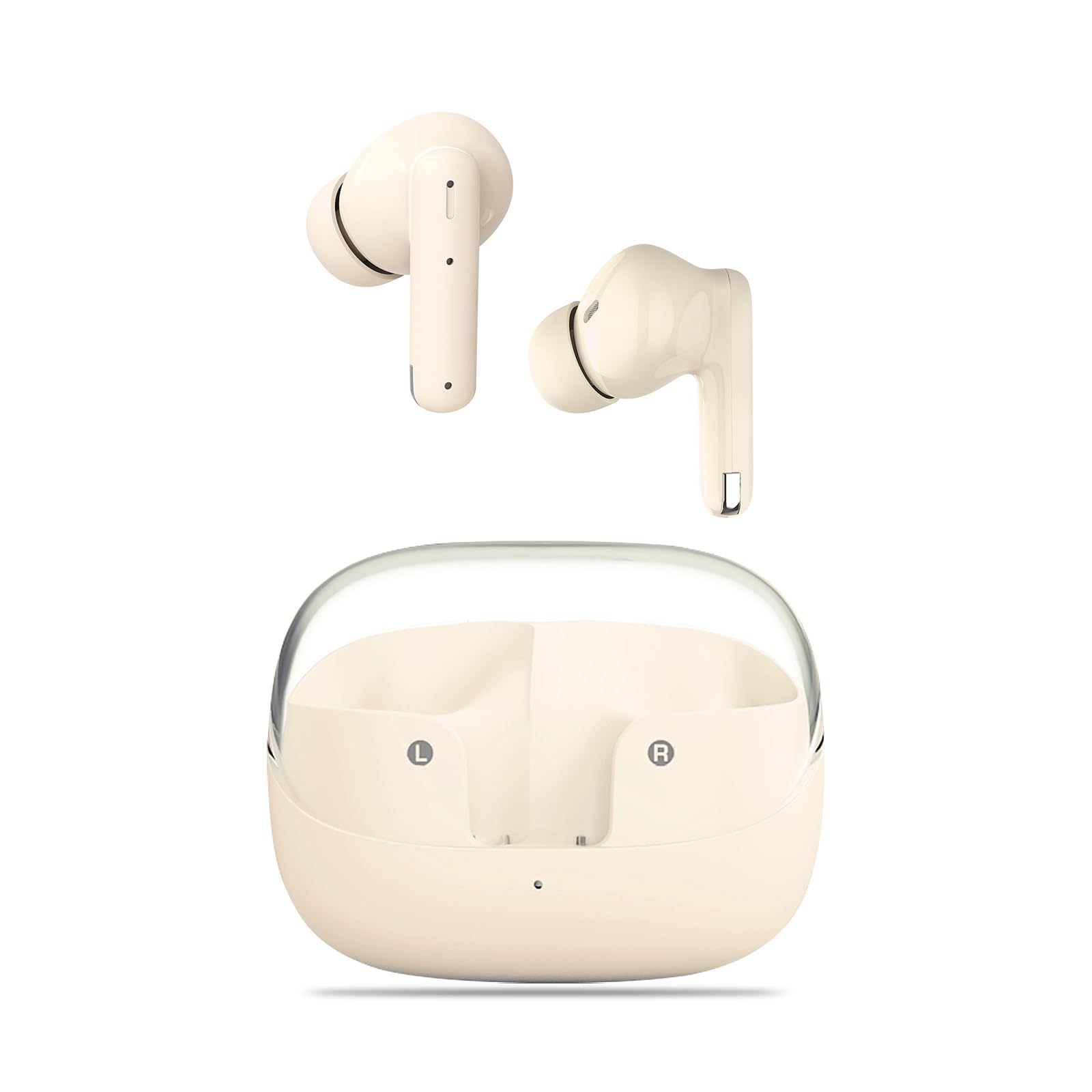
Image 1.1: The SHANLING MTW60 earphones in their charging case, held in a hand, showcasing their compact size.
2. Package Contents
Please check the package contents to ensure all items are present:
- SHANLING MTW60 True Wireless Earphones (Left and Right)
- Charging Case
- USB Charging Cable
- 6 Pairs of Eartips (various sizes)
- User Manual

Image 2.1: An illustration showing the SHANLING MTW60 earphones, charging case, USB cable, and multiple eartips, as typically found in the product packaging.
3. Product Overview
The SHANLING MTW60 earphones feature a 13mm DLC dynamic driver for clear audio reproduction. The charging case is designed for portability and extended battery life.
3.1 Earbud Components
- Touch Control Area: For managing music playback, calls, and ANC modes.
- Microphone: Integrated for calls and Environmental Noise Cancellation (ENC).
- Charging Contacts: Located at the bottom of the earbud stem.
- Eartip: Replaceable silicone tips for comfort and sound isolation.
3.2 Charging Case Components
- Charging Slots: Securely hold and charge the earbuds.
- LED Indicator: Displays charging status and battery level.
- USB-C Charging Port: For connecting the charging cable.
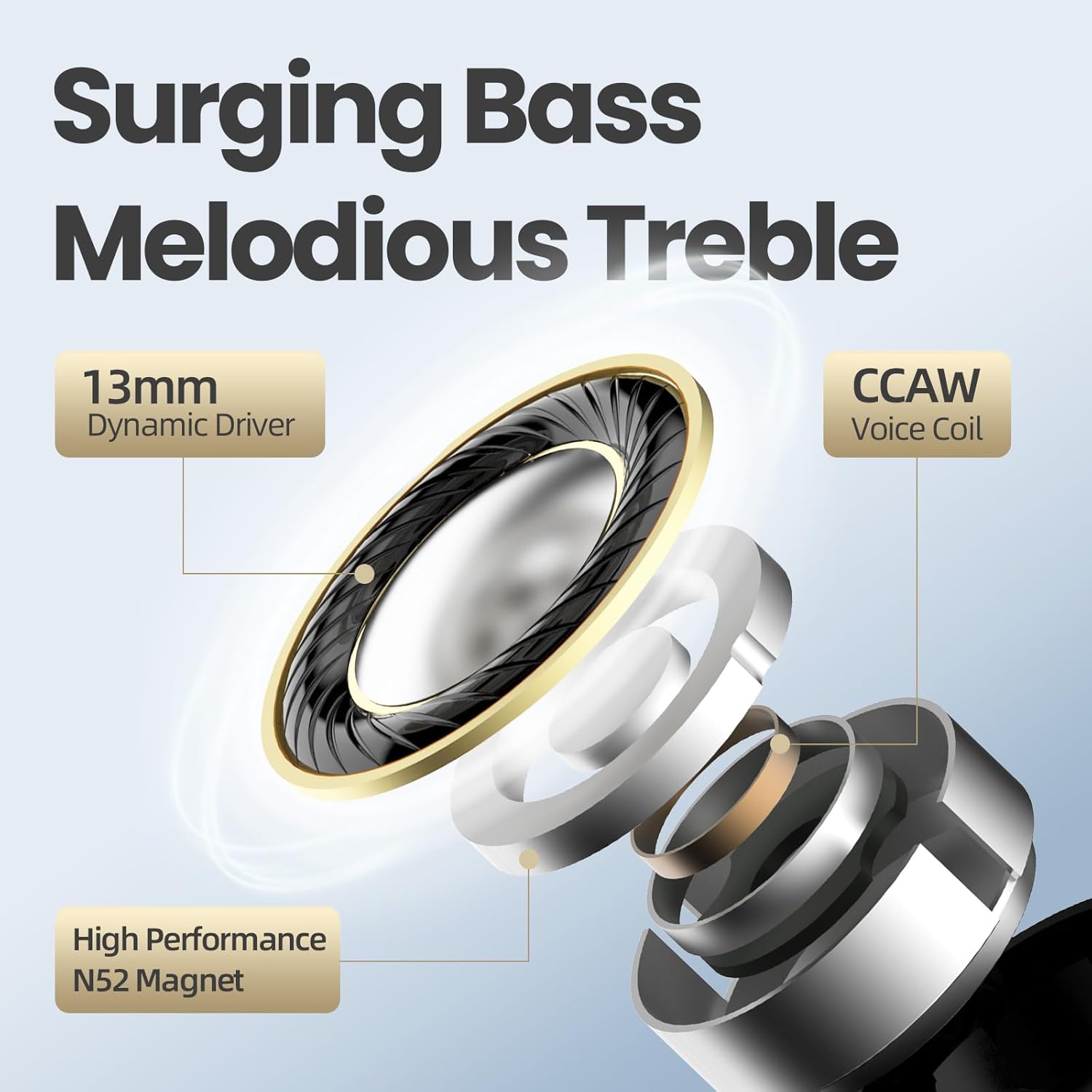
Image 3.1: The SHANLING MTW60 earphones in their white charging case, showing the earbuds positioned for charging.
4. Setup
4.1 Charging the Earphones and Case
- Initial Charge: Before first use, place both earbuds into the charging case and connect the USB-C cable to a power source. Ensure the earbuds are properly seated in their slots.
- Charging Indicators: The LED indicator on the charging case will show the charging status. A full charge is indicated when the LED remains solid or turns off, depending on the model's specific behavior.
- Earbud Charging: When placed in the case, the earbuds will charge automatically. The case itself must have sufficient battery or be connected to power.
4.2 Bluetooth Pairing
- First-Time Pairing:
- Open the charging case. The earbuds will automatically enter pairing mode, indicated by a flashing LED on the earbuds (if visible) or case.
- On your device (smartphone, tablet, etc.), go to Bluetooth settings and enable Bluetooth.
- Search for available devices and select "SHANLING MTW60" from the list.
- Once connected, a voice prompt will confirm successful pairing.
- Re-pairing: If the earbuds do not automatically connect to a previously paired device, ensure Bluetooth is enabled on your device and select "SHANLING MTW60" from your device's Bluetooth list.
- Single Earbud Use: Either earbud can be used independently. Simply take one earbud out of the case, and it will connect to the last paired device.

Image 4.1: A visual representation of the SHANLING MTW60 earphones pairing with a smartphone via Bluetooth 5.3, highlighting the stable and fast connection.
5. Operating Instructions
5.1 Wearing the Earbuds
Choose the correct size eartips for a comfortable and secure fit. Insert the earbuds into your ears and gently twist them until they feel snug. A proper fit is crucial for optimal sound quality and noise cancellation performance.

Image 5.1: A woman wearing the SHANLING MTW60 earphones, illustrating their ergonomic design for a comfortable and lightweight fit.
5.2 Touch Controls
The MTW60 earphones feature touch-sensitive controls on each earbud. The functions are as follows:
| Action | Left Earbud (L) | Right Earbud (R) |
|---|---|---|
| Music Playback | ||
| Single Tap | Volume Down | Volume Up |
| Double Tap | Play/Pause | |
| Triple Tap | Previous Song | Next Song |
| Calls | ||
| Single Tap | Pick Up Call | |
| Double Tap | End Call | |
| ANC Modes | ||
| Hold for 2 seconds | Switch between Music, ANC, and Transparency modes. | |
ANC Modes Explained:
- ANC (Active Noise Cancellation): Reduces external background noise by up to 35dB for an immersive listening experience.
- Transparency Mode: Allows ambient sounds to be heard, enhancing awareness of your surroundings.
- Music Mode: Standard audio playback without active noise cancellation or transparency features.

Image 5.2: A diagram illustrating the Active Noise Cancellation (ANC) and Environmental Noise Cancellation (ENC) capabilities of the SHANLING MTW60 earphones, indicating up to 35dB noise reduction.
5.3 Making and Receiving Calls
The MTW60 earphones support high-definition calls with ENC noise reduction. Refer to the touch control table above for call management actions.
6. Maintenance
6.1 Cleaning
- Regularly clean the earbuds, especially the eartips and charging contacts, with a soft, dry, lint-free cloth.
- Do not use harsh chemicals, cleaning solvents, or strong detergents.
- Remove eartips and clean them separately with mild soap and water if necessary, ensuring they are completely dry before reattaching.
6.2 Storage
When not in use, always store the earphones in their charging case to protect them from damage and to keep them charged.
6.3 Water Resistance
The MTW60 earphones are rated IPX4 water resistant, meaning they are protected against splashing water from any direction. This makes them suitable for workouts and light rain. They are not designed for swimming or submersion in water.
7. Troubleshooting
| Problem | Possible Solution |
|---|---|
| Earbuds not pairing/connecting |
|
| Only one earbud working |
|
| No sound or low volume |
|
| Charging case not charging |
|
7.1 Factory Reset
If you experience persistent issues, a factory reset may resolve them:
- Disconnect all devices from the MTW60 in their Bluetooth settings.
- Take the right earphone from the case.
- Tap the touch control area quickly 5 times until the white light blinks 5 times.
- Return the earphone to the case and repeat the process for the left earphone.
- Then take both earphones from the case at the same time and hold them next to each other for their first stereo pairing.
8. Specifications
| Feature | Detail |
|---|---|
| Model Name | MTW60 |
| Driver | 13mm DLC Dynamic Driver |
| Bluetooth Version | 5.3 |
| Bluetooth Codec | AAC / SBC |
| Bluetooth Protocols | HFP, HSP, A2DP, AVRCP, SPP, PBAP, TWS+ |
| Operating Distance | Up to 10m |
| Noise Control | Active Noise Cancellation (ANC) up to 35dB, Environmental Noise Cancellation (ENC) for calls |
| Control Type | Touch Control |
| Water Resistance | IPX4 |
| Earbud Weight | Approx. 3g (each) |
| Battery Life (Single Charge) | Up to 6 hours |
| Total Battery Life (with Case) | Up to 28 hours |
| Charging Connector | USB-C |
| Frequency Response | 20-20000Hz |

Image 8.1: An exploded view diagram of the SHANLING MTW60's 13mm DLC Dynamic Driver, highlighting its components like the N52 magnet and CCAW voice coil.

Image 8.2: An infographic detailing the SHANLING MTW60's battery life (6 hours single charge, 28 hours with case), Bluetooth 5.3, and IPX4 water resistance.
9. Warranty and Support
9.1 Warranty Information
SHANLING products are covered by a limited warranty from the date of purchase. The warranty covers manufacturing defects and malfunctions under normal use. Please retain your proof of purchase for warranty claims. For specific warranty terms and conditions, refer to the warranty card included in your package or visit the official SHANLING website.
9.2 Customer Support
If you encounter any issues or have questions not covered in this manual, please contact SHANLING customer support. You can find contact information on the official SHANLING website or through your retailer.
Online Resources: For additional support, FAQs, and firmware updates, please visit the official SHANLING website: www.shanling.com
10. Official Product Video
Video 10.1: An official product video showcasing the SHANLING MTW60 TWS Bluetooth Earphones, highlighting their design, features, and available colors (Creamy White, Soft Blue, Harsh Black). This video provides a dynamic overview of the product's aesthetics and key functionalities.


