1. Introduction
Thank you for choosing the SHANLING M0 Pro Hi-Res MP3 Music Player. This manual provides essential information for the safe and efficient use of your device. Please read it thoroughly before operation and retain it for future reference.
The SHANLING M0 Pro is a compact, high-resolution digital audio player designed for audiophiles. It features dual ESS ES9219C DAC/AMPs, bi-directional Bluetooth 5.0, and a 1.54-inch HD touch screen, offering exceptional audio quality and portability.
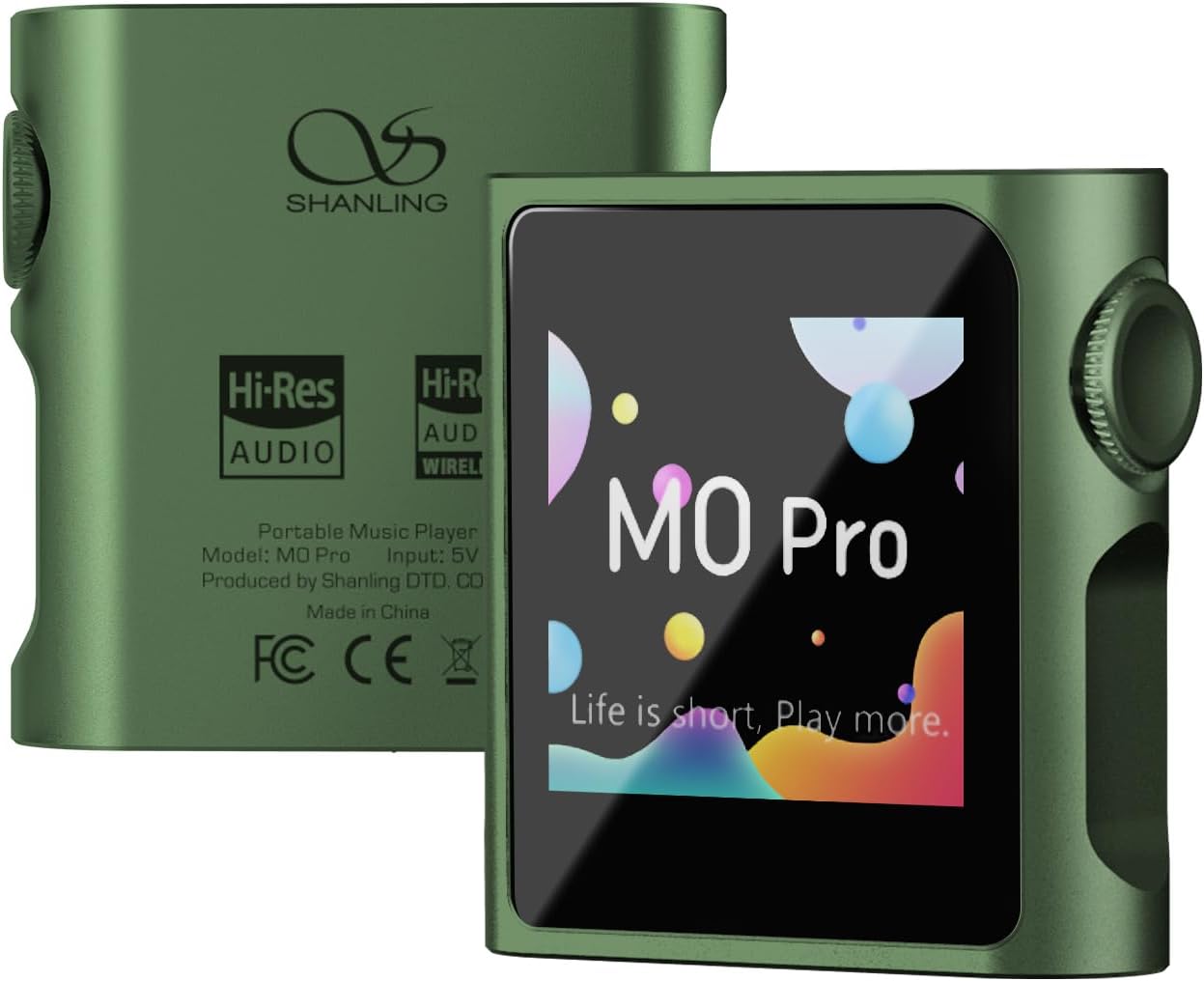
Image 1.1: Front and back view of the SHANLING M0 Pro Hi-Res MP3 Music Player.
2. Package Contents
Verify that all items are present in the package:
- 1x SHANLING M0 Pro Digital Audio Player
- 1x Quick Start Guide
- 1x Maintenance Card
- 1x USB A to Type-C Cable
- 2x Front Protective Film (one pre-applied)
3. Device Overview
Familiarize yourself with the physical components of your M0 Pro player.

Image 3.1: SHANLING M0 Pro with labeled controls and ports, including the volume wheel, power button, MicroSD card slot, USB Type-C port, and 3.5mm audio jack.
- 1.54-inch LCD Touch Screen: For navigation and control.
- Volume Wheel/Power Button: Controls power on/off, screen on/off, and volume adjustment.
- MicroSD Card Slot: For expandable storage up to 2TB.
- USB Type-C Port: For charging, data transfer, and USB DAC/Dongle functionality.
- 3.5mm Audio Jack: For connecting headphones (single-ended and balanced output with adapter).
4. Setup
4.1 Charging the Device
Before first use, fully charge the M0 Pro. Connect the included USB Type-C cable to the device and a USB power adapter (not included) or a computer USB port. The screen will indicate charging status.
4.2 Inserting a MicroSD Card
The M0 Pro requires a MicroSD card for music storage. Locate the MicroSD card slot on the side of the device. Insert the card with the gold contacts facing down until it clicks into place. The device supports cards up to 2TB.
4.3 Powering On/Off
- To Power On: Press and hold the volume wheel/power button until the SHANLING logo appears.
- To Power Off: Press and hold the volume wheel/power button until the power-off prompt appears on the screen, then confirm.
- To Turn Screen On/Off: Briefly press the volume wheel/power button.
5. Operating Instructions
5.1 Basic Navigation
The M0 Pro uses a 1.54-inch touch screen for navigation. Swipe left/right or up/down to browse menus and tap to select options. The MTouch OS is designed for intuitive control.

Image 5.1: The SHANLING M0 Pro's compact size and touch screen interface.
5.2 Music Playback
- Ensure a MicroSD card with music files is inserted.
- From the main menu, select "Music" or "Browse" to access your music library.
- Navigate through folders, artists, albums, or genres to find your desired track.
- Tap on a track to begin playback.
- Use the volume wheel to adjust the playback volume.
The M0 Pro supports various audio formats including DSD (".iso", ".dsf", ".dff"), DXD, APE, FLAC, WAV, AIFF, ALAC, WMA, AAC, OGG, MP2, M4A, CUE, and M3U.
5.3 Bluetooth Connectivity
The M0 Pro features bi-directional Bluetooth 5.0, allowing it to act as both a transmitter and a receiver.
- As a Transmitter: Connect to Bluetooth headphones or speakers.
- Go to "Settings" > "Bluetooth".
- Turn on Bluetooth and select "Bluetooth Transmitter".
- Put your Bluetooth headphones/speaker into pairing mode.
- Select your device from the list to pair.
- As a Receiver: Receive audio from a smartphone or other Bluetooth source.
- Go to "Settings" > "Bluetooth".
- Turn on Bluetooth and select "Bluetooth Receiver".
- On your smartphone, search for and connect to "SHANLING M0 Pro".
Supported Bluetooth codecs for transmission include LDAC, aptX, AAC, and SBC. For reception, supported codecs are LDAC, SBC, and AAC.
5.4 USB DAC/Dongle Functionality
The M0 Pro can function as an external USB DAC (Digital-to-Analog Converter) when connected to a computer or smartphone, or as a USB dongle for other devices.
- Connect the M0 Pro to your computer or smartphone using the USB Type-C cable.
- On the M0 Pro, select the appropriate USB mode (e.g., "USB DAC" or "USB Dongle") when prompted.
- Ensure your computer or smartphone recognizes the M0 Pro as an audio output device.

Image 5.2: SyncLink application operation process for managing music on the M0 Pro. Note: iOS version may not be available.
6. Maintenance
- Cleaning: Use a soft, dry cloth to clean the device. Avoid liquid cleaners or abrasive materials.
- Storage: Store the device in a cool, dry place away from direct sunlight and extreme temperatures.
- Battery Care: To prolong battery life, avoid fully discharging the device frequently. Charge it regularly, even if not in use for extended periods.
- Screen Protection: The device comes with protective films. Consider applying one to prevent scratches.
7. Troubleshooting
| Problem | Possible Cause | Solution |
|---|---|---|
| Device does not power on. | Low battery; device frozen. | Charge the device for at least 30 minutes. Press and hold the power button for 10-15 seconds to force a restart. |
| No sound from headphones. | Volume too low; headphones not properly connected; faulty headphones. | Increase volume. Ensure headphones are fully plugged in. Test with different headphones. |
| Bluetooth device fails to connect. | Device not in pairing mode; M0 Pro not in correct Bluetooth mode; interference. | Ensure both devices are in pairing mode. Verify M0 Pro is set to "Bluetooth Transmitter" or "Receiver" as needed. Move closer to the device and away from other wireless signals. Restart both devices. |
| MicroSD card not recognized. | Card not inserted correctly; card corrupted; unsupported format. | Reinsert the MicroSD card. Try a different card. Ensure the card is formatted to a compatible file system (e.g., FAT32, exFAT). |
8. Specifications
| General | |
|---|---|
| Dimensions | 43.8 x 45 x 13.8 mm |
| Weight | 36.8 g |
| Screen | 1.54-inch 240x240 Touch Screen |
| Battery Life | Up to 14.5h (Single-Ended) / 10h (Balanced) |
| Battery Capacity | 650mAh |
| Memory | MicroSD Card slot, up to 2TB |
| Audio | |
| DAC/AMP | Two ESS ES9219C DAC/AMPs |
| Output | Standard 3.5mm, with option for balanced output via 4.4mm adapter (sold separately) |
| Hi-Res Support | PCM 32bit / 384kHz & DSD128 |
| Audio Formats | DSD (".iso", ".dsf", ".dff"), DXD, APE, FLAC, WAV, AIFF, ALAC, WMA, AAC, OGG, MP2, M4A, CUE, M3U |
| Bluetooth | |
| Version | 5.0 |
| Transmitter Codecs | LDAC, aptX, AAC, SBC |
| Receiver Codecs | LDAC, SBC, AAC |
| Single-Ended Output (3.5mm) | |
| Output Power | 1.7V @ 32 Ohm (90mW) |
| Frequency Response | 20 Hz - 40 KHz (-0.5 dB) |
| THD+N | 0.0006% (A-Weighted @ 720mV) |
| Channel Separation | 72 dB @ 32 Ohm |
| Dynamic Range | 119 dB @ 32 Ohm (A-Weighted) |
| Signal-To-Noise | 118 dB @ 32 Ohm (A-Weighted) |
| Output Impedance | 0.4 Ohm |
| Balanced Output (via 4.4mm adapter) | |
| Output Power | 2.75V @ 32 Ohm (236mW) |
| Frequency Response | 20 Hz - 40 KHz (-0.5 dB) |
| THD+N | 0.0004% (A-Weighted @ 1V) |
| Channel Separation | 109 dB @ 32 Ohm |
| Dynamic Range | 121 dB @ 32 Ohm (A-Weighted) |
| Signal-To-Noise | 119 dB @ 32 Ohm (A-Weighted) |
| Output Impedance | 0.8 Ohm |
Note: Specifications are subject to change without notice.
9. Warranty and Support
SHANLING products are covered by a limited warranty. Please refer to the included Maintenance Card or visit the official SHANLING website for detailed warranty terms and conditions specific to your region.
For technical support, troubleshooting assistance, or service inquiries, please contact SHANLING customer support through their official website or the retailer where you purchased the device.
Online Resources:
- Official SHANLING Website: www.shanling.com (Please replace with actual official website if available)


