1. Introduction
This manual provides detailed instructions for the installation, operation, and maintenance of the Marhynchus CHLT-712 Adjustable Over Under Voltage Protector. This device is designed to safeguard electrical appliances from damage caused by voltage fluctuations, including overvoltage and undervoltage conditions. It features a voltage display and adjustable protection parameters for enhanced appliance safety.

Figure 1: Front view of the CHLT-712 Voltage Protector with digital display.
2. Product Features
- Overvoltage Protection: Automatically disconnects power when voltage exceeds a set limit.
- Undervoltage Protection: Automatically disconnects power when voltage drops below a set limit.
- Voltage Display: Real-time voltage measurement displayed on the device.
- Adjustable Protection Values: User-configurable overvoltage and undervoltage protection thresholds.
- Adjustable Recovery Values: User-configurable overvoltage and undervoltage recovery thresholds.
- Adjustable Operating Times: Configurable delay times for overvoltage and undervoltage protection actions.
- Adjustable Fault Recovery Delay: Configurable delay before power restoration after a fault.
- Adjustable Power-On Delay: Configurable delay for power-on sequence.
- Reset Mode Selection: Multiple options for device reset behavior.
- Fault Query Function: Ability to review past fault conditions.
- Factory Settings Restoration: Option to revert all settings to default.
- Flame Retardant Material: Constructed from PC flame retardant material for enhanced safety.
3. Specifications
| Parameter | Value |
|---|---|
| Item Type | Over Under Voltage Protector |
| Model | CHLT-712 |
| Rated Current | 80A |
| Operating Voltage | AC80~300V |
| Overvoltage (>U) Setting Range | 130-300V |
| Undervoltage (<U) Setting Range | 80-210V |
| Recovery Time | 1 to 999 seconds |
| Package Dimensions | 3.94 x 2.76 x 2.36 inches |
| Item Weight | 6.8 ounces |

Figure 2: Device dimensions.
4. Safety Information
Please read and understand all safety instructions before installing or operating this device. Failure to follow these instructions may result in electric shock, fire, or serious injury.
- Installation should only be performed by a qualified electrician.
- Ensure the main power supply is disconnected before any wiring or maintenance.
- Verify that the operating voltage and current ratings of the device match your application.
- Do not operate the device in wet or damp conditions.
- Keep out of reach of children.
5. Installation and Wiring
The device is designed for DIN rail mounting. Follow the wiring diagram carefully to ensure correct installation.
5.1 Wiring Diagram

Figure 3: Wiring connections for input and output.
- Ensure the main power supply is OFF.
- Mount the protector securely on a DIN rail.
- Connect the incoming Neutral (N) wire to the 'N' input terminal.
- Connect the incoming Live (L) wire to the 'L' input terminal.
- Connect the outgoing Neutral (N) wire for your appliance to the 'N' output terminal.
- Connect the outgoing Live (L) wire for your appliance to the 'L' output terminal.
- Ensure all connections are tight and secure.
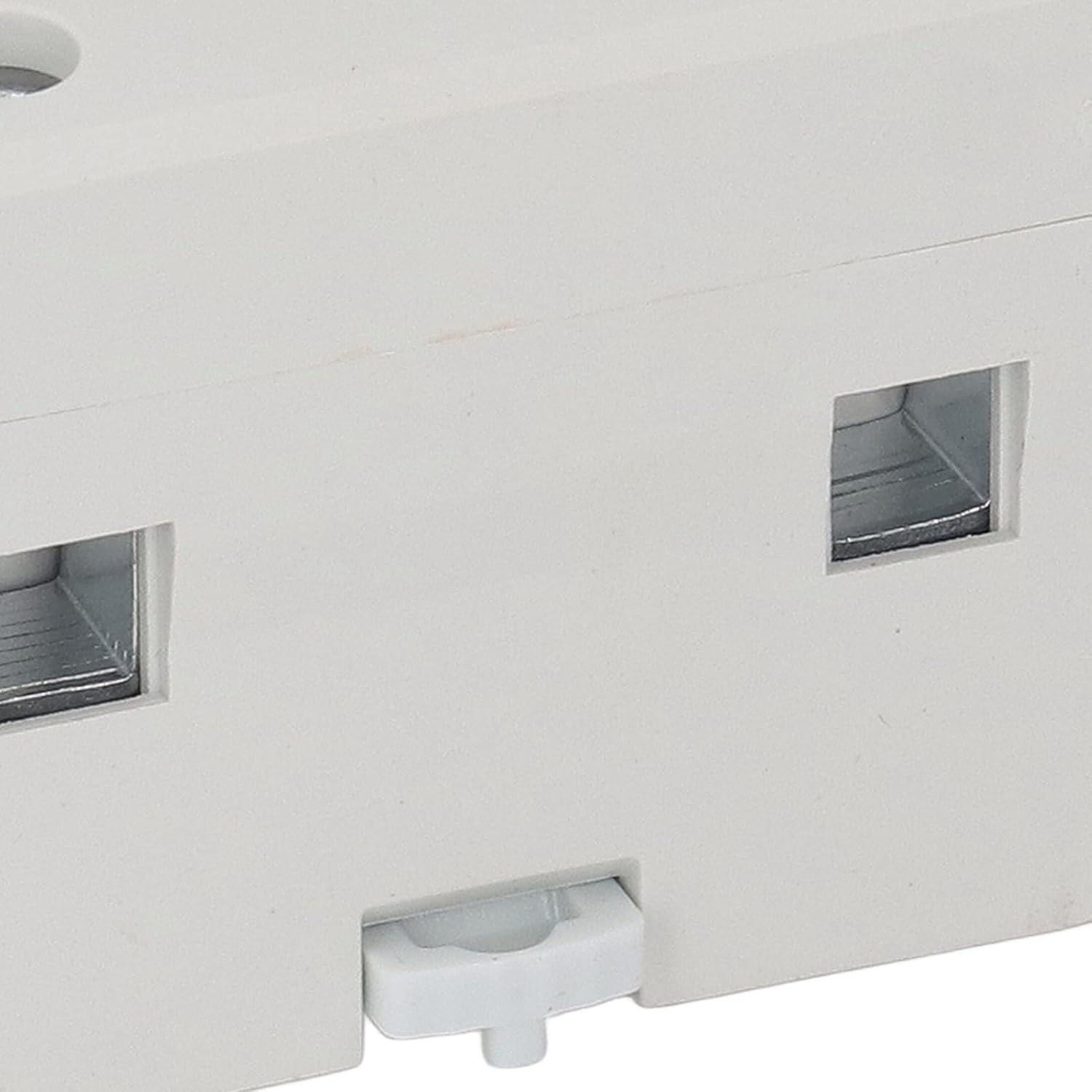
Figure 4: Close-up of wiring terminals.
6. Operation
The device features a digital display and four control buttons: 'M' (Menu), 'Power', 'Up', and 'Down'.
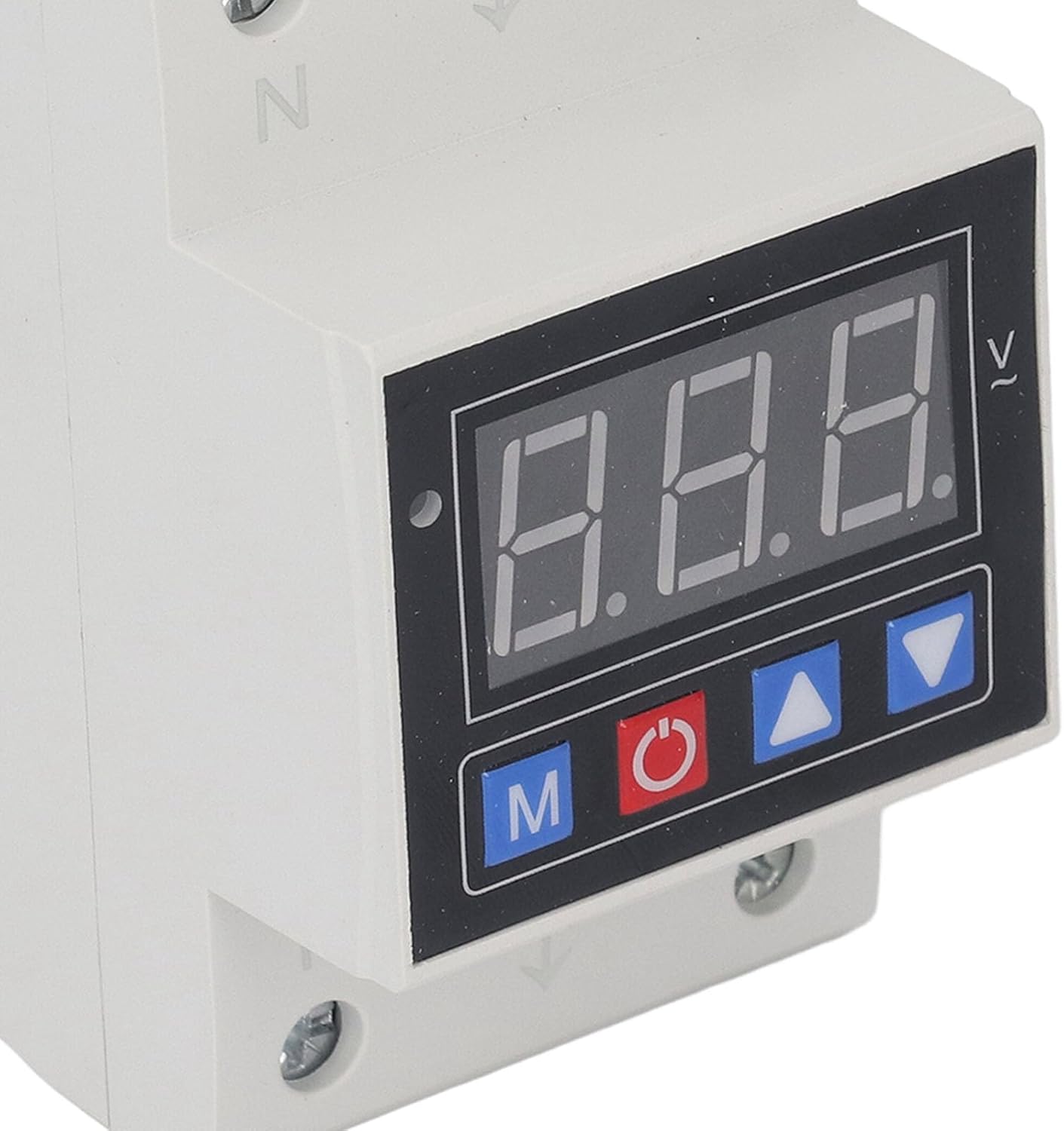
Figure 5: Display and control buttons.
6.1 Power On/Off
Press the 'Power' button to toggle the device's output power. The display will show the current voltage when powered on.
6.2 Menu Navigation and Setting Adjustment
- Press the 'M' button to enter the setting menu. Each press will cycle through different parameters.
- Use the 'Up' and 'Down' buttons to adjust the value of the currently displayed parameter.
- After adjusting a value, press 'M' again to save the setting and move to the next parameter, or wait a few seconds for the device to automatically save and exit the menu.
6.3 Adjustable Parameters
- Overvoltage Protection Value (>U): Set the upper voltage limit (130-300V).
- Overvoltage Recovery Value: Set the voltage at which power is restored after an overvoltage event.
- Overvoltage Operating Time: Set the delay before overvoltage protection activates.
- Undervoltage Protection Value (<U): Set the lower voltage limit (80-210V).
- Undervoltage Recovery Value: Set the voltage at which power is restored after an undervoltage event.
- Undervoltage Operating Time: Set the delay before undervoltage protection activates.
- Fault Recovery Delay Time: Set the delay (1-999 seconds) before power is restored after any fault condition stabilizes.
- Power On Delay Time: Set the delay before the device powers on after initial connection or a power cycle.
- Reset Mode Selection: Choose how the device resets after a protection event.
- Query Faults: Access a log of recent fault events.
- Restore Factory Settings: Reset all parameters to their default values.
7. Maintenance
The Marhynchus CHLT-712 Voltage Protector requires minimal maintenance. Regular inspection can help ensure optimal performance.
- Cleaning: Periodically wipe the device with a dry, soft cloth. Do not use abrasive cleaners or solvents.
- Inspection: Check wiring connections annually to ensure they remain tight and free from corrosion. Inspect the device for any signs of physical damage or overheating.
- Ventilation: Ensure the device is installed in a location with adequate ventilation to prevent heat buildup.
8. Troubleshooting
If you encounter issues with your voltage protector, refer to the following common problems and solutions:
| Problem | Possible Cause | Solution |
|---|---|---|
| Device does not power on. | No input power; incorrect wiring; internal fault. | Check main power supply. Verify wiring connections. If problem persists, contact support. |
| Output power is off, but input voltage is normal. | Device in protection mode (over/undervoltage); power-on delay active. | Check voltage display for fault indicators. Wait for recovery delay. Manually reset if necessary. |
| Settings cannot be changed. | Not in setting mode; buttons unresponsive. | Press 'M' button to enter setting mode. If buttons are unresponsive, power cycle the device. |
If the issue is not resolved by the above steps, please contact customer support.
9. Warranty and Support
This Marhynchus product is covered by a standard manufacturer's warranty. For specific warranty terms and conditions, please refer to the documentation provided with your purchase or contact Marhynchus customer service.
For technical assistance, troubleshooting, or warranty claims, please contact Marhynchus support through their official channels. When contacting support, please have your product model (CHLT-712) and purchase information ready.
Manufacturer: Marhynchus


