
Introduction
The Klarstein CircleDry 16L Smart Dehumidifier is designed to maintain an optimal indoor climate by efficiently removing excess moisture from the air. This manual provides essential information for the safe and effective operation, setup, and maintenance of your dehumidifier. Please read these instructions thoroughly before use and keep them for future reference.
Safety Instructions
- Ensure the power supply matches the voltage specified on the appliance's rating label.
- Do not operate the dehumidifier with a damaged power cord or plug. Contact qualified service personnel for repairs.
- Keep the appliance away from heat sources, direct sunlight, and flammable materials.
- Do not block the air inlet or outlet. Maintain adequate clearance around the unit for proper airflow.
- Always unplug the dehumidifier before cleaning, maintenance, or when not in use.
- Do not immerse the unit, power cord, or plug in water or other liquids.
- This appliance is not intended for use by persons with reduced physical, sensory, or mental capabilities, or lack of experience and knowledge, unless they have been given supervision or instruction concerning use of the appliance by a person responsible for their safety.
- Children should be supervised to ensure they do not play with the appliance.
- The dehumidifier uses R290 refrigerant. Handle with care and ensure proper ventilation during maintenance.
Product Overview
The Klarstein CircleDry 16L Smart Dehumidifier is a compact and efficient unit designed for rooms up to 32 m². It features a powerful compressor, smart humidity control, and Wi-Fi connectivity for remote operation.

Key Features:
- High Efficiency: Removes up to 16 liters of moisture per day.
- Smart Humidity Control: Adjustable relative humidity between 30% and 90%, or Comfort Mode.
- Wi-Fi Connectivity: Control via the Klarstein IoT app.
- 24-Hour Timer: Flexible scheduling for operation.
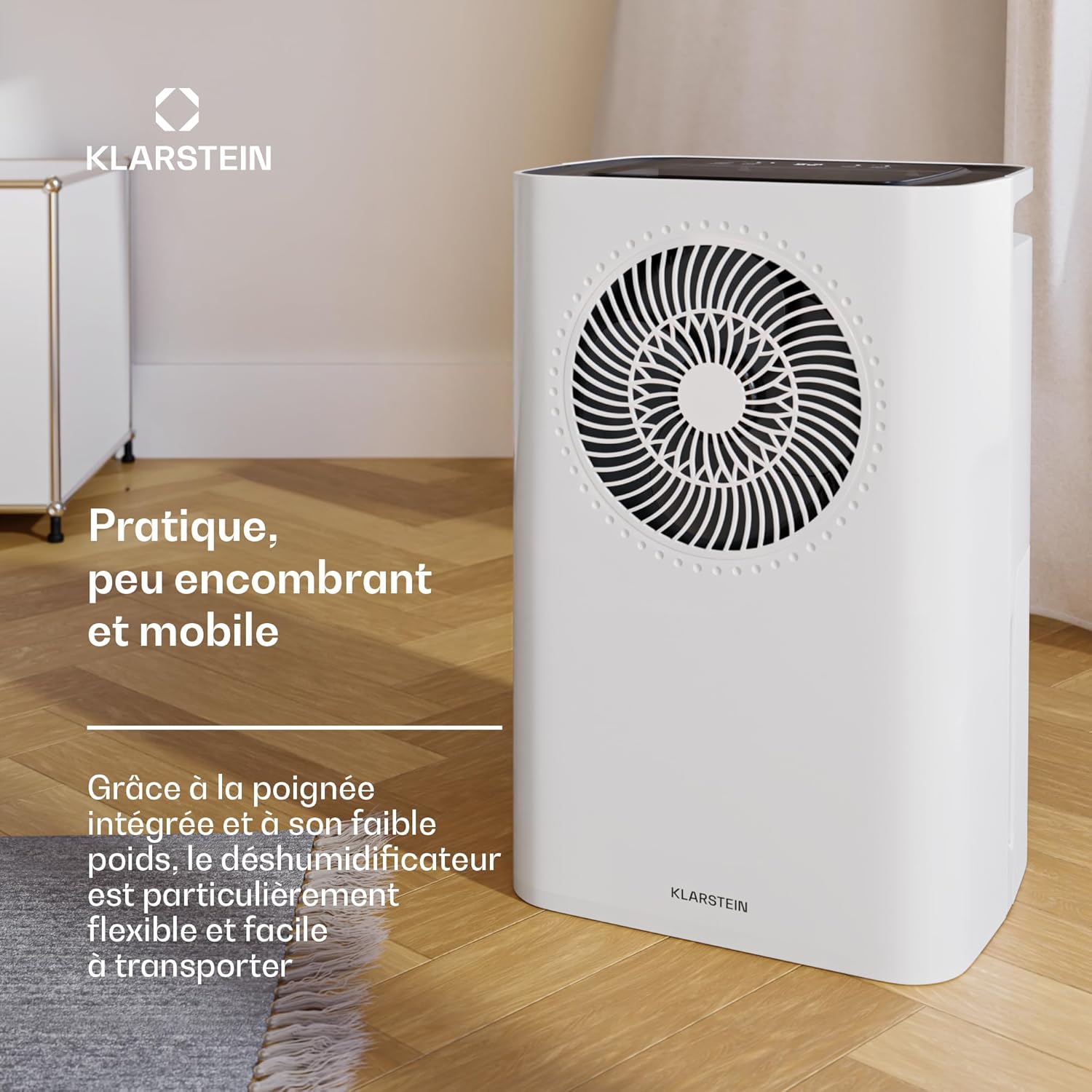
- Portable Design: Lightweight with an integrated handle for easy transport.
- Removable Water Tank: 2-liter capacity with automatic shut-off when full.
- Continuous Drainage: Option for direct water drainage.
- Washable Nylon Filter: For easy maintenance.
- Quiet Operation: Noise level between 38-41 dB.
Setup
1. Unpacking
- Carefully remove the dehumidifier from its packaging.
- Remove all packing materials and ensure no components are missing or damaged.
2. Placement
- Place the dehumidifier on a firm, level surface.
- Ensure there is at least 20 cm (8 inches) of space around the unit for proper air circulation.
- Avoid placing the unit near walls, furniture, or curtains that could obstruct airflow.
3. Power Connection
- Plug the power cord into a grounded electrical outlet.
- Do not use extension cords or multi-plugs unless absolutely necessary and rated for the appliance's power requirements.
4. Water Drainage Options
The dehumidifier offers two drainage methods: using the removable water tank or continuous drainage.
a. Removable Water Tank
- The unit comes with a 2-liter removable water tank.
- Ensure the tank is correctly inserted before operation. The unit will automatically shut off when the tank is full.
b. Continuous Drainage
- For continuous operation without emptying the tank, connect a drainage hose (not included) to the continuous drainage port.
- Ensure the hose is sloped downwards to allow gravity drainage into a suitable receptacle or drain.

Operating Instructions
Control Panel Overview
The dehumidifier features an intuitive LED display and control buttons on the top panel.

1. Power On/Off
- Press the Power button to turn the unit on or off.
2. Setting Desired Humidity
- Use the Humidity buttons (usually '+' and '-') to set the desired relative humidity level between 30% and 90%.
- The unit will operate until the set humidity level is reached, then cycle on and off to maintain it.
3. Comfort Mode
- Select Comfort Mode for automatic humidity control optimized for typical living conditions. The unit will adjust its operation to maintain a comfortable humidity level.
4. Timer Function
- Press the Timer button to set a delayed start or stop time (up to 24 hours).
- Adjust the hours using the appropriate buttons.
5. Fan Speed
- The unit offers two fan speeds (High and Low). Select the desired speed using the Fan Speed button.
6. Wi-Fi and App Control
The Klarstein CircleDry 16L can be controlled remotely via the Klarstein IoT app.
- Download the Klarstein IoT app from your smartphone's app store (available for iOS and Android).
- Follow the in-app instructions to connect your dehumidifier to your home Wi-Fi network.
- Once connected, you can control power, humidity settings, timer, and monitor the unit from anywhere.

Maintenance
Regular maintenance ensures optimal performance and extends the lifespan of your dehumidifier.
1. Emptying the Water Tank
- When the water tank is full, the unit will automatically shut off and an indicator light will illuminate.
- Carefully pull out the water tank from the unit.
- Empty the collected water.
- Reinsert the empty water tank firmly into the unit until it clicks into place. The unit will resume operation.
2. Cleaning the Air Filter
The washable nylon filter should be cleaned regularly (every 2-4 weeks, depending on usage) to prevent dust buildup and maintain efficiency.
- Unplug the dehumidifier from the power outlet.
- Locate and remove the air filter (refer to the product diagram for exact location).
- Gently wash the filter with warm, soapy water. Rinse thoroughly.
- Allow the filter to air dry completely before reinserting it into the unit. Do not use a dryer or direct heat.
3. Cleaning the Unit Exterior
- Wipe the exterior of the dehumidifier with a soft, damp cloth.
- Do not use harsh chemicals, abrasive cleaners, or solvents, as these can damage the surface.
4. Storage
- If storing the unit for an extended period, ensure the water tank is empty and clean, and the air filter is clean and dry.
- Store the dehumidifier in a cool, dry place, away from direct sunlight and extreme temperatures.
Troubleshooting
Before contacting customer support, please refer to the following troubleshooting guide for common issues.
| Problem | Possible Cause | Solution |
|---|---|---|
| Dehumidifier does not turn on. | No power supply. Water tank is full or incorrectly inserted. | Check if the power cord is securely plugged in. Empty and reinsert the water tank correctly. |
| Unit is running but not collecting water. | Room humidity is already low. Air filter is clogged. Temperature is too low (below 5°C). | Check the current humidity level. The unit will stop if the set humidity is reached. Clean the air filter. The unit operates between 5°C and 32°C. |
| Airflow is weak or noisy. | Air filter is clogged. Air inlet/outlet is blocked. | Clean the air filter. Ensure there is no obstruction around the unit. |
| Wi-Fi connection issues. | Incorrect Wi-Fi password. Dehumidifier too far from router. Router settings (2.4GHz required). | Verify Wi-Fi password. Move the dehumidifier closer to the Wi-Fi router. Ensure your router is broadcasting a 2.4GHz network. Consult your router's manual. |
Specifications
Technical specifications for the Klarstein CircleDry 16L Smart Dehumidifier.
| Feature | Detail |
|---|---|
| Model Number | DXJ10-Kl-CDS-16-WH |
| Brand | KLARSTEIN |
| Dehumidification Capacity | 16 Liters/day |
| Water Tank Capacity | 2 Liters |
| Recommended Room Size | Up to 32 m² |
| Power | 290 Watts |
| Noise Level | 38 - 41 dB |
| Refrigerant | R290 (environmentally friendly) |
| Operating Temperature Range | 5°C to 32°C |
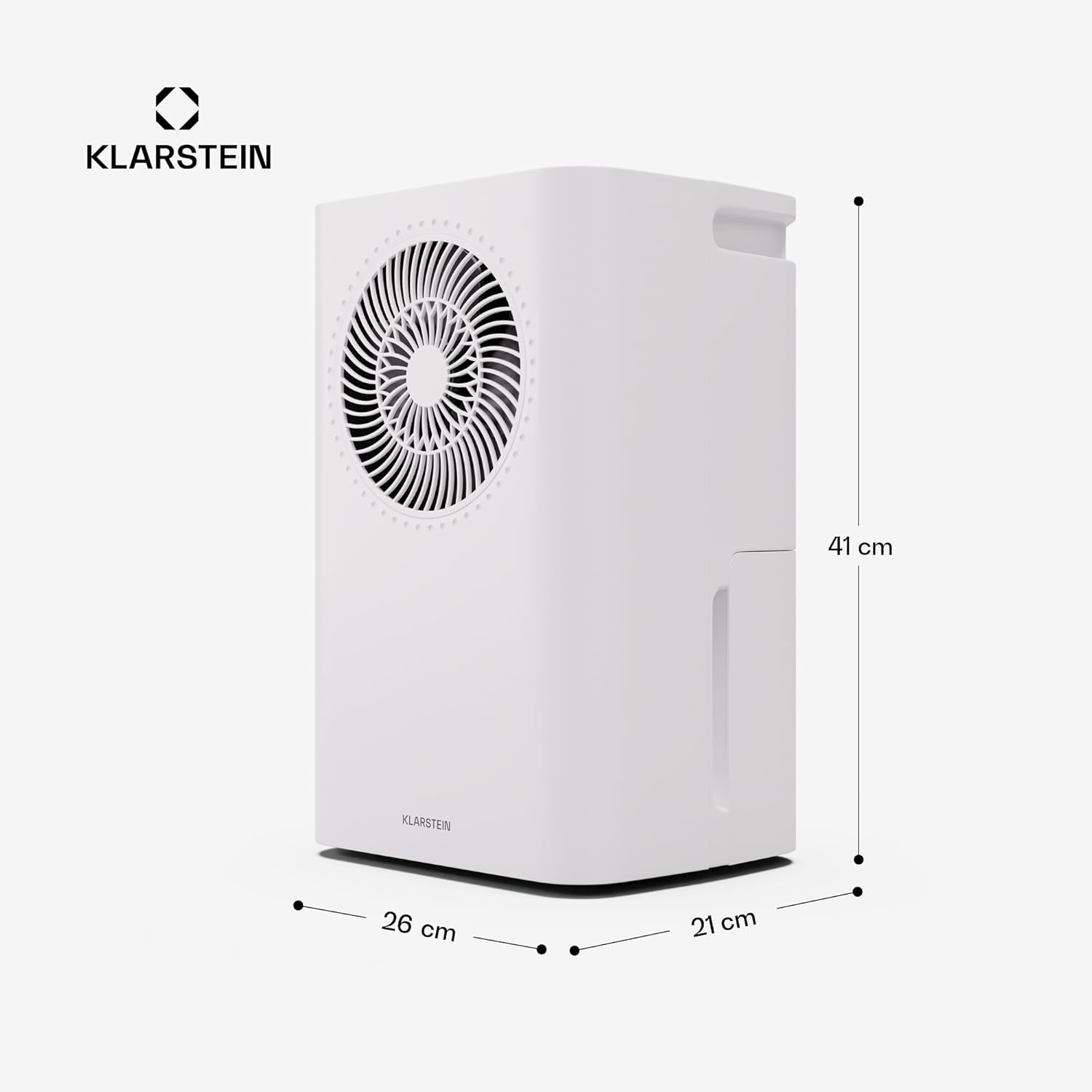
| Dimensions (L x W x H) | 26 x 21 x 40 cm |
| Weight | 9 Kilograms |
| Material | ABS Plastic, Metal |
Warranty and Support
For warranty information, please refer to the documentation provided with your purchase or visit the official Klarstein website. If you encounter any issues not covered in this manual or require technical assistance, please contact Klarstein customer support.
Online Support: Visit www.klarstein.com for FAQs, product registration, and contact information.