
artfone G3
artfone G3 4G Senior Mobile Phone User Manual
Model: G3 | Brand: artfone
Introduction
The artfone G3 is a 4G flip mobile phone designed for seniors, prioritizing ease of use and essential communication features. It includes large keys, a clear display, an SOS emergency button, and a convenient charging station. This manual provides detailed instructions for setup, operation, and maintenance to ensure optimal use of your device.

Image: The artfone G3 4G Senior Mobile Phone, shown open with its large screen and keypad, highlighting its 4G capability.
What's in the Box
Please check the package contents upon unboxing:
- 1x artfone G3 Senior Mobile Phone
- 1x 1300mAh Battery
- 1x USB-C Cable
- 1x EU Charger
- 1x Charging Station
- 1x User Manual

Image: All items included in the artfone G3 package, neatly arranged on a surface.

Image: The artfone G3 retail box alongside the phone, charging dock, and accessories.
Setup
1. Installing the SIM Card and Battery
- Carefully remove the back cover of the phone.
- Insert your Nano SIM card(s) into the designated slot(s) as indicated.
- If desired, insert a microSD card (up to 64GB) into the memory card slot.
- Insert the 1300mAh battery, ensuring the contacts align correctly.
- Replace the back cover until it clicks securely into place.

Image: A detailed view of the artfone G3's interior, illustrating the correct placement for the Nano SIM card, Micro SD card, and 1300mAh battery.
Video: This video demonstrates the step-by-step process of how to correctly insert the SIM card into the artfone G3 mobile phone.
2. Initial Charging
Before first use, fully charge the phone. You can charge it directly via the USB-C cable or by placing it in the charging station.
- Connect the USB-C cable to the phone or the charging station.
- Plug the charger into a power outlet.
- The battery indicator on the screen will show charging progress.

Image: The artfone G3 phone resting in its charging dock, illustrating the 1300mAh battery capacity and convenient USB-C charging.

Image: The artfone G3 can be charged directly via a USB-C cable or by placing it in the included charging station.
3. Powering On/Off
- To Power On: Press and hold the red 'End Call' button until the screen lights up.
- To Power Off: Press and hold the red 'End Call' button until the power-off options appear, then confirm.
Operating Instructions
1. Making and Receiving Calls
- To Make a Call: Dial the number using the large keypad and press the green 'Call' button.
- To Answer a Call: Press the green 'Call' button when the phone rings.
- To End a Call: Press the red 'End Call' button.

Image: The artfone G3 with its flip-open design, showcasing large font on the screen and clearly backlit keys for enhanced visibility and ease of use.
2. SOS Emergency Button
The SOS button is located on the back of the phone for quick access in emergencies.
- Setup: You can program up to 5 emergency contacts in the phone settings.
- Activation: Press and hold the SOS button for 3 seconds to automatically dial the programmed emergency contacts and send an emergency SMS.
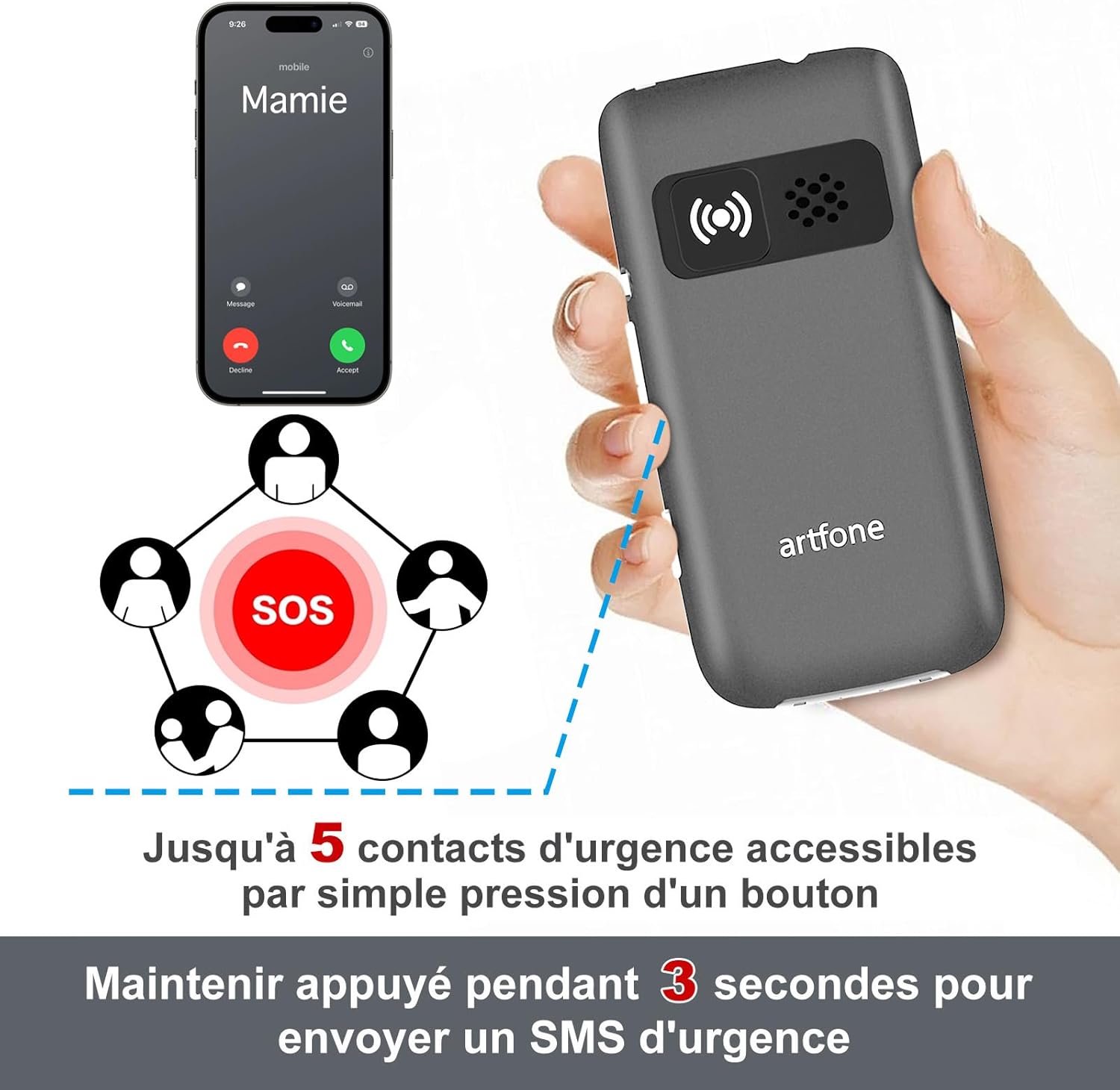
Image: The artfone G3's rear view, highlighting the SOS button and its capability to contact up to 5 emergency numbers with a single press.
3. Quick Dial
The phone supports quick dial functions for frequently called numbers.
- Assign contacts to specific keys (e.g., M1, M2, M3, or number keys).
- Press and hold the assigned key to dial the contact.
4. Volume Control
The artfone G3 features a loud speaker and powerful ringtones, adjustable up to 130dB for users with hearing difficulties.
- Use the volume buttons on the side of the phone to adjust call and ringtone volume.

Image: A visual comparison highlighting the artfone G3's maximum volume of 130dB against another phone's 80dB, emphasizing its loud audio output.
5. Flashlight
The integrated flashlight can be activated via a dedicated button on the side of the phone.
- Press the flashlight button to turn it on/off.
6. Other Useful Functions
The artfone G3 includes several practical features:
- FM Radio: Listen to your favorite radio stations.
- Alarm Clock: Set multiple alarms for reminders.
- Calendar: Keep track of important dates.
- Calculator: Perform basic arithmetic.
- MP3 Player: Enjoy music stored on your microSD card.
- Time Announcement: Press and hold the '+' button for two seconds to hear the current time announced.
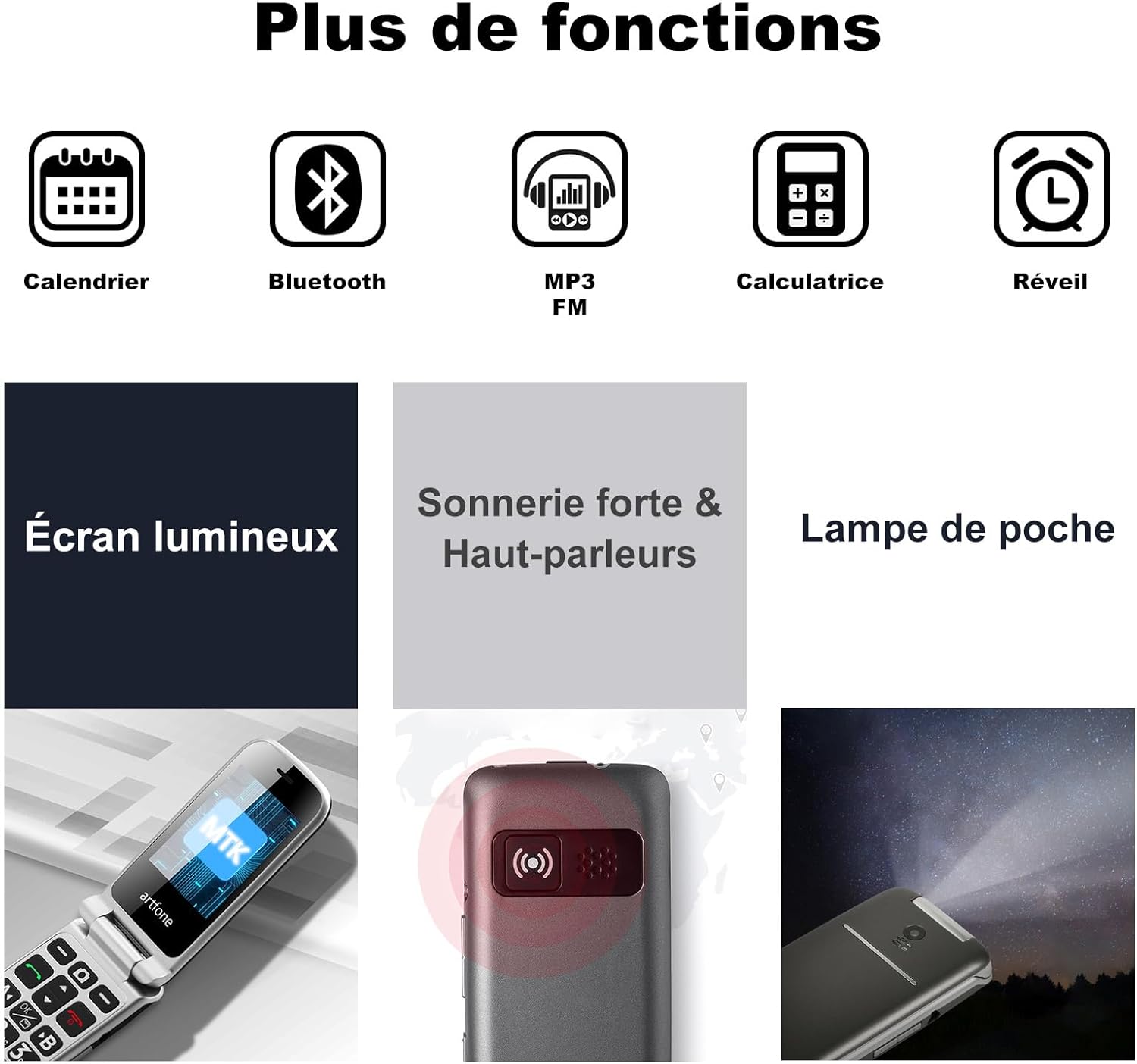
Image: A visual representation of the artfone G3's additional features, including Calendar, Bluetooth, MP3/FM radio, Calculator, Alarm, Bright Screen, Loud Ringtone, and Flashlight.

Image: A woman using the artfone G3, demonstrating the time announcement feature activated by pressing the '+' button.
Maintenance
1. Battery Care
- To prolong battery life, avoid extreme temperatures.
- Do not leave the phone fully discharged for extended periods.
- Use only the original artfone charger and battery.
2. Cleaning
- Wipe the phone with a soft, dry cloth.
- Avoid using harsh chemicals or abrasive materials.
3. Storage
- Store the phone in a cool, dry place away from direct sunlight.
- If storing for a long time, ensure the battery is partially charged (around 50%).
Troubleshooting
| Problem | Possible Cause | Solution |
|---|---|---|
| Phone does not power on | Low battery; Battery not installed correctly | Charge the battery; Reinstall the battery correctly |
| Cannot make/receive calls | No SIM card; SIM card not inserted correctly; No network signal | Insert SIM card; Reinsert SIM card; Move to an area with better signal |
| Poor call quality | Weak network signal; Obstructions | Move to an area with better signal; Avoid using in enclosed spaces |
| Battery drains quickly | High usage; Background apps; Old battery | Reduce screen brightness; Close unused applications; Consider replacing battery if old |
| SOS button not working | Emergency contacts not set; Button malfunction | Program emergency contacts in settings; Contact support if button is faulty |
Specifications
| Feature | Detail |
|---|---|
| Brand | artfone |
| Model Name | G3 |
| Operating System | artfone OS |
| Cellular Technology | 4G |
| Screen Size | 3 Inches |
| Screen Resolution | 320 x 240 Pixels |
| RAM | 48 MB |
| Max Flash Memory Supported | 64 GB (MicroSD) |
| Battery Capacity | 1300 mAh |
| Average Battery Life (Standby) | 240 hours |
| Talk Time | 300 Minutes |
| Connectivity Technology | Bluetooth, USB (Type C) |
| SIM Card Slots | Dual SIM |
| Headphone Jack | 3.5 mm |
| Water Resistance Level | Not Waterproof |
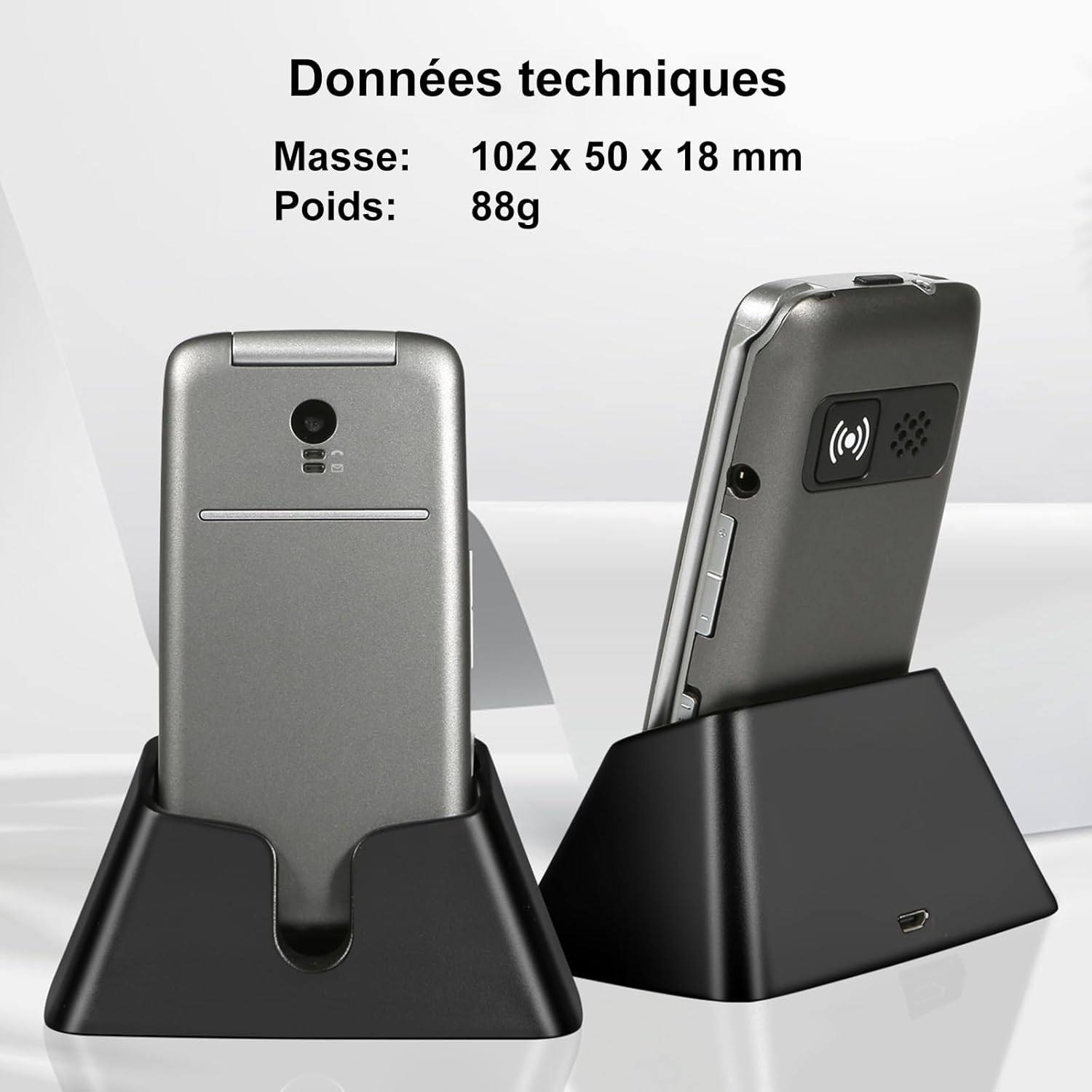
Image: The artfone G3 in its charging dock, accompanied by technical specifications for its dimensions (102 x 50 x 18 mm) and weight (88g).
Warranty and Support
Warranty Information
The artfone G3 comes with a 2-year warranty from the date of purchase. This warranty covers manufacturing defects and material faults under normal use. It does not cover damage caused by misuse, accidents, unauthorized repairs, or normal wear and tear.
Customer Support
For any questions, technical assistance, or warranty claims, please contact artfone customer support through the following channels:
- Refer to the contact information provided in your product packaging.
- Visit the official artfone website for support resources and contact details.
Additional Product Videos
Video: An overview of the GSM Flip Senior Mobile Phone, showcasing its features and design.
Video: A demonstration of the 4G Senior Mobile Phone, highlighting its key functionalities.
Video: A summary video of the product, detailing its various features and benefits.
Related documentsG3


Ask a question about this manual
Ask about setup, troubleshooting, compatibility, parts, safety, or missing instructions. Manuals+ will review the question and use this page’s manual context to help answer it.