
1. Introduction
Thank you for choosing the Westclox Big Ben Classic Battery Operated Alarm Clock. This manual provides essential information for the proper setup, operation, and maintenance of your new timepiece. Please read these instructions carefully before use and retain them for future reference.
2. Product Overview
The Westclox Big Ben Classic Alarm Clock combines a vintage aesthetic with reliable functionality. Key features include:
- Vintage Inspired Metal Design: Classic black metal case with polished gold tone trim.
- Strong Wake Up Alarm: Loud alarm sound for effective waking, ideal for heavy sleepers.
- Clear Glass Lens and Durable Build: Quality glass lens protects the dial; metal body ensures long-lasting use.
- Easy to Read Dial: Large white face with bold black numerals for quick visibility.
- Luminous Hands: Hour and minute hands glow in the dark after light exposure for night viewing.
- Battery Operated: Runs on one AA battery (not included) for portable placement without cords.
- Silent, Non-Ticking Movement: Ensures a peaceful night’s sleep without disruptive ticking sounds.
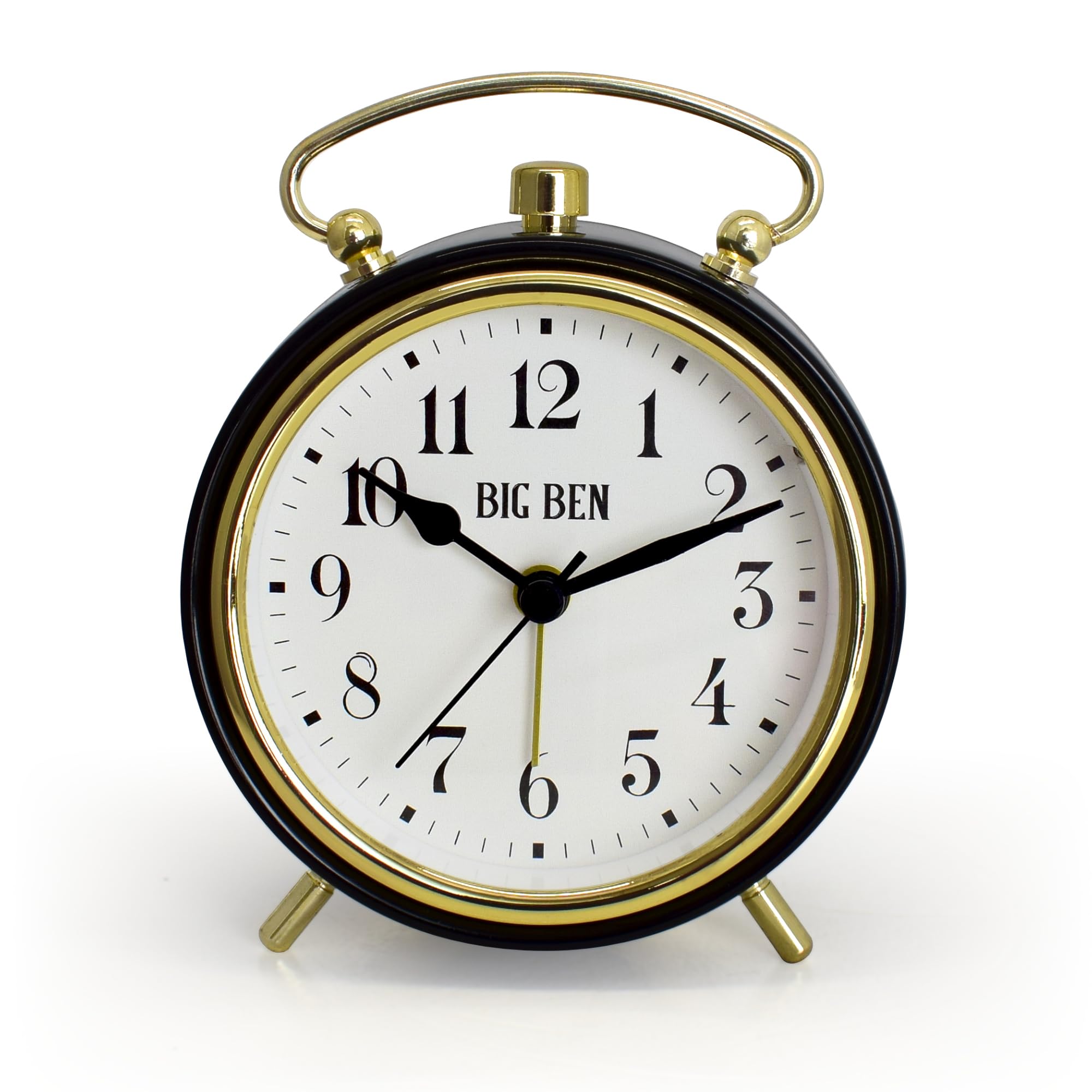
Figure 2.1: Front view of the Westclox Big Ben Classic Alarm Clock, showcasing its black metal case, gold trim, and easy-to-read white dial with bold black numerals. The clock face displays 10:10.

Figure 2.2: Rear view of the Westclox Big Ben Classic Alarm Clock, showing the 'TIME' and 'ALARM' setting knobs, and the 'ON/OFF' switch for the alarm. A speaker grille is also visible.

Figure 2.3: The Westclox Big Ben Classic Alarm Clock placed on a light wooden bedside table next to a bed with white bedding, illustrating its compact size and suitability for bedroom decor.
3. Package Contents
- 1 x Westclox Big Ben Classic Battery Operated Alarm Clock
- 1 x User Manual (this document)
Note: One (1) AA battery is required and not included in the package.
4. Setup
4.1 Battery Installation
- Locate the battery compartment cover on the back of the clock (refer to Figure 2.2).
- Remove the cover by sliding it down or lifting it off.
- Insert one (1) AA battery into the compartment, ensuring the positive (+) and negative (-) terminals align correctly with the indicators.
- Replace the battery compartment cover securely.
Important: Use a fresh AA battery for optimal performance. Do not mix old and new batteries or different types of batteries.
5. Operating Instructions
5.1 Setting the Time
- Locate the TIME SET knob on the back of the clock (refer to Figure 2.2).
- Rotate the TIME SET knob in either direction to move the hour and minute hands to the correct current time.
5.2 Setting the Alarm
- Locate the ALARM SET knob on the back of the clock (refer to Figure 2.2).
- Rotate the ALARM SET knob to move the alarm hand to your desired wake-up time.
- Ensure the ALARM ON/OFF switch (located on the back or side) is in the "ON" position for the alarm to activate.
5.3 Using the Alarm and Snooze Function
- When the alarm time is reached, the loud alarm will sound.
- To silence the alarm, move the ALARM ON/OFF switch to the "OFF" position.
- This model does not feature a snooze button. To temporarily silence the alarm and have it ring again later, you must manually move the alarm hand forward to a new desired alarm time.
5.4 Luminous Hands
The clock features luminous hour and minute hands that glow in the dark after exposure to light, allowing for easy time reading at night without needing a backlight button.
6. Product Videos
6.1 Westclox Product Overview
This video provides a general overview of the Westclox alarm clock, highlighting its design, silent movement, luminous display, and battery-free operation (for wind-up models, though this product is battery-operated, the video is a general overview).
6.2 Westclox Branded Video
An official brand video showcasing the Westclox product line and its heritage, emphasizing quality and classic design.
7. Maintenance
- Cleaning: Wipe the clock with a soft, dry cloth. Do not use abrasive cleaners or solvents, as they may damage the finish or glass lens.
- Battery Replacement: Replace the AA battery annually or when the clock's performance diminishes (e.g., timekeeping inaccuracy, weak alarm).
- Storage: If storing the clock for an extended period, remove the battery to prevent leakage and damage.
8. Troubleshooting
| Problem | Possible Cause | Solution |
|---|---|---|
| Clock not running or running slowly. | Low or dead battery. | Replace with a fresh AA battery. |
| Alarm not sounding. | Alarm switch is OFF or alarm time is incorrectly set. | Ensure the ALARM ON/OFF switch is ON. Verify the alarm hand is set to the desired time. Replace battery if necessary. |
| Luminous hands not glowing. | Insufficient exposure to light. | Expose the clock face to bright light for a period to charge the luminous material. |
9. Specifications
- Brand: Westclox
- Model: B0DJNXYX5D
- Display Type: Analog
- Power Source: Battery Powered (1 x AA battery, not included)
- Dimensions: 3.75"W x 5"H
- Weight: 7.8 ounces
- Frame Material: Metal
- Special Feature: Cordless, Luminous Hands, Loud Alarm, Silent Movement
10. Warranty and Support
This Westclox product comes with a Limited Warranty. For specific details regarding warranty coverage, claims, or technical support, please refer to the official Westclox website or contact their customer service directly.
You can visit the Westclox Store on Amazon for more information or to contact support.


