
1. Product Overview
The Seauto Robotic Pool Cleaner is an advanced device designed for efficient and thorough cleaning of various pool types. It features intelligent navigation, powerful suction, and user-friendly operation to ensure a pristine swimming environment.

Figure 1: Seauto Robotic Pool Cleaner (Model: Crab-Gray)
2. Key Features
- Full Coverage Cleaning: Cleans floor, walls, waterline, and slopes with high coverage.

Figure 2: Full Coverage Cleaning Capability
- Powerful Cleaning, Visible Results: Equipped with strong suction to remove debris effectively.

Figure 3: Powerful Cleaning Action
- Dual Brush Power & Powerful Suction: Features dual brushes for superior scrubbing and strong suction for debris collection.

Figure 4: Dual Brush and Suction System
- App Control & Multiple Cleaning Modes: Unlock various cleaning modes (Floor, Wall, Auto) via the dedicated mobile application.

Figure 5: App Control Interface
- Self-Parking Technology: The cleaner automatically parks itself when the cleaning cycle is complete or battery is low.

Figure 6: Self-Parking Feature
- Extended Cleaning Time: Provides up to 150 minutes of running time, capable of cleaning pools up to 2000 sq. ft.
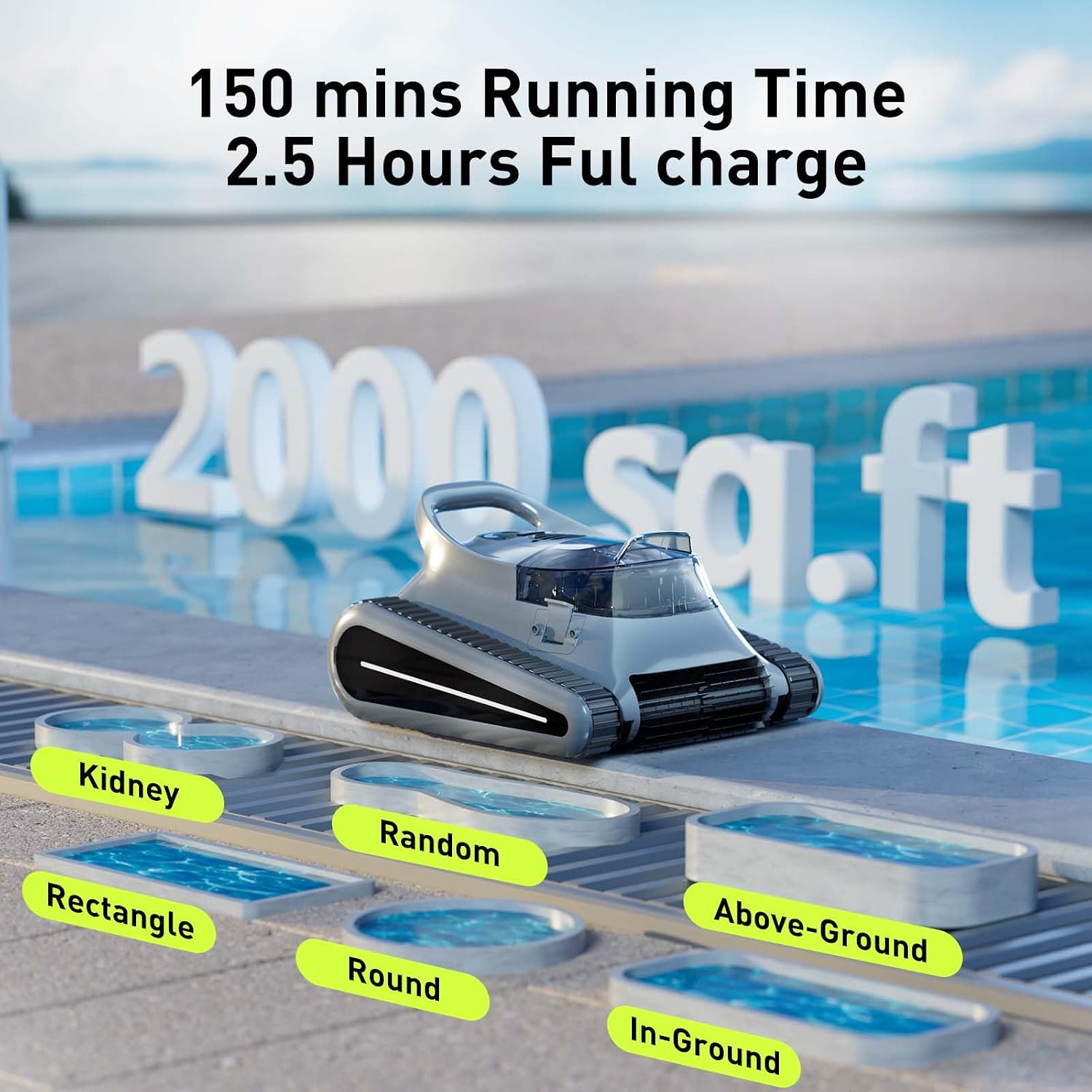
Figure 7: Extended Cleaning Capacity
- Crab Pool Vacuum Design: Optimized for smart living and leisure.

Figure 8: Crab Pool Vacuum in action
- Versatile Pool Shape Compatibility: Suitable for various pool shapes including Kidney, Random, Rectangle, Round, Above-Ground, and In-Ground.

Figure 9: Compatible Pool Shapes
- Multi-Surface Compatibility: Works effectively on Concrete, Vinyl, Fiberglass, and Mosaic Tile pool surfaces.

Figure 10: Compatible Pool Surfaces
3. Setup
3.1 Initial Charge
Before the first use, ensure the robotic pool cleaner's battery is fully charged. The battery is designed for easy replacement.
Video 1: Demonstrates initial setup and charging of the robotic pool cleaner. The video shows a user connecting the charger to the cleaner's battery port and the cleaner being placed into the pool.
To charge the battery, connect the charging cable to the cleaner's charging port. The LED indicator will show green when fully charged. Always charge the battery before its first use and after every cleaning cycle to maintain optimal performance.
4. Operating Instructions
4.1 Cleaning Modes
The Seauto Robotic Pool Cleaner offers multiple cleaning modes for different needs. Without the app, it defaults to auto mode. With the app, you can access advanced cleaning modes.

Figure 11: Unlock More Cleaning Modes via App
- Auto Mode: For general full-pool cleaning.

Figure 12: Auto Cleaning Mode
- Floor Mode: Focuses cleaning on the pool floor.

Figure 13: Floor Cleaning Mode
- Wall Mode: Specifically cleans the pool walls and waterline.

Figure 14: Wall Cleaning Mode
4.2 Starting the Cleaner
- Ensure the cleaner is fully charged.
- Place the cleaner into the pool. It will automatically start its cleaning cycle or you can select a mode via the app.
- The cleaner features one-click activation and LED status indicators for easy monitoring.

Figure 15: One-Click Activation and LED Status
5. Maintenance
5.1 Filter Cleaning
Regular cleaning of the filter basket is crucial for maintaining the cleaner's performance.
- After each use, retrieve the cleaner from the pool. It is easy to retrieve with the included hook and features quick-water release for portability.
- Unbuckle and remove the top-load filter basket.
- Empty any collected debris and rinse the filter basket thoroughly with water.
- Once clean, reinsert the filter basket and secure the top cover.

Figure 16: Easy Retrieval and Water Release

Figure 17: Easy Access and Cleaning of Filter Basket
6. Troubleshooting
| Problem | Possible Cause | Solution |
|---|---|---|
| Cleaner not moving or operating. | Low battery; Obstruction in brushes/wheels; Filter basket full. | Charge battery fully; Check and clear any obstructions; Clean filter basket. |
| Poor cleaning performance. | Filter basket is dirty or clogged; Brushes are worn; Incorrect cleaning mode selected. | Clean filter basket; Inspect and replace brushes if necessary; Select appropriate cleaning mode via app. |
| Cleaner gets stuck on stairs or obstacles. | Pool depth for stairs/baja shelf is less than 19.7 inches (0.5m); Obstacle in pool. | Ensure pool features meet minimum depth requirements for climbing; Remove large obstacles from pool. |
7. Specifications
| Feature | Detail |
|---|---|
| Brand | Seauto |
| Model Number | Crab-Gray |
| Product Dimensions | 18.5 x 13.5 x 20.5 inches |
| Item Weight | 27.6 pounds |
| Battery Type | Lithium Ion (15 cells included) |
| Lithium Battery Energy Content | 7800 Milliamp Hours (mAh) |
| Running Time | Up to 150 minutes |
| Max Cleaning Area | Up to 2000 Sq.ft |
| Suction Power | Up to 45,000 Pa |
| Control Method | Touch / App Control |
| Material | Plastic |
| Color | Deep Gray |
| Installation Type | Robotic |
8. Warranty and Support
The Seauto Robotic Pool Cleaner comes with an Extended Warranty. For specific details regarding warranty coverage, claims, or technical support, please refer to the warranty card included in your product packaging or visit the official Seauto website.
- Warranty Type: Extended
- For customer service and technical assistance, please contact Seauto support through their official channels.


