1. Introduction
Thank you for purchasing the 5 Core PLB 8X2 2MIC Bluetooth Party Speaker. This portable PA system is designed to deliver powerful audio with versatile connectivity options, including Bluetooth, AUX, USB, and SD card. It features dynamic disco lights and comes with two wireless microphones for karaoke and public address. Please read this manual thoroughly before operating the device to ensure proper use and to maximize its performance.
2. Safety Instructions
- Do not expose the speaker to rain or moisture to prevent fire or electric shock.
- Do not open the speaker casing. There are no user-serviceable parts inside. Refer all servicing to qualified personnel.
- Place the speaker on a stable, flat surface to prevent it from falling.
- Keep the speaker away from heat sources such as radiators, heat registers, stoves, or other apparatus (including amplifiers) that produce heat.
- Use only attachments/accessories specified by the manufacturer.
- Unplug the speaker during lightning storms or when unused for long periods.
- Ensure proper ventilation. Do not block any ventilation openings.
3. Package Contents
Carefully unpack your 5 Core PLB 8X2 2MIC speaker and ensure all items listed below are present and in good condition:
- 1x 5 Core PLB 8X2 2MIC Bluetooth Party Speaker
- 2x Wireless Microphones
- 1x Remote Control
- 1x Power Adapter/Charger
- 1x User Manual
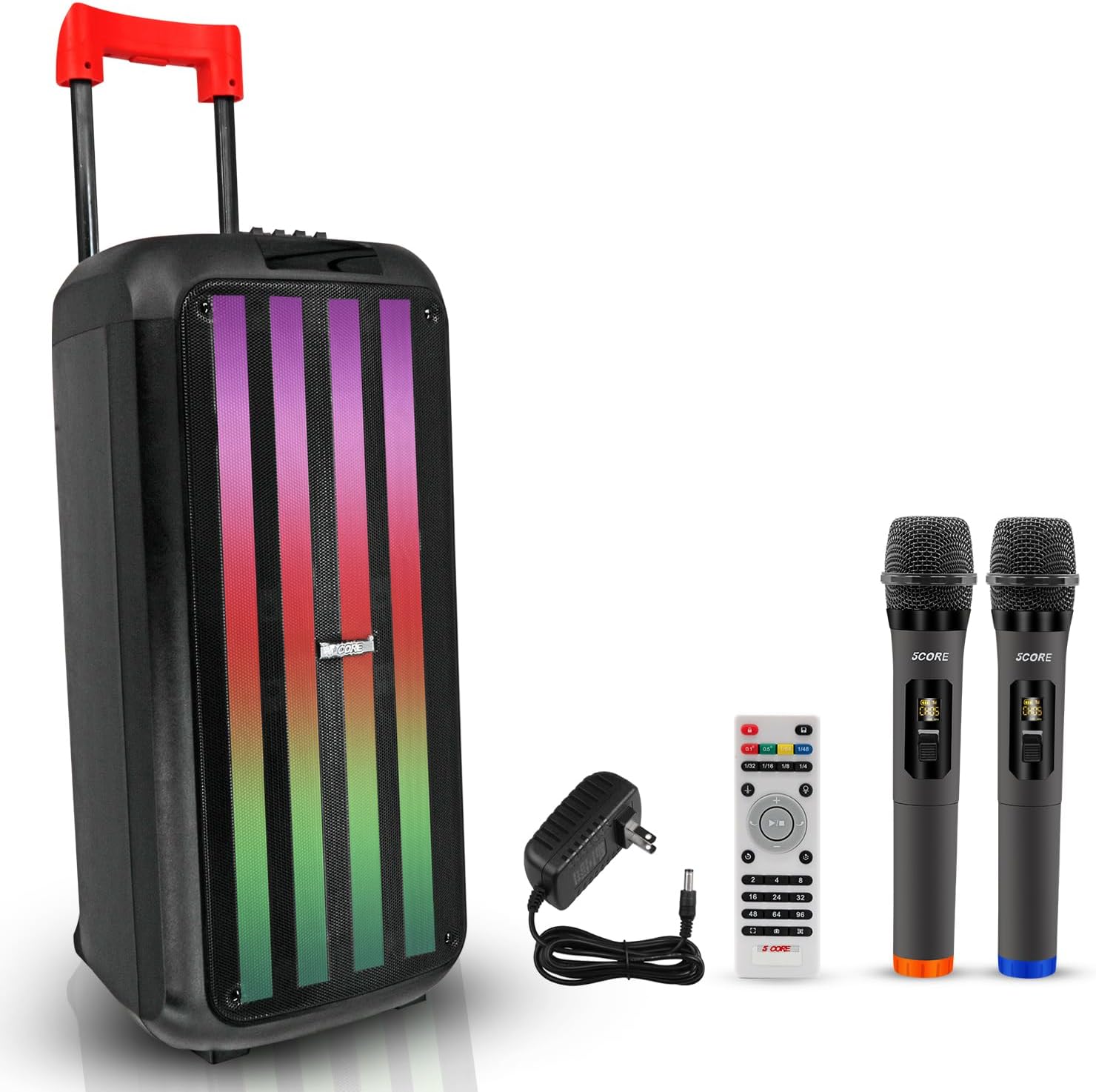
Image 3.1: The 5 Core PLB 8X2 2MIC Bluetooth Party Speaker shown with its included accessories: two wireless microphones, a remote control, and a power adapter.
4. Product Overview
The 5 Core PLB 8X2 2MIC is a powerful and portable audio system designed for various events. It features a robust 400W peak power output, delivering clear sound with deep bass through its two 8-inch speakers. The speaker includes built-in dynamic LED disco lights to enhance the atmosphere. For ease of transport, it is equipped with a retractable handle and built-in wheels. Multiple connectivity options ensure versatile audio playback.

Image 4.1: Detailed view of the speaker's control panel, highlighting various inputs and adjustment knobs for volume, equalizer, and microphone controls.

Image 4.2: An exploded view illustrating the two 8-inch woofers, emphasizing the two-way audio crossover system for wide sound transmission.
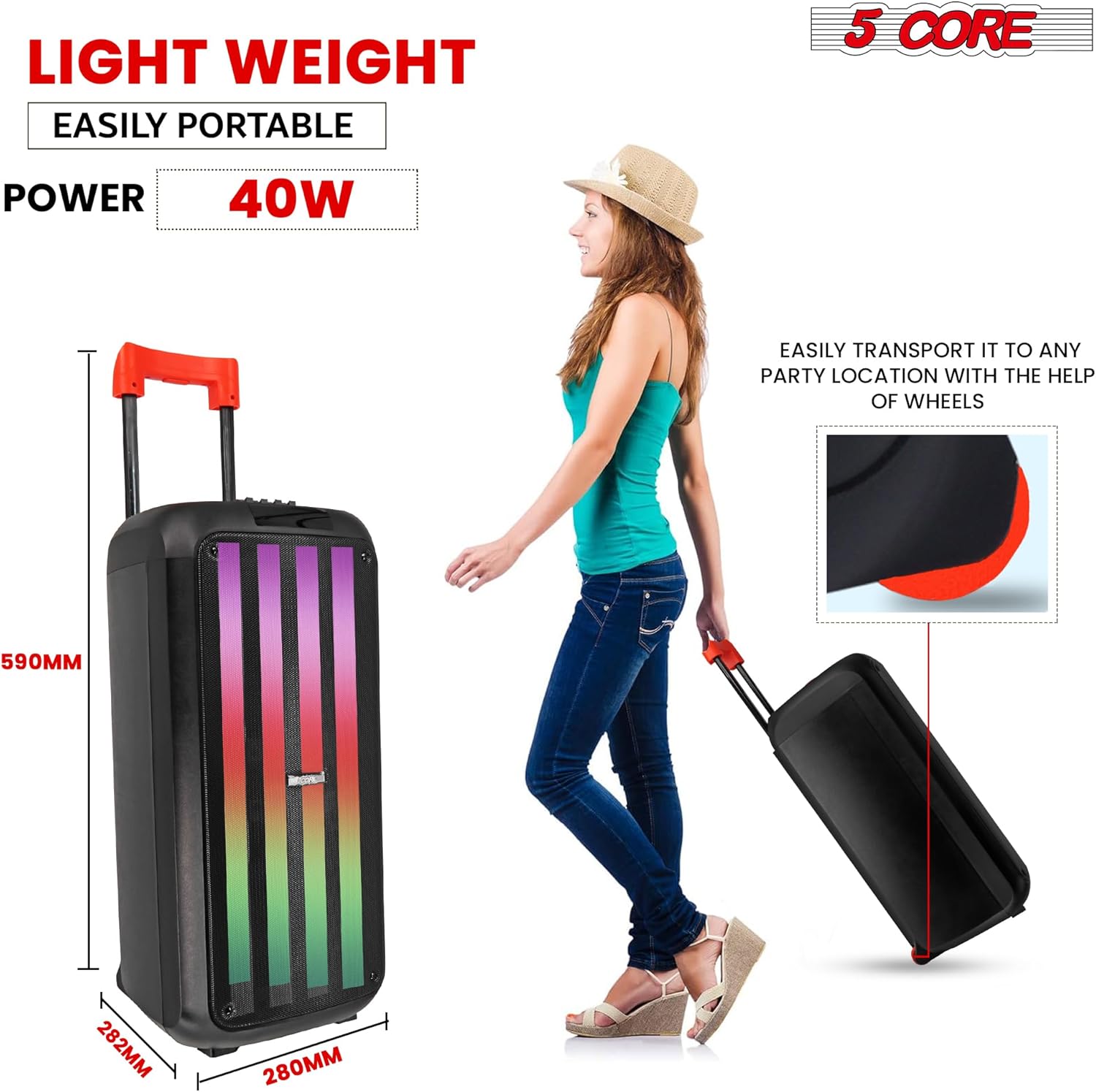
Image 4.3: The speaker being transported using its retractable handle and built-in wheels, demonstrating its portability.
5. Setup
5.1 Charging the Speaker
- Locate the DC 9V IN port on the speaker's control panel.
- Connect the provided power adapter to the DC 9V IN port.
- Plug the power adapter into a standard electrical outlet.
- The charging indicator light will illuminate. Allow approximately 4 hours for a full charge.
- Once fully charged, disconnect the power adapter.
5.2 Powering On/Off
- To power on the speaker, press and hold the POWER button on the control panel.
- To power off the speaker, press and hold the POWER button again.
5.3 Connecting Wireless Microphones
- Ensure the speaker is powered on.
- Insert fresh batteries into each wireless microphone.
- Turn on the microphones using their respective power switches.
- The microphones should automatically connect to the speaker. If not, refer to the troubleshooting section.
- Adjust the microphone volume using the M.VOLUME knob on the speaker's control panel.
6. Operating Instructions
6.1 Bluetooth Pairing
- Power on the speaker. The speaker will automatically enter Bluetooth pairing mode, indicated by a flashing Bluetooth icon on the digital display.
- On your mobile device, enable Bluetooth and search for available devices.
- Select "5 CORE PLB 8X2 2MIC" from the list of devices.
- Once paired, the speaker will emit a confirmation tone, and the Bluetooth icon will stop flashing.
- You can now play audio from your device through the speaker.
6.2 AUX Input
- Connect one end of a 3.5mm audio cable (not included) to the AUX input port on the speaker.
- Connect the other end of the cable to the audio output of your external device (e.g., smartphone, MP3 player).
- Press the MODE button on the speaker or remote control until "AUX" is displayed.
- Play audio from your external device.
6.3 USB/SD Card Playback
- Insert a USB flash drive into the USB port or an SD card into the TF (SD card) slot.
- The speaker will automatically detect the storage device and begin playing compatible audio files. If not, press the MODE button to switch to USB or SD mode.
- Use the PREV/NEXT buttons to navigate tracks and the PLAY/PAUSE button for playback control.
6.4 Karaoke Function
With the two wireless microphones, you can enjoy karaoke or use the speaker for public address.
- Ensure microphones are connected as described in Section 5.3.
- Adjust the microphone volume (M.VOLUME) and echo effect (M.ECHO) using the dedicated knobs on the control panel.
- Adjust the main music volume (VOLUME) to balance with the microphone audio.
6.5 LED Lights Control
The speaker features dynamic LED disco lights.
- Press the LED MODE button on the control panel to cycle through different light patterns or to turn the lights off.
6.6 Equalizer Adjustment
Fine-tune the audio output using the built-in equalizer.
- Use the TREBLE and BASS sliders on the control panel to adjust the high and low frequencies of the audio.
Video 6.1: An official product video demonstrating the features and operation of the 5 Core Bluetooth DJ Speaker, including its sound output, connectivity options, and portability.
7. Maintenance
- Cleaning: Use a soft, dry cloth to clean the exterior of the speaker. Do not use liquid cleaners or abrasive materials.
- Storage: When not in use for extended periods, store the speaker in a cool, dry place, away from direct sunlight and extreme temperatures.
- Battery Care: To prolong battery life, avoid fully discharging the battery frequently. Charge the speaker regularly, even if not in active use.
8. Troubleshooting
If you encounter any issues with your 5 Core PLB 8X2 2MIC speaker, please refer to the following common problems and solutions:
| Problem | Possible Cause | Solution |
|---|---|---|
| Speaker does not power on. | Low battery or no power. | Charge the speaker using the provided power adapter. Ensure the power adapter is securely connected to both the speaker and a working power outlet. |
| Speaker does not charge. | Faulty power adapter or charging port. | Ensure the power adapter is functioning correctly. Try a different power outlet. If the issue persists, contact customer support. |
| No sound from the speaker. | Volume too low, incorrect input mode, or disconnected audio source. | Increase the speaker's VOLUME. Ensure the correct input mode (Bluetooth, AUX, USB, SD) is selected. Verify the audio source is playing and connected properly. |
| Bluetooth connection fails. | Speaker not in pairing mode, device too far, or interference. | Ensure the speaker is in Bluetooth pairing mode. Move your device closer to the speaker. Disconnect other Bluetooth devices from your source device. Try restarting both the speaker and your device. |
| Microphones not working. | Microphone batteries low/dead, microphone not powered on, or volume too low. | Replace microphone batteries. Ensure microphones are switched on. Increase the M.VOLUME knob on the speaker. |
9. Specifications
| Feature | Detail |
|---|---|
| Model Number | PLB 8X2 2MIC |
| Power Output | 400W Peak, 40W RMS |
| Speaker Unit Size | Double 8-inch Bass |
| Connectivity | Bluetooth, USB, SD Card, AUX, MIC Input |
| Bluetooth Version | 5.0 |
| Battery | 7.4V 3600mAh |
| Play Time | 5-8 hours (depending on usage) |
| Charge Time | Approximately 4 hours |
| Frequency Response | 50Hz-17KHz |
| Material | Acrylonitrile Butadiene Styrene (ABS) |
| Dimensions | 280 x 282 x 590mm (approx. 11 x 11.1 x 23.2 inches) |
| Item Weight | 18.65 pounds |
10. Warranty and Support
5 Core Inc. products are designed for reliability and performance. For warranty information, please refer to the warranty card included with your purchase or visit the official 5 Core website. If you require technical assistance or have questions not covered in this manual, please contact 5 Core customer support through their official channels.


