
AWEI T15
AWEI T15 Wireless Earbuds User Manual
Model: T15 | Brand: AWEI
1. Introduction
Welcome to the user manual for your AWEI T15 Wireless Earbuds. These earbuds are designed to provide a high-quality audio experience with advanced features such as Bluetooth 5.3 connectivity, smart touch controls, and IPX6 waterproofing. This manual will guide you through the setup, operation, and maintenance of your new earbuds to ensure optimal performance and longevity.

Figure 1.1: AWEI T15 Wireless Earbuds and Charging Case. The image displays the two black earbuds positioned above their matching black charging case, which features the 'awei' logo and three indicator lights.

Figure 1.2: AWEI T15 TWS Earbuds. This image highlights the earbuds and charging case, emphasizing their true wireless stereo capabilities.
2. What's Included
Please check the package contents to ensure all items are present:
- AWEI T15 Wireless Earbuds (Left and Right)
- Charging Case
- USB Charging Cable (Type-C)
- User Manual
- Eartips (various sizes)
3. Setup and First Use
3.1 Initial Charging
Before first use, fully charge the charging case and earbuds. Place the earbuds into the charging case. Connect the provided USB Type-C cable to the charging port on the case and the other end to a USB power source (e.g., computer, wall adapter). The indicator lights on the case will show charging status. A full charge for the case takes approximately 1.5 hours.
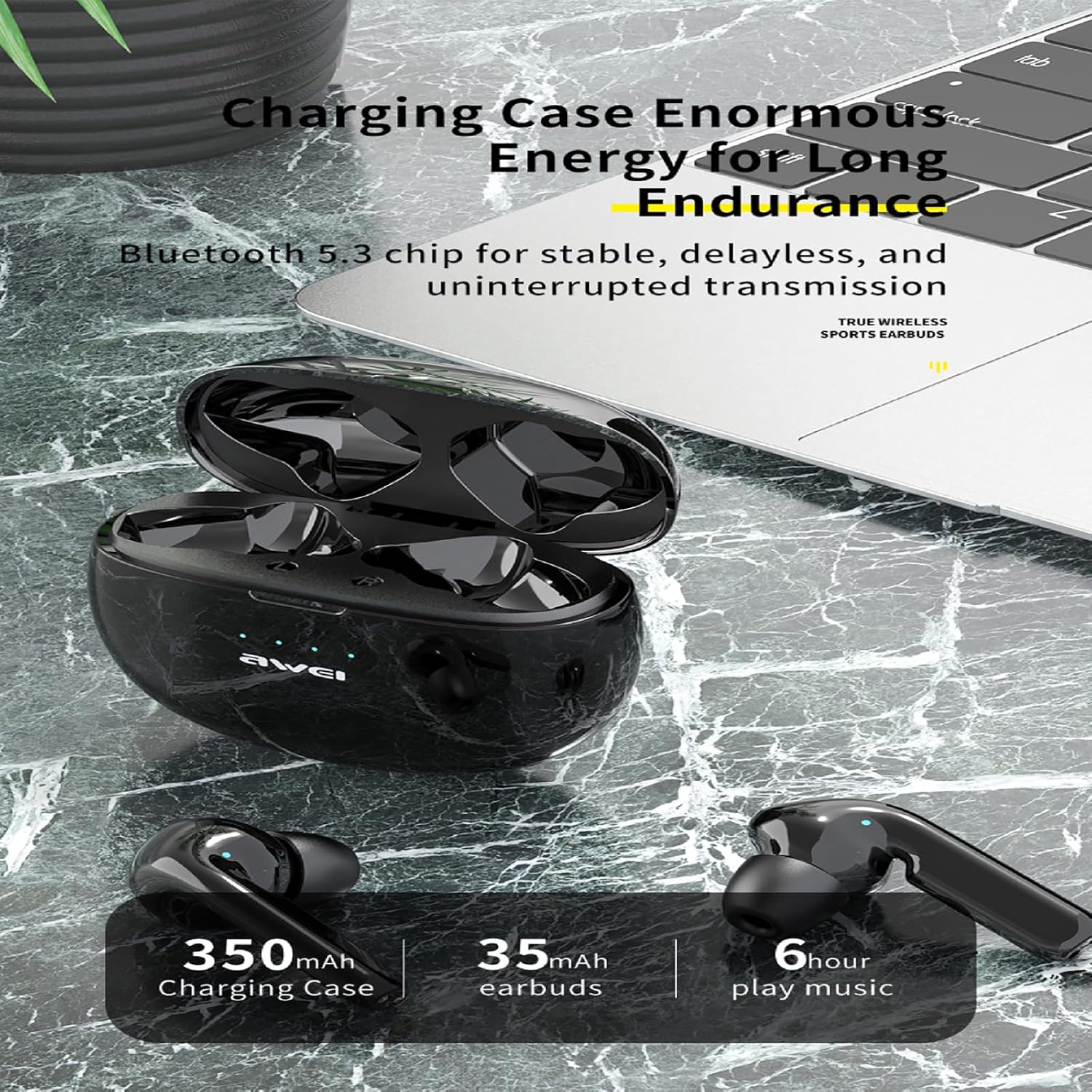
Figure 3.1: Charging Case and Earbuds. This image illustrates the charging case with earbuds inside, positioned next to a laptop, highlighting the charging capabilities and battery life.
3.2 Bluetooth Pairing
The AWEI T15 earbuds utilize Bluetooth 5.3 technology for a stable and fast connection.
- Ensure the earbuds are charged.
- Open the charging case. The earbuds will automatically enter pairing mode.
- On your device (smartphone, tablet, laptop), enable Bluetooth.
- Search for available Bluetooth devices and select "AWEI T15" from the list.
- Once connected, you will hear a confirmation tone, and the earbuds will be ready for use.
The earbuds will automatically reconnect to the last paired device when taken out of the case, if Bluetooth is enabled on the device.

Figure 3.2: Ergonomic Fit for Sports. This image shows a person wearing the earbuds during physical activity, demonstrating their comfortable and secure fit for sports use.
4. Operating Instructions
4.1 Smart Touch Control
The AWEI T15 earbuds feature intuitive touch controls on each earbud. The specific functions are as follows:
- Play/Pause: Single tap on either earbud.
- Next Song: Double tap the right earbud.
- Previous Song: Double tap the left earbud.
- Volume Up: Triple tap the right earbud.
- Volume Down: Triple tap the left earbud.
- Answer/End Call: Single tap on either earbud during an incoming call.
- Reject Call: Press and hold either earbud for 2 seconds during an incoming call.
- Activate Voice Assistant: Press and hold either earbud for 3 seconds.
4.2 Single and Dual Earbud Modes
The AWEI T15 earbuds support both unilateral (single earbud) and bilateral (dual earbud) modes. You can seamlessly switch between modes:
- Dual Earbud Mode: Take both earbuds out of the charging case. They will automatically connect to each other and then to your device.
- Single Earbud Mode: Take only one earbud out of the charging case. It will connect to your device independently. The other earbud can remain in the case or be used later.

Figure 4.1: Unilateral and Bilateral Modes. This image illustrates the flexibility of using the earbuds in binaural, unilateral, or independent modes, controlled by touch sensors.
4.3 Battery Life
The earbuds provide approximately 6-7 hours of continuous playback on a single charge. The 350mAh charging case offers multiple additional charges, extending the total playtime to up to 42 hours in dual-ear mode, or up to 70 hours when alternating single earbuds.

Figure 4.2: Bluetooth 5.3 Connectivity. This image shows the earbuds next to a smartphone, highlighting the Bluetooth 5.3 chip for stable and high-fidelity audio transmission.
5. Maintenance and Care
5.1 Cleaning
Regular cleaning helps maintain sound quality and hygiene:
- Use a soft, dry, lint-free cloth to wipe the earbuds and charging case.
- Gently remove any earwax or debris from the earbud tips and speaker mesh using a small, soft brush or cotton swab.
- Do not use abrasive cleaners, alcohol, or chemical solvents.
5.2 Waterproofing (IPX6)
The AWEI T15 earbuds are IPX6 waterproof, meaning they are protected against powerful water jets. This makes them suitable for workouts and light rain. However, they are not designed for submersion in water. Do not swim or shower with the earbuds. Ensure the earbuds are dry before placing them back into the charging case to prevent damage.
5.3 Storage
When not in use, store the earbuds in their charging case to protect them from dust and damage. Store the case in a cool, dry place away from extreme temperatures.
6. Troubleshooting
If you encounter issues with your AWEI T15 earbuds, try the following solutions:
- No Sound/Connection Issues:
- Ensure earbuds and charging case are fully charged.
- Make sure Bluetooth is enabled on your device.
- Forget/delete "AWEI T15" from your device's Bluetooth list and re-pair.
- Place both earbuds back into the charging case, close the lid, wait a few seconds, then take them out again.
- Try connecting to a different device to rule out device-specific issues.
- One Earbud Not Working:
- Ensure both earbuds are charged.
- Place both earbuds back into the charging case, close the lid, and then take them out together. They should automatically re-sync.
- Clean the charging contacts on both the earbuds and the case.
- Charging Issues:
- Check the charging cable and power adapter. Try a different cable or adapter.
- Ensure the charging port on the case is clean and free of debris.
- Make sure the earbuds are correctly seated in the charging case.
- Low Volume/Poor Sound Quality:
- Adjust the volume on both your device and the earbuds.
- Clean the speaker mesh and earbud tips.
- Try different sized eartips to ensure a proper seal in your ear canal.
7. Specifications

Figure 7.1: Appearance and Basic Parameters. This image provides a visual of the earbuds in black and white, alongside a list of key technical specifications.
| Feature | Specification |
|---|---|
| Model Name | T15 |
| Brand | AWEI |
| Connectivity Technology | Wireless |
| Wireless Communication Technology | Bluetooth 5.3 |
| Ear Placement | In Ear |
| Form Factor | In Ear |
| Control Type | Touch Control |
| Water Resistance Level | IPX6 (Waterproof) |
| Charging Case Battery Capacity | 350mAh |
| Earbud Battery Capacity | 35mAh (each) |
| Play Time (Single Charge) | Approx. 6-7 Hours |
| Total Play Time (with Charging Case) | Up to 42 Hours (Dual Ear), 70 Hours (Single Ear Alternating) |
| Charging Time (Case) | Approx. 1.5 Hours |
| Maximum Operating Distance | 10 meters (33 feet) |
| Compatible Devices | Laptops, Tablets, Mobile Phones |
| Included Components | Cable, User Manual, Charging Case, Wireless Earbuds, Eartips |
| Special Features | Lightweight, Rechargeable Battery, Fast Charging, Touch Control |
8. Warranty and Support
Your AWEI T15 Wireless Earbuds come with a standard manufacturer's warranty. Please refer to the warranty card included in your package for specific terms and conditions. For technical support, troubleshooting assistance beyond this manual, or warranty claims, please contact AWEI customer service through the retailer where you purchased the product or visit the official AWEI website.
Related documentsT15


Ask a question about this manual
Ask about setup, troubleshooting, compatibility, parts, safety, or missing instructions. Manuals+ will review the question and use this page’s manual context to help answer it.