

Introduction
Welcome to the user manual for your boAt Airdopes Loop OWS Earbuds. This guide provides comprehensive instructions to help you set up, operate, and maintain your earbuds for an optimal audio experience. Please read this manual carefully before using your device.
Product Overview
Key Features
- Clip-On Fit: Secure and comfortable design for active use.
- Air Conduction Technology: Delivers audio without blocking your ears, maintaining situational awareness.
- 50 Hours of Playtime: Extended battery life for prolonged listening.
- 4 Mics with ENx Technology: Enhances call clarity by minimizing background noise.
- Dual EQ Modes: Switch between Signature Mode for punchy tunes and Private Mode for minimal audio leakage.
- 12mm Drivers: Provides immersive audio with boAt Signature Sound.
- Insta Wake N’Pair (IWP): Fast and seamless pairing upon opening the charging case.
- BEAST Mode: Offers 40ms low latency for a lag-free gaming experience.
- Bluetooth v5.3: Ensures stable and efficient wireless connectivity.
- IPX4 Resistance: Protects against sweat and water splashes.
What's in the Box
- boAt Airdopes Loop Earbuds
- Charging Cable
- User Manual

Image: Visual comparison illustrating the difference between OWS (Open Wearable Stereo) and TWS (True Wireless Stereo) earbud designs, highlighting the open-ear nature of OWS.
Getting Started
Wearing Your Earbuds
The Airdopes Loop features a unique clip-on fit designed for comfort and stability. To wear them:
- Identify the left (L) and right (R) earbuds.
- Gently loop the earbud's hook around the back of your ear.
- Ensure the audio pin is positioned inside your ear, with the hooks facing inward for a secure fit.

Image: A detailed diagram illustrating the correct method for wearing the boAt Airdopes Loop earbuds, emphasizing the clip-on fit around the ear contours.
Initial Pairing
Your Airdopes Loop earbuds are equipped with Insta Wake N’Pair (IWP) technology for quick connection:
- Open the lid of the charging case. The earbuds will automatically power on and enter pairing mode.
- On your device (smartphone, laptop, etc.), enable Bluetooth.
- Search for “Airdopes Loop” in the list of available Bluetooth devices and select it to connect.
- Once connected, you will hear an audio prompt, and the earbuds will be ready for use.

Image: A collage showing the Insta Wake N' Pair (IWP) connection process on a smartphone, the Bluetooth v5.3 logo, the Type-C charging interface, and icons for voice assistants (Siri, Google Assistant).
Air Conduction Technology
The Airdopes Loop utilizes Air Conduction Technology, which allows sound to be delivered without fully sealing your ear canal. This design promotes:
- Increased awareness of your surroundings.
- Better ventilation for your ears, reducing discomfort during long wear.
- Maximum comfort for all-day use.

Image: A visual representation of Air Conduction Technology, showing sound waves directed into the ear canal without fully obstructing it, highlighting increased awareness and ventilation.
Operating Instructions
Touch Controls and Voice Assistant
The earbuds feature intuitive touch controls for managing your audio and calls. Refer to the quick start guide for specific tap functions. You can also activate your device's voice assistant with a simple touch command.
Dual EQ Modes
Customize your listening experience with two distinct EQ modes:
- Signature Mode: Delivers the classic boAt Signature Sound with enhanced bass.
- Private Mode: Minimizes audio leakage for increased privacy in quiet environments.
Switch between these modes using the designated touch control on your earbuds.

Image: A graphic depicting the two Dual EQ Modes, Private Mode and Signature Sound Mode, with visual cues suggesting their respective audio characteristics.
BEAST Mode for Gaming
For an optimized gaming experience, activate BEAST Mode. This mode reduces audio latency to 40ms, ensuring that in-game sounds are perfectly synchronized with the visuals.
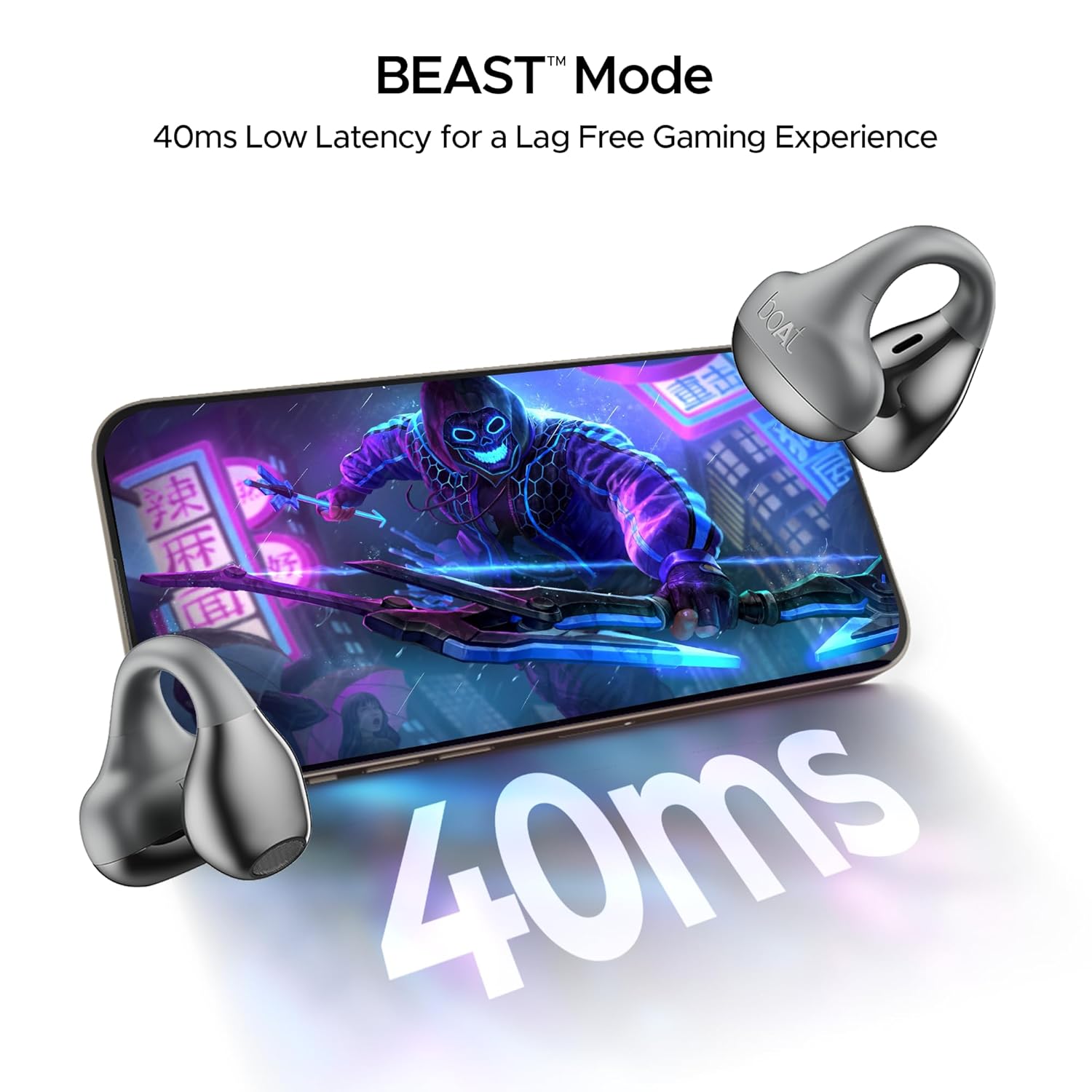
Image: A visual emphasizing the BEAST Mode feature, displaying '40ms' prominently alongside a smartphone screen showing a game, indicating low latency for gaming.
Crystal Clear Calling
The Airdopes Loop is equipped with 4 microphones featuring ENx Technology. This technology actively cancels environmental noise, ensuring your voice is transmitted clearly during calls, even in noisy surroundings.

Image: A graphic demonstrating the function of Quad Mics with ENx Technology, showing how external noise is reduced to provide a clear calling experience.
How to Wear and Use (Video Guide)
Video: A short instructional video demonstrating how to properly wear the boAt Airdopes Loop earbuds and utilize their dual EQ features.
Power Management
Charging and Battery Life
The Airdopes Loop provides up to 50 hours of total playtime. The ASAP Charge feature allows for quick power-ups:
- A 10-minute charge provides approximately 200 minutes of playback.
- Use the provided Type-C charging cable to charge the case and earbuds.

Image: A graphic illustrating the impressive 50 hours of total playback time and the ASAP Charge capability, which provides 200 minutes of playback from just a 10-minute charge.
Maintenance & Care
IPX4 Water Resistance
The Airdopes Loop earbuds are rated IPX4, meaning they are resistant to splashes of water and sweat. This makes them suitable for workouts and outdoor activities. However, they are not designed for submersion in water.
- Avoid exposing the earbuds to heavy rain or submerging them in water.
- Wipe them dry with a soft cloth after exposure to sweat or splashes.

Image: A visual representation of the earbuds with water droplets, signifying their IPX4 rating for splash and sweat resistance.
Troubleshooting
Common Issues and Solutions
- Earbuds not pairing: Ensure both earbuds are charged and within range of your device. Try resetting the earbuds and re-pairing.
- One earbud not working: Check if both earbuds are charged. Place them back in the case, close the lid, and then open it again to re-establish connection.
- Low volume: Adjust the volume on both your connected device and the earbuds. Ensure earbuds are clean and free of debris.
- Charging issues: Verify the charging cable and adapter are working correctly. Ensure the charging contacts on the earbuds and case are clean.
Technical Specifications
| Feature | Specification |
|---|---|
| Model Name | Airdopes Loop |
| Connectivity Technology | Bluetooth v5.3 |
| Audio Driver Size | 12 Millimetres |
| Battery Life | 50 Hours |
| Audio Latency | 40 Milliseconds (BEAST Mode) |
| Water Resistance Level | IPX4 |
| Control Type | Voice Control, Media Control |
| Item Weight | 50 Grams |
| Product Dimensions | 5 x 7 x 2 cm |
Warranty & Support
For warranty information, product registration, or technical support, please visit the official boAt website or contact their customer service. Keep your purchase receipt as proof of purchase for warranty claims.


