1. Introduction
The PECSU Z12Pro is a portable HiFi lossless digital audio player designed for high-quality music playback. This device supports a wide range of audio formats, offers Bluetooth 5.1 connectivity, features a clear 2.4-inch IPS screen, and provides extensive storage capabilities for an immersive audio experience. This manual will guide you through the setup, operation, and maintenance of your Z12Pro MP3 player.
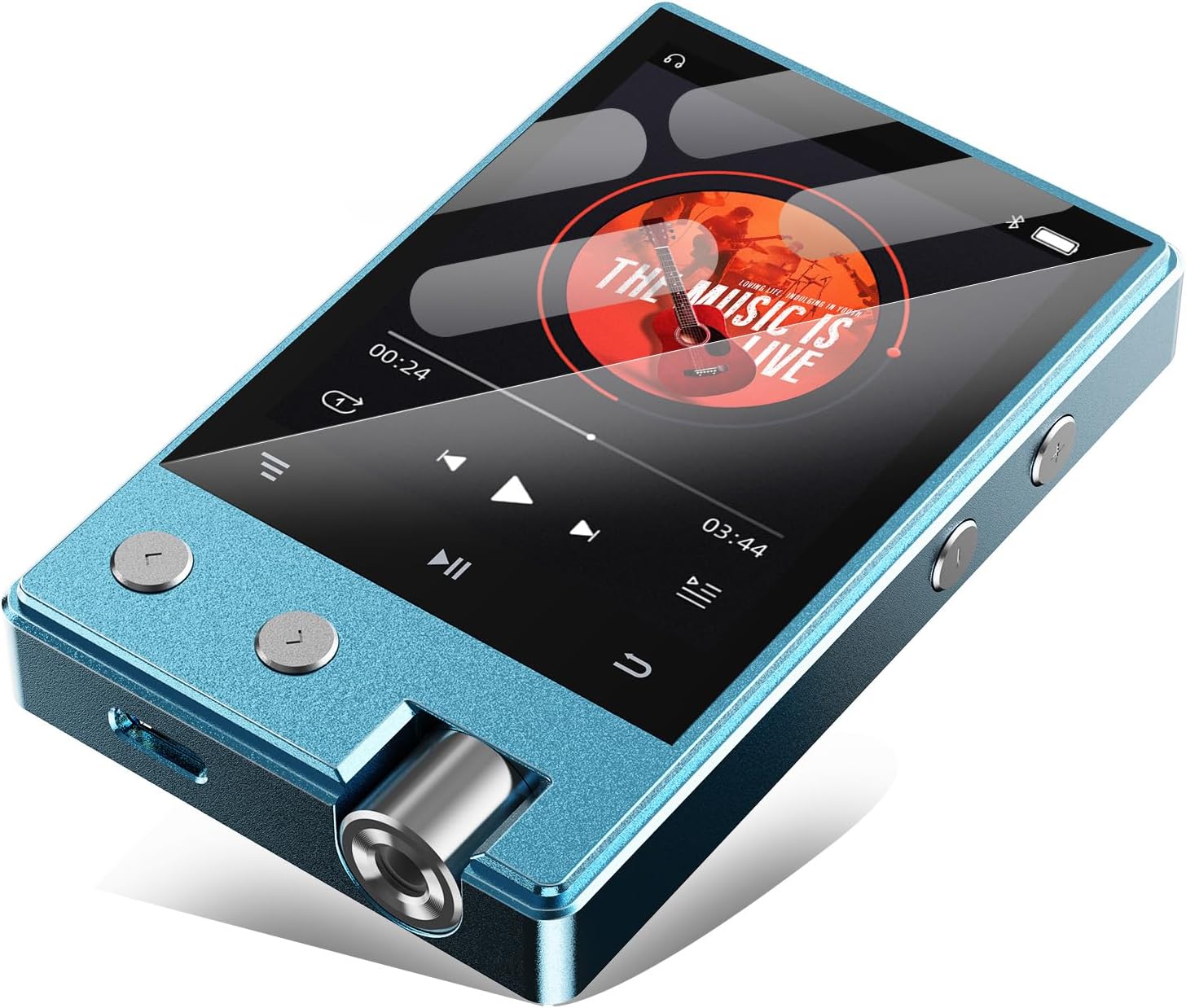
Image 1.1: Front and side view of the PECSU Z12Pro MP3 Player, displaying its screen and controls.
2. What's in the Box
Please check the package contents upon unboxing to ensure all items are present:
- 1 × Z12Pro Music player
- 1 × Type-C Charging Cable
- 1 × User Manual
- 1 × OTG adapter
- 1 × 64GB TF Card (pre-installed or separate)
- 1 × Protective Film

Image 2.1: Illustration of the PECSU Z12Pro MP3 Player and its included accessories, such as the USB cable, user manual, TF card, and OTG adapter.
3. Product Overview
The PECSU Z12Pro features a compact and durable design with intuitive controls. Familiarize yourself with the device's physical components:
- 2.4-inch IPS Screen: For clear display of menus, album art, and settings.
- Control Buttons: Dedicated buttons for navigation, playback, and volume control.
- Headphone Jack: Standard 3.5mm audio output.
- Type-C Port: For charging and data transfer.
- Micro SD Card Slot: For expandable storage.
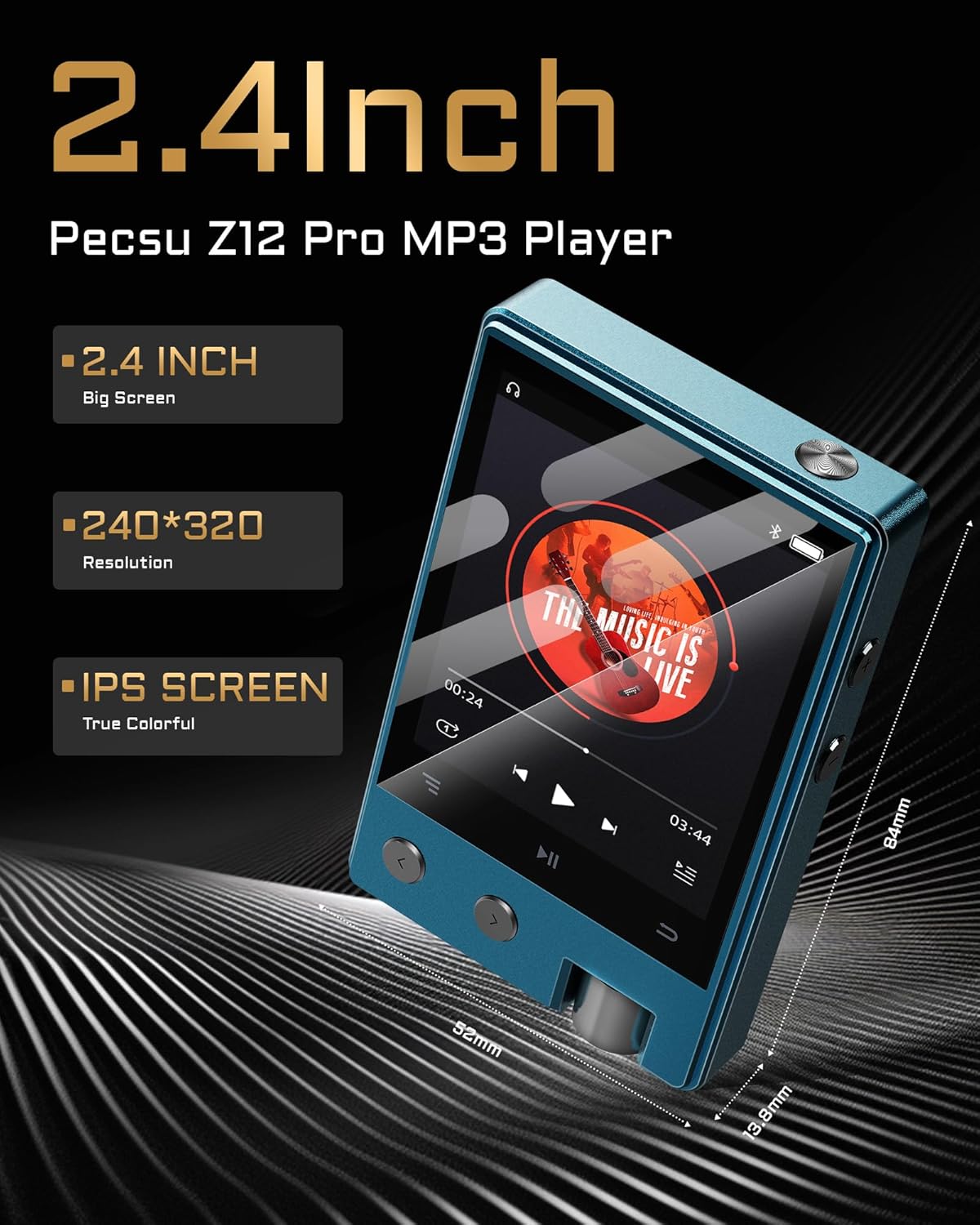
Image 3.1: Diagram showing the dimensions (84x52x13.8mm) and screen specifications (2.4-inch, 240x320 resolution, IPS) of the PECSU Z12Pro MP3 Player.
4. Initial Setup
4.1. Charging the Device
Before first use, fully charge your PECSU Z12Pro. Connect the included Type-C charging cable to the device and a USB power source (e.g., computer USB port or wall adapter). A full charge typically takes approximately 2 hours and provides up to 15 hours of playback time.

Image 4.1: The PECSU Z12Pro MP3 Player connected to a charging cable, illustrating its 1000mAh battery and charging time.
4.2. Memory Card Installation
The Z12Pro comes with 8GB of internal storage and an included 64GB TF card. To expand storage further, you can insert a Micro SD card (up to 256GB) into the dedicated slot on the device. Ensure the card is inserted correctly until it clicks into place.
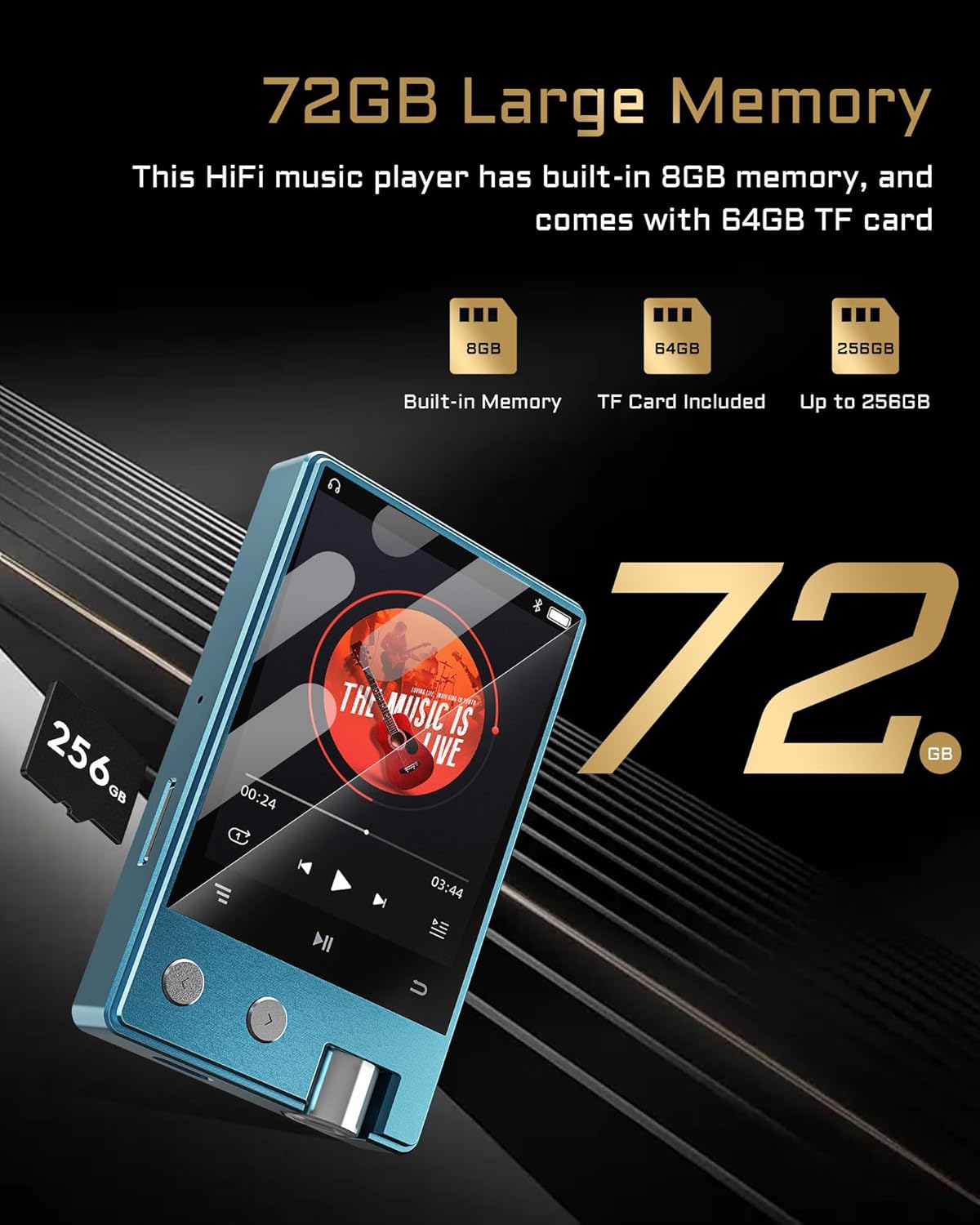
Image 4.2: Visual representation of the PECSU Z12Pro's memory capabilities, including 8GB built-in, 64GB TF card, and support for up to 256GB Micro SD.
4.3. Transferring Music Files
To transfer music to your Z12Pro:
- Connect the MP3 player to your computer using the Type-C USB cable.
- The device will appear as a removable disk drive on your computer.
- Drag and drop your desired audio files into the appropriate folders on the device's internal storage or the inserted Micro SD card.
- Safely eject the device from your computer before disconnecting the cable.
5. Operating Instructions
5.1. Power On/Off
Press and hold the power button (usually located on the side) for a few seconds to turn the device on or off.
5.2. Navigation and User Interface
The Z12Pro features a 2.4-inch IPS screen and physical buttons for navigation. Use the directional buttons to move through menus and select options. The device offers three distinct user interface styles, which can be customized in the settings menu.

Image 5.1: The PECSU Z12Pro MP3 Player displaying its three available user interface styles.
5.3. Music Playback
From the main menu, navigate to the 'Music' section. You can browse your music by artist, album, genre, or folder. Select a song to begin playback. Use the dedicated playback buttons for play/pause, next track, and previous track.
5.4. Bluetooth Connection
The Z12Pro is equipped with Bluetooth 5.1 for wireless audio streaming. To pair with Bluetooth headphones or speakers:
- Ensure your Bluetooth audio device is in pairing mode.
- On the Z12Pro, navigate to 'Settings' > 'Bluetooth'.
- Turn Bluetooth 'On' and select 'Search for devices'.
- Choose your device from the list to establish a connection.

Image 5.2: The PECSU Z12Pro MP3 Player connected wirelessly to Bluetooth headphones and a speaker, highlighting its Bluetooth 5.1 compatibility.
5.5. HiFi Lossless Audio and Supported Formats
The Z12Pro supports a wide array of high-fidelity lossless audio formats, ensuring an exceptional listening experience:
- MP3 (8-48kHz, 8-320kbps)
- WMA (8-48kHz, 5-384kbps, STD 8-96kHz)
- WAV (8-192kHz)
- APE (8-96kHz high; 8-192kHz fast)
- FLAC (8-192kHz, LO-L10)
- DSD 128 (5.6MHz)
- DSD 256 (11.2MHz)

Image 5.3: A person enjoying music with headphones, illustrating the lossless HiFi capabilities and DSD support of the PECSU Z12Pro MP3 Player.

Image 5.4: An explanation detailing DSD128 and DSD256, highlighting that DSD256 offers a higher sampling rate for capturing more audio detail.
5.6. Equalizer Settings
Customize your audio output using the built-in equalizer. Access the equalizer settings to choose from 6 preset modes (Standard, Bass Rock, Pop, Jazz, Unique) or create a custom sound profile to suit your preferences.

Image 5.5: The PECSU Z12Pro MP3 Player displaying its 6 preset equalizer options and a custom setting.
6. Maintenance
6.1. Cleaning
To clean your device, gently wipe the screen and body with a soft, dry, lint-free cloth. Avoid using harsh chemicals, abrasive cleaners, or excessive moisture, as these can damage the device.
6.2. Battery Care
To prolong battery life, avoid fully discharging the battery frequently. If storing the device for an extended period, ensure it has at least a 50% charge. Avoid exposing the device to extreme temperatures.
6.3. Storage
Store the MP3 player in a cool, dry place away from direct sunlight and extreme temperatures. Protect it from dust and physical impact.
7. Troubleshooting
If you encounter issues with your PECSU Z12Pro, please refer to the following common solutions:
| Problem | Possible Solution |
|---|---|
| Device does not power on | Ensure the battery is charged. Connect to a power source and try again. If unresponsive, perform a hard reset (refer to device specifications for reset method, if available, or hold power button for 10-15 seconds). |
| Music files are not recognized or playing | Verify that the music files are in a supported format (MP3, FLAC, WAV, etc.). Check if the files are correctly transferred to the device's internal storage or Micro SD card. Ensure the Micro SD card is properly inserted. |
| Bluetooth connection issues | Ensure both the MP3 player and the Bluetooth audio device are in pairing mode and within range. Turn Bluetooth off and on again on both devices. Delete previous pairings and try re-pairing. |
| Sound quality is poor | Check headphone/speaker connection. Ensure the audio files are of good quality. Adjust equalizer settings. Try different headphones or speakers to isolate the issue. |
| Music pauses unexpectedly | Check for low battery. Ensure no other applications or settings are interfering with playback. If using Bluetooth, check for interference or distance from the paired device. Try restarting the player. |
8. Specifications
Detailed technical specifications for the PECSU Z12Pro MP3 Player:
| Feature | Detail |
|---|---|
| Product Dimensions | 3.3 x 0.5 x 2 inches (84 x 13.8 x 52 mm) |
| Item Weight | 2.82 ounces (80 g) |
| Manufacturer | PECSU |
| Item Model Number | Z12Pro |
| Batteries | 1 Lithium Polymer battery required (included) |
| Brand | PECSU |
| Model Name | Z12Pro |
| Special Feature | Equalizer |
| Connectivity Technology | Bluetooth 5.1, USB |
| Memory Storage Capacity | 8 GB (internal), expandable up to 256 GB via Micro SD card (64GB TF card included) |
| Color | Blue |
| Screen Size | 2.4 Inches (IPS Screen) |
| Compatible Devices | Headphones, Speakers |
| Media Type | Micro SD |
| Supported Audio Formats | MP3, WMA, WAV, APE, FLAC, DSD 128, DSD 256 |
| Battery Life | Up to 15 hours playback |
| Charging Time | Approximately 2 hours |
9. Warranty and Support
For warranty information or technical support, please refer to the documentation included with your purchase or contact PECSU customer service directly. Details for contacting support can typically be found on the manufacturer's official website or through your retailer.


