
AWEI T87
AWEI T87 Wireless Bluetooth Earbuds User Manual
Model: T87
1. Introduction
Thank you for choosing the AWEI T87 Wireless Bluetooth Earbuds. These earbuds are designed to provide a superior audio experience with advanced features such as Hi-Fi sound quality, clear call performance, and robust Bluetooth 5.4 connectivity. With an IPX6 waterproof rating and extended battery life, the T87 earbuds are suitable for various activities, from daily commutes to sports.

Image: AWEI T87 Wireless Bluetooth Earphones highlighting Hi-Fi HD Sound Quality.
2. What's in the Box
Please check the contents of your package to ensure all items are present:
- AWEI T87 Wireless Earbuds (Left and Right)
- Charging Case
- USB Type-C Charging Cable
- User Manual
- Eartips (various sizes)
3. Product Overview
The AWEI T87 earbuds feature a compact and ergonomic design for comfortable wear. The charging case is designed for portability and provides extended battery life.

Image: The AWEI T87 Wireless Bluetooth Earbuds and their compact charging case.

Image: The AWEI T87 earbuds and charging case, demonstrating their small, portable design.
Components:
- Earbuds: Each earbud features a touch control area for various functions.
- Charging Case: Houses the earbuds and charges them when stored. Includes a Type-C charging port.
4. Setup
4.1 Initial Charging
Before first use, fully charge the earbuds and the charging case. Connect the provided USB Type-C cable to the charging port on the case and a power source. The charging case fully charges in approximately 1 hour.
4.2 Bluetooth Pairing
- Ensure the charging case has sufficient power.
- Open the charging case. The earbuds will automatically power on and enter pairing mode.
- On your device (smartphone, tablet, laptop, etc.), enable Bluetooth and search for new devices.
- Select "AWEI T87" from the list of available devices to connect.
- Once connected, you will hear a confirmation prompt, and the earbuds will be ready for use.
The AWEI T87 earbuds utilize Bluetooth 5.4 technology for a faster and more stable connection, with a range of up to 10 meters (33 feet).

Image: Visual representation of Bluetooth 5.4 (labeled as 5.3 in image) transmission for stable and low-latency connection.
5. Operating Instructions
5.1 Smart Touch Control
The AWEI T87 earbuds feature intuitive touch controls on each earbud. Refer to the following table for common operations:
| Function | Action |
|---|---|
| Play/Pause Music | Single tap on either earbud |
| Next Song | Double tap on the right earbud |
| Previous Song | Double tap on the left earbud |
| Answer/End Call | Single tap on either earbud |
| Reject Call | Long press on either earbud |
| Activate Voice Assistant | Triple tap on either earbud |
| Volume Up | Long press on the right earbud |
| Volume Down | Long press on the left earbud |
5.2 Single-Ear and Dual-Ear Modes
The AWEI T87 earbuds support both single-ear and dual-ear usage. You can use either the left or right earbud independently for calls or music, or use both together for a stereo experience. The earbuds automatically switch between modes when one is placed back into the charging case or taken out.

Image: A user enjoying a mobile game with the AWEI T87 earbuds, demonstrating the low latency feature for gaming.
6. Maintenance
6.1 Cleaning
To maintain optimal performance and hygiene, regularly clean your earbuds and charging case. Use a soft, dry, lint-free cloth. For stubborn dirt, a slightly damp cloth with water can be used, but ensure no moisture enters the charging ports or speaker grilles. Do not use harsh chemicals or abrasive materials.
6.2 Water Resistance (IPX6)
The AWEI T87 earbuds are rated IPX6 waterproof, meaning they are protected against powerful water jets. This makes them suitable for use during workouts or in light rain. However, they are not designed for submersion in water. Avoid exposing them to saltwater, chlorinated water, or other liquids that may cause damage.
7. Troubleshooting
If you encounter any issues with your AWEI T87 earbuds, please refer to the following common solutions:
- Earbuds not pairing:
- Ensure both earbuds are charged.
- Place both earbuds back into the charging case, close the lid, wait a few seconds, then open it again to re-initiate pairing mode.
- Delete "AWEI T87" from your device's Bluetooth list and try pairing again.
- No sound from one earbud:
- Ensure both earbuds are charged and properly connected.
- Try resetting the earbuds by placing them in the case and then taking them out.
- Charging issues:
- Check if the charging cable is securely connected to both the case and the power source.
- Ensure the charging contacts on the earbuds and inside the case are clean and free of debris.
- Try a different charging cable or power adapter.
- Connection drops frequently:
- Ensure your device is within the 10-meter Bluetooth range.
- Avoid strong electromagnetic interference.
- Try restarting your device and reconnecting the earbuds.
8. Specifications
Below are the technical specifications for the AWEI T87 Wireless Bluetooth Earbuds:
| Model Name | T87 |
| Brand | AWEI |
| Connectivity Technology | Wireless |
| Wireless Communication Technology | Bluetooth |
| Bluetooth Version | 5.4 |
| Bluetooth Range | Up to 10 meters (33 feet) |
| Speaker Diameter | 13mm |
| Earbud Playtime (Single Charge) | Approx. 5.5 hours |
| Total Playtime (with Charging Case) | Up to 25 hours (dual-ear mode), 45 hours (single-ear alternating) |
| Charging Case Charging Time | Approx. 1 hour (via Type-C) |
| Water Resistance Rating | IPX6 |
| Control Type | Touch Control |
| Form Factor | In Ear |
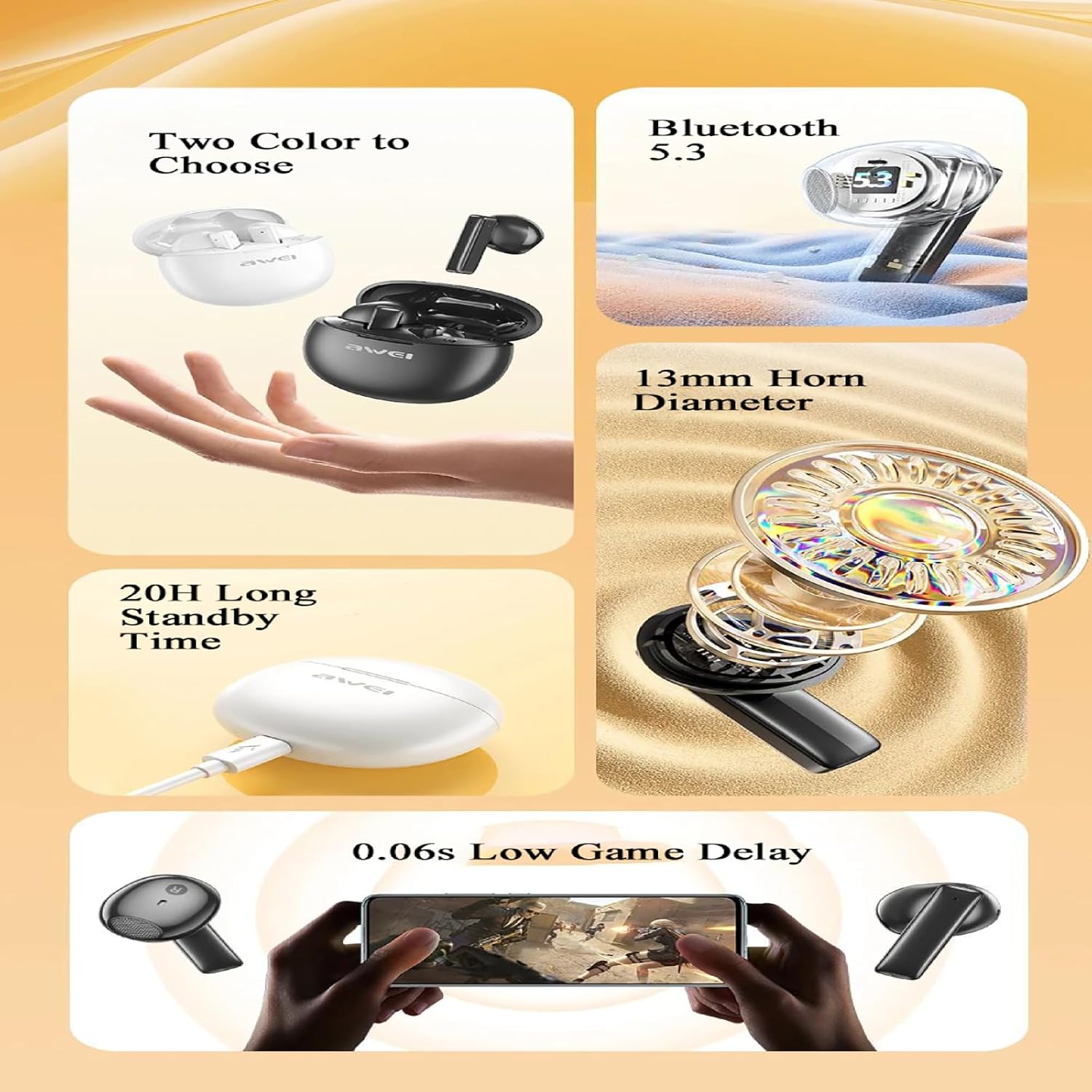
Image: A summary of key features for the AWEI T87 earbuds, including color options, Bluetooth version, speaker diameter, battery life, and low game delay.
9. Warranty and Support
AWEI products come with a standard manufacturer's warranty. For detailed warranty information, please refer to the warranty card included in your product packaging or visit the official AWEI website. If you require technical support or have questions not covered in this manual, please contact AWEI customer service through their official channels or the retailer from whom you purchased the product.
For further assistance, you may visit the AWEI Store on Amazon.
Related documentsT87


Ask a question about this manual
Ask about setup, troubleshooting, compatibility, parts, safety, or missing instructions. Manuals+ will review the question and use this page’s manual context to help answer it.