
Aheaplus L Shaped Desk with Power Outlet and LED Strip
Aheaplus L Shaped Desk with Power Outlet and LED Strip - User Manual
Model: L Shaped Desk with Power Outlet and LED Strip
1. Introduction
Thank you for choosing the Aheaplus L Shaped Desk. This manual provides essential information for the safe assembly, operation, and maintenance of your new desk. Please read these instructions carefully before beginning assembly and retain them for future reference.
2. Safety Information
WARNING: Failure to follow these safety instructions may result in injury or damage to the product.
- Handle all components with care to avoid sharp edges.
- Keep small parts and packaging materials away from children.
- Do not attempt to lift or move the assembled desk without assistance to prevent personal injury or damage.
- Ensure all screws and fasteners are securely tightened before use. Periodically check and re-tighten as necessary.
- Do not overload the desk or shelves beyond their stated weight capacity.
- Place the desk on a level surface to ensure stability.
- Keep liquids away from the power outlet and LED strip to prevent electrical hazards.
3. Package Contents
Before assembly, verify that all parts listed below are present and undamaged. If any parts are missing or damaged, please contact customer support.
- Desk components (tabletops, shelves, frame parts)
- Monitor Stand
- CPU Stand
- 2 Fabric File Drawers
- Power Outlet Unit (3 AC outlets + 2 USB ports)
- LED Light Strip with remote control
- Assembly Hardware (screws, bolts, nuts, etc.)
- Assembly Tools (Allen wrench, screwdriver, etc.)
- Instruction Manual
4. Assembly Instructions
This L-shaped desk features a reversible design, allowing you to configure the long and short sides to either the left or right, adapting to your space requirements. Detailed step-by-step assembly instructions are provided in the separate assembly guide included in your package. Please follow the numbered steps carefully.
Key Assembly Tips:
- Lay out all components on a soft, clean surface to prevent scratches.
- Identify each part using the labels provided in the assembly guide.
- Do not fully tighten all screws until the entire structure is assembled, then tighten them securely.
- Ensure the reversible sections are oriented correctly for your desired left or right configuration before final tightening.
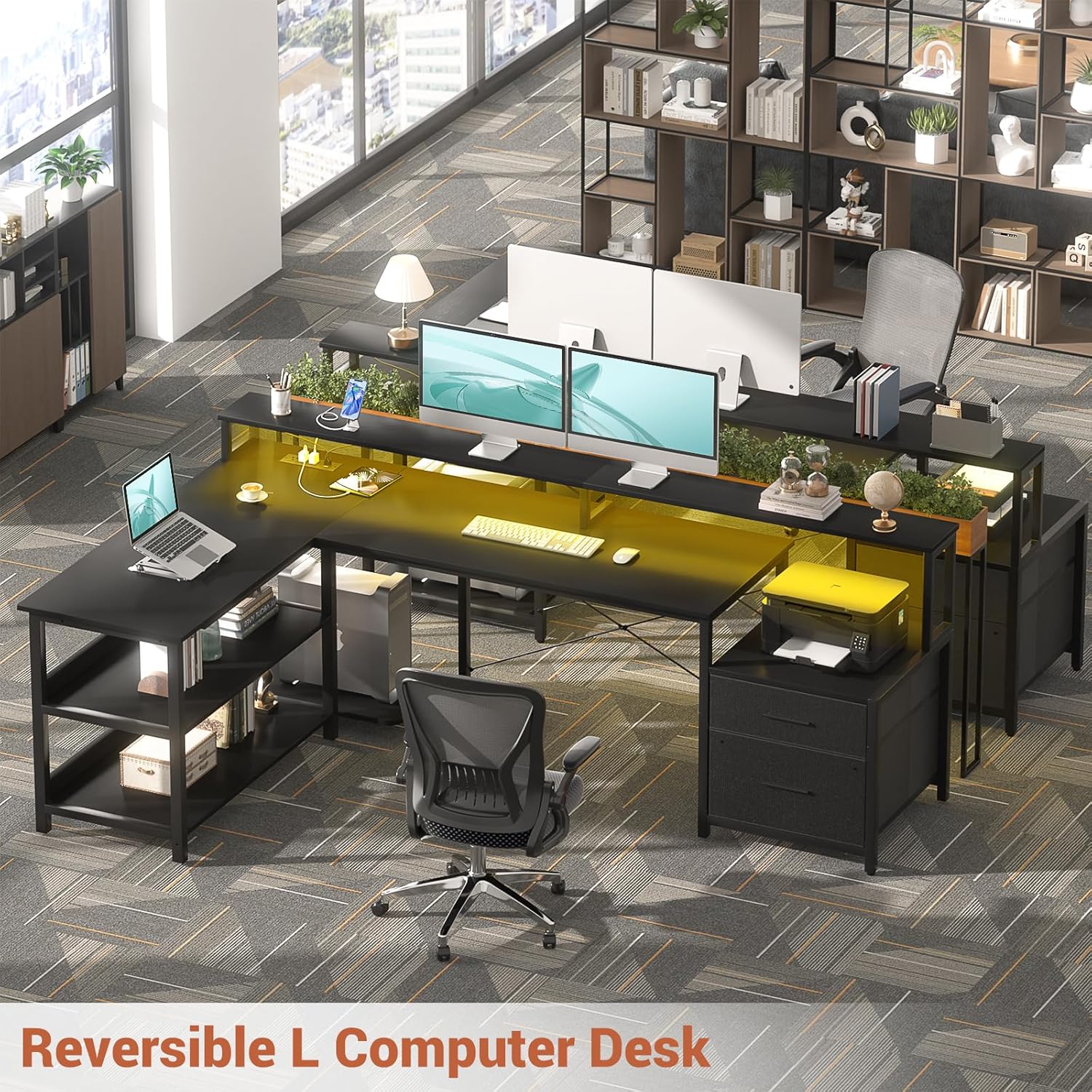
Image: Reversible L-shaped desk configuration options.
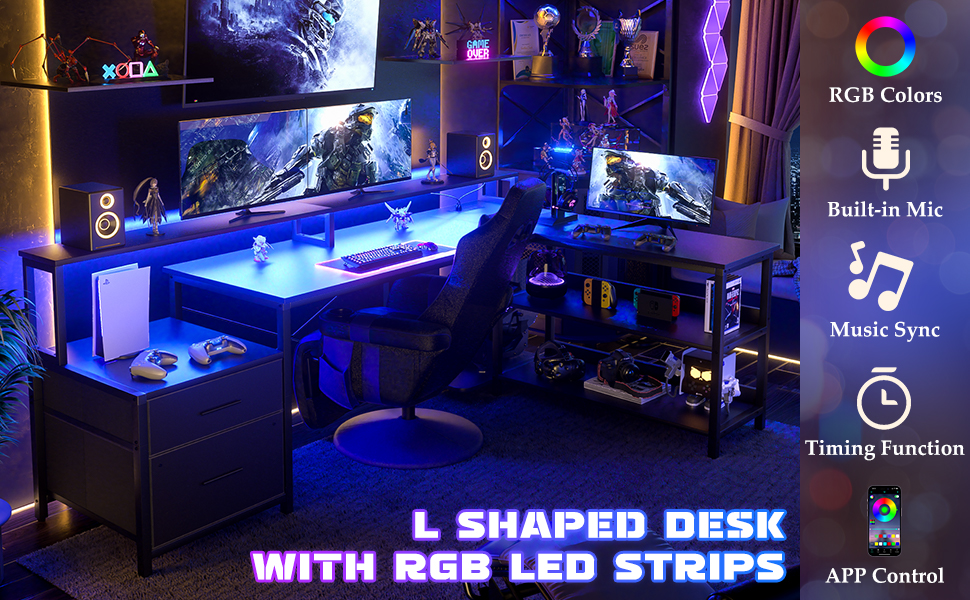
Image: Desk dimensions and reversible installation options.
5. Features Overview
5.1 Integrated Power Outlet
The desk includes a built-in power strip with 3 standard AC outlets and 2 USB charging ports. This provides convenient access to power for your electronic devices directly on your desktop.
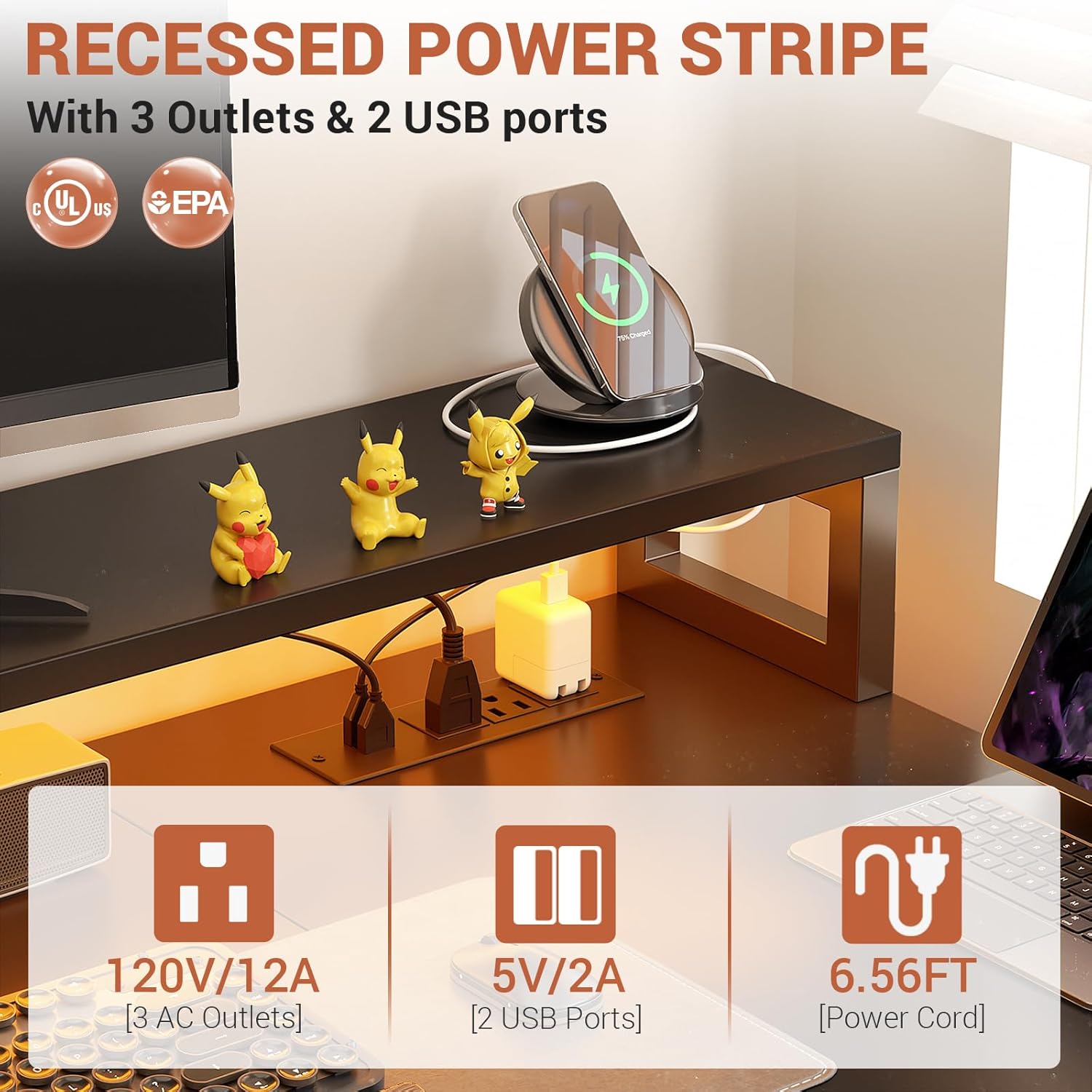
Image: Recessed power strip with AC and USB ports.
5.2 RGB LED Light Strip
Enhance your workspace ambiance with the integrated RGB LED light strip. It offers over 60,000 colors and multiple modes, controllable via a smart app or the included remote. The music sync function allows the lights to change with audio rhythms.

Image: L-shaped desk with RGB LED lighting.
5.3 Ample Storage Solutions
The desk is designed with various storage options to keep your workspace organized:
- 2 Fabric File Drawers: Ideal for storing documents and office supplies.
- 2-Tier Under Storage Shelves: Provides space for books, decor, or other items.
- Printer Cabinet: A dedicated space for your printer.
- CPU Stand: Keeps your computer tower off the floor.

Image: Flexible storage options including fabric drawers and printer stand.
5.4 Long Monitor Stand
The elevated monitor stand helps maintain correct posture by raising your screens to an ergonomic viewing height, reducing neck and spine strain. It also creates additional storage space underneath.
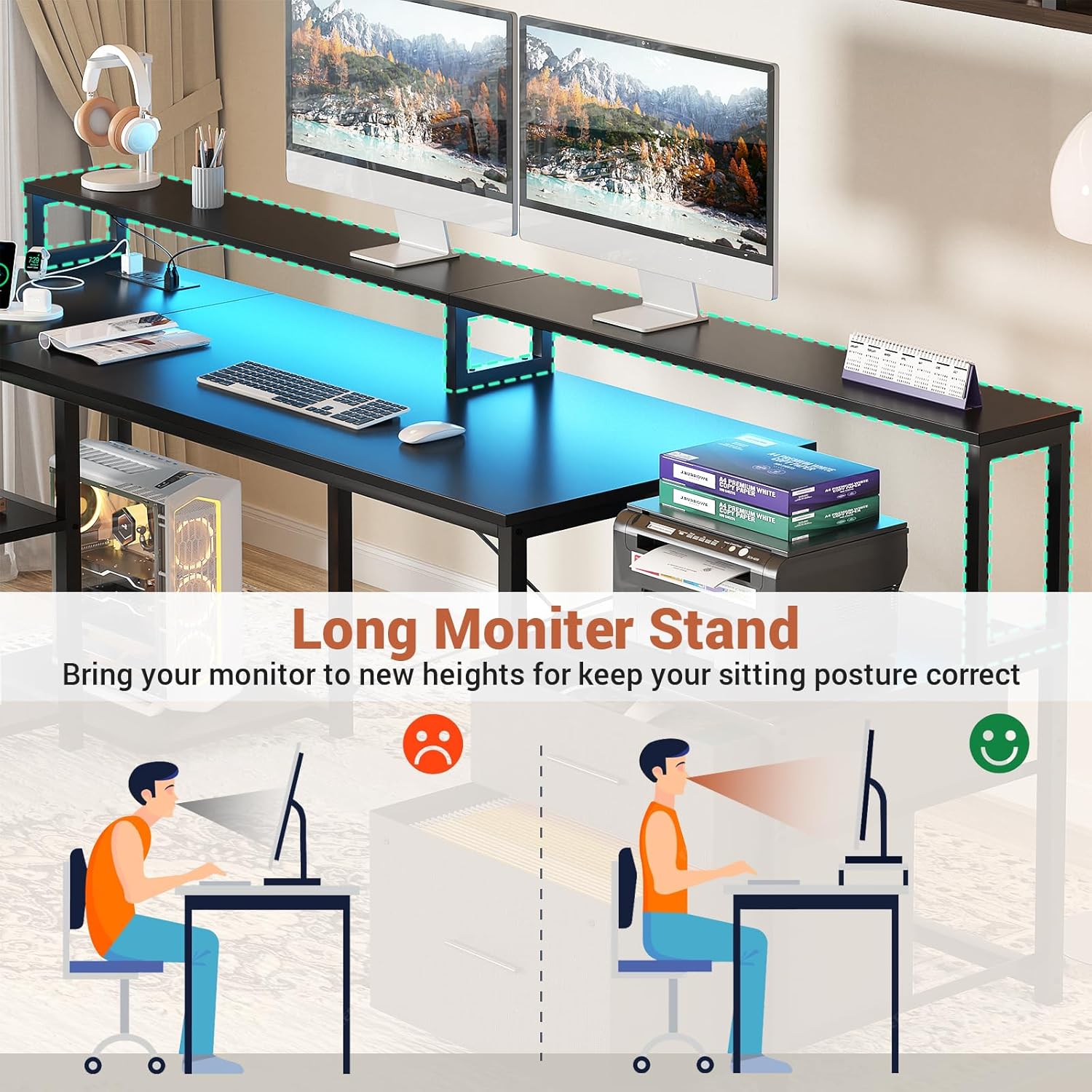
Image: Benefits of the long monitor stand for ergonomic posture.
6. Operating Instructions
6.1 Using the Power Outlet
Once the desk is assembled and plugged into a wall outlet, the integrated power strip is ready for use. Simply plug your devices into the 3 AC outlets or use the 2 USB ports for charging compatible devices.
- Ensure the power cord is fully inserted into a grounded wall outlet.
- Do not exceed the maximum electrical load capacity of the power strip (120V/12A for AC, 5V/2A for USB).
6.2 Controlling the LED Lights
The LED light strip can be controlled via the included remote control or a compatible smart application on your mobile device.
- Remote Control: Use the remote to power on/off, change colors, adjust brightness, select modes, and activate the music sync function.
- Smart App: Download the recommended app (refer to the LED strip's specific instructions for app name and pairing process) to access advanced features, custom color settings, and scheduling.
7. Maintenance and Care
- Cleaning: Wipe the desk surfaces with a soft, damp cloth. Avoid harsh chemicals or abrasive cleaners that may damage the finish.
- Dusting: Regularly dust the desk and LED strip to maintain optimal appearance and performance.
- Fasteners: Periodically check all screws and bolts to ensure they remain tight. Re-tighten if necessary to maintain stability.
- Electrical Components: Keep the power outlet and LED strip dry. If any electrical component appears damaged, discontinue use and contact customer support.
8. Troubleshooting
8.1 LED Lights Not Working
- Check Power: Ensure the LED strip is properly connected to its power source and the desk's power outlet is functioning.
- Remote Battery: Replace the battery in the remote control if it's unresponsive.
- App Connection: If using the app, verify Bluetooth or Wi-Fi connection and re-pair if necessary.
8.2 Power Outlets Not Functioning
- Check Wall Outlet: Ensure the desk's main power cord is securely plugged into a working wall outlet. Test the wall outlet with another device.
- Overload: Disconnect some devices to check if the power strip was overloaded.
- Reset: Some power strips have a reset button; check if yours does and press it.
8.3 Desk Instability
- Level Surface: Ensure the desk is placed on a flat, level surface.
- Tighten Fasteners: Re-tighten all assembly screws and bolts.
- Adjustable Feet: If applicable, adjust the leveling feet at the bottom of the desk legs to compensate for uneven floors.
9. Specifications
| Brand | Aheaplus |
| Model | L Shaped Desk with Power Outlet and LED Strip |
| Shape | L-Shape |
| Product Dimensions | 73"D x 39.4"W x 35"H |
| Color | Black |
| Top Material Type | Engineered Wood |
| Base Material | Metal |
| Special Features | Built-In USB Outlet, LED Lights, Reversible, File Drawer, Monitor Stand |
| Power Outlet | 3 AC Outlets, 2 USB Ports (5V/2A) |
| LED Lights | RGB, App/Remote Control, Music Sync |
| Number of Drawers | 2 (Fabric File Drawers) |
| Number of Shelves | 2 (Under Storage Shelves) |
10. Warranty and Customer Support
Aheaplus is committed to providing high-quality products. For warranty information, missing parts, damaged items, or any other inquiries, please refer to the warranty card included in your package or contact Aheaplus customer support directly through the retailer's platform or the official Aheaplus website. Please have your purchase details and model information ready when contacting support.
Related documentsL Shaped Desk with Power Outlet and LED Strip

Ask a question about this manual
Ask about setup, troubleshooting, compatibility, parts, safety, or missing instructions. Manuals+ will review the question and use this page’s manual context to help answer it.