
1. Introduction
Thank you for choosing the DROK Adjustable Voltage Regulator. This buck-boost converter is designed for precise voltage and current regulation, featuring a wide-angle color LCD display for clear monitoring of parameters. It is suitable for a variety of applications, including charging batteries and powering devices from different voltage sources. This manual provides essential information for the safe and effective use of your device.

Figure 1: Front view of the DROK Adjustable Voltage Regulator.
2. Features
- Wide Input/Output Range: Input DC 6-36V, Output DC 0-36V.
- High Power Output: Up to 120W (can reach 150W with proper heat dissipation).
- High Resolution Display: 0.01V voltage resolution, 0.001A current resolution.
- Color LCD Display: Wide angle, large color screen for clear parameter viewing in various lighting conditions.
- Comprehensive Protection: Includes Anti-Backflow, Low Voltage, Over Voltage, Over Current, Over Power, Over Temperature, Over Time, Over Capacity, and Over Energy Protection with buzzer alarm.
- Constant Current Function: Can be used for charging rechargeable batteries (0.6V-36V).
- Plug-in Terminals: Upgraded design for easy removal and replacement.
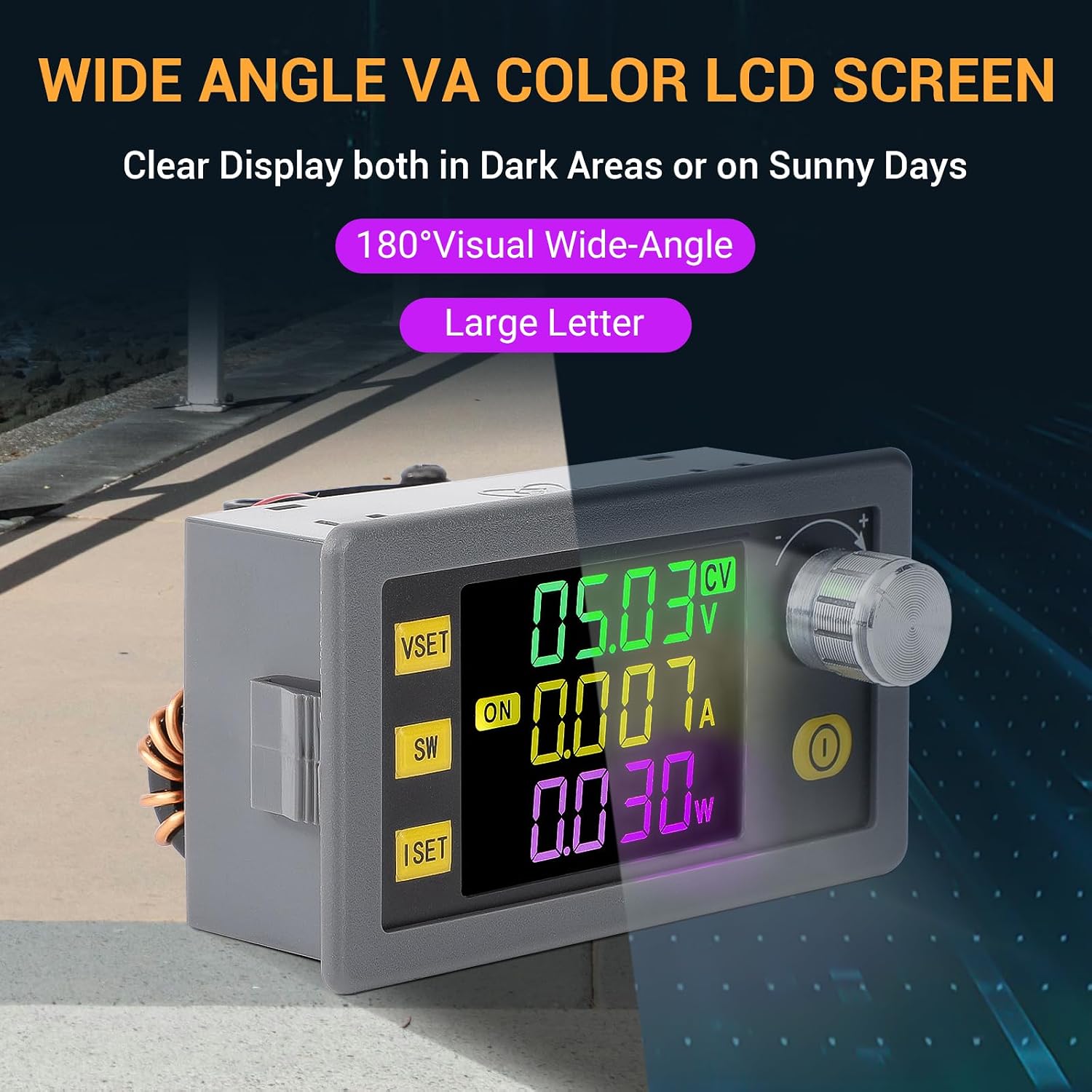
Figure 2: The wide-angle color LCD screen provides clear visibility.

Figure 3: Illustrates the smooth frosted panels and high-quality aluminum rotary buttons.
3. Specifications
| Parameter | Value |
|---|---|
| Input Voltage Range | DC 6-36V |
| Output Voltage Range | DC 0-36V |
| Output Current | 0.000A-6.000A |
| Output Power | 120W (Max 150W with good heat dissipation) |
| Input Current Limit | Max 6A |
| Voltage Resolution | 0.01V |
| Current Resolution | 0.001A |
| Voltage Precision | ±0.5%+1 digit |
| Current Precision | ±0.5%+3 digit |
| Conversion Efficiency | 88% |
| Capacity | 0-9999AH |
| Energy | 0-4200KWH |
| Time | 0-100Hours |
| Reverse Connect Protection | Yes |
| Backflow Protection | Yes |
| Low Voltage Protection | Default 5.5V (5.5-36V Adjustable) |
| Over Voltage Protection | Default 38V (0-38V Adjustable) |
| Over Current Protection | Default 6.2A (0-6.2A Adjustable) |
| Over Power Protection | Default 125W (0-150W Adjustable) |
| Over Temperature Protection | Default 95℃/203℉ (0-110℃/230℉ Adjustable) |
| Over Time Protection | Default OFF (0-100H Adjustable) |
| Over Capacity Protection | Default OFF (0-9999AH Adjustable) |
| Over Energy Protection | Default OFF (0-4200KWH Adjustable) |
| Package Dimensions | 4.29 x 3.27 x 2.28 inches |
| Item Weight | 4.9 ounces |

Figure 4: Product dimensions for installation planning.
4. Setup
4.1 Wiring Instructions
Carefully connect the input and output wires to the designated terminals. Ensure correct polarity to prevent damage to the device. The module features plug-in terminals for easy and secure connections.
- Input: Connect your DC power source (6-36V) to the VIN+ (Input Positive) and VIN- (Input Negative) terminals.
- Output: Connect your load or battery to the OUT+ (Output Positive) and OUT- (Output Negative) terminals.
Important: Reversing the positive and negative terminals of the battery or power source will damage the device. Always double-check wiring before applying power.

Figure 5: The upgraded plug-in terminals facilitate easy and secure wiring.

Figure 6: Overview of internal components and wiring points, showing input and output positive/negative poles.
5. Operating Instructions
5.1 Button Functions
The device features several buttons and an encoder for setting and monitoring parameters:
- VSET Button:
Short Press: Set output voltage (CV mode).
Long Press: Enter or exit the callout data group UI. - SW Button:
Short Press: Switch between input/output voltage display or shift display.
Long Press: Enter or exit the system settings UI. - ISET Button:
Short Press: Set output current (CC mode).
Long Press: Enter or exit the data group settings UI. - Encoder Button:
Short Press: Switch between output power, capacity (Ah), energy (Wh), time (h), and temperature (°C/°F) display in rotation.
Long Press: Turn on/off the key lock. - Power Button (Yellow):
Short Press: Turn on/off the power output.
Long Press: Reset the capacity (Ah) and energy (Wh) by long pressing.
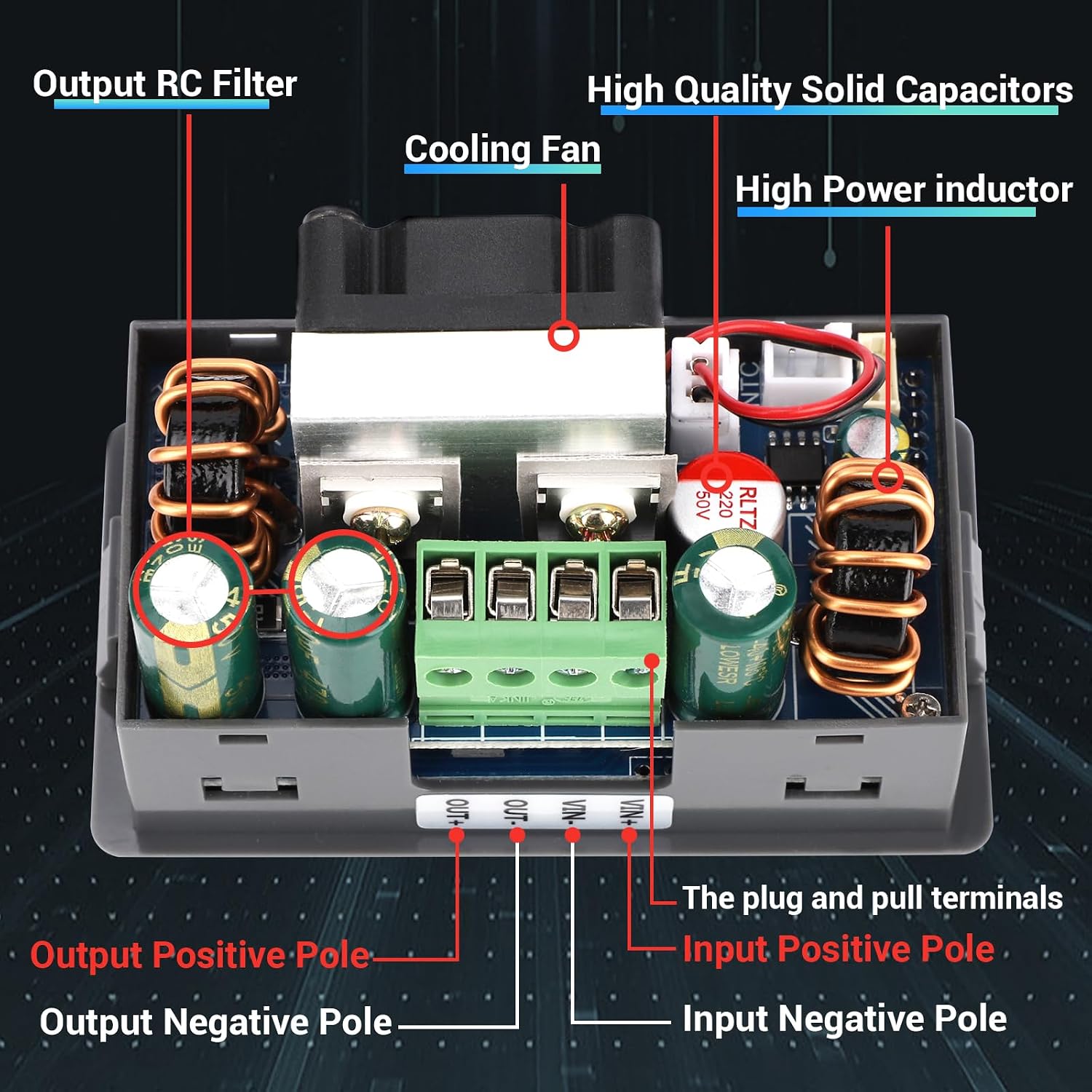
Figure 7: Detailed diagram of button functions and main UI elements.
5.2 Setting Voltage and Current
- To Set Voltage (CV Mode): Short press the VSET button. The voltage value on the display will blink. Use the Encoder knob to adjust the desired voltage. Short press VSET again to confirm and exit setting mode.
- To Set Current (CC Mode): Short press the ISET button. The current value on the display will blink. Use the Encoder knob to adjust the desired current limit. Short press ISET again to confirm and exit setting mode.
5.3 Constant Current Function
The device has a constant current function, making it suitable for charging rechargeable batteries within the 0.6V to 36V range. Set the desired charging voltage and current limit using the VSET and ISET buttons respectively.
5.4 Solar Panel Compatibility
This buck-boost converter is compatible with solar panels and features an anti-backflow function, making it suitable for various battery charging applications, including lithium and lead-acid batteries.
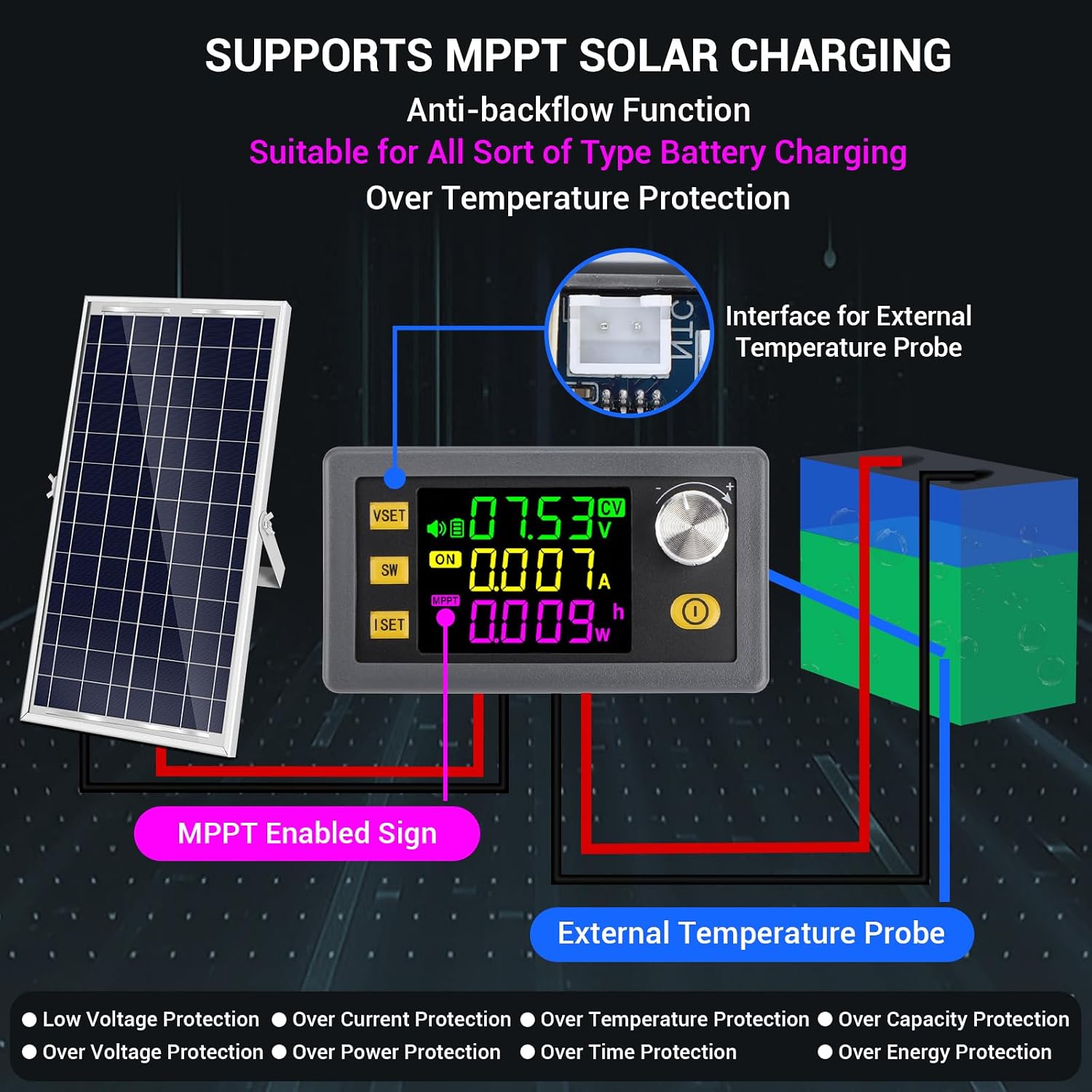
Figure 8: Diagram illustrating the use of the converter with a solar panel for battery charging, including MPPT enabled sign and external temperature probe interface.
6. Maintenance
To ensure the longevity and optimal performance of your DROK Adjustable Voltage Regulator, follow these maintenance guidelines:
- Cleaning: Keep the device clean and free from dust and debris. Use a soft, dry cloth for cleaning. Avoid using liquid cleaners or solvents.
- Heat Dissipation: Ensure adequate ventilation around the device, especially when operating at higher power outputs (above 120W). Good heat dissipation is crucial for reaching the maximum 150W output. Do not obstruct the cooling fan if present.
- Storage: When not in use for extended periods, store the device in a cool, dry place away from direct sunlight and extreme temperatures.
- Terminal Inspection: Periodically check the wiring terminals for secure connections. Loose connections can lead to poor performance or damage.
7. Troubleshooting
If you encounter issues with your DROK Adjustable Voltage Regulator, refer to the following common problems and solutions:
- No Display/Device Not Powering On:
Check Input Power: Ensure the input voltage is within the 6-36V DC range and connected correctly (VIN+ and VIN-).
Check Wiring: Verify all connections are secure and polarity is correct. - Incorrect Voltage/Current Output:
Check Settings: Ensure the desired voltage (VSET) and current (ISET) limits are set correctly using the respective buttons and encoder.
Load Compatibility: Verify that your load is within the device's output specifications (0-36V, 0-6A, 120W). - Display Issues (e.g., segments not working, unclear display):
Restart Device: Power cycle the device.
Environmental Factors: Extreme temperatures can affect LCD performance. Ensure the device is operating within its specified temperature range. If issues persist, contact support. - Protection Features Triggering (Buzzer Alarm):
Identify Protection: The display will indicate which protection (e.g., OVP, OCP, OTP) has been triggered. Refer to the specifications section for default protection values.
Address Cause: For Over Voltage (OVP), reduce input voltage or adjust OVP limit. For Over Current (OCP), reduce load or adjust OCP limit. For Over Temperature (OTP), ensure adequate cooling and reduce load if necessary. - Output Power Lower Than Expected:
Heat Dissipation: Ensure sufficient heat dissipation, especially when operating near the maximum power limit. Overheating can cause the device to reduce output or trigger over-temperature protection.
8. Warranty and Support
DROK provides a 1-year warranty for this product. If you have any questions or encounter issues with your device, please do not hesitate to contact DROK customer support. Ensure you have your purchase details and product model number (120W) ready when contacting support for faster assistance.
For support, please refer to the contact information provided with your purchase or visit the official DROK store on Amazon: DROK Store.