
EMOS P5640S
EMOS GoSmart Smart Home Motorized Valve Closer User Manual
Model: P5640S | Brand: EMOS
1. Introduction
Thank you for choosing the EMOS GoSmart Smart Home Motorized Valve Closer. This device is designed to provide precise and automated control over your water and gas valves, enhancing safety and energy efficiency in your home. It integrates seamlessly with various Smart Home systems via ZigBee 3.0, offering both app-based and manual control options. Please read this manual carefully before installation and operation to ensure proper use and maximize the product's lifespan.
2. Safety Information
Always observe the following safety precautions to prevent injury or damage to the device:
- Ensure the power supply is disconnected before installation or maintenance.
- This device is designed for indoor use only. Do not expose it to water or extreme temperatures.
- Do not attempt to disassemble or repair the device yourself. Refer all servicing to qualified personnel.
- Ensure the valve you are attaching the closer to is in good working condition and moves freely.
- Keep out of reach of children.
- Use only the provided power adapter.
3. Package Contents
Verify that all items are present in the package:
- EMOS GoSmart - Smart Home Motorized Valve Closer for Water/Gas (Zigbee)
- 12V DC/1000mA Power Adapter with 1.4m Cable
- Mounting Brackets and Screws
- User Manual (this document)
4. Product Overview
The EMOS GoSmart valve closer consists of the main motor unit, a power input, and adjustable mounting brackets. It features a power button, a status LED, and a Wi-Fi indicator for easy monitoring and control.

Figure 4.1: EMOS GoSmart Motorized Valve Closer and App Interface

Figure 4.2: Top View of the Valve Closer with Controls

Figure 4.3: Product Dimensions
5. Setup and Installation
5.1 Physical Installation
The valve closer is designed to be mounted on existing water or gas ball valves (1/2'' to 1 1/4'').
- Ensure the valve is in the desired position (open or closed) before mounting.
- Position the valve closer over the valve handle.
- Secure the device using the provided mounting brackets and screws. Ensure the device is firmly attached and does not twist or move when the valve is operated.
- Verify that the valve closer's arm aligns correctly with the valve handle for smooth operation.

Figure 5.1: Installation on a Gas Valve

Figure 5.2: Installation on a Water Valve
5.2 Power Connection
Connect the provided 12V DC power adapter to the valve closer's power input. Plug the adapter into a standard electrical outlet. The device will power on automatically.
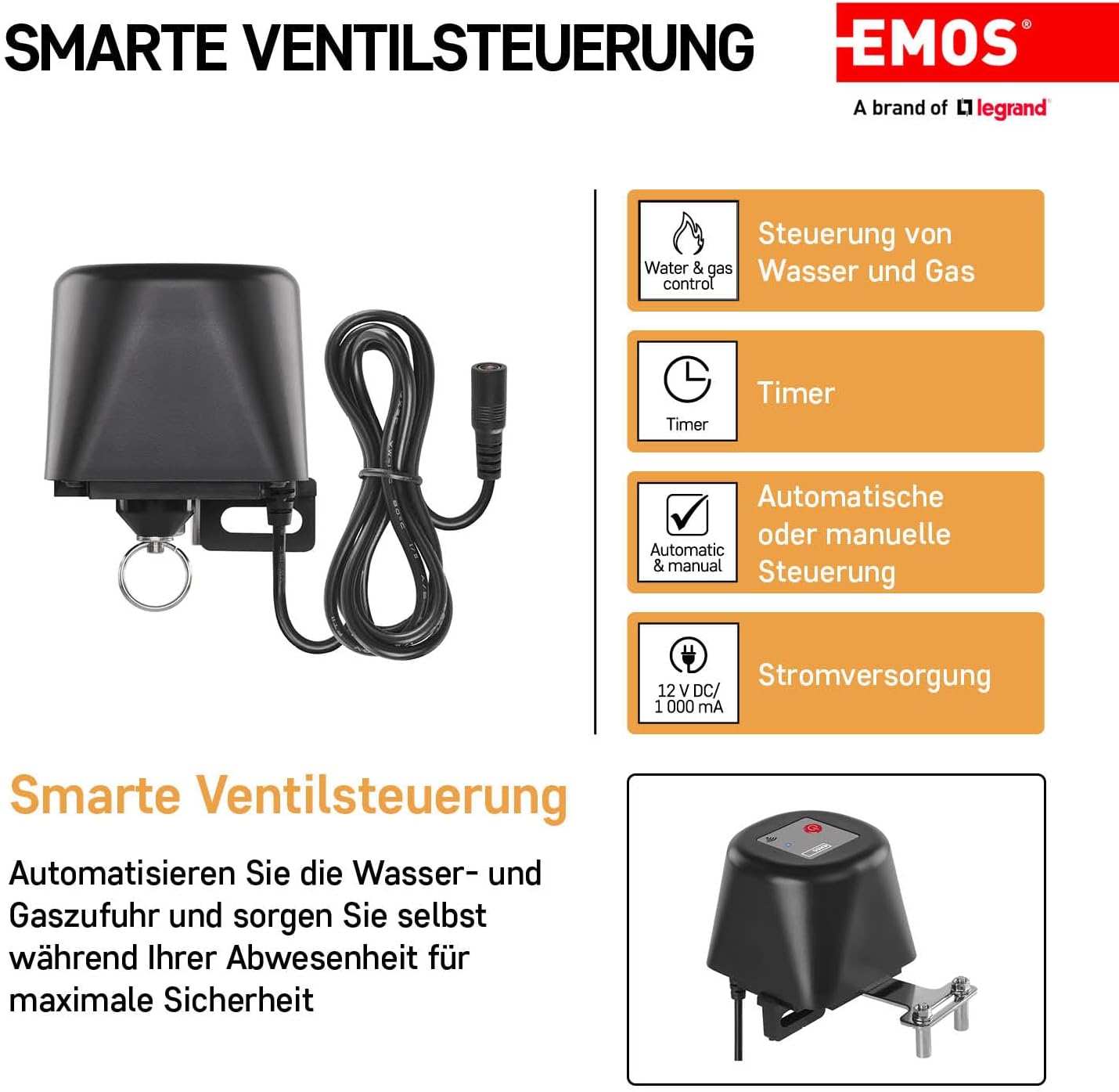
Figure 5.3: Power Connection
5.3 App Integration (Zigbee Gateway Required)
To utilize the smart features, a ZigBee gateway (e.g., TUYA, LIDL, Smartlife compatible) is required.
- Download the EMOS GoSmart app (or compatible Smart Home app like Tuya Smart/Smart Life) from your smartphone's app store (available on iOS and Android).
- Open the app and register or log in.
- Add a new device. Follow the in-app instructions to pair the valve closer with your ZigBee gateway. This typically involves putting the gateway into pairing mode and then activating the pairing mode on the valve closer (refer to the app's specific instructions for device addition).
- Once paired, you can rename the device and configure its settings.

Figure 5.4: EMOS GoSmart App Interface
6. Operating Instructions
6.1 Manual Control
The valve closer can be operated manually using the physical button on the device. Press the button once to toggle the valve's state (open/close). The status LED will indicate the current state.
6.2 App Control and Automation
Once connected to your Smart Home system via the app, you can control the valve closer remotely and set up automated routines:
- Remote Control: Open the app and tap on the valve closer device to toggle its state (open/close) from anywhere with an internet connection.
- Timer Functions: Set schedules for the valve to open or close at specific times of the day or week.
- Automation Scenarios: Create smart scenarios based on other smart devices. For example, if a leak detector senses water, the valve closer can automatically close the main water valve.
- Voice Control: Integrate with voice assistants like Google Home or Amazon Alexa to control the valve using voice commands (e.g., "Alexa, turn off the water valve").
7. Maintenance
The EMOS GoSmart valve closer requires minimal maintenance:
- Wipe the device with a soft, dry cloth to remove dust. Do not use abrasive cleaners or solvents.
- Periodically check the mounting brackets to ensure they remain secure.
- Ensure the valve handle remains easy to turn manually to prevent excessive strain on the motor.
8. Troubleshooting
| Problem | Possible Cause | Solution |
|---|---|---|
| Device does not respond. | No power; not paired with gateway; app issue. | Check power connection. Re-pair with ZigBee gateway. Restart app/smartphone. |
| Valve does not open/close fully. | Obstruction; valve too stiff; incorrect installation. | Check for obstructions. Ensure valve moves freely manually. Re-adjust mounting. |
| Device twists/rotates during operation. | Insufficiently secured mounting. | Tighten mounting screws. Ensure brackets are firmly gripping the valve and pipe. |
| Cannot pair with ZigBee gateway. | Gateway not in pairing mode; device too far from gateway; interference. | Ensure gateway is in pairing mode. Move device closer to gateway. Check for other ZigBee devices causing interference. |
| Included brackets do not fit my valve. | Valve type/size incompatibility. | Custom mounting solutions may be required for specific valve configurations. |
9. Specifications
| Feature | Detail |
|---|---|
| Manufacturer | EMOS |
| Model Number | P5640S |
| Product Dimensions | 10.4 x 7.9 x 7 cm |
| Item Weight | 620 g |
| Color | Black |
| Drive Type | Electric |
| Power Source | DC 12V / 1000mA (Power Adapter Included) |
| Connectivity | ZigBee 3.0 |
| Compatible Valve Sizes | 1/2'' to 1 1/4'' |
| Compatible Devices | iPhone, Tablet, Smartphone (via app) |
| Smart Home Compatibility | TUYA, LIDL, Smartlife, Google Home, Alexa (via ZigBee gateway) |
10. Warranty and Support
EMOS products are manufactured to high-quality standards and are subject to rigorous testing. For warranty information and technical support, please refer to the official EMOS website or contact your local retailer. Keep your purchase receipt as proof of purchase.
For further assistance, you may visit the EMOS brand store on Amazon: EMOS Brand Store
Related documentsP5640S


Ask a question about this manual
Ask about setup, troubleshooting, compatibility, parts, safety, or missing instructions. Manuals+ will review the question and use this page’s manual context to help answer it.