
Product Overview
The Baseus Magsafe Portable Charger is a 10,000mAh magnetic power bank designed for efficient and convenient charging of compatible devices. Featuring Qi2 certified 15W wireless charging, it offers fast power delivery for iPhone 12 series and later. Additionally, it includes dual fast charging ports (22.5W USB-A and 20W USB-C) for simultaneous wired charging of up to two devices. Its compact design and strong magnetic attachment make it an ideal portable charging solution.

Image: The Baseus Magsafe Portable Charger, showcasing its sleek black design and Qi2 wireless charging indicator.
Package Contents
- Baseus Airpow II Qi2 Magsafe Power Bank (10,000mAh)
- USB-C to USB-C Cable
- User Manual (this document)

Image: Contents of the Baseus Magsafe Portable Charger package, including the power bank, USB-C cable, and user manual.
Setup
Initial Charging of the Power Bank
- Connect the provided USB-C to USB-C cable to the power bank's USB-C port.
- Connect the other end of the cable to a compatible USB-C wall charger (not included).
- The battery indicator lights on the power bank will illuminate to show the charging progress. Charge the power bank fully before first use.

Image: Diagram showing the wireless charging indicator and battery indicator lights on the power bank.
Operating Instructions
Wireless Charging (MagSafe Compatible)
- Ensure your device is MagSafe compatible (iPhone 12 series or later).
- Align the back of your iPhone with the magnetic charging area on the power bank. The magnets will snap into place, ensuring proper alignment.
- The power bank will automatically begin 15W Qi2 certified wireless charging.

Image: Illustration demonstrating the 15W Qi2 certified fast wireless charging capability of the power bank with an iPhone.
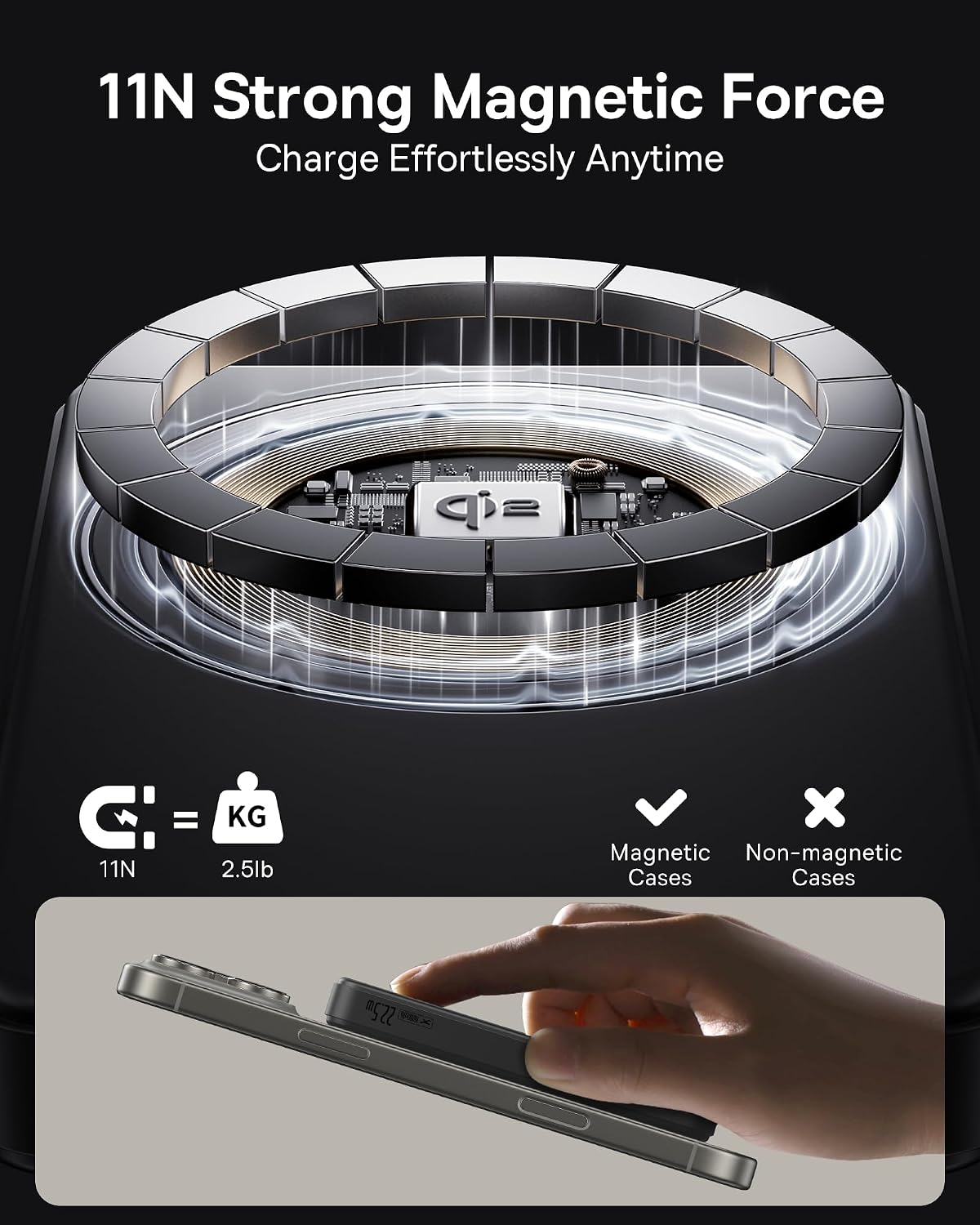
Image: Visual representation of the strong 11N magnetic force ensuring secure attachment to compatible devices.
Wired Charging (USB-A and USB-C)
- Connect your device to the power bank using a compatible USB-A cable (for 22.5W output) or USB-C cable (for 20W output).
- The power bank supports simultaneous charging of up to two devices via its wired ports.
- Note: Wireless charging and wired charging cannot be used simultaneously.

Image: The Baseus power bank connected to two devices via its USB-A and USB-C ports for simultaneous wired charging.
Low-Current Mode
For charging low-power devices such as AirPods, earbuds, or electric toothbrushes:
- Double press and hold the power button to activate low-current mode.
- Connect your low-power device.
- Short press the power button again to exit low-current mode.

Image: Visual showing the power bank connected to various devices including a smartphone, smartwatch, and earbuds, illustrating its versatility and low-current mode.
Maintenance
- Keep the power bank away from extreme temperatures, direct sunlight, and liquids.
- Clean the surface with a soft, dry cloth. Do not use harsh chemicals or abrasive materials.
- Store in a cool, dry place when not in use.
- Avoid dropping or subjecting the device to strong impacts.
- For optimal battery life, fully charge and discharge the power bank at least once every three months if not used regularly.
Troubleshooting
- Device not charging wirelessly:
- Ensure your device is MagSafe compatible (iPhone 12 or later) and properly aligned with the power bank's magnetic area.
- Check if there are any foreign objects between the power bank and your device that might obstruct charging.
- Remove any thick cases that might interfere with wireless charging.
- Ensure the power bank itself has sufficient charge.
- Slow charging speed:
- Verify that your device supports the fast charging protocols of the power bank (15W Qi2 wireless, 22.5W USB-A, 20W USB-C).
- Ensure you are using a high-quality cable that supports fast charging.
- Note that wireless and wired charging cannot be used simultaneously, which may affect charging speed if attempted.
- Power bank or device overheating:
- Overheating can occur during charging, especially with wireless charging. If your device displays an overheating warning, charging may pause until temperatures decrease.
- Ensure proper ventilation and avoid charging in direct sunlight or hot environments.
- Remove any cases that might trap heat.
- If overheating persists, discontinue use and contact customer support.
- Power bank not turning on/off:
- Press the power button to check the battery indicator lights.
- If the power bank is completely drained, it may take a few minutes of charging before the indicators light up.
Specifications
| Feature | Detail |
|---|---|
| Product Dimensions | 4.4 x 0.74 x 2.75 inches |
| Item Weight | 7.4 ounces |
| Model Number | PPWPQ10-20 |
| Battery Capacity | 10,000 Milliamp Hours |
| Wireless Charging Output | 15W (Qi2 Certified) |
| USB-A Output | 22.5W Max |
| USB-C Output | 20W Max |
| Connector Type | QI2 Magsafe Charging, USB Type C, USB Type A |
| Color | Black |
| Manufacturer | Baseus |
Official Product Video
Video: Official product video showcasing the features and usage of the Baseus Airpow II Qi2 Magsafe Power Bank (10KmAh).
Warranty and Support
The Baseus Magsafe Portable Charger comes with a 2-year warranty. For any product problems, technical support, or customer service inquiries, please contact Baseus customer service. Even if the return window is closed, Baseus is committed to resolving any issues in a timely manner.
For further assistance, please visit the official Baseus store or contact their support channels.


