
1. Introduction
Thank you for choosing the Monster Wireless Earbuds MH22193. These in-ear Bluetooth headphones are designed to provide high-quality audio with convenience and durability. This manual will guide you through the setup, operation, and maintenance of your new earbuds to ensure optimal performance.
2. Package Contents
Please check the package for the following items:
- 1 x Monster Wireless Earbuds (with Charging Case)
- 4 x Eartips (various sizes)
- 1 x Charging Cable
- 1 x User Manual (this document)
3. Setup
3.1 Charging the Earbuds and Case
Before first use, fully charge the earbuds and the charging case. Connect the provided charging cable to the charging port on the case and a USB power source. The indicator light on the case will show charging status. A full charge provides up to 5 hours of playtime for the earbuds and up to 25 hours total with the charging case.
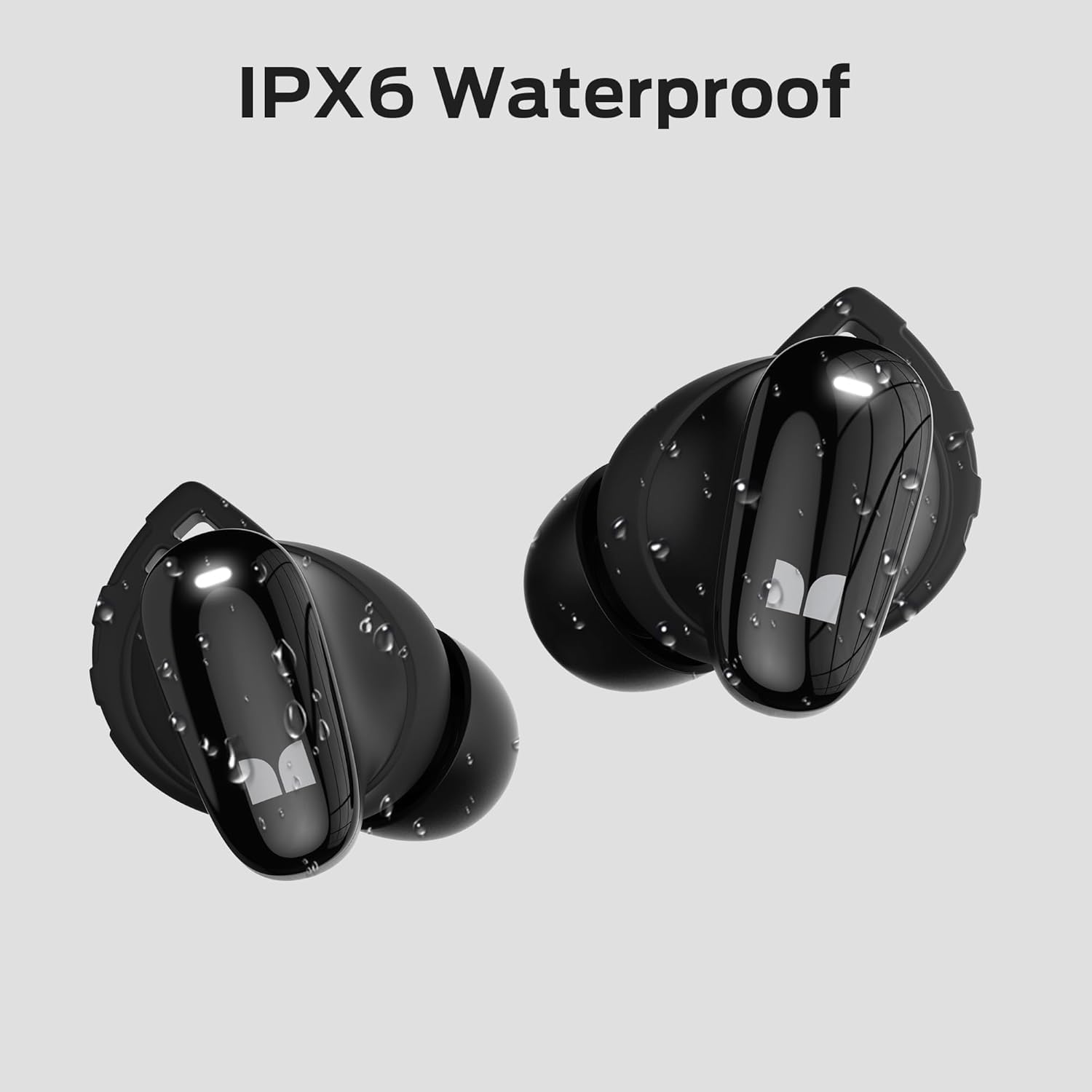
Image: The Monster Wireless Earbuds in their charging case, illustrating the total playtime of over 25 hours with the case and over 5 hours on a single charge.
3.2 Pairing with a Bluetooth Device
- Ensure the earbuds are charged.
- Open the charging case. The earbuds will automatically enter pairing mode, indicated by a flashing LED light on the earbuds.
- On your device (smartphone, tablet, etc.), enable Bluetooth and search for available devices.
- Select "Monster MH22193" from the list of found devices.
- Once connected, the LED indicator on the earbuds will stop flashing.
- The earbuds will automatically reconnect to the last paired device when taken out of the case, if Bluetooth is enabled on the device.
3.3 Wearing the Earbuds
For optimal sound quality and comfort, choose the eartips that best fit your ears. Gently insert the earbuds into your ear canal and rotate them slightly until they feel secure and comfortable. The ergonomic design helps minimize external noise.

Image: A person wearing the Monster Wireless Earbuds, highlighting the comfortable and ergonomic fit. Also shown are the three sets of eartips included for customization.
4. Operating the Earbuds
4.1 Touch Controls
The Monster Wireless Earbuds feature sensitive touch controls on each earbud. Refer to the diagram below for specific functions:

Image: A detailed diagram illustrating the touch control functions on the Monster Wireless Earbuds, including Play/Pause, Voice Assistant activation, Answer/Hang Up calls, Previous Song, Next Song, Volume Up, and Volume Down.
- Play/Pause: Single tap on either earbud.
- Voice Assistant: Double tap on the right earbud.
- Answer Call: Single tap on either earbud during an incoming call.
- Hang Up Call: Single tap on either earbud during a call.
- Previous Song: Triple tap on the left earbud.
- Next Song: Triple tap on the right earbud.
- Volume Up: Press and hold the right earbud.
- Volume Down: Press and hold the left earbud.
4.2 Power On/Off
- Power On: The earbuds automatically power on when removed from the charging case.
- Power Off: Place the earbuds back into the charging case and close the lid. They will automatically power off and begin charging.
5. Maintenance
5.1 Cleaning
Regularly clean the earbuds and charging case with a soft, dry, lint-free cloth. Do not use harsh chemicals or abrasive materials. Remove eartips and clean them separately with mild soap and water if necessary, ensuring they are completely dry before reattaching.
5.2 Water Resistance (IPX6)
The Monster Wireless Earbuds are rated IPX6 waterproof, meaning they are protected against high-pressure water jets from any direction. This makes them suitable for workouts and use in light rain. However, they are not designed for submersion in water. Do not wear them while swimming or showering. Ensure the earbuds are dry before placing them back in the charging case.

Image: The Monster Wireless Earbuds shown with water droplets, emphasizing their IPX6 waterproof rating, suitable for sweat and splashes.
5.3 Storage
When not in use, store the earbuds in their charging case to protect them and keep them charged. Store in a cool, dry place away from extreme temperatures.
6. Troubleshooting
| Problem | Possible Cause | Solution |
|---|---|---|
| Earbuds not pairing. | Earbuds not in pairing mode; Bluetooth off on device; previously paired device interfering. | Ensure earbuds are out of the case and flashing. Turn Bluetooth off and on on your device. Forget "Monster MH22193" from your device's Bluetooth list and re-pair. |
| No sound from one earbud. | Low battery; earbud not properly connected; earbud dirty. | Place both earbuds back in the case, close, then reopen. Ensure both earbuds are charged. Clean the earbud and eartip. |
| Earbuds not charging. | Charging cable faulty; charging port dirty; earbuds not seated correctly in case. | Try a different charging cable and power source. Clean the charging contacts on the earbuds and in the case. Ensure earbuds are properly seated. |
| Poor sound quality. | Improper fit; dirty eartips; device too far from earbuds; interference. | Adjust eartips for a secure fit. Clean eartips. Move closer to your device. Avoid areas with strong Wi-Fi or other Bluetooth signals. |
7. Specifications
The following are the technical specifications for the Monster Wireless Earbuds MH22193:
| Model Number | MH22193 |
| Bluetooth Version | 5.4 |
| Audio Driver Type | Dynamic Driver (10mm) |
| Battery Life (Earbuds) | Up to 5 hours |
| Total Playtime (with Case) | Up to 25 hours |
| Control Method | Touch |
| Water Resistance | IPX6 Waterproof |
| Compatible Devices | Smartphones, Tablets, Laptops, Desktops |
| Material | Plastic, Silicone |
| UPC | 810079702695 |

Image: An exploded view of a Monster Wireless Earbud, showcasing its internal components, including the 10mm dynamic driver responsible for the pure sound.
8. Warranty and Support
For warranty information and customer support, please refer to the warranty card included in your package or visit the official Monster website. If you encounter any issues not covered in this manual, please contact Monster customer service for assistance.
Manufacturer: Monster


