1. Introduction
This manual provides comprehensive instructions for the Bryton Bike Sensors, including the Speed & Cadence Dual Sensor Set. These sensors are designed to wirelessly transmit your cycling data, such as speed and cadence, to compatible cycling computers and smartphones using both ANT+ and Bluetooth technology. Please read this manual thoroughly before use to ensure proper installation, operation, and maintenance.

Image: The Bryton Dual Sensor Set, showing the speed sensor, cadence sensor, and mounting accessories.
2. Product Overview
The Bryton Dual Sensor Set includes a speed sensor and a cadence sensor, both utilizing magnet-less technology for easy installation and accurate data collection. They are compatible with a wide range of devices supporting ANT+ and Bluetooth 4.0.
2.1 Key Features
- Dual Technology: Supports both ANT+ and Bluetooth 4.0 for broad compatibility.
- Magnet-less Design: Simplifies installation and reduces potential points of failure.
- Accurate Data: Provides precise speed and cadence measurements.
- Long Battery Life: Extended operational time for both sensors.
- Waterproof: IPX7 rating ensures durability in various weather conditions.

Image: Illustration showing the Bryton sensors highlighting their ANT+ and Bluetooth connectivity, compatible with bike computers and smartphones.
3. Setup and Installation
Before installation, ensure your bike is clean and dry. The sensors are designed for simple, tool-free installation.
3.1 Cadence Sensor Installation
- Locate the crank arm of your bicycle.
- Attach the cadence sensor to the inside of the non-drive side crank arm using the provided rubber band or zip ties. Ensure the sensor is securely fastened and does not interfere with pedaling.
- The sensor should be positioned flat against the crank arm.
- A green LED light will flash briefly upon successful installation and activation.

Image: A Bryton cadence sensor mounted on the crank arm of a bicycle, demonstrating its simple installation.
3.2 Speed Sensor Installation
- Locate the hub of either your front or rear wheel.
- Attach the speed sensor to the wheel hub using the provided rubber band or zip ties. Ensure it is centered and securely fastened.
- The sensor should be positioned flat against the hub.
- A green LED light will flash briefly upon successful installation and activation.

Image: A Bryton speed sensor mounted on the wheel hub of a bicycle, illustrating its compatibility with all wheel sizes.
4. Operating Instructions
Once installed, the sensors will automatically activate when motion is detected. They are designed to be paired with compatible devices.
4.1 Pairing with a Cycling Computer or Smartphone
- Ensure Bluetooth and/or ANT+ is enabled on your cycling computer or smartphone.
- Open the device's sensor pairing menu or a compatible fitness application (e.g., Bryton Active App, Strava, Zwift).
- Spin the crank arm (for cadence) or the wheel (for speed) a few times to wake up the sensors.
- Select the Bryton sensor from the list of available devices. The sensor ID will typically appear as "Bryton Speed" or "Bryton Cadence".
- Confirm the pairing. Once paired, your device will begin receiving real-time speed and cadence data.
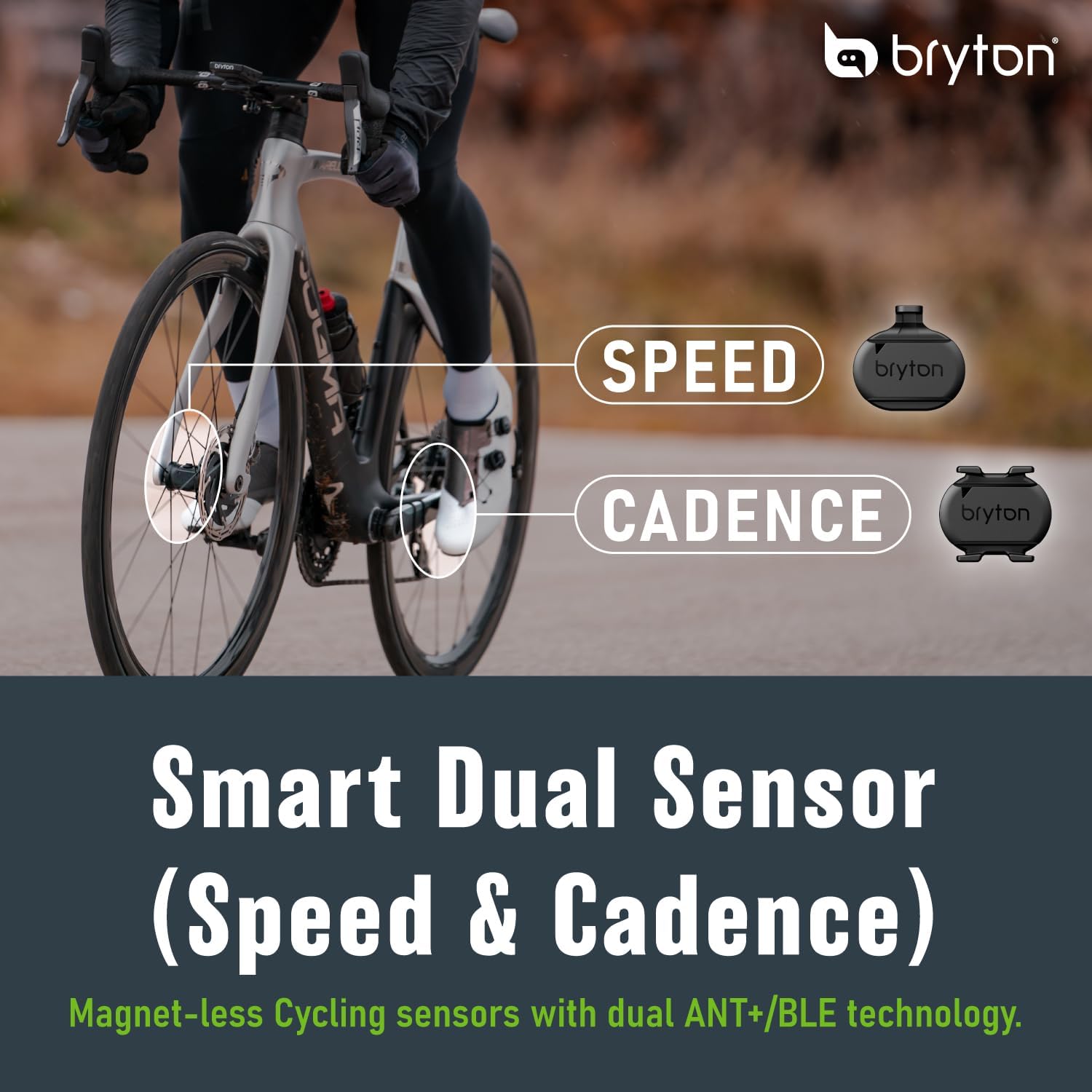
Image: Visual representation of the Bryton Smart Dual Sensor concept, indicating how speed and cadence are measured on a bicycle.
5. Maintenance and Battery Replacement
Regular maintenance ensures optimal performance and extends the lifespan of your Bryton sensors.
5.1 Cleaning
- Wipe the sensors with a soft, damp cloth after rides, especially if exposed to dirt or sweat.
- Do not use abrasive cleaners or solvents, as these can damage the casing.
- Ensure the sensors are dry before storage.
5.2 Battery Replacement
The Bryton sensors use a replaceable CR2032 coin cell battery. Battery life is approximately 270 hours for the speed sensor and 360 hours for the cadence sensor, with a standby time of 300 days.
- Carefully twist open the battery cover on the back of the sensor using a coin or a flat-head screwdriver.
- Remove the old CR2032 battery.
- Insert a new CR2032 battery with the positive (+) side facing up.
- Align the battery cover and twist it back into place until it is securely sealed.
- Test the sensor by spinning the wheel or crank arm to ensure it activates and connects to your device.

Image: An exploded view of a Bryton sensor showing the CR2032 battery and its compartment, illustrating the long battery life.
6. Troubleshooting
If you encounter issues with your Bryton sensors, refer to the following common solutions:
| Problem | Possible Cause | Solution |
|---|---|---|
| Sensor not detected by device | Battery low or dead; Sensor not awake; Bluetooth/ANT+ off on device; Sensor too far from device. | Replace battery; Spin wheel/crank to wake sensor; Enable Bluetooth/ANT+; Move device closer to sensor. |
| Inaccurate readings | Sensor loose or improperly mounted; Interference. | Re-secure sensor; Ensure proper alignment; Avoid strong electromagnetic fields. |
| LED not flashing | Battery dead; Sensor not activated. | Replace battery; Spin wheel/crank to activate. |
7. Product Specifications
| Feature | Detail |
|---|---|
| Model | Smart Dual Sensor |
| Wireless Technology | Bluetooth 4.0 & ANT+ |
| Measurement | Speed/Cadence |
| Universal Fit | Yes |
| Magnet Free | Yes |
| Waterproof Rating | IPX7 |
| Battery Type | CR2032 (replaceable, included) |
| Battery Life (Speed Sensor) | Up to 270 Hours |
| Battery Life (Cadence Sensor) | Up to 360 Hours |
| Standby Time | 300 Days |
| Operating Temperature | -10°C to 60°C (14°F to 140°F) |

Image: A detailed table summarizing the technical specifications of the Bryton Smart Dual Sensor.
8. Warranty Information
Bryton provides a 1-year warranty from the date of purchase for manufacturing defects. This warranty does not cover damage caused by misuse, accidents, unauthorized modifications, or normal wear and tear. Please retain your proof of purchase for warranty claims.
9. Customer Support
For further assistance, technical support, or warranty inquiries, please visit the official Bryton website or contact their customer service department. You can find more information and resources at the Bryton Store on Amazon.


