
JMMO T215
JMMO T215 TWS Bluetooth Earbuds User Manual
Model: T215
1. Introduction
Welcome to the user manual for your JMMO T215 TWS Bluetooth Earbuds. This guide provides essential information on setting up, operating, maintaining, and troubleshooting your earbuds to ensure optimal performance and longevity. Please read this manual thoroughly before using the product.

The JMMO T215 TWS Bluetooth Earbuds are shown resting within their open purple charging case, illustrating their compact design and storage.
2. Package Contents
Ensure all items are present in the package:
- JMMO T215 TWS Bluetooth Earbuds (Left and Right)
- Charging Case
- USB Charging Cable
- User Manual (this document)
3. Product Overview
The JMMO T215 earbuds are designed for comfort and high-quality audio, featuring an ergonomic fit and intuitive controls.

An image depicting a person wearing one JMMO T215 earbud, emphasizing its comfortable and secure fit. Key features such as the 13mm speaker and IPX4 waterproof rating are also indicated.
Key Features:
- Premium Sound Quality: Advanced audio technology and precision-engineered drivers deliver clear sound with deep bass.
- IPX4 Waterproof Rating: Resistant to sweat, rain, and moisture.
- Long Battery Life: Extended playback time for continuous listening.
- 10-Meter Transmission Distance: Stable Bluetooth connection up to 10 meters.
- Intuitive Touch Controls: Easy management of music and calls.
- Bluetooth Connectivity: Seamless wireless pairing with compatible devices.
4. Setup
4.1 Initial Charging
- Place both earbuds into the charging case.
- Connect the USB charging cable to the charging port on the case and a power source.
- The indicator light on the charging case will show charging status. Ensure the earbuds and case are fully charged before first use.
4.2 Powering On/Off
- Power On: Open the charging case, and the earbuds will automatically power on. Alternatively, long press the touch area on both earbuds for 2 seconds.
- Power Off: Place the earbuds back into the charging case and close the lid. Alternatively, long press the touch area on both earbuds for 5 seconds.
4.3 Bluetooth Pairing
- Ensure the earbuds are charged and powered on.
- Enable Bluetooth on your device (smartphone, tablet, etc.).
- Search for available Bluetooth devices and select "JMMO T215" from the list.
- Once connected, you will hear a confirmation tone, and the earbuds will be ready for use.
5. Operating the Earbuds
The JMMO T215 earbuds feature intuitive touch controls for various functions.
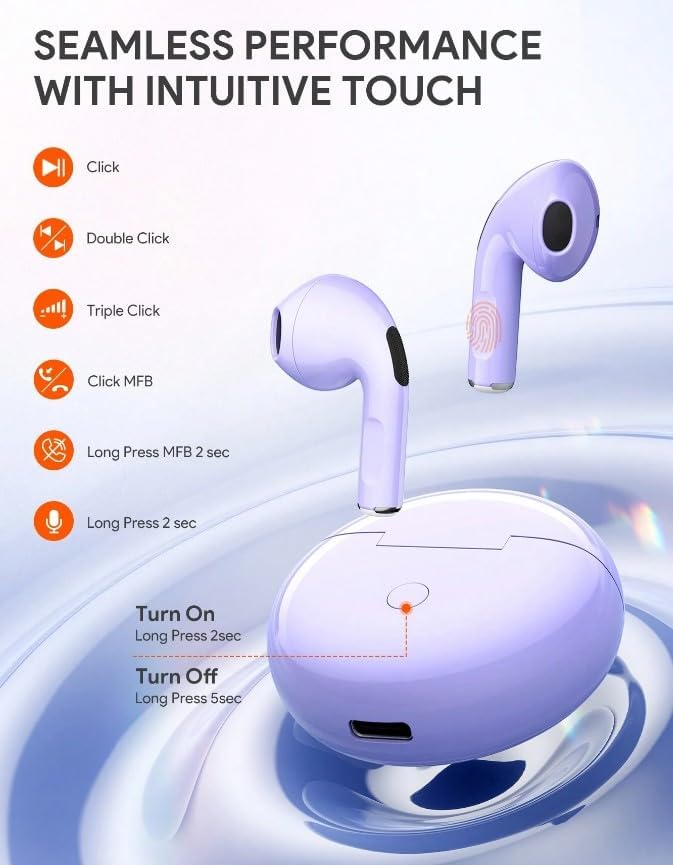
This diagram details the intuitive touch controls of the JMMO T215 earbuds, showing actions for single click, double click, triple click, and long press for functions such as music playback, call management, and activating the voice assistant. It also shows power on/off actions.
5.1 Music Control
- Play/Pause: Single click on either earbud.
- Next Track: Double click on the right earbud.
- Previous Track: Double click on the left earbud.
- Volume Up: Triple click on the right earbud.
- Volume Down: Triple click on the left earbud.
5.2 Call Control
- Answer/End Call: Single click on either earbud.
- Reject Call: Long press on either earbud for 2 seconds.
5.3 Voice Assistant
- Activate Voice Assistant: Long press on either earbud for 2 seconds (when not on a call).
5.4 Advanced Switching
The earbuds support advanced switching, allowing for seamless playback and independent use of each earbud.
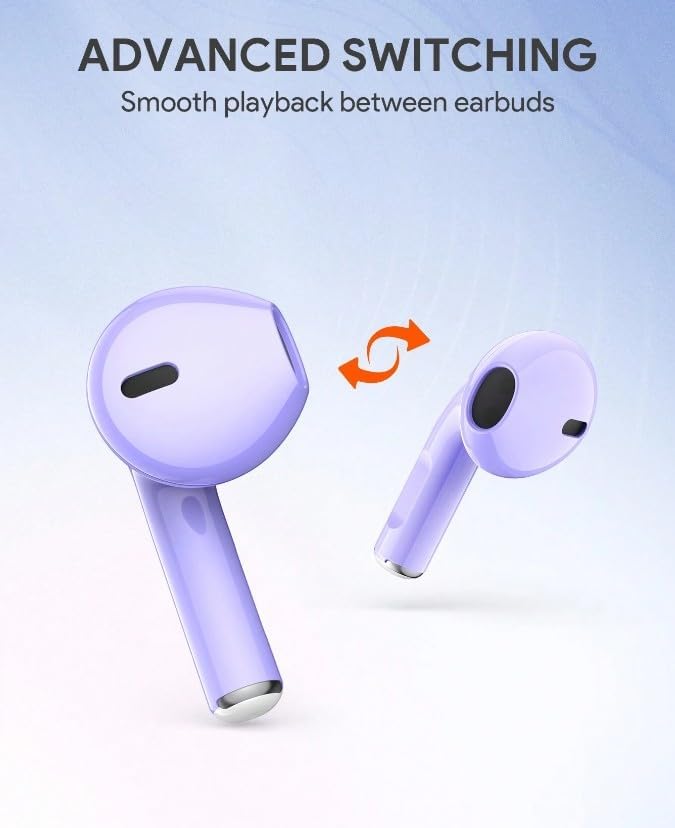
This image demonstrates the advanced switching feature of the JMMO T215 earbuds, allowing for seamless transition and independent use of each earbud.
6. Maintenance
6.1 Cleaning
- Regularly clean the earbuds and charging case with a soft, dry, lint-free cloth.
- Do not use abrasive cleaners, alcohol, or chemical solvents.
- Ensure charging contacts are free from dust and debris.
6.2 Storage
- When not in use, store the earbuds in their charging case to protect them and keep them charged.
- Avoid exposing the earbuds to extreme temperatures, humidity, or direct sunlight.
6.3 Battery Information
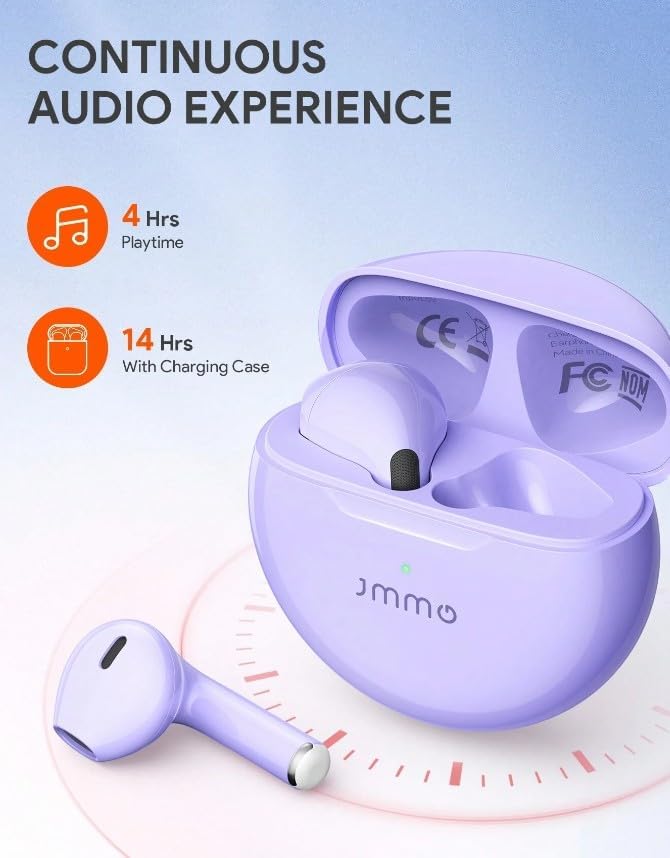
An illustration demonstrating the battery performance of the JMMO T215 earbuds, indicating 4 hours of continuous playtime and an extended 14 hours of total listening time when utilizing the charging case.
- The earbuds provide approximately 4 hours of playtime on a single charge.
- The charging case provides additional charges, extending total listening time to approximately 14 hours.
- Battery life may vary based on volume level and usage.
7. Troubleshooting
| Problem | Possible Solution |
|---|---|
| Earbuds not powering on | Ensure earbuds and charging case are fully charged. Long press the touch area for 2 seconds to manually power on. |
| Earbuds not pairing with device | Make sure Bluetooth is enabled on your device. Place earbuds back in case, close, then reopen to re-enter pairing mode. Forget "JMMO T215" from your device's Bluetooth list and try pairing again. |
| No sound from one earbud | Ensure both earbuds are charged. Try resetting the earbuds by placing them in the case, closing the lid, and then reopening. Re-pair with your device. |
| Low volume or poor sound quality | Adjust volume on both your device and the earbuds. Ensure earbuds are clean and properly seated in your ears. |
| Charging case not charging | Check the USB cable and power adapter. Ensure the charging port is clean and free of debris. |
8. Specifications
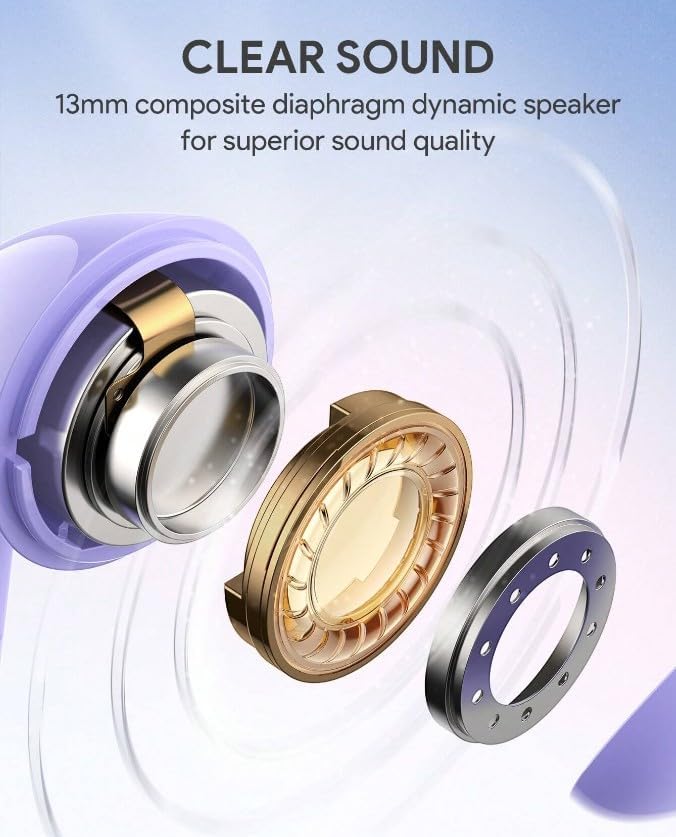
A detailed exploded view showcasing the internal components of the JMMO T215 earbud's 13mm composite diaphragm dynamic speaker, designed for superior sound quality.
| Feature | Detail |
|---|---|
| Model Name | T215 |
| Connectivity Technology | Wireless (Bluetooth) |
| Form Factor | In Ear |
| Colour | Purple |
| Waterproof Rating | IPX4 |
| Special Features | Noise Isolation, Sweatproof, Touch Control, Volume Control |
| Transmission Distance | Up to 10 meters |
| Included Components | Cable |
9. Warranty and Support
9.1 Manufacturer's Warranty
The JMMO T215 TWS Bluetooth Earbuds come with a 6-month manufacturer's warranty from the date of purchase. This warranty covers manufacturing defects under normal use. It does not cover damage caused by misuse, accidents, unauthorized modifications, or normal wear and tear.
Spare part information is not available or provided.
9.2 Customer Support
For technical assistance, warranty claims, or further inquiries, please contact your retailer or the JMMO customer support channel provided at the point of purchase.
Related documentsT215


Ask a question about this manual
Ask about setup, troubleshooting, compatibility, parts, safety, or missing instructions. Manuals+ will review the question and use this page’s manual context to help answer it.