
1. Introduction
Thank you for choosing the Daylight DuoPro Clamp LED Lamp. This manual provides essential information for the safe and efficient use of your new lamp. Designed for precision and comfort, this lamp offers natural daylight illumination, adjustable brightness, and flexible positioning, making it ideal for a variety of tasks including sewing, reading, crafts, and beauty treatments.
2. Safety Instructions
- Ensure the lamp is securely clamped to a stable surface before use.
- Do not expose the lamp to water or excessive moisture.
- Avoid looking directly into the LED light source for extended periods.
- Keep the power cord away from heat sources and sharp edges.
- Unplug the lamp from the power outlet before cleaning or when not in use.
- Do not attempt to disassemble or repair the lamp yourself. Contact qualified service personnel for assistance.
3. Package Contents
- DuoPro Clamp LED Lamp Unit
- Power Cable
4. Setup
- Unpack the Lamp: Carefully remove all components from the packaging.
- Attach the Clamp: Securely fasten the clamp base to a stable desk or shelf surface. Ensure the surface thickness is compatible with the clamp's opening.
- Connect Power: Insert the power cable into the lamp's power port and then plug the adapter into a suitable electrical outlet.

Figure 1: The DuoPro Clamp LED Lamp attached to a desk, showcasing its compact and stable design.
Video 1: Official product video demonstrating the setup and key features of the Daylight Duo Pro Clamp Lamp, including how to attach it to a surface and adjust its arms.
5. Operating Instructions
- Power On/Off: Locate the touch-sensitive power buttons at the end of each light bar. Tap once to turn on the light. Tap again to cycle through brightness levels or turn off.
- Adjust Brightness: Each light bar features 4 brightness levels. Tap the power button on an individual light bar to cycle through the brightness settings (25%, 50%, 75%, 100%).
- Positioning the Light:
- Flexible Arm: The lamp's soft-touch flexible arm allows you to direct light precisely where needed. Gently bend the arm to adjust the height and angle.
- Pivoting Head Joint: The two light bars are connected by a pivoting head joint, enabling independent adjustment of each light source. This allows for wide coverage or focused illumination.
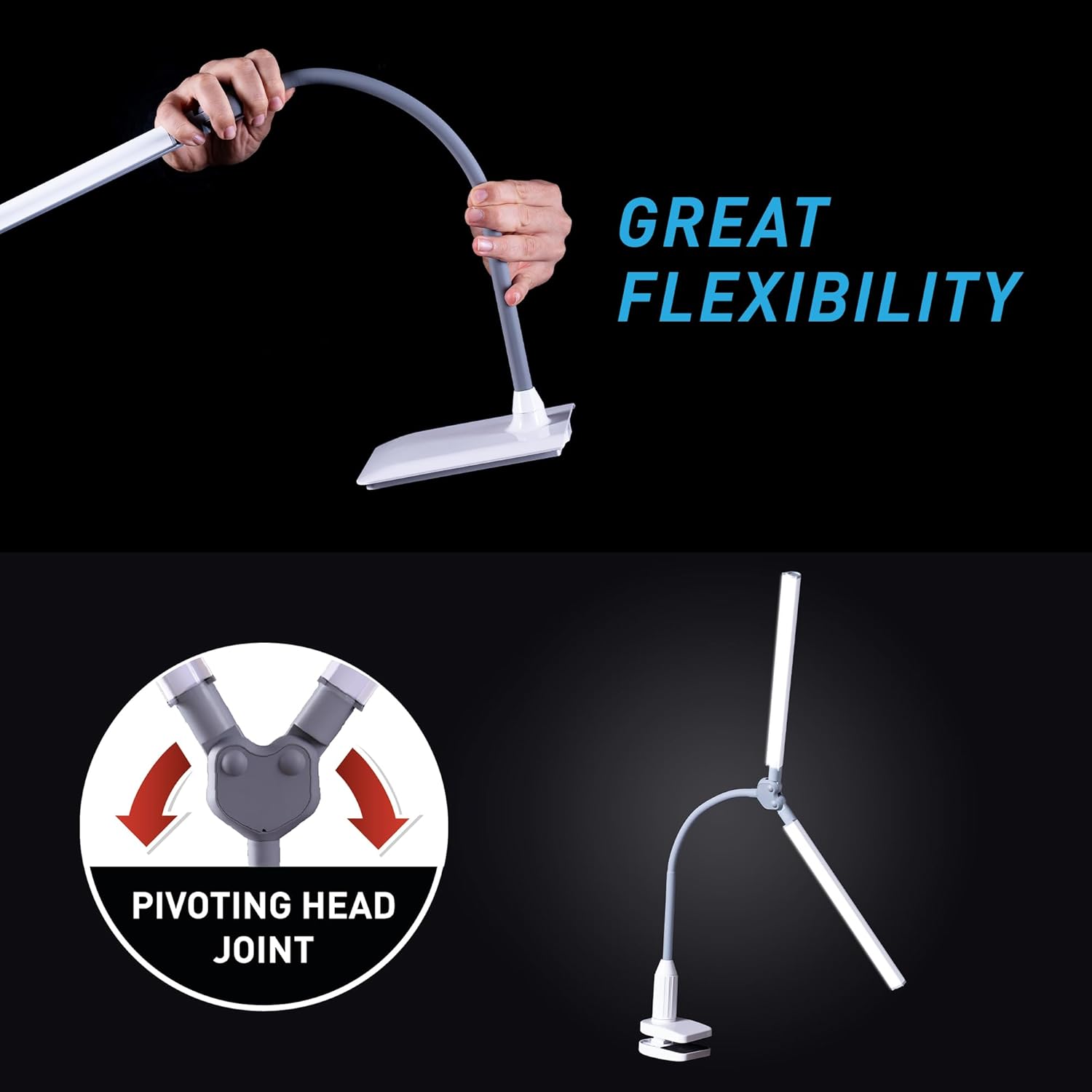
Figure 2: The flexible arm and pivoting head joint allow for versatile light positioning, adapting to various tasks and workspaces.

Figure 3: The lamp provides 6000K color temperature and 4 brightness levels, ensuring optimal lighting for detailed work.
6. Features
- 6,000K Daylight LED Lighting: Provides natural, bright light, crucial for tasks requiring true color accuracy and reducing eye strain.
- 2,100 Lux at 12": Ensures powerful illumination, minimizing shadows and enhancing visibility for precision tasks.
- 4 Brightness Levels: Customizable lighting with touch switch dimmer for various environments and tasks.
- Adjustable Arm: Soft-touch, flexible arm allows precise light direction.
- Anti-Glare Shades: Innovative design provides comfortable lighting, suitable for prolonged use without discomfort.
- High Color Rendering Index (CRI 95+): Accurately renders colors, essential for artists, crafters, and beauty professionals.

Figure 4: The lamp's 95+ CRI LEDs ensure accurate color perception, vital for detailed work.
7. Maintenance
- Cleaning: Disconnect the power before cleaning. Use a soft, dry cloth to wipe the lamp. Do not use abrasive cleaners or solvents.
- Storage: When not in use for extended periods, store the lamp in a dry, cool place, away from direct sunlight.
8. Troubleshooting
- Lamp Not Turning On:
- Check if the power cable is securely plugged into both the lamp and the electrical outlet.
- Ensure the electrical outlet is functional by testing it with another device.
- Flickering Light:
- Verify the power connection.
- Try plugging the lamp into a different outlet.
- Light Bars Not Adjusting Smoothly:
- Ensure no debris is obstructing the flexible arm or pivoting joint.
- Avoid forcing the adjustments; the design allows for smooth movement.
9. Specifications
| Feature | Specification |
|---|---|
| Model Number | UN1540 |
| Light Source Type | LED |
| Color Temperature | 6,000K (Daylight) |
| Illumination (at 12") | 2,100 Lux |
| Brightness Levels | 4 (Touch Switch Dimmer) |
| Wattage | 14 watts |
| Product Dimensions | 3"D x 5"W x 17"H |
| Item Weight | 1.1 Pounds |
| Base Material | Metal |
| Shade Material | Plastic |
| Control Method | Touch |
10. Warranty Information
This Daylight DuoPro Clamp LED Lamp (Model UN1540) is covered by a 2-year manufacturer's warranty. For warranty claims or service, please retain your proof of purchase and contact Daylight Company customer support.
11. Customer Support
For further assistance, technical support, or to inquire about replacement parts, please visit the official Daylight Company website or contact their customer service department. Contact information can typically be found on the product packaging or the manufacturer's website.