
Introduction
The BAOFENG DR-1802U is a dual-mode digital and analog two-way radio designed for reliable communication. It supports DMR digital and traditional analog modes, offering smooth transitions between them. Key features include AES256 encryption for secure transmissions, 1024 memory channels, a 1.77-inch display, and USB-C charging capability. This manual provides essential information for the proper setup, operation, and maintenance of your DR-1802U radio.
Package Contents
Verify that all items are present in your package:
- DMR DR-1802U Radio (x1)
- High Gain Antenna (x1)
- 2200mAh Battery (x1)
- USB-C Charging Cable (x1)
- Charging Dock (x1)
- Power Adapter (x1)
- Belt Clip (x1)
- Lanyard (x1)
- User's Manual (x1)
- 18.89in Tactical Antenna (x1)
- Programming Cable (x1)
- Acoustic Headset (x1)
Product Overview
Familiarize yourself with the components of your BAOFENG DR-1802U radio:

Component Description:
- Antenna: For transmitting and receiving signals.
- Channel Switch: Rotary knob for selecting channels.
- Power/Volume Knob: Rotary knob to turn the radio on/off and adjust volume.
- Flashlight: Integrated light source.
- SK1 Key, SK2 Key, SK3 Key: Programmable side keys for various functions.
- Speaker: Audio output.
- PTT (Push-To-Talk): Button to initiate transmission.
- Mic: Microphone for voice input.
- 1.77” Screen: Display for channel information, menu, and status.
- 2-pin K Jack: Port for connecting accessories like the acoustic earpiece or programming cable.
- MENU Key: Accesses the radio's menu system.
- EXIT Key: Exits menus or functions.
- Keypad: For entering numbers, characters, and navigating menus.
Setup
1. Battery Installation
- Ensure the radio is powered off.
- Align the battery pack with the grooves on the back of the radio.
- Slide the battery pack upwards until it clicks into place.
- To remove, press the battery release latch and slide the battery downwards.
2. Antenna Attachment
- Screw the antenna clockwise into the connector on the top of the radio until it is finger-tight. Do not overtighten.
3. Charging the Battery
The DR-1802U supports USB-C charging directly or via the included charging dock.

- Using the Charging Dock: Connect the power adapter to the charging dock and plug it into a power outlet. Place the radio (with battery installed) into the charging dock. The indicator light will show charging status.
- Using USB-C: Connect the USB-C charging cable to the radio's USB-C port and to a compatible USB power source (e.g., power adapter, car charger, power bank, laptop).
4. Initial Power On
- Rotate the Power/Volume knob clockwise until you hear a click. The display will light up.
- Adjust the volume to a comfortable level.
5. PC Programming
For advanced configuration, including channel settings, digital contacts, and other features, use the included programming cable and compatible software (not included, typically available from the manufacturer's website). Refer to the software's instructions for detailed programming procedures.
Operating
1. Power On/Off
- Power On: Rotate the Power/Volume knob clockwise.
- Power Off: Rotate the Power/Volume knob counter-clockwise until it clicks.
2. Channel Selection
- Use the Channel Switch knob on top of the radio to select a desired channel.
- Alternatively, use the keypad and the up/down arrow keys to navigate through the 1024 memory channels.
3. Digital and Analog Mode Switching
The DR-1802U supports both DMR digital and traditional analog modes. The radio will automatically detect the mode of an incoming signal if configured correctly, or you can manually switch modes via the menu or programmed side keys.

4. Transmitting (PTT)
- Select the desired channel.
- Press and hold the PTT button on the side of the radio.
- Speak clearly into the microphone.
- Release the PTT button to stop transmitting and listen for a response.
5. Volume Control
- Rotate the Power/Volume knob to adjust the audio output level.
6. AES256 Encryption
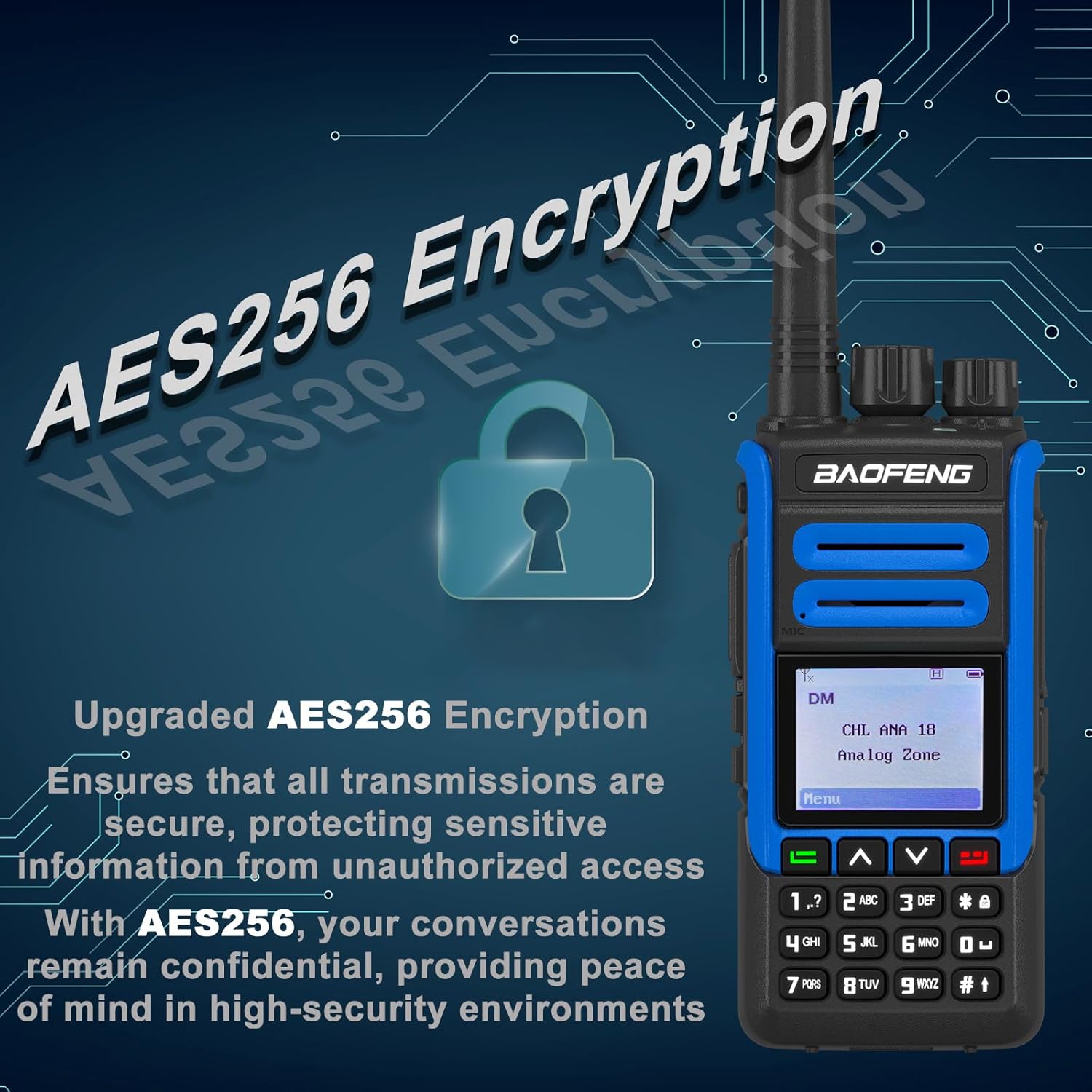
The DR-1802U features AES256 encryption for secure communications. This function must be enabled and configured via PC programming for specific channels or contacts. When active, it ensures that transmissions are protected from unauthorized listening.
7. VOX Function
VOX (Voice Operated Exchange) allows for hands-free transmission. When VOX is enabled, the radio will automatically transmit when it detects your voice. This feature can be activated and adjusted for sensitivity through the radio's menu or programming software.
8. SMS and Private Call
In DMR digital mode, the radio supports SMS (Short Message Service) and Private Call functions. These features allow for text messaging and direct one-to-one communication with specific radio users, respectively. Configuration is typically done via PC programming.
Maintenance
- Cleaning: Use a soft, damp cloth to clean the radio's exterior. Do not use harsh chemicals or solvents.
- Battery Care: Avoid fully discharging the battery frequently. Charge the battery regularly, even if the radio is not in use, to maintain battery health.
- Storage: Store the radio in a cool, dry place away from direct sunlight and extreme temperatures. Remove the battery if storing for extended periods.
- Antenna: Ensure the antenna is securely attached but not overtightened. Avoid bending or stressing the antenna.
Troubleshooting
- Radio does not power on: Check if the battery is properly installed and charged. Ensure the Power/Volume knob is rotated clockwise.
- Cannot transmit or receive: Verify the antenna is attached. Check the selected channel and ensure it is active. Confirm the battery has sufficient charge.
- Poor audio quality: Adjust the volume. Check antenna connection. Ensure you are within range of other radios.
- Display is blank or frozen: Try turning the radio off and then on again. If the issue persists, remove and reinsert the battery.
Specifications
| Feature | Detail |
|---|---|
| Model Number | DR-1802U |
| Brand | BAOFENG |
| Number of Channels | 1024 |
| Frequency Range | 450-470 MHz (UHF) |
| Talking Range Maximum | 5 Kilometer |
| Voltage | 3.7 Volts |
| Encryption | AES256 |
| Display | 1.77 inch |
| Charging | USB-C, Charging Dock |
| Dimensions (D x W x H) | 1.37"D x 2.16"W x 4.72"H |
| Water Resistance Level | Not Water Resistant (IPX0) |
Warranty Information
A 1-year warranty is provided exclusively through "Shiqun Electronics Co., Ltd." for the BAOFENG DR-1802U radio. Please retain your proof of purchase for warranty claims.
Support
For technical assistance, troubleshooting beyond this manual, or warranty inquiries, please contact the seller or the manufacturer, BAOFENG Electronics Co., Ltd. Refer to your purchase documentation for specific contact details.


