
Unineo 7886b604-845d-45ee-8751-cebc4ac92563
Unineo 75 Inch Electric Fireplace TV Stand Instruction Manual
Model: 7886b604-845d-45ee-8751-cebc4ac92563
Brand: Unineo
Introduction
This manual provides detailed instructions for the assembly, operation, and maintenance of your Unineo 75 Inch Electric Fireplace TV Stand. Please read all instructions carefully before assembly and use to ensure safe and efficient operation.
Important Safety Information
WARNING: To reduce the risk of fire, electric shock, or injury, read all instructions before using this appliance.
- Ensure the unit is placed on a stable, level surface.
- Do not overload electrical outlets.
- Keep flammable materials at least 3 feet (0.9 meters) away from the front of the heater.
- Do not operate the fireplace with a damaged cord or plug, or if the heater malfunctions.
- The fireplace features an OVERHEAT PROTECTION system. If the heater overheats, it will automatically shut off. Unplug the unit and allow it to cool before restarting.
- The fireplace includes a Child Lock function to prevent unintended operation.
- This product is designed for indoor use only.
Package Contents
Your Unineo Electric Fireplace TV Stand will arrive in two separate packages, which may not arrive simultaneously. Please ensure all components are present before beginning assembly.

Image: Illustration showing two separate packages for the product, indicating they may arrive at different times.
Carefully unpack all items and compare them with the parts list provided in your assembly guide (not included in this digital manual). If any parts are missing or damaged, contact customer support immediately.
Setup and Assembly
Assembly of the Unineo Electric Fireplace TV Stand requires attention to detail. Each piece is numbered for easy identification. It is recommended that two people assemble the unit for faster and safer completion.
- Preparation: Clear a spacious area for assembly. Lay out all numbered parts and hardware.
- Tools: Basic household tools are typically required (e.g., screwdriver). Power tools are generally not recommended as they can overtighten screws and damage components.
- Step-by-Step Assembly: Follow the detailed assembly instructions provided in the physical manual that accompanies your product. Pay close attention to diagrams and part numbers.
- Fireplace Insert: The electric fireplace insert is a simple plug-in unit; no electrician is required for installation. Integrate it into the TV stand structure as per the assembly guide.
- Cable Management: Utilize the convenient cable management features to organize wires from your TV and media equipment.

Image: Overhead view highlighting the spacious tabletop and dedicated media equipment space.

Image: Detail showing the dimensions of the central shelf for media equipment (40.24" W x 6.46" H).
Operating Instructions
Electric Fireplace Operation
The electric fireplace can be controlled via the touch panel on the unit or the included wireless remote control.
Video: Demonstrates the various features and operation of the Unineo Electric Fireplace TV Stand, including LED spot lights, storage, and fireplace controls.
- Power On/Off: Press the power button on the unit or remote.
- Flame Settings:
- 12 Color Flame Modes: Cycle through various flame colors to match your ambiance.
- 13 Color Log Ember Modes: Adjust the color of the log embers independently.
- 5 Flame Speed Levels: Control the speed of the flame effect.
- 5 Flame Brightness Levels: Adjust the intensity of the flame.
- Heater Function:
- 1500W Infrared Heater: Provides supplemental heat for rooms up to 1000 sq ft.
- Thermostat: Set desired temperature between 60°F and 99°F.
- The heater can be turned off while the flame effect remains active for year-round use.
- Timer: Set an automatic shut-off timer from 0.5 to 12 hours.
- Child Lock: Activate the child lock feature to prevent accidental changes to settings. Refer to your physical manual for specific activation/deactivation steps.
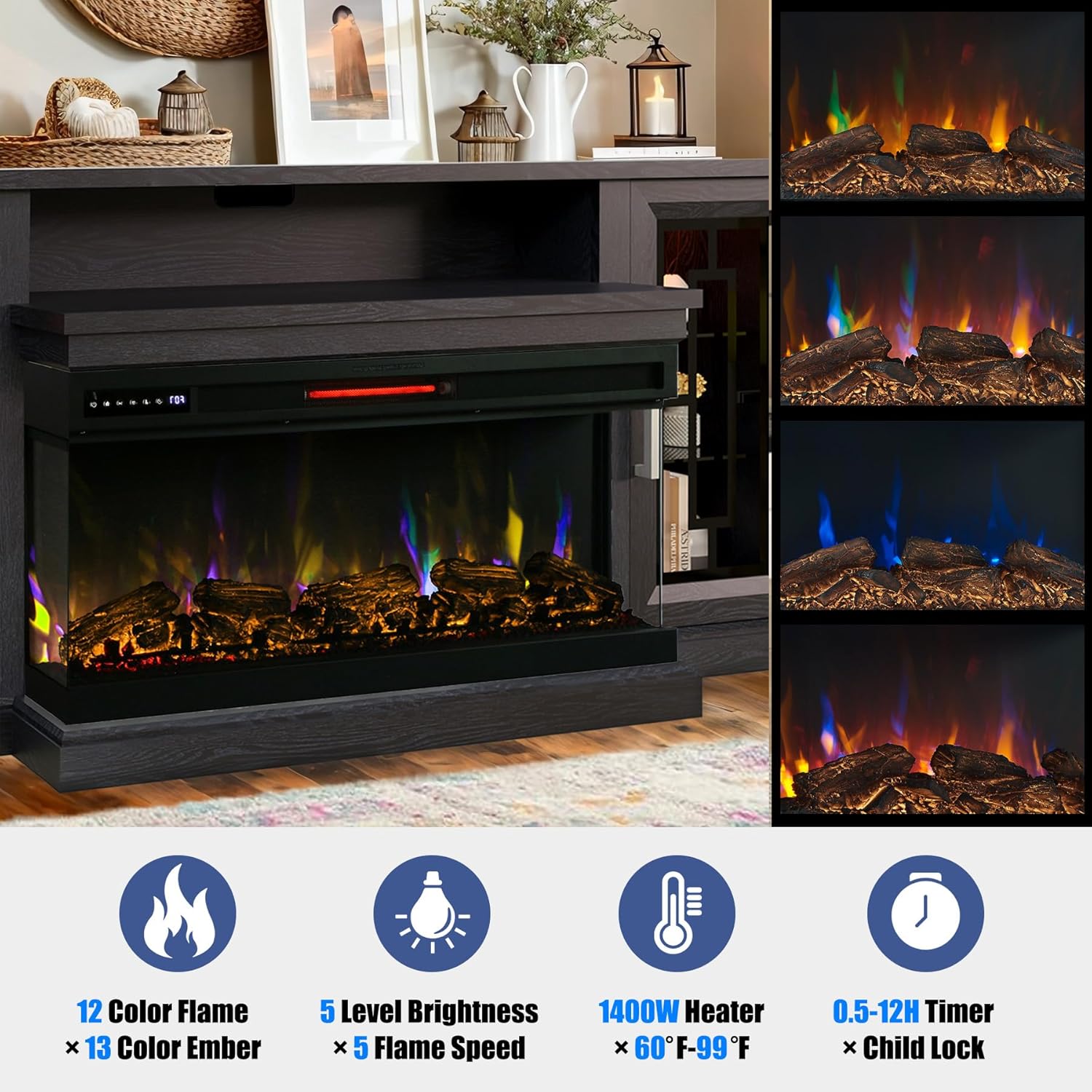
Image: Detail of the fireplace insert showcasing the adjustable flame and log ember colors.
LED Spot Light Operation
The RGB LED strip lights in the side cabinets can be controlled independently using the same wireless remote control as the fireplace.
- 13 Color Modes: Select from various colors to create an immersive lighting effect.
- Refer to the remote control section in your physical manual for specific button functions.

Image: Visual representation of the 13 color mode spot lights in the side cabinets, controlled by a single remote.
Features Overview
- Design: Farmhouse style with modern elements, including barn door closed storage and a woodgrain finish.
- TV Compatibility: Accommodates TVs up to 85 inches.
- 3-Side Panoramic Fireplace: Tempered glass display allows clear viewing of the 3D flame effect from multiple angles.
- Storage: Closed storage cabinets with Silk Screen Clear Glass Doors.
- Adjustable Shelves: Interior glass shelves are adjustable and can hold up to 20 lbs each.
- Quiet Close Hinges: Doors feature quiet close hinges for smooth operation.
- Stable Thickened Base: Ensures stability and durability of the unit.
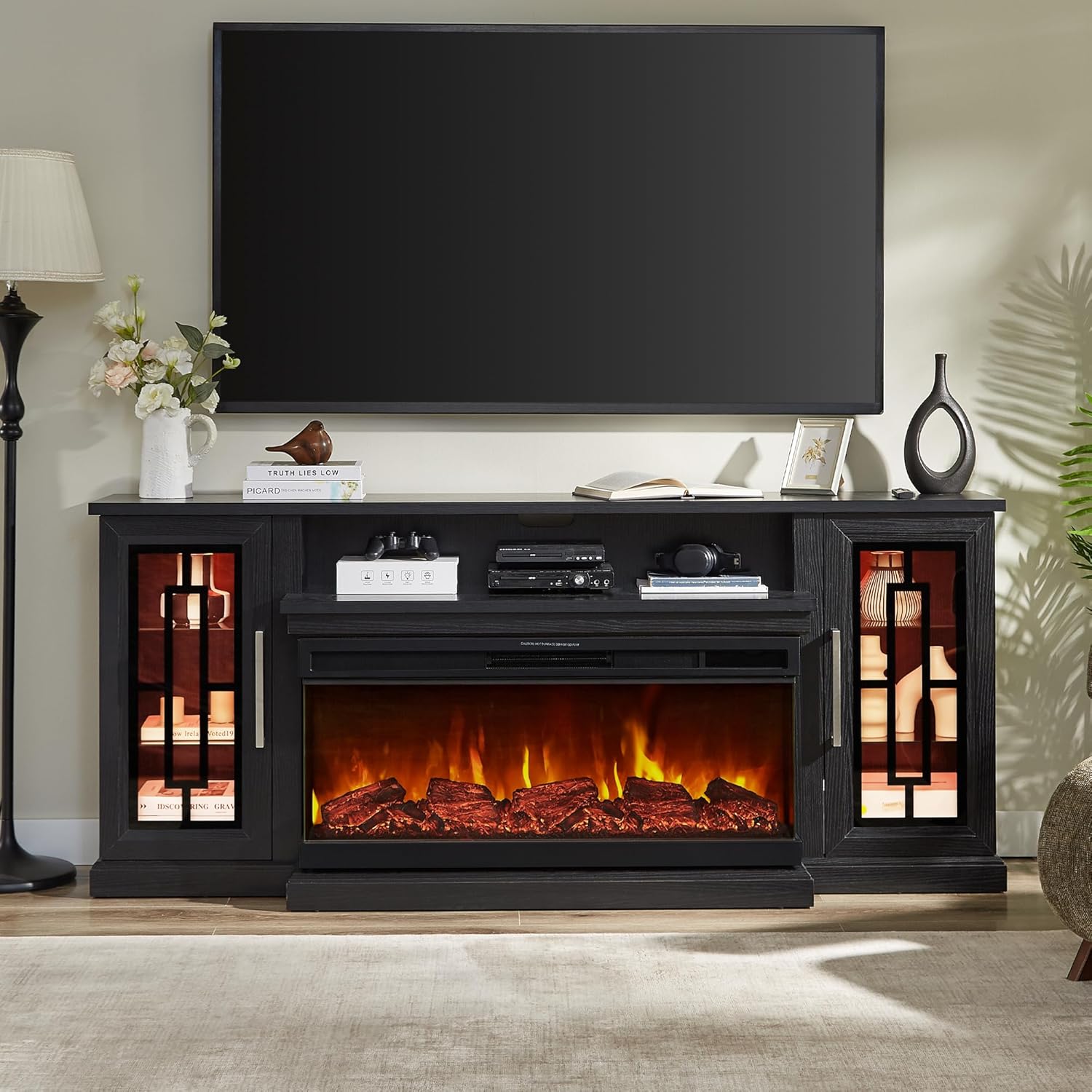
Image: The Unineo 75 Inch Electric Fireplace TV Stand in black, highlighting its overall design and features.

Image: Detailed view of key features including glass doors, adjustable shelves, quiet hinges, stable base, and cable management.

Image: Close-up of the adjustable glass shelf, indicating it can hold up to 20 lbs.
Maintenance
- Cleaning: Dust the unit regularly with a soft, dry cloth. For tougher stains, use a slightly damp cloth and mild detergent, then wipe dry. Avoid abrasive cleaners.
- Glass Care: Clean glass surfaces with a glass cleaner and a soft cloth. Do not spray cleaner directly onto the unit; apply to the cloth first.
- Fireplace Insert: Ensure the fireplace is unplugged and cool before cleaning. Refer to the fireplace insert's specific cleaning instructions in your physical manual.
- Inspection: Periodically check all connections and hardware to ensure they remain secure.
Troubleshooting
If you encounter issues with your TV stand or electric fireplace, please refer to the following common solutions:
- Fireplace Not Turning On:
- Check if the power cord is securely plugged into a working outlet.
- Ensure the main power switch on the fireplace insert is in the "ON" position.
- Verify that the circuit breaker has not tripped.
- If the unit overheated, unplug it for 15-20 minutes to reset the overheat protection.
- No Heat Output:
- Confirm the heater function is activated and the thermostat is set above the current room temperature.
- Check for any obstructions blocking the heater's air intake or output vents.
- Remote Control Not Working:
- Replace the batteries in the remote control.
- Ensure there are no obstructions between the remote and the fireplace's receiver.
- Door Gaps/Misalignment:
- Adjust the screws on the door hinges. Small adjustments can significantly improve door alignment. Refer to the assembly manual for detailed hinge adjustment instructions.
For further assistance, please contact customer support.
Specifications
| Feature | Detail |
|---|---|
| Brand | Unineo |
| Model Number | 7886b604-845d-45ee-8751-cebc4ac92563 |
| Product Dimensions | 19.69"D x 74.98"W x 31.69"H |
| Material | Engineered Wood |
| Color | Black |
| Power Source | Corded Electric |
| Installation Type | Freestanding |
| Heat Output | 1500 Watts |
| Heating Coverage | Up to 1000 sq ft (based on 1500W heater) |
| Thermostat Range | 60°F - 99°F |
| Table Top Weight Capacity | 120 lbs |
| Shelf Weight Capacity | 33 lbs (15 kg) per shelf |
| Special Features | 3-Side Fireplace, LED Spot Lights, Adjustable Flame/Ember, Timer, Child Lock, Overheat Protection |
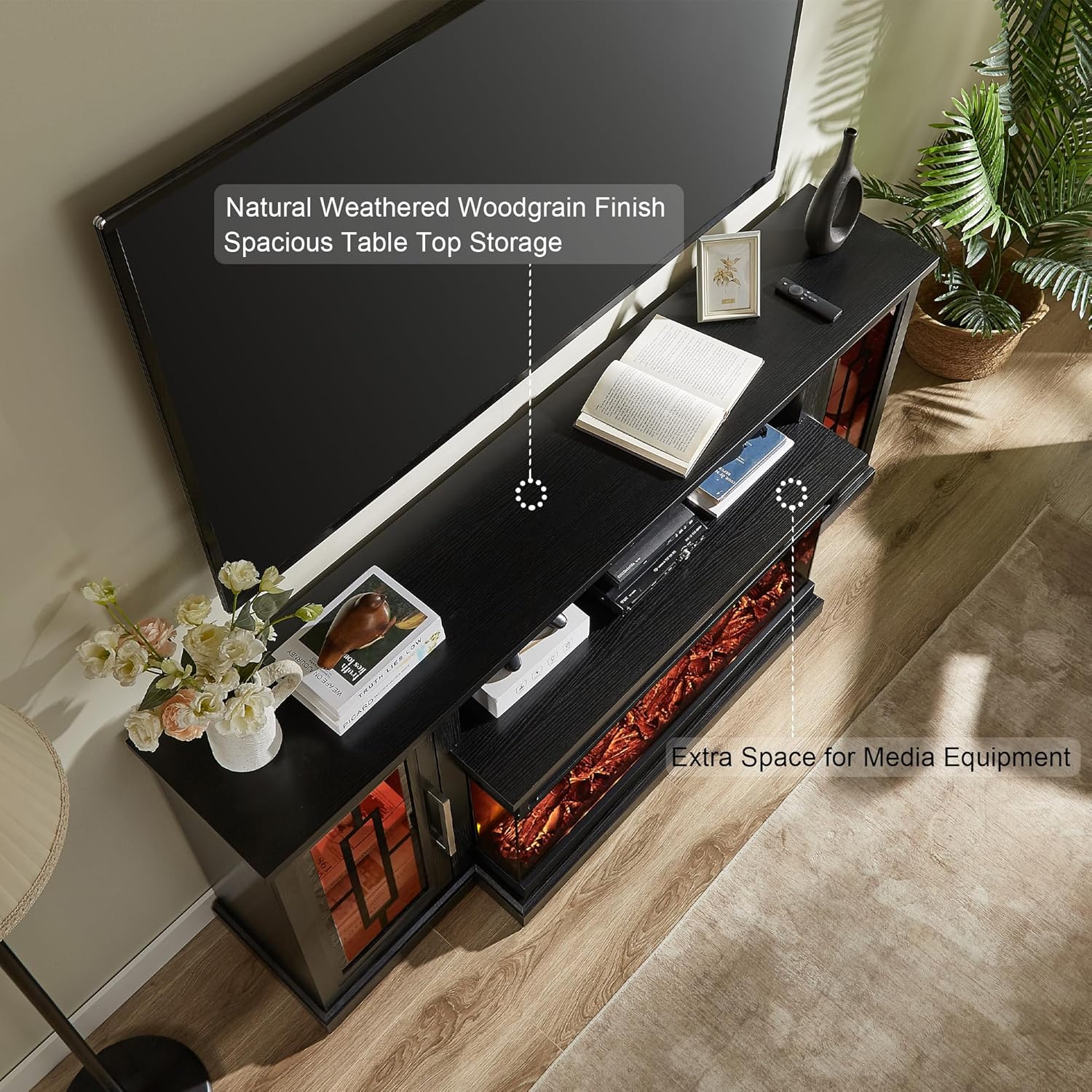
Image: Dimensional diagram of the TV stand, including width, height, depth, and weight capacities.

Image: The 75-inch TV stand in a living room setting, demonstrating its scale with a television.
Warranty and Support
This product comes with a limited warranty. Please refer to the warranty card included with your physical product for specific terms and conditions.
For any problems with your order, missing parts, or operational questions, please contact Unineo customer support directly through the Amazon platform. We aim to reply within 24 hours.
Related Documents - 7886b604-845d-45ee-8751-cebc4ac92563
 |
Hecht 8751 Jointer and Planer User Manual This manual provides comprehensive instructions for the Hecht 8751 Jointer and Planer, covering safety, operation, maintenance, and troubleshooting. It includes detailed descriptions of machine parts, safety symbols, and technical specifications. |
 |
Hotpoint Freezer User Manual: Models 8721-8751 - Installation, Operation, and Care This comprehensive handbook provides essential information for the installation, operation, maintenance, and troubleshooting of your Hotpoint freezer, models 8721 and 8751. Learn about features, controls, food storage, defrosting, and the included guarantee. |
 |
Saeco Intelia HD 8753/8751/8752 Service Manual - Technical Guide Official service manual for Saeco Intelia coffee machines (models HD 8753, HD 8751, HD 8752). Provides detailed technical specifications, troubleshooting, and repair procedures for service professionals. |
 |
Intel MCS-51 Family Single Chip Microcomputers User's Manual Comprehensive user's manual for the Intel MCS-51 family of single-chip microcomputers, including the 8051, 8031, and 8751. Covers architecture, memory organization, instruction set, peripherals, and development tools for engineers and developers. |
 |
Buy Rite Lenox Barber Chair YLG-8751-1 Instruction Manual Comprehensive instruction manual for the Buy Rite Lenox Barber Chair (Model YLG-8751-1). Includes detailed parts list, step-by-step assembly instructions, product care guidelines, and usage tips for salon and spa professionals. Visit buyritebeauty.com for more information. |
 |
Captiva Wood Doors: Custom Crafted Entryways & Interior Doors Explore Captiva Wood Doors, offering custom-designed, handcrafted wooden doors made with premium materials and old-world craftsmanship. Discover various wood species, styles, and construction options for beautiful, durable entryways. |
Ask a question about this manual
Ask about setup, troubleshooting, compatibility, parts, safety, or missing instructions. Manuals+ will review the question and use this page’s manual context to help answer it.