
1. Product Overview
The AWEI A996 Pro are over-ear Bluetooth headphones designed to provide an immersive audio experience with Active Noise Cancellation (ANC). Featuring Bluetooth 5.0 for stable connectivity, 40mm drivers for Hi-Res audio, and a comfortable, foldable design, these headphones are suitable for various uses including travel, home, and office environments.

Image: AWEI A996 Pro headphones displaying their sleek design and over-ear form factor.
Key Features:
- Active Noise Cancellation (ANC): Effectively minimizes ambient noise for an enhanced listening experience.
- Bluetooth 5.0: Provides a fast, stable, and wide-range wireless connection up to 33 feet.
- Hi-Res Audio: Equipped with 40mm drivers for deep, powerful, and immersive sound.
- Long Battery Life: 300mAh rechargeable battery offers up to 20 hours of playtime on a single charge.
- Comfortable & Adjustable Design: Ultra-soft protein leather earcups and a retractable beam ensure comfort for extended wear.
- Wired/Wireless Options: Can be used wirelessly via Bluetooth or wired via an AUX cable when power is low or for non-Bluetooth devices.
- Foldable Design: Enhances portability and reduces storage space.
2. Setup
2.1 Unboxing Contents
Before use, please ensure all items are present in the package:
- AWEI A996 Pro Over-Ear Headphones
- USB Charging Cable
- User Manual (this document)
2.2 Charging the Headphones
Before initial use, fully charge the headphones. A full charge takes approximately 2 hours.
- Connect the small end of the USB charging cable to the charging port on the headphones.
- Connect the larger end of the USB charging cable to a USB power adapter (not included) or a computer's USB port.
- The LED indicator on the headphones will illuminate during charging and change color or turn off once fully charged.

Image: AWEI A996 Pro headphones, highlighting the charging port and indicating long battery life.
2.3 Powering On/Off
- To Power On: Press and hold the Power button (usually marked with a power symbol) for approximately 3 seconds until the LED indicator lights up and you hear an audible prompt.
- To Power Off: Press and hold the Power button for approximately 3-5 seconds until the LED indicator turns off and you hear an audible prompt.
2.4 Bluetooth Pairing
To connect your AWEI A996 Pro headphones to a Bluetooth-enabled device:
- Ensure the headphones are powered off.
- Press and hold the Power button for about 5-7 seconds until the LED indicator flashes red and blue alternately, indicating pairing mode.
- On your device (smartphone, tablet, computer), enable Bluetooth and search for available devices.
- Select "AWEI A996 Pro" from the list of found devices.
- Once paired, the LED indicator on the headphones will typically flash blue slowly, and you will hear a connection confirmation sound.

Image: AWEI A996 Pro headphones demonstrating stable Bluetooth 5.0 connection with multiple devices.
2.5 Wired Connection (AUX Mode)
The headphones can be used with an audio cable (AUX cable) for devices without Bluetooth or when the headphone battery is depleted.
- Connect one end of the 3.5mm audio cable (not included) to the AUX port on the headphones.
- Connect the other end of the audio cable to the 3.5mm audio jack on your device.
- The headphones will automatically switch to wired mode. Note that some functions like ANC may require battery power even in wired mode.

Image: AWEI A996 Pro headphones illustrating both wired (AUX) and wireless connectivity options.
3. Operating Instructions
3.1 Button Functions
The AWEI A996 Pro headphones feature intuitive controls located on the earcups. Refer to the diagram below for button placement (if available on product) and their functions:
- Power Button (Multi-function Button):
- Press and hold for 3 seconds: Power On/Off.
- Press and hold for 5-7 seconds (from off): Enter Bluetooth pairing mode.
- Short press: Play/Pause music, Answer/End calls.
- Double press: Redial last number.
- Volume Up (+) Button:
- Short press: Increase volume.
- Long press: Next track.
- Volume Down (-) Button:
- Short press: Decrease volume.
- Long press: Previous track.
- ANC Button:
- Short press: Toggle Active Noise Cancellation On/Off.
3.2 Active Noise Cancellation (ANC)
The ANC feature helps reduce ambient noise, providing a quieter listening environment.
- To activate ANC, press the dedicated ANC button. An indicator light (if present) will illuminate, and you may hear an audible confirmation.
- To deactivate ANC, press the ANC button again.
3.3 Making and Receiving Calls
When connected to a smartphone via Bluetooth:
- Answer a Call: Short press the Power/Multi-function button.
- End a Call: Short press the Power/Multi-function button during a call.
- Reject a Call: Press and hold the Power/Multi-function button for approximately 2 seconds.
- Redial Last Number: Double press the Power/Multi-function button when not on a call.
4. Maintenance
4.1 Cleaning
- Use a soft, dry, lint-free cloth to clean the headphones.
- Do not use abrasive cleaners, solvents, or spray cleaners directly on the headphones.
- Gently wipe the earcups and headband.
4.2 Storage
- Store the headphones in a cool, dry place, away from extreme temperatures and direct sunlight.
- When not in use for extended periods, store them in their folded position to save space and protect them.
- Avoid placing heavy objects on top of the headphones.
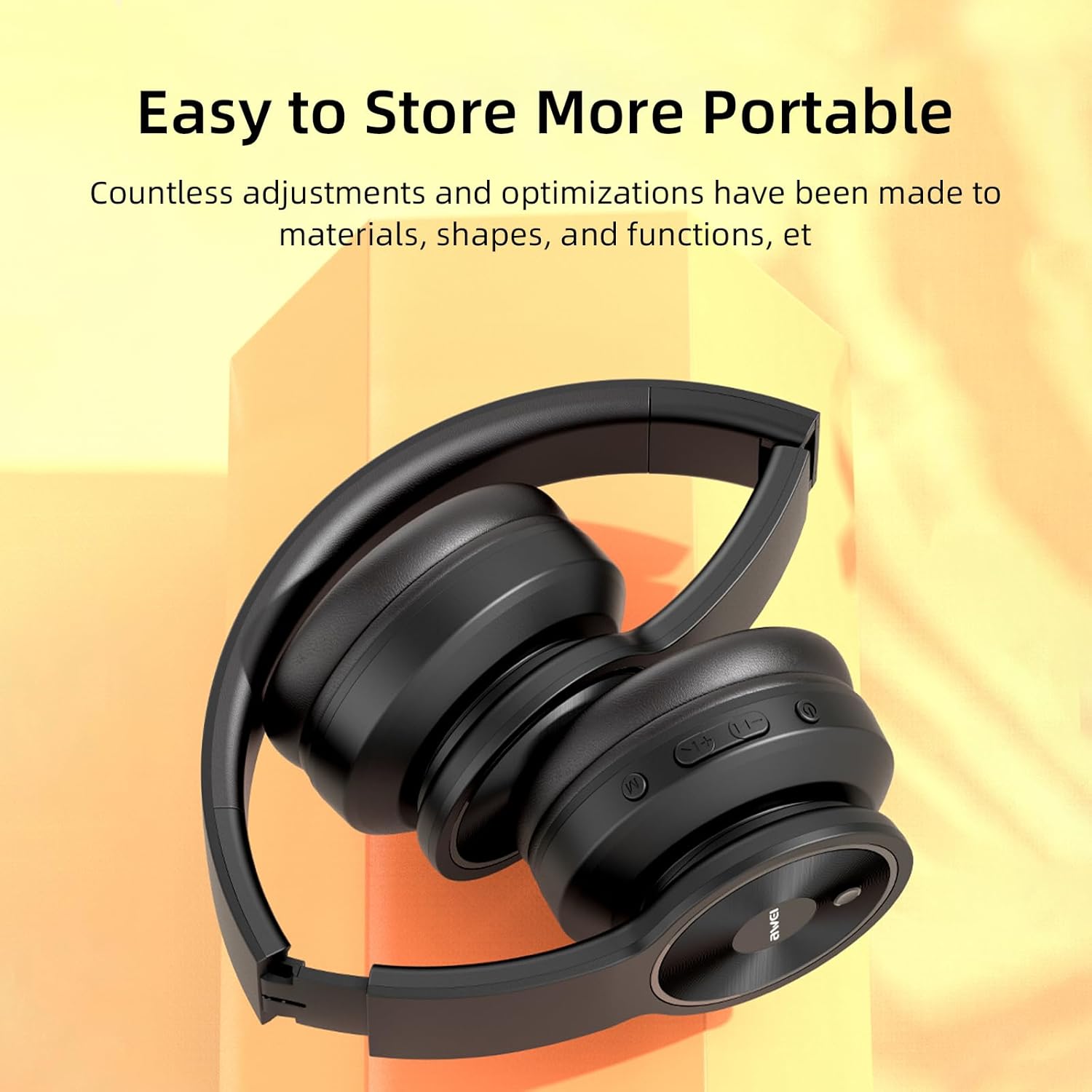
Image: AWEI A996 Pro headphones shown in their folded configuration, emphasizing portability and ease of storage.
4.3 Battery Care
- To prolong battery life, avoid fully discharging the headphones frequently.
- Charge the headphones regularly, even if not used often.
- Do not expose the battery to high temperatures.
5. Troubleshooting
If you encounter issues with your AWEI A996 Pro headphones, refer to the following common problems and solutions:
| Problem | Possible Solution |
|---|---|
| Headphones do not power on. | Ensure the headphones are charged. Connect to a power source and try again. |
| Cannot pair via Bluetooth. | Ensure headphones are in pairing mode (flashing red/blue LED). Turn off and on Bluetooth on your device. Move closer to the device. Forget previous pairings on your device and try again. |
| No sound or low volume. | Check volume levels on both headphones and your connected device. Ensure headphones are properly paired or AUX cable is fully inserted. Try playing different audio sources. |
| ANC is not effective. | Ensure ANC is activated (press the ANC button). Ensure earcups form a good seal around your ears. ANC is most effective against low-frequency, constant noise. |
| Intermittent connection. | Ensure no obstacles between headphones and device. Move closer to the device. Avoid strong electromagnetic interference. |
6. Specifications
| Feature | Detail |
|---|---|
| Brand | Awei |
| Model Number | A996 Pro |
| Connectivity Technology | Wireless (Bluetooth), Wired (AUX) |
| Wireless Technology | Bluetooth 5.0 |
| Ear Placement | Over Ear |
| Driver Size | 40mm |
| Battery Capacity | 300mAh |
| Playtime | Up to 20 hours (approx.) |
| Charging Time | Approx. 2 hours |
| Additional Features | Active Noise Cancellation (ANC), Ergonomic, Lightweight, Foldable |
7. Warranty and Support
7.1 Warranty Information
The AWEI A996 Pro headphones come with a 12-month warranty from the date of purchase, covering manufacturing defects. Additionally, a 30-day return policy is provided for your peace of mind.
7.2 Customer Support
For any questions, technical assistance, or warranty claims, please contact Awei customer support. Lifetime worry-free user support is available to assist you with any product-related inquiries.
Please refer to the contact information provided with your purchase documentation or visit the official Awei website for support details.