
1. Introduction
The Saramonic WiTalk9-8S is an 8-person 1.9GHz DECT wireless intercom system designed for professional team communication. It offers true full-duplex hands-free operation, ensuring clear and stable communication over long distances. This system is built for demanding environments, providing reliable performance and comfort.
2. What's in the Box
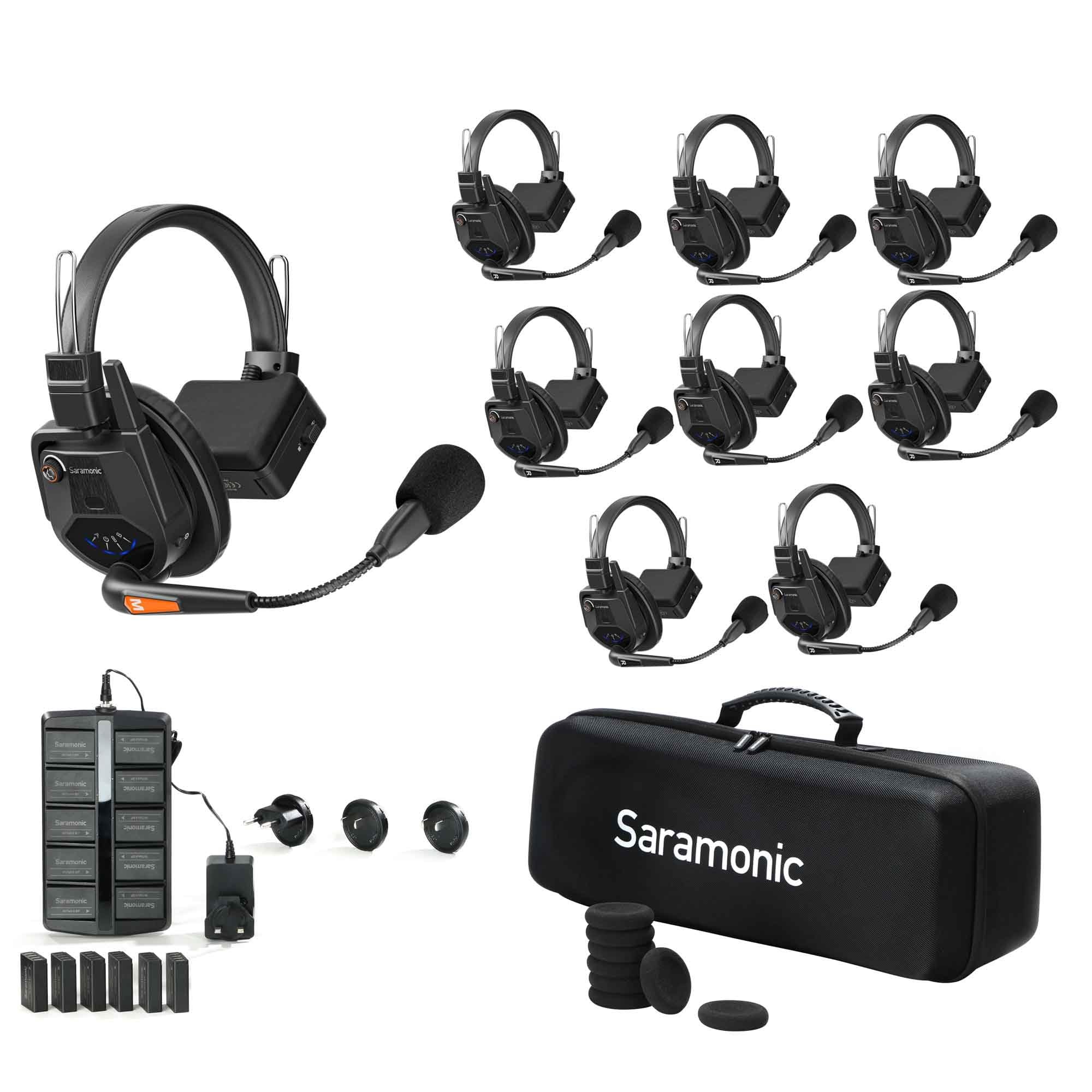
Your Saramonic WiTalk9-8S system includes the following components:
- 8 x Single-Ear Headsets (including Master and Remote units)
- 16 x Quick-Release Batteries
- 1 x 10-Bay Charger
- 1 x Carrying Case
- USB-C Powering Cable
- Microphone Sponge Covers
- Cooling Gel Over-Ear and Foam On-Ear Earpads (pre-installed or included as accessories)

3. Setup
3.1 Charging the Batteries
Before initial use, ensure all quick-release batteries are fully charged using the provided 10-bay charger. Insert the batteries into the charging slots. The indicator lights on the charger will show the charging status.

3.2 Attaching the Microphone
Attach the gooseneck microphone to the designated port on the headset. Ensure it is securely connected. You may also attach a microphone sponge cover for improved audio clarity and hygiene.

3.3 Powering On and Pairing
The WiTalk9 system uses DECT 6.0 encryption for secure and stable communication. For initial setup or re-pairing, follow these steps:
- Ensure all headsets have the latest firmware.
- Set one headset as the Master unit (usually indicated by a red label or specific button sequence).
- Set other headsets as Level 1 or Level 2 units as needed for your team configuration.
- Initiate the pairing process as described in the video below.
4. Operating the System
4.1 Full-Duplex Communication
The WiTalk9-8S system provides true full-duplex communication, allowing all 8 users to speak and listen simultaneously without interruption, similar to a phone call.
4.2 Headset Controls
Each headset features intuitive controls:
- Volume Control: Adjust listening volume using the dedicated buttons/knob.
- Muting: Mute your microphone by flipping up the gooseneck mic lever or pressing a mute button.
- Power Button: Turn the headset on/off.
4.3 Saramonic APP Control
Manage your WiTalk9 system remotely using the Saramonic APP. This app allows for master control functions such as naming users, grouping, and initiating 1-on-1 conversations.

5. Key Features
- DECT 6.0 Encryption: Ensures secure, stable, and clear communication by eliminating crosstalk.
- Extended Range: Dual-antenna design provides an industry-leading 1640-feet (500m) line-of-sight range, even in environments with 4G/5G, Wi-Fi, and Bluetooth congestion.
- Noise Cancellation: AGC Noise Cancellation and ENC Three-Microphone Noise Reduction with High SPL Design ensure clear audio in noisy environments.
- Long Battery Life: Up to 15 hours for remote headsets and 9 hours for master headsets on a single charge. Quick-release batteries allow for easy swapping.
- Expandability: Scalable hub-less system expandable to up to 30 users with wired cascading.
- Remote Communication: Connect via Bluetooth or wired connection to computers and mobile devices for remote team communication through meeting apps and phone calls.
- Durable Design: IPX5 water resistance and Level 3 wind protection make the headsets suitable for demanding outdoor conditions.
6. Maintenance
- Cleaning: Use a soft, dry cloth to clean the headsets and charger. Avoid using harsh chemicals or abrasive materials.
- Storage: Store the system in its provided carrying case in a cool, dry place when not in use.
- Battery Care: Fully charge batteries before long-term storage. Avoid exposing batteries to extreme temperatures.
- Firmware Updates: Regularly check the Saramonic website for firmware updates to ensure optimal performance and access to new features.
7. Troubleshooting
- No Audio: Check headset power, volume levels, and ensure proper pairing. Verify microphone boom arm is down and not muted.
- Interference/Poor Range: Ensure line-of-sight between headsets. Avoid physical obstructions. Check for other 1.9GHz devices that might cause interference.
- Pairing Issues: Ensure all headsets have the same firmware version. Follow the pairing instructions carefully, ensuring correct Master/Level assignments.
- Battery Not Charging: Verify batteries are correctly inserted into the charger. Check the charger's power connection.
8. Specifications
| Feature | Specification |
|---|---|
| Brand | Saramonic |
| Model Name | WiTalk9-8S |
| Connectivity Technology | Wireless (1.9GHz DECT) |
| Form Factor | On Ear |
| Color | Black |
| Additional Features | Noise Cancellation (AGC, ENC), IPX5 Water Resistance, Level 3 Wind Protection |
| Range | Up to 1640 feet (500m) line-of-sight |
| Battery Life (Remote) | Up to 15 hours |
| Battery Life (Master) | Up to 9 hours |
9. Warranty and Support
For warranty information, technical support, or service inquiries, please refer to the documentation included with your product or visit the official Saramonic website. Keep your proof of purchase for warranty claims.


