
1. Introduction
Thank you for choosing the ZDZA ZD01 Electric Scooter. This manual provides essential information for the safe operation, assembly, maintenance, and troubleshooting of your scooter. Please read it thoroughly before your first ride and keep it for future reference. Proper understanding and adherence to these instructions will ensure a safe and enjoyable experience.
2. Safety Guidelines
Operating an electric scooter carries inherent risks. To minimize these risks, always follow these safety precautions:
- Always wear a helmet and appropriate safety gear (knee pads, elbow pads) when riding.
- Ensure all components are securely fastened before each ride.
- Do not ride in wet conditions, heavy rain, or through puddles deeper than 1 inch.
- Avoid riding on slippery surfaces, uneven terrain, or steep inclines.
- Maintain a safe distance from other vehicles, pedestrians, and obstacles.
- Adhere to local traffic laws and regulations.
- Do not allow children under the age of 16 to operate the scooter.
- The maximum weight limit for the rider is 220 pounds (100 kg).
- Do not perform stunts or sudden maneuvers.
- Familiarize yourself with the brake system and practice emergency braking in a safe area.
- Do not operate the scooter under the influence of alcohol or drugs.
3. Package Contents
Verify that all items are present in the package:
- ZDZA ZD01 Electric Scooter
- Charger
- Toolkits
- User Manual (this document)
4. Product Overview
Familiarize yourself with the main components of your ZDZA ZD01 Electric Scooter.


5. Setup and Assembly
The ZDZA ZD01 Electric Scooter comes partially assembled. Follow these steps to complete the setup:
- Unfold the Scooter: Carefully lift the stem until it locks into place. Ensure the folding mechanism is securely latched.
- Attach Handlebars: Connect the handlebar assembly to the stem. Ensure all cables are properly routed and not pinched. Secure the handlebars with the provided screws and tools.
- Check Tire Pressure (if applicable): Although the ZD01 uses solid tires, inspect them for any visible damage before riding.
- Initial Charge: Before first use, fully charge the scooter's battery. Refer to the 'Charging the Battery' section for detailed instructions.

6. Charging the Battery
To charge your ZDZA ZD01 Electric Scooter:
- Ensure the scooter is powered off.
- Locate the charging port, usually covered by a rubber flap, on the scooter's deck or stem.
- Connect the charger to the charging port.
- Plug the charger into a standard wall outlet. The indicator light on the charger will typically turn red during charging and green when fully charged.
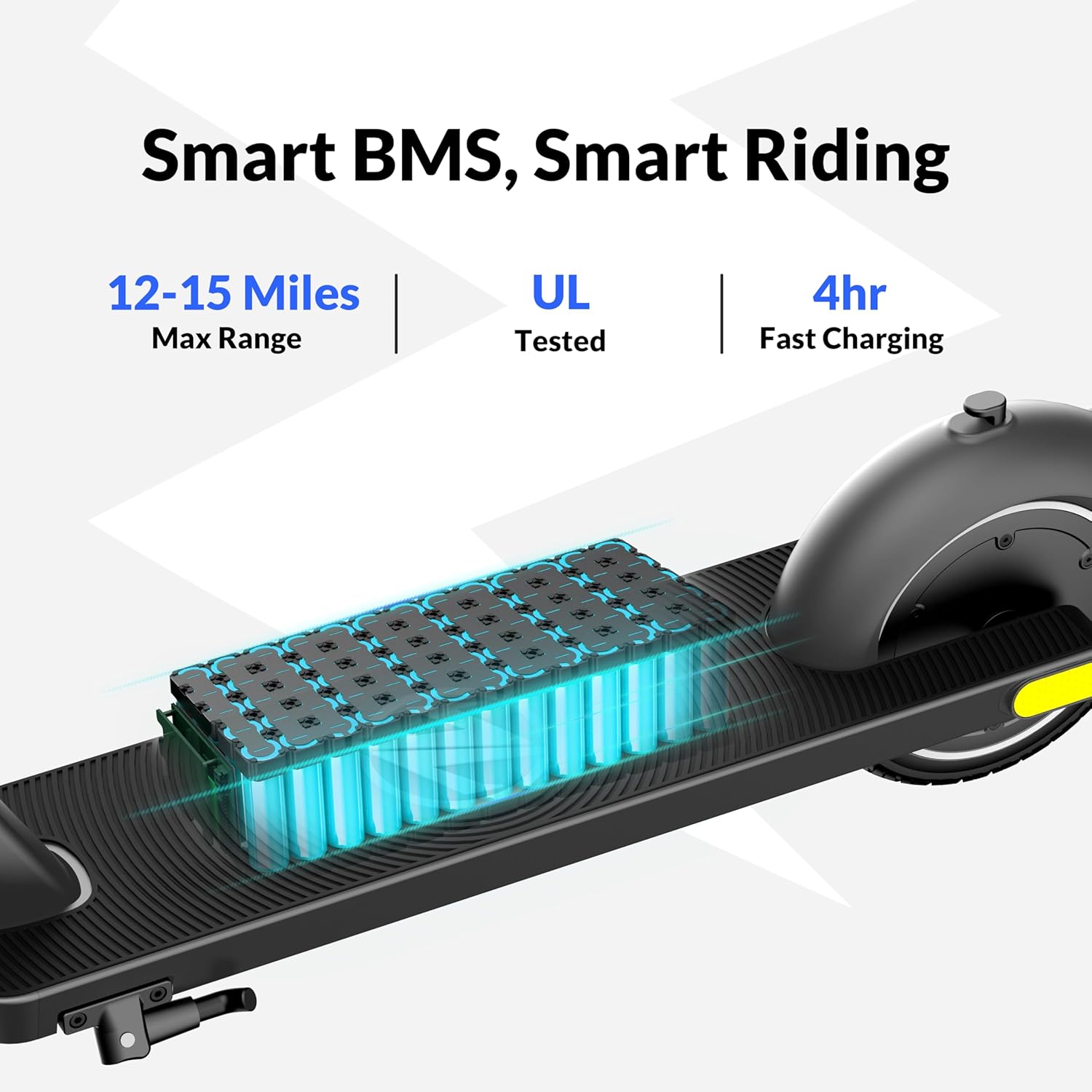
- Charging time is approximately 4 hours for a full charge. Do not overcharge the battery.
- Disconnect the charger once charging is complete and securely close the charging port cover.
7. Operating Instructions
7.1 Powering On/Off
- To Power On: Press and hold the power button on the handlebars for a few seconds until the display illuminates.
- To Power Off: Press and hold the power button again until the display turns off.
7.2 Riding Modes
The ZD01 offers four riding modes:
- Push Mode (3 mph): For walking alongside the scooter or in crowded areas.
- ECO Mode (10 mph): Energy-saving mode for extended range.
- D Mode (15 mph): Standard drive mode for balanced performance.
- S Mode (19 mph): Sport mode for maximum speed and acceleration.
Switch between modes using the dedicated button on the handlebars.

7.3 Controls
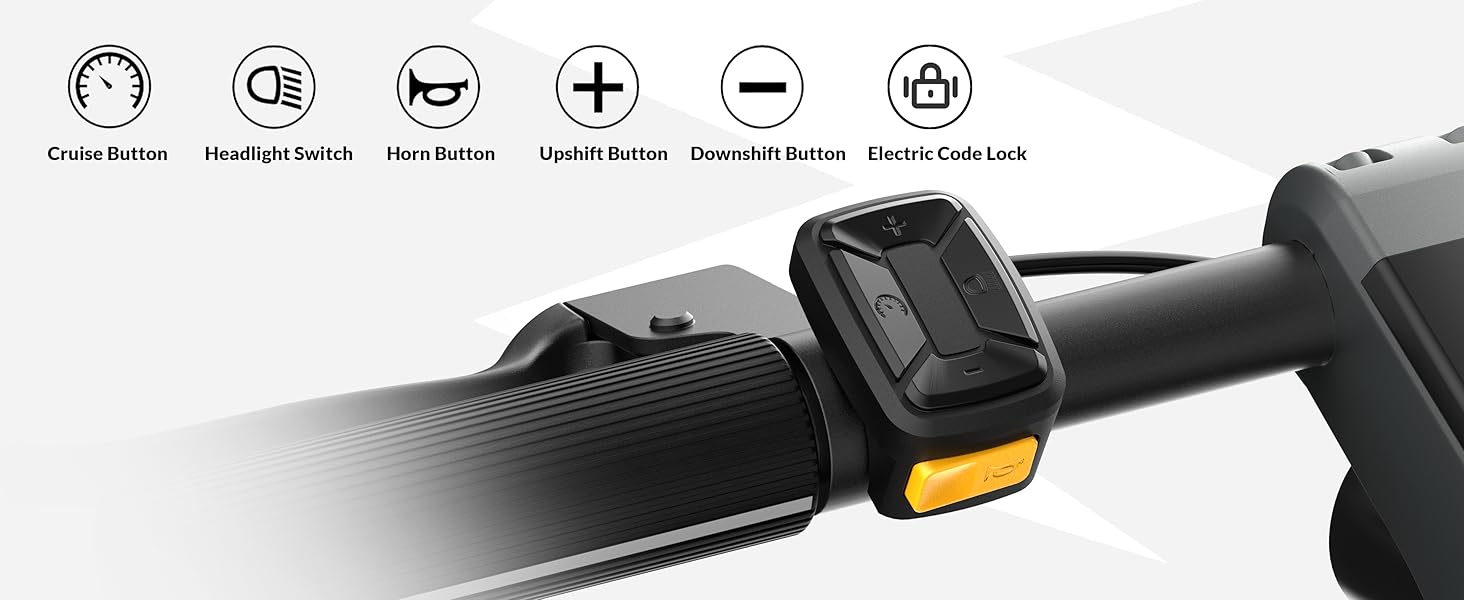
- Throttle: Located on the right handlebar. Press down to accelerate.
- Brakes: The scooter features both front and rear braking. Use the brake levers on the handlebars to slow down or stop.
- Headlight: Press the headlight button to turn the front LED light on or off.
- E-Horn: Press the horn button to alert others.
- Cruise Control: Activate cruise control by maintaining a consistent speed for a few seconds. Deactivate by pressing the brake or throttle.
- Electric Code Lock: Use the integrated electric code lock for security when parked. Refer to the specific instructions for setting and using your personal code.


7.4 Folding and Unfolding
The ZD01 is designed for easy portability:
- To Fold: Locate the folding latch mechanism on the stem. Follow the instructions to release the latch and fold the stem downwards until it clicks into the rear fender clip.
- To Unfold: Release the stem from the rear fender clip, then lift the stem until the folding latch securely locks it into the upright position.
8. Maintenance
Regular maintenance ensures the longevity and safe operation of your scooter.
- Cleaning: Wipe the scooter with a damp cloth. Do not use high-pressure water jets or corrosive cleaners.
- Tires: The ZD01 features 8.5-inch solid, puncture-proof tires, requiring minimal maintenance. Regularly inspect them for wear or damage.
- Brakes: Periodically check brake functionality. If braking performance decreases, inspect brake levers and cables for proper tension and wear.
- Battery Care: Store the scooter in a cool, dry place. If storing for an extended period, charge the battery to approximately 50-70% every 30-60 days to prevent deep discharge.
- General Inspection: Regularly check all screws, bolts, and connections for tightness.

9. Troubleshooting
If you encounter issues with your ZDZA ZD01, refer to the following common problems and solutions:
| Problem | Possible Cause | Solution |
|---|---|---|
| Scooter does not power on | Low battery; Loose connections | Charge the battery; Check all cable connections. |
| Reduced range or speed | Low battery; Overload; Riding uphill | Fully charge the battery; Ensure rider weight is within limits; Use appropriate riding mode. |
| Brakes not effective | Brake cable loose; Brake pads worn | Adjust brake cable tension; Inspect and replace brake pads if necessary. |
| Unusual noises | Loose components; Debris in wheels | Inspect and tighten all bolts; Clear any debris from wheels and motor area. |
If the problem persists, please contact ZDZA customer support.
10. Specifications
Key technical specifications for the ZDZA ZD01 Electric Scooter:
| Feature | Specification |
|---|---|
| Brand | ZDZA |
| Model Name | ZD01 |
| Motor Power | 350W (500W Peak) |
| Max Speed | 19 mph (30 km/h) |
| Max Distance Range | 12-15 miles |
| Charging Time | 4 hours |
| Weight Limit | 220 Pounds (100 kg) |
| Item Weight | 10.5 Kilograms (23.1 lbs) |
| Wheel Size | 8.5 Inches |
| Wheel Type | Solid, Puncture-Proof |
| Frame Material | Aluminum |
| Product Dimensions | 40.9"L x 18.89"W x 42.12"H |
| Brake Style | Front Braking, Rear Braking |
| Special Features | Cruise Control, Digital Display, Foldable, Lightweight, Rechargeable, E-Lock, E-Horn |
| Water Resistance | IPX4 (Scooter Body), IPX6 (Battery Pack) |
11. Warranty and Support
The ZDZA ZD01 Electric Scooter comes with a 1-year manufacturer's warranty. This warranty covers defects in materials and workmanship under normal use. It does not cover damage caused by misuse, accidents, unauthorized modifications, or normal wear and tear.
For warranty claims, technical support, or replacement parts, please contact ZDZA customer service. Keep your purchase receipt as proof of purchase.
Manufacturer: Shenzehn Zhida Anda Trading Co., Ltd


