Introduction
This manual provides essential information for setting up, operating, maintaining, and troubleshooting your Apple Watch SE (2nd Gen) GPS 40mm. Designed to help you stay active, connected, and informed about your health, this smartwatch offers a range of features including fitness and sleep tracking, crash detection, and heart rate monitoring.

Image: Apple Watch SE (2nd Gen) GPS 40mm with Midnight Aluminum Case and Ink Sport Loop. The watch face displays the time and is paired with a dark-colored sport loop band.
What's in the Box
Your Apple Watch SE package includes the following items:
- Apple Watch SE (2nd Gen) GPS 40mm (Midnight Aluminum Case)
- Ink Sport Loop (Small/Medium band)
- USB-C Magnetic Fast Charging Cable (1m)

Image: The contents of the Apple Watch SE box, showing the watch unit, the Ink Sport Loop band, and the USB-C Magnetic Charging Cable.
Setup
- Charge Your Apple Watch: Connect the USB-C Magnetic Fast Charging Cable to a power adapter (sold separately) and attach the magnetic end to the back of your Apple Watch. Ensure it is charging before proceeding.
- Pair with iPhone:
- Turn on your Apple Watch by pressing and holding the side button until the Apple logo appears.
- Bring your iPhone near your Apple Watch. A pairing screen will appear on your iPhone. Tap "Continue."
- Position your iPhone so your Apple Watch appears in the viewfinder. This will pair the devices.
- Follow the on-screen instructions on both your iPhone and Apple Watch to complete the setup, including setting up a passcode, installing apps, and configuring health features.
- Adjust Band: Ensure the Ink Sport Loop is securely and comfortably fitted on your wrist.
Operating Your Apple Watch SE
Basic Navigation
- Digital Crown: Rotate to scroll, zoom, or adjust values. Press once to go to the watch face or app list. Double-press to switch between recently used apps. Press and hold for Siri.
- Side Button: Press once to open the Dock (recently used apps). Press and hold for Emergency SOS, Medical ID, or to power off. Double-press for Apple Pay.
- Touch Screen: Tap to select, swipe to navigate, force touch (press firmly) for additional options in some apps.
Health and Fitness Tracking
The Apple Watch SE tracks various health and fitness metrics:
- Activity Rings: Track Move, Exercise, and Stand goals. Close your rings daily for motivation.
- Workout App: Select from various workout types (running, swimming, cycling, etc.) to track performance, heart rate, and calories burned.
- Heart Rate Monitor: Continuously monitors your heart rate and can alert you to unusually high or low rates, or irregular rhythms.
- Sleep Tracking: Monitor your sleep stages (Awake, REM, Core, Deep) and duration.

Image: Two Apple Watch SE screens. One shows a heart rate reading of 68 BPM. The other shows a detailed sleep stages graph, indicating Awake, REM, Core, and Deep sleep durations.
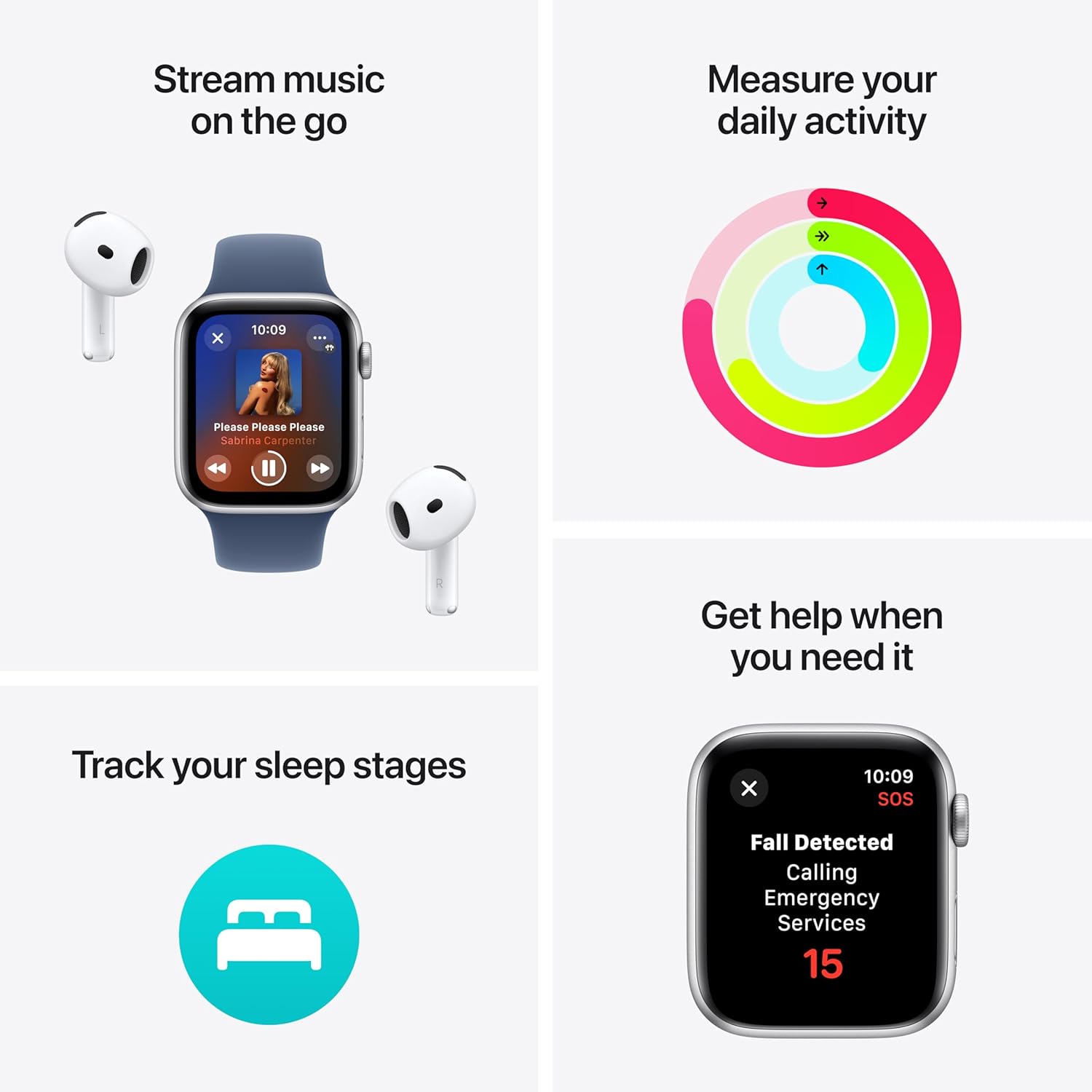
Image: A four-panel image illustrating key features: music streaming with AirPods, daily activity rings, sleep stage tracking, and a Fall Detected alert screen with an Emergency Services countdown.
Communication
With your Apple Watch SE, you can stay connected:
- Calls and Texts: Make and receive calls, and send and receive text messages directly from your wrist when connected to your iPhone or Wi-Fi.
- Siri: Raise your wrist and speak, or press and hold the Digital Crown to activate Siri for quick commands and information.
- Apple Pay: Double-press the side button to quickly access Apple Pay for secure transactions.

Image: Two Apple Watch SE screens. One shows an incoming call from "Mobile Sean." The other shows a text message conversation with "Grandma."
Safety Features
- Fall Detection: Automatically detects hard falls and can initiate a call to emergency services if you are unresponsive.
- Crash Detection: Can detect a severe car crash and automatically connect you to emergency services.
- Emergency SOS: Press and hold the side button to quickly call emergency services and notify your emergency contacts.
- Check In: Automatically notifies loved ones when you arrive at your destination.
Customization
Personalize your Apple Watch SE:
- Watch Faces: Customize your watch face with various designs, complications, and colors.
- Bands: Easily swap out the Ink Sport Loop for other compatible Apple Watch bands to match your style.

Image: A close-up view of the Apple Watch SE face, showing a digital time display with large, stylized numbers and a second hand.
Maintenance
- Cleaning: Wipe your Apple Watch and band with a soft, lint-free cloth. If necessary, lightly dampen the cloth with fresh water. Do not use soaps or abrasive materials.
- Water Resistance: The Apple Watch SE is water resistant to 50 meters. It can be used for shallow-water activities like swimming in a pool or ocean. It should not be used for scuba diving, waterskiing, or other activities involving high-velocity water or submersion below shallow depths.
- Charging: Use only the provided USB-C Magnetic Fast Charging Cable. Ensure the charging area is clean and dry.
- Software Updates: Keep your Apple Watch software updated to the latest version for optimal performance and security. Updates can be managed through the Watch app on your iPhone.
Troubleshooting
- Watch Not Turning On: Ensure the watch is charged. Connect it to the charger for at least 30 minutes. If it still doesn't turn on, force restart by holding both the side button and Digital Crown for at least 10 seconds until the Apple logo appears.
- Pairing Issues: Ensure your iPhone's Bluetooth is on and both devices are close to each other. Restart both your iPhone and Apple Watch. If issues persist, unpair and re-pair the watch through the Watch app on your iPhone.
- Inaccurate Heart Rate Readings: Ensure the watch is snug but comfortable on your wrist. Clean the back of the watch. Avoid placing the watch directly over wrist bones.
- Battery Draining Quickly: Check for background app refresh settings in the Watch app. Reduce notifications. Ensure software is up to date.
- Apps Not Responding: Press the side button to open the Dock, then swipe left on the unresponsive app and tap the 'X' to close it. Reopen the app.
Specifications
| Model | Apple Watch SE (2nd Gen) GPS |
| Case Size | 40mm |
| Case Material | Midnight Aluminum |
| Band Type | Ink Sport Loop (Small/Medium) |
| Connectivity | GPS, Wi-Fi, Bluetooth |
| Water Resistance | 50 meters |
| Sensors | Optical Heart Sensor, Accelerometer, Gyroscope, Compass, Always-on Altimeter |
| Safety Features | Emergency SOS, Fall Detection, Crash Detection |
| Operating System | watchOS (compatible with iPhone 8 or later with iOS 16 or later) |
Warranty and Support
This Apple Watch SE (2nd Gen) includes AppleCare+ (2 Years), providing extended coverage and technical support.
- AppleCare+ Benefits: Covers unlimited repairs for accidental damage, including hardware and battery.
- Service Options: Convenient service at Apple Stores and Apple Authorized Service Providers, or Express Replacement Service.
- Technical Support: 24/7 priority tech support from Apple experts.
For detailed terms and conditions, or to access support, please visit the official Apple Support website or contact Apple directly.
You can find more information and support resources at support.apple.com/watch.


