
1. Introduction
This manual provides essential information for the safe and efficient operation, installation, and maintenance of your Voltas 1.5 Ton 3 Star Inverter Split AC, model 183V VECTRA ZEN SILVER. Please read this manual thoroughly before using the appliance and retain it for future reference.
1.1 What's in the Box
Upon unpacking, please verify that all the following components are present:
- 1 x Indoor Unit
- 1 x Outdoor Unit
- 1 x Remote Control
- 1 x User Manual (this document)
- Connected Copper Pipe Set
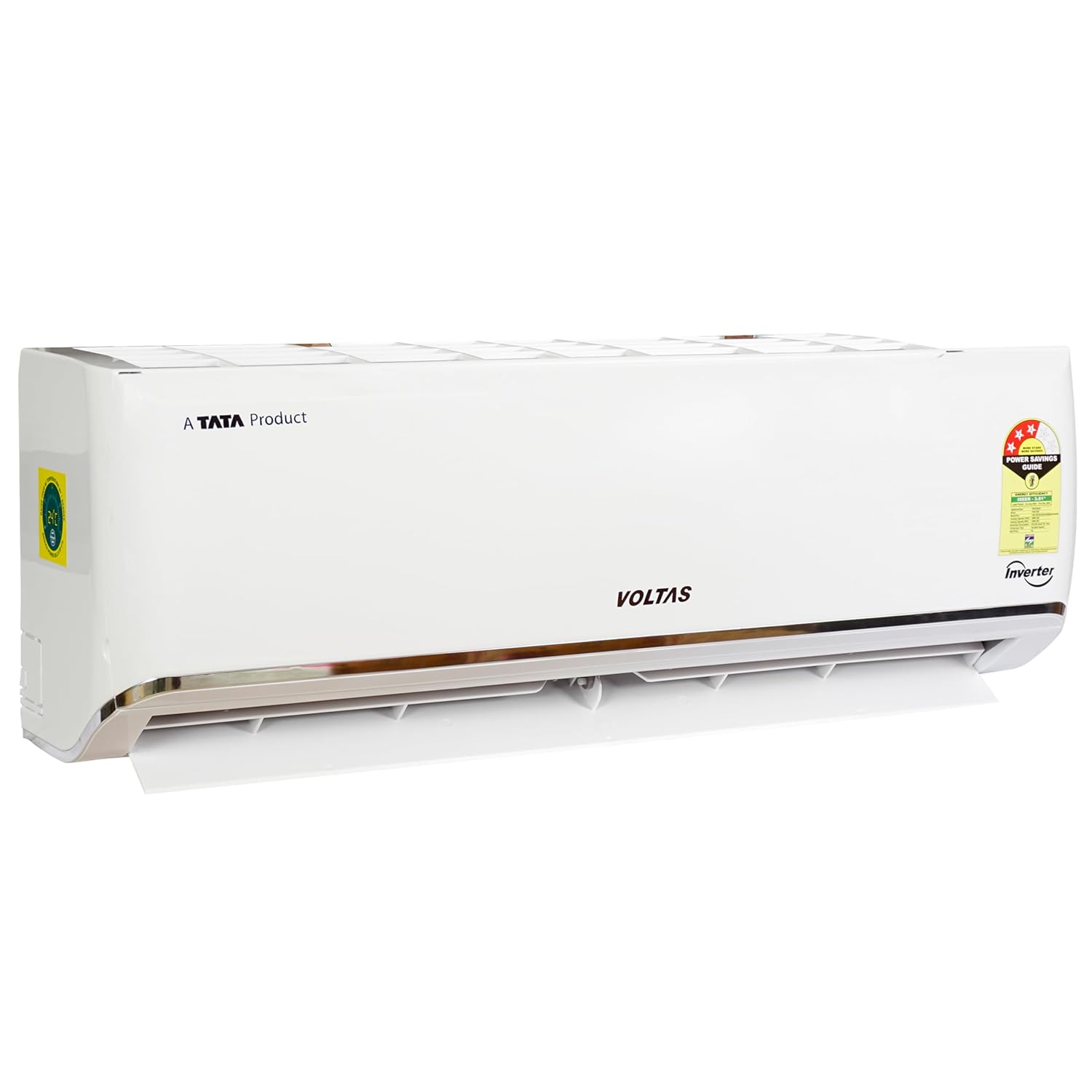
Image 1.1: Voltas 1.5 Ton Inverter Split AC Indoor Unit. This image displays the white indoor unit of the air conditioner, featuring the 'Voltas' logo and 'Inverter' branding, along with an energy rating sticker.

Image 1.2: Voltas 1.5 Ton Inverter Split AC Outdoor Unit. This image shows the white outdoor unit of the air conditioner, with a large fan grille, the 'Voltas' logo, and 'Inverter' branding, along with warning labels.

Image 1.3: Voltas AC Remote Control. This image displays the white remote control for the air conditioner, featuring various buttons for mode, fan speed, temperature adjustment, and special functions like 'Turbo' and 'Sleep'.
2. Safety Instructions
To prevent injury to the user or other people and property damage, the following instructions must be followed. Incorrect operation due to ignoring instructions may cause harm or damage.
- Professional Installation: Installation, maintenance, and repair must be performed by qualified service personnel. Do not attempt to install or repair the unit yourself.
- Electrical Safety: Ensure the power supply matches the rating label. Do not use damaged power cords or plugs. Do not operate with wet hands.
- Ventilation: Ensure proper ventilation around the outdoor unit to prevent overheating.
- Children and Pets: Keep children and pets away from the unit, especially during operation. Do not allow children to play with the remote control.
- Cleaning: Always disconnect power before cleaning the unit. Use a soft, dry cloth for cleaning. Do not use water or liquid detergents directly on the unit.
- Flammable Materials: Do not place flammable materials or spray aerosols near the unit.
3. Setup and Installation
The Voltas 1.5 Ton Inverter Split AC is designed for split-system installation, requiring both an indoor and an outdoor unit connected by copper piping. For optimal performance and safety, professional installation by a certified technician is highly recommended.
3.1 Pre-Installation Checks
- Ensure the installation location can support the weight of both units.
- Verify adequate space for air circulation around both units.
- Confirm that the electrical supply meets the unit's requirements (230 Volts).
3.2 Unit Dimensions
Understanding the dimensions is crucial for proper placement and installation.

Image 3.1: Voltas AC Indoor Unit Dimensions. This image illustrates the dimensions of the indoor unit: 80 cm (width), 29.49 cm (height), and 55.5 cm (depth).
- Indoor Unit Dimensions (LxWxH): 29.5D x 80W x 55.5H Centimeters
- Outdoor Unit Item Weight: 38 kg
Refer to the detailed installation guide provided by your technician for specific mounting and connection procedures.
4. Operating Instructions
Your Voltas Inverter Split AC offers various features for comfortable and efficient cooling. Use the remote control to access these functions.
4.1 Remote Control Functions
The remote control allows you to adjust settings and activate special modes. Familiarize yourself with the buttons as shown in Image 1.3.
- Power Button: Turns the unit ON/OFF.
- Mode Button: Cycles through operating modes (Cool, Fan, Dry, Auto).
- Temp +/- Buttons: Adjusts the desired temperature.
- Fan Button: Adjusts fan speed (Low, Medium, High, Auto).
- V.Swing / H.Swing: Controls vertical and horizontal louver movement for air direction.
- Sleep Mode: Optimizes temperature and fan speed for comfortable sleep.
- Turbo Mode: Provides rapid cooling.
- Timer ON/OFF: Sets a timer for the unit to turn ON or OFF automatically.
4.2 4-in-1 Adjustable Mode
This feature allows you to adjust the cooling capacity of the AC to suit your needs, providing flexibility and energy savings. The available capacities are 0.7, 1, 1.2, and 1.5 tons. Consult your remote control or user interface for specific instructions on how to select these modes.
4.3 Wide Voltage Range Operation (110V - 285V)
Your AC is designed for stabilizer-free operation within a wide voltage range of 110V to 285V, protecting the unit from voltage fluctuations and ensuring consistent performance.
5. Maintenance
Regular maintenance ensures the longevity and efficient operation of your air conditioner.
5.1 Anti-Microbial Air Filtration
The Anti-Microbial Air Filtration system deactivates bacteria, germs, and viruses, and captures fine dust particles. For optimal air quality and filter efficiency, clean the air filter regularly.
- Cleaning Frequency: Clean the air filter every two weeks or more frequently depending on usage and air quality.
- Procedure: Turn off the AC and disconnect power. Open the front panel of the indoor unit, remove the air filters, and clean them with a vacuum cleaner or wash them with lukewarm water. Allow them to dry completely before reinserting.
5.2 Anti-Corrosive Protection
Your AC features Anti-Corrosive Protection on the U Bend and Blue Fin on cooling coils. This protection helps prevent rusting and gas leakage, enhancing the durability of the unit. While this feature reduces corrosion, regular inspection by a technician is recommended, especially in coastal or high-humidity areas.
5.3 General Cleaning
- Wipe the indoor and outdoor units with a soft, dry cloth.
- Do not use harsh chemicals, abrasive cleaners, or solvents.
- Ensure the outdoor unit's coils are free from debris and obstructions.
6. Troubleshooting
This section provides guidance for common issues you might encounter. For more complex problems, contact customer service.
6.1 Self-Diagnosis Feature
Your Voltas AC is equipped with a Self-Diagnosis feature. If a problem occurs, the unit will display an error code. Note down this code and provide it to customer care for quicker and more efficient service. This often allows technicians to provide service in a single visit.
6.2 Common Issues
- Unit not turning on: Check power supply, circuit breaker, and remote control batteries.
- Insufficient cooling: Ensure air filters are clean, doors/windows are closed, and temperature setting is appropriate.
- Unusual noises: Minor operational noises are normal. If loud or unusual, contact service.
7. Specifications
Detailed technical specifications for the Voltas 1.5 Ton 3 Star Inverter Split AC, model 183V VECTRA ZEN SILVER.

Image 7.1: Voltas AC Power Savings Guide Label. This image shows the energy efficiency label for the AC, indicating an ISEER of 3.81, 3-star rating, and annual energy consumption of 975.26 Units Per Year.
| Feature | Specification |
|---|---|
| Brand | Voltas |
| Model | 183V VECTRA ZEN SILVER |
| Capacity | 1.5 Tons |
| Energy Efficiency (ISEER) | 3.81 (3 Star Rating) |
| Annual Energy Consumption | 975 Kilowatt Hours Per Year |
| Noise Level | 43 Decibels |
| Installation Type | Split System |
| Voltage | 230 Volts (Wide Range: 110V - 285V) |
| Wattage | 1104 Watts |
| Cooling Power | 4400 Kilowatts |
| Material | Plastic |
| Item Weight (Outdoor Unit) | 38 kg |
| Product Dimensions (Indoor Unit LxWxH) | 29.5D x 80W x 55.5H Centimeters |
| Special Features | 4-in-1 Adjustable Mode, Anti Bacterial Anti Microbial Air Filtration-Filter, Anti Corrosive Protection, Self Diagnosis, 100% Copper Tubing |
8. Warranty Information
Your Voltas 1.5 Ton 3 Star Inverter Split AC comes with the following warranty coverage:
- Complete Unit: 1 Year
- PCB (Printed Circuit Board): 5 Years
- Compressor: 10 Years
Please retain your purchase receipt for warranty claims. The warranty covers manufacturing defects under normal use conditions. For detailed terms and conditions, refer to the warranty card included with your product or contact Voltas customer service.
9. Customer Support
For any queries, technical assistance, or service requests regarding your Voltas Air Conditioner, please contact Voltas customer service.
- Customer Service Number: Please refer to the contact information provided in your product documentation or on the official Voltas website.
- Online Support: Visit the official Voltas website for FAQs, service center locators, and online support.