
Introduction
This manual provides detailed instructions for the installation, operation, and maintenance of your Globe Electric 27109 52 Inch Smart Ceiling Fan. This fan features an integrated LED light, remote control, a WhisperQuiet DC motor with 6 speeds, and smart app compatibility. Please read all instructions carefully before beginning installation and retain this manual for future reference.

Image: The Globe Electric 52 Inch Smart Ceiling Fan, showcasing its three wood-toned blades, integrated LED light, and the included remote control. Logos for Alexa, Hey Google, Siri, and SmartThings indicate smart home compatibility.
Safety Information
WARNING: To reduce the risk of fire, electric shock, or personal injury, always follow these safety guidelines:
- Ensure the power is turned off at the circuit breaker before installation or servicing.
- All wiring must be in accordance with national and local electrical codes. Consult a qualified electrician if you are unsure about wiring.
- The mounting structure must be capable of supporting the weight of the fan (minimum 35 lbs / 15.9 kg).
- Do not bend the blade holders during installation, balancing, or cleaning.
- Keep hands clear of the fan blades when the fan is operating.
- Do not operate the fan with damaged parts.
Package Contents
Verify that all components are present before beginning installation:
- Ceiling Fan Motor Assembly
- Fan Blades (3)
- Integrated LED Light Kit
- Remote Control with Magnetic Wall Mount Plate
- Mounting Hardware Kit
- Instruction Sheet (this manual)
Setup and Installation
Pre-Installation
- Turn off power at the main circuit breaker.
- Ensure you have all necessary tools (screwdriver, wire strippers, ladder, etc.).
- Confirm the electrical box is securely mounted and rated for ceiling fan support.
Mounting the Fan
The fan includes easy bracketing and a quick connect design for trouble-free installation. It can be installed on a sloped or vaulted ceiling.
- Attach the mounting bracket to the ceiling electrical box using the provided screws and washers.
- Carefully lift the fan motor assembly and hang it from the mounting bracket using the safety cable.
Wiring
Connect the fan's electrical wires to the household wiring according to the wiring diagram in the full instruction sheet. This fan is designed for single-switch operation and does not support separate light and fan switches.
Attaching Blades and Light Kit
- Securely attach the three fan blades to the motor housing.
- Connect the integrated LED light kit to the fan motor assembly and secure it in place.

Image: A technical diagram illustrating the dimensions of the ceiling fan and its compatibility with sloped ceilings up to 18 degrees.
Operating Instructions
Remote Control Operation
The included remote control allows full functionality of your ceiling fan. It comes with a magnetic mounting plate for convenient wall storage.

Image: A detailed diagram of the remote control, labeling buttons for full ON/OFF switch, 1-6 fan speed levels, airflow direction, fan ON/OFF, light ON/OFF, color temperature select, dimming, and RGB color select.
- Fan ON/OFF: Press the fan icon button to turn the fan on or off.
- Fan Speed: Select speeds 1-6 using the numbered buttons.
- Airflow Direction: Press the airflow icon to reverse the fan's direction (summer/winter mode).
- Light ON/OFF: Press the light bulb icon to turn the light on or off.
- Dimming: Use the up/down arrow buttons to adjust light brightness (10%-100%).
- Color Temperature Select: Press the color temperature icon to cycle through white light temperatures (2000K-5000K).
- RGB Color Select: Press the RGB color icon to choose from millions of color options.
Smart App and Voice Control
Control your fan using the Globe Smart App on your smartphone or through voice commands with compatible smart assistants.
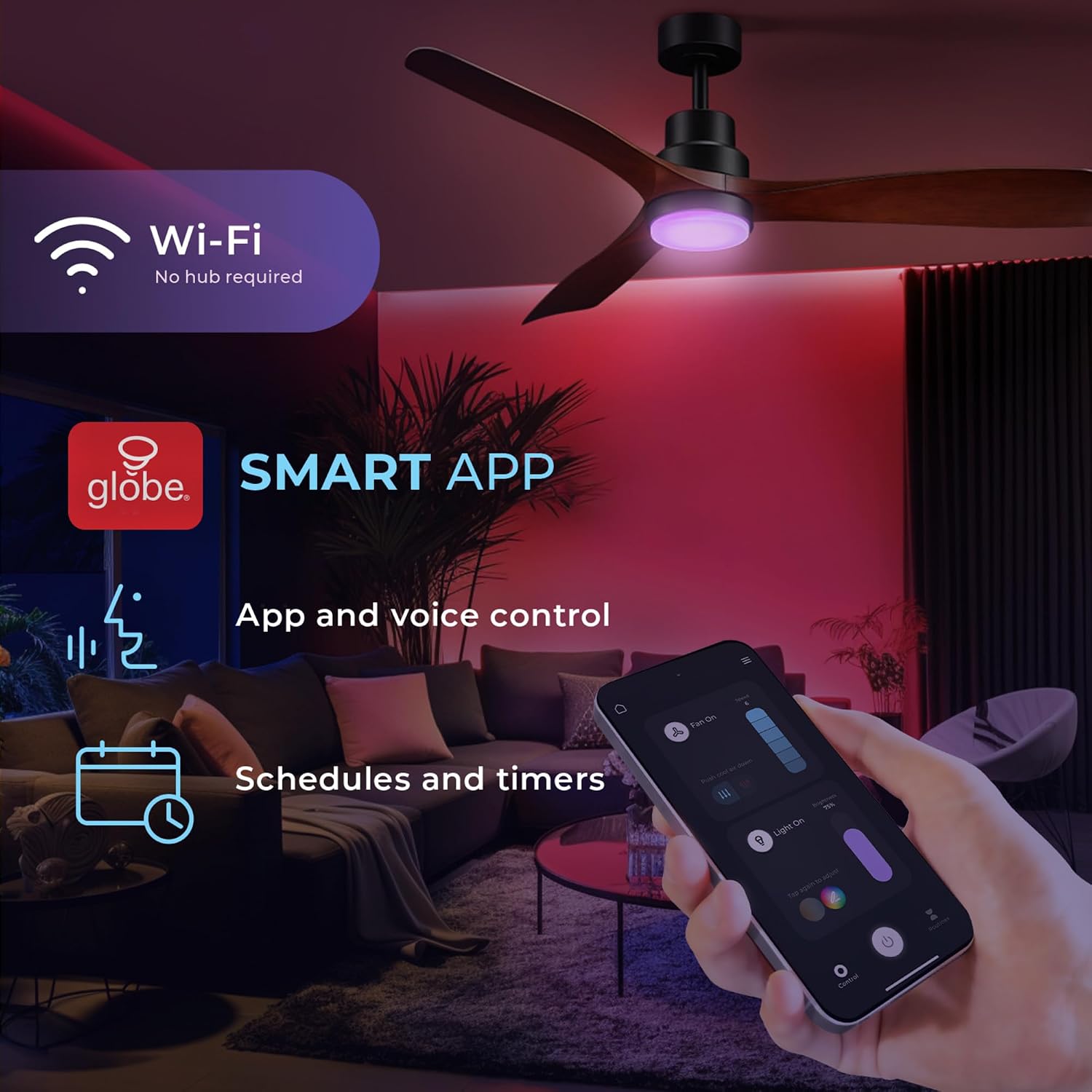
Image: A smartphone screen showing the Globe Smart App, illustrating app and voice control, schedules, and timers for the ceiling fan and light.
- Globe Smart App: Download the Globe Smart App from your device's app store. Follow the in-app instructions to pair your fan. The app allows you to schedule timers, control fan speed and direction, and customize light settings.
- Voice Control: The fan is compatible with Alexa, Google Home, and Siri. Link your Globe Smart App account to your preferred voice assistant for hands-free control.
Reversible Airflow
The fan features a reversible DC motor, allowing you to change the airflow direction for year-round comfort.

Image: A visual representation of the fan's reversible function, showing a cool downdraft for summer and circulating rising warm air for winter.
- Summer Mode: Downward airflow creates a cooling effect.
- Winter Mode: Upward airflow circulates warm air trapped near the ceiling.
Integrated LED Light
The integrated LED light offers adjustable color temperature and millions of color options.

Image: Three distinct scenes demonstrating the LED light's adjustable color temperature settings: 'Relax' (warm white, 2000K-3000K), 'Comfort' (neutral white, 3000K-4000K), and 'Focus' (cool white, 4000K-5000K).
- Tunable White: Adjust the white light from 2000K (soft white) to 5000K (cool white).
- RGB Colors: Access over 16 million color options for ambient lighting.
- Dimmable: The light is fully dimmable from 10% to 100%.
Maintenance
Regular maintenance ensures optimal performance and longevity of your ceiling fan.
- Cleaning: Use a soft, damp cloth to clean the fan blades and motor housing. Do not use abrasive cleaners or solvents.
- Blade Balance: If the fan wobbles, check that all blade screws are tight and blades are not warped. A balancing kit (not included) may be used if necessary.
- Light Source: The LED light is integrated and not user-replaceable. Contact customer support if the light fails.
Troubleshooting
If you encounter issues, refer to the following common problems and solutions:
| Problem | Possible Cause | Solution |
|---|---|---|
| Fan does not start | No power; Loose wire connections; Remote control battery dead. | Check circuit breaker; Verify all wire connections are secure; Replace remote control battery. |
| Light does not work | No power; Loose wire connections; Remote control issue. | Check circuit breaker; Verify light kit connections; Ensure remote battery is good and paired. |
| Fan wobbles | Loose blade screws; Unbalanced blades; Loose mounting bracket. | Tighten all blade screws; Use a balancing kit; Ensure mounting bracket is secure. |
| Remote not responding | Dead battery; Not paired; Interference. | Replace battery; Re-pair remote (refer to full manual for pairing steps); Reduce interference sources. |
| Smart App connectivity issues | Wi-Fi signal weak; Incorrect network; App not updated. | Ensure strong 2.4GHz Wi-Fi signal; Connect to correct network; Update Globe Smart App. |
Specifications
Technical details for the Globe Electric 27109 Smart Ceiling Fan:
| Feature | Detail |
|---|---|
| Model Number | 27109 |
| Fan Size | 52 inches (132.1 cm) |
| Product Dimensions (D x W x H) | 132.1D x 132.1W x 24.5H centimetres |
| Motor Type | DC Motor (70% more energy efficient) |
| Number of Speeds | 6 |
| Air Flow Capacity | 5000 cubic feet per minute |
| Light Type | Integrated LED |
| LED Wattage | 18 watts |
| LED Lumens | 800 Lumens |
| Color Rendering Index (CRI) | 80 |
| Color Temperature | 2000K - 5000K (Tunable White) + 16+ Million RGB Colors |
| Control Method | Remote Control, Globe Smart App, Voice Control (Alexa, Google Home, Siri, SmartThings) |
| Voltage | 120V |
| Indoor/Outdoor Usage | Indoor |
| Material | Metal |
Warranty and Support
Your Globe Electric 27109 Smart Ceiling Fan is covered by a 3-year manufacturer's limited warranty.
For technical assistance, troubleshooting, or warranty claims, please contact Globe Electric customer support. Refer to the official Globe Electric website for the most current contact information.

Image: A man and a baby sleeping soundly beneath the ceiling fan, emphasizing its WhisperQuiet operation, 6 speeds, DC motor, 70% energy efficiency, and the 3-year limited warranty.


