1. Introduction
The JBL Cinema SB180 is a 2.1 channel home theatre system designed to enhance your audio experience with powerful sound and deep bass. It features a soundbar and a wireless subwoofer, offering versatile connectivity options including HDMI ARC, Bluetooth, and Optical. This manual provides essential information for setting up, operating, and maintaining your JBL Cinema SB180.

Image 1.1: JBL Cinema SB180 Soundbar, Wireless Subwoofer, and Remote Control. This image displays the complete JBL Cinema SB180 system, including the main soundbar unit, the cubic wireless subwoofer, and the compact remote control, all in black finish.
2. Safety Information
Please read all safety instructions carefully before using this product. Keep this manual for future reference.
- Power Source: Use only the power cords supplied with the unit. Ensure the voltage matches your local power supply.
- Ventilation: Do not block any ventilation openings. Install in accordance with the manufacturer's instructions.
- Water and Moisture: Do not expose this apparatus to dripping or splashing and ensure that no objects filled with liquids, such as vases, are placed on the apparatus.
- Heat: Do not install near any heat sources such as radiators, heat registers, stoves, or other apparatus (including amplifiers) that produce heat.
- Cleaning: Clean only with a dry cloth.
- Servicing: Do not attempt to service this product yourself. Refer all servicing to qualified service personnel.
3. What's in the Box
Verify that all components listed below are included in your package:
- 1 x Soundbar
- 1 x Wireless Subwoofer
- 1 x Remote Control with Batteries
- 1 x Power Cords (for Soundbar and Subwoofer)
- 1 x HDMI Cable
- 1 x Wall-mount Bracket Kit with Screws
- 1 x Quick Start Guide
- 1 x Warranty Card
- 1 x Safety Sheet

Image 3.1: Front view of the JBL Cinema SB180 Soundbar. This image shows the sleek, black soundbar with its speaker grille and subtle JBL branding.

Image 3.2: Front view of the JBL Cinema SB180 Wireless Subwoofer. This image highlights the compact, black design of the subwoofer, featuring the JBL logo at the bottom.
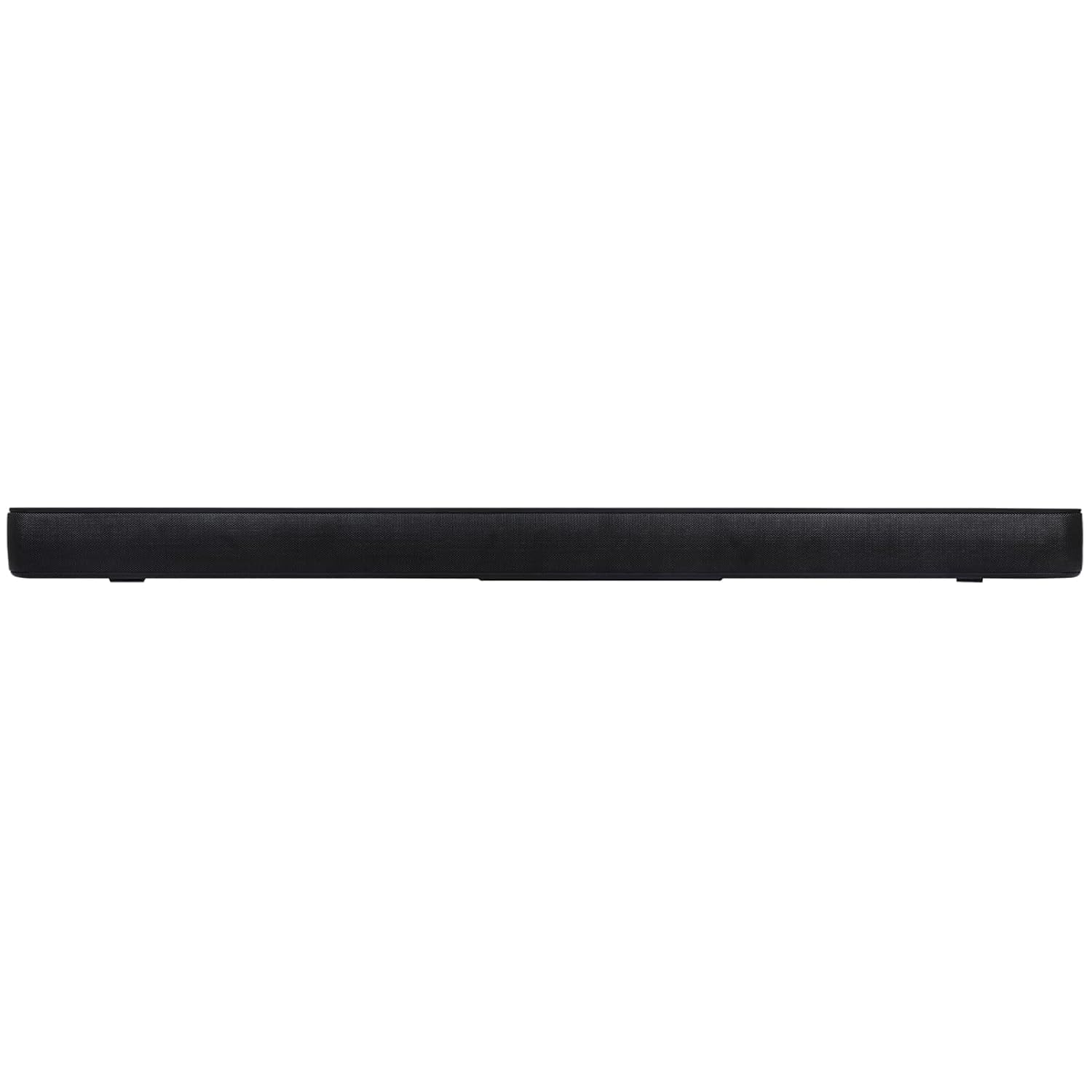
Image 3.3: JBL Cinema SB180 Remote Control. This image displays the black remote control with clearly labeled buttons for power, volume, input selection, and sound modes.
4. Setup
4.1 Placement
- Soundbar: Place the soundbar on a flat surface directly in front of your television, centered. Ensure there are no obstructions in front of the soundbar. Alternatively, you can wall-mount the soundbar using the provided bracket kit.
- Wireless Subwoofer: Position the wireless subwoofer anywhere in the room, preferably near the soundbar, for optimal bass performance. Ensure it is within range for wireless connection.
4.2 Connections
Connect the soundbar to your television or other audio sources using one of the following methods:
- HDMI ARC (Recommended): Connect one end of the supplied HDMI cable to the HDMI ARC port on the soundbar and the other end to the HDMI ARC port on your television. This allows audio to be sent from the TV to the soundbar and enables TV remote control of the soundbar volume.
- Optical: Connect an optical cable (not supplied) from the Optical OUT port on your television to the Optical IN port on the soundbar.
- Bluetooth: For wireless audio streaming from mobile devices, refer to the "Bluetooth Pairing" section under Operating.

Image 4.1: Rear panel of the JBL Cinema SB180 Wireless Subwoofer. This image shows the power input and the "PAIR" button on the back of the subwoofer, essential for wireless connection.
4.3 Power On and Subwoofer Pairing
- Connect the power cords to the soundbar and the wireless subwoofer, then plug them into a power outlet.
- The soundbar and subwoofer should automatically pair when powered on. The LED indicator on the subwoofer will turn solid blue when successfully paired.
- If the subwoofer does not pair automatically, press the "PAIR" button on the rear of the subwoofer (refer to Image 4.1) and then press the Bluetooth button on the soundbar or remote control to initiate pairing.
5. Operating
5.1 Basic Controls (Remote Control)
Use the supplied remote control to operate your soundbar:
- Power Button (⏻): Turns the soundbar on or off.
- Volume Up/Down (+ / -): Adjusts the master volume level.
- Mute Button (🔇): Mutes or unmutes the sound.
- Input Selection (↻): Cycles through available input sources (HDMI ARC, Optical, Bluetooth).
- Bluetooth Button (➿): Enters Bluetooth pairing mode.
- Sound Modes:
- CIN (Cinema): Optimizes sound for movies, enhancing dialogue and surround effects.
- SONG (Music): Provides a balanced audio profile for music playback.
- TV: Standard audio mode for general television viewing.
5.2 Bluetooth Pairing
- Press the Bluetooth button (➿) on the remote control or the soundbar. The Bluetooth indicator on the soundbar will blink.
- On your mobile device, enable Bluetooth and search for "JBL Cinema SB180" in the list of available devices.
- Select "JBL Cinema SB180" to connect. Once connected, the Bluetooth indicator on the soundbar will turn solid blue.
- You can now stream audio from your device to the soundbar.
6. Maintenance
Proper maintenance ensures the longevity and optimal performance of your JBL Cinema SB180.
- Cleaning: Use a soft, dry cloth to clean the surfaces of the soundbar and subwoofer. Do not use liquid cleaners or aerosol sprays, as they may damage the finish or internal components.
- Ventilation: Ensure that the ventilation openings on the soundbar and subwoofer are not blocked by dust or debris. Regularly check and clean if necessary.
- Storage: If storing the unit for an extended period, disconnect it from the power supply and store it in a cool, dry place away from direct sunlight and extreme temperatures.
7. Troubleshooting
If you encounter issues with your JBL Cinema SB180, refer to the following common problems and solutions:
| Problem | Possible Cause | Solution |
|---|---|---|
| No power | Power cord not connected; Power outlet not active. | Ensure power cords are securely connected to the soundbar/subwoofer and a working power outlet. |
| No sound from soundbar | Incorrect input selected; Volume too low; Muted; Cable connection issue. | Select the correct input source. Increase volume. Unmute the soundbar. Check HDMI/Optical cable connections. |
| No sound from subwoofer | Subwoofer not paired; Subwoofer power issue. | Ensure subwoofer is powered on. Re-pair the subwoofer by pressing the PAIR button on the subwoofer and Bluetooth button on the soundbar/remote. |
| Bluetooth connection fails | Device too far; Soundbar not in pairing mode; Interference. | Ensure device is within range. Press Bluetooth button on soundbar/remote to enter pairing mode. Move away from other wireless devices. |
| Remote control not working | Batteries depleted; Obstruction; Remote sensor blocked. | Replace batteries. Remove any obstructions between remote and soundbar. Ensure remote sensor on soundbar is clear. |
8. Specifications
| Model Name | JBL Cinema SB180 |
| Model Number | JBLSB180BLKIN |
| Speaker Type | Soundbar with Wireless Subwoofer |
| Surround Sound Channel Configuration | 2.1 |
| Total Speaker Output Power | 220 Watts |
| Subwoofer Diameter | 12 Inches |
| Connectivity Technology | Bluetooth, HDMI ARC, Optical |
| Wireless Communication Technology | Bluetooth |
| Product Dimensions (Soundbar) | 9.9D x 92W x 6.3H Centimeters |
| Item Weight | 5.6 kg (5600 Grams) |
| Material | Plastic |
| Color | Black |
| Included Components | Soundbar, Wireless Subwoofer, Remote Control with Batteries, Power Cords, HDMI Cable, Wall-mount Bracket Kit with Screws, Quick Start Guide, Warranty Card, Safety Sheet |
9. Warranty and Support
9.1 Warranty Information
Your JBL Cinema SB180 comes with a warranty. Please refer to the included "Warranty Card" for detailed terms and conditions, warranty period, and claim procedures. Keep your purchase receipt as proof of purchase for warranty claims.
9.2 Customer Support
For technical assistance, troubleshooting beyond this manual, or warranty inquiries, please contact JBL customer support. You can find contact information on the official JBL website or through the details provided on your warranty card or safety sheet.
Manufacturer: HARMAN International Industries, Incorporated
Importer/Packer (India): Harman International (India) Pvt Ltd, Salarpuria Sattva Knowledge Court, Office-1, Wing ‘A’ & ‘B’ 6th floor, Plot No. 9, Phase I , Doddenakkundi Industrial Area, Bearing Khata bearing Sl. No. 299 old No.62, situated at Survey No. 77, Doddenakkundi Village, K.R. Puram Hobli, Bangalore East Taluk, Bangalore -560048, Karnataka.
For more information, visit the official JBL Store on Amazon.