
1. Introduction
This manual provides essential instructions for the safe and efficient operation of your OUPES Mega 1 Power Station Bundle. This bundle includes the OUPES Mega 1 Portable Power Station, one OUPES B2 Extra Battery, and two OUPES Portable Solar Panels 240W (total 480W). Please read this manual thoroughly before use and retain it for future reference.
2. Package Contents
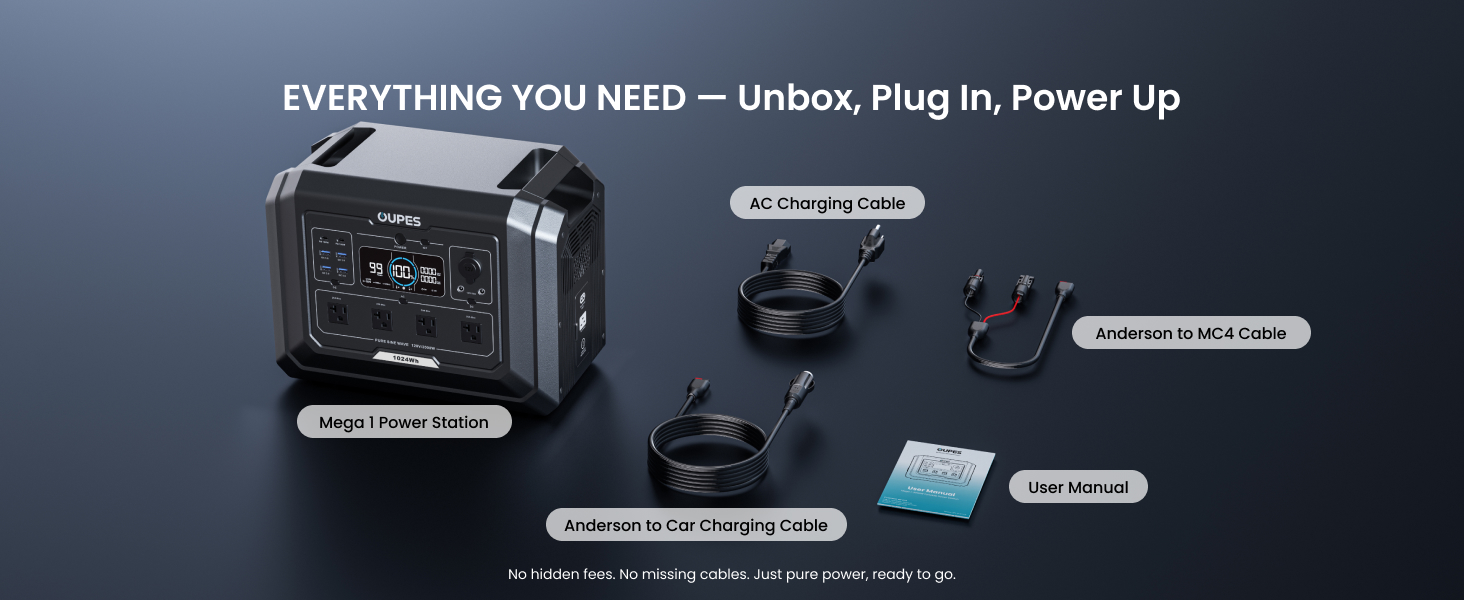
Verify that all items are present in your package:
- 1x OUPES Mega 1 Portable Power Station
- 1x OUPES B2 Extra Battery
- 2x OUPES Portable Solar Panel 240W (480W total)
- 1x AC Charging Cable
- 1x Anderson to MC4 Cable
- 1x Anderson to Car Charging Cable
- 1x User Manual

3. Setup and Connection
3.1 Initial Charge
It is recommended to fully charge the OUPES Mega 1 Power Station and B2 Extra Battery before first use to optimize battery performance and longevity.
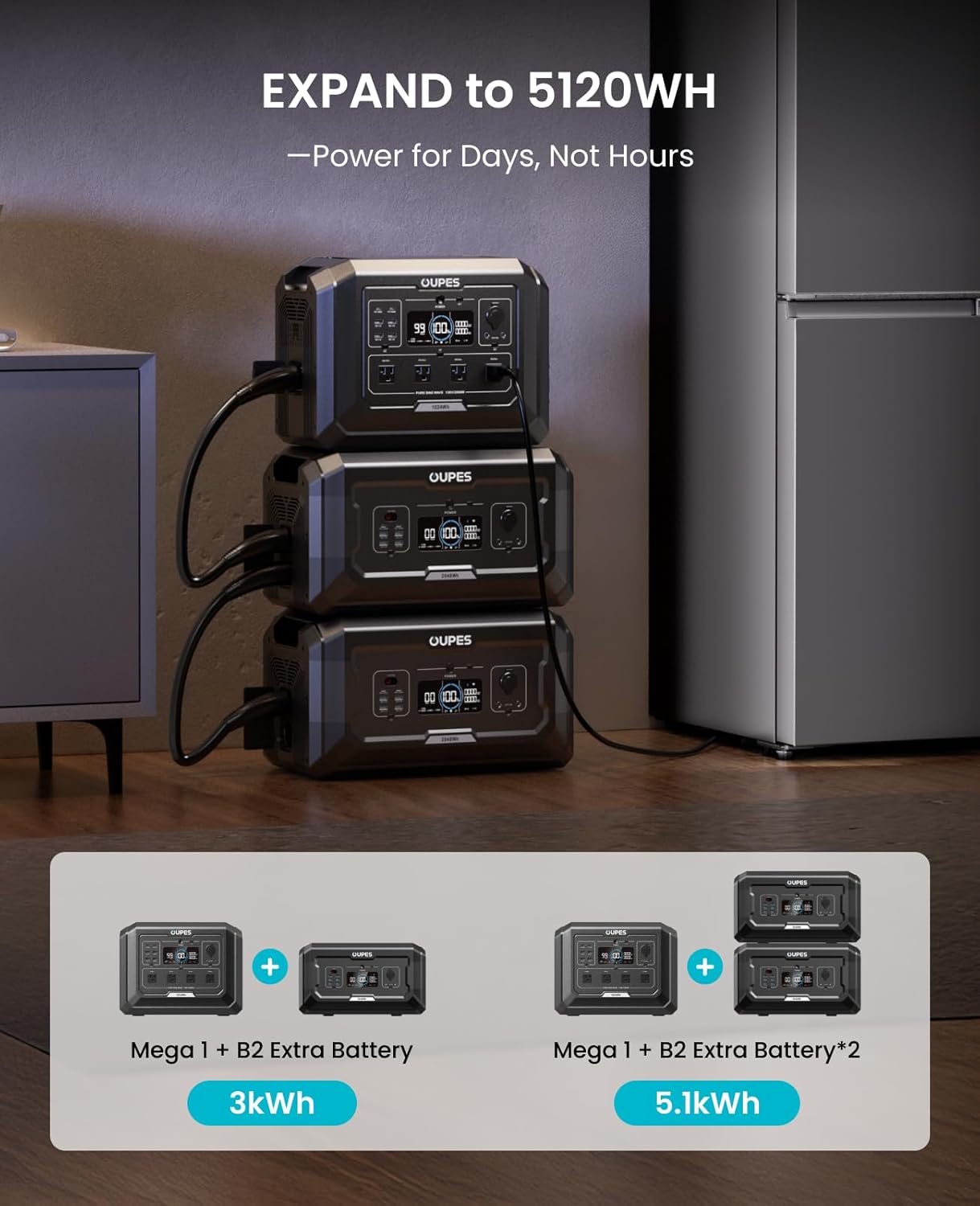
3.2 Connecting the B2 Extra Battery
The B2 Extra Battery can be connected to the Mega 1 Power Station to expand the total capacity. Ensure both units are powered off before connecting. Use the designated cable to link the expansion ports on both units.
3.3 Connecting Solar Panels
To charge the power station using solar energy:
- Unfold the 240W solar panels and position them to maximize sunlight exposure.
- Adjust the kickstands to achieve the optimal angle towards the sun.
- Connect the solar panels to the OUPES Mega 1 Power Station using the Anderson to MC4 cable.
- The power station will automatically detect the solar input and begin charging.

4. Operating Instructions
4.1 Powering On/Off
Press and hold the main power button on the OUPES Mega 1 Power Station to turn the unit on or off. The display screen will illuminate upon activation.
4.2 Charging the Power Station
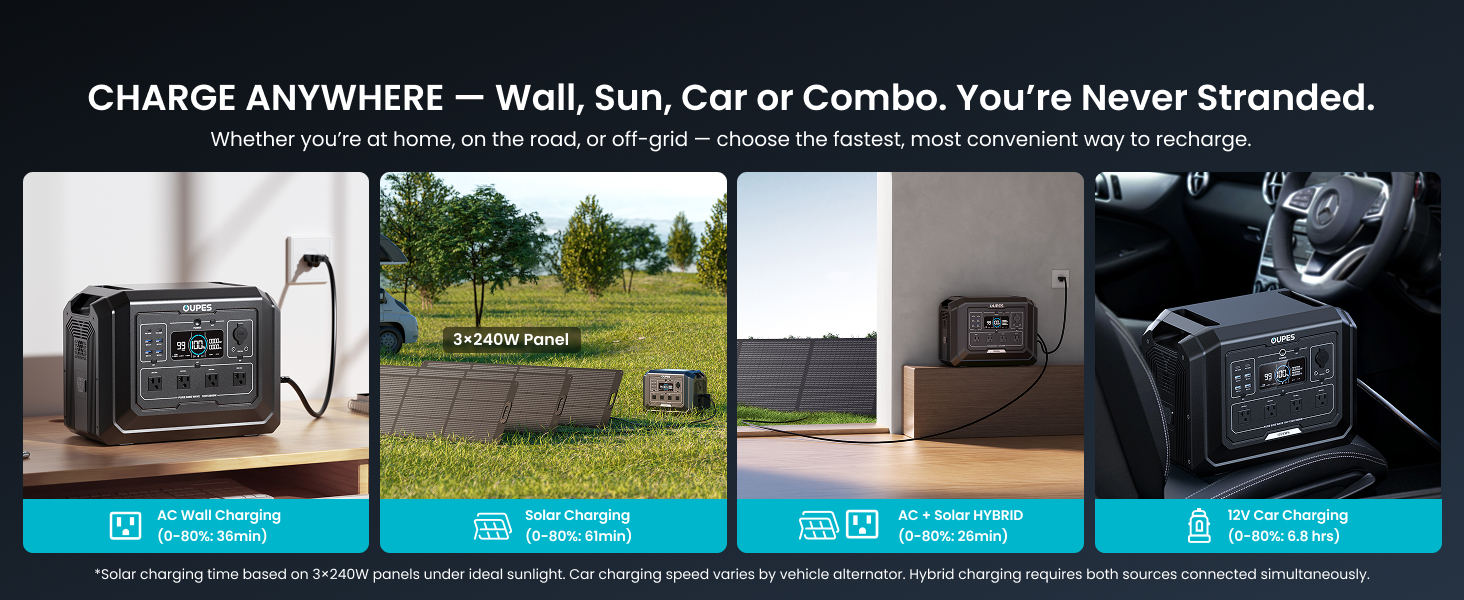
The OUPES Mega 1 offers multiple charging methods:
- AC Wall Charging: Connect the AC charging cable to a standard wall outlet. The unit supports ultra-fast charging, reaching 80% in approximately 36 minutes.
- Solar Charging: Connect the solar panels as described in Section 3.3. Charging time varies based on sunlight intensity and panel orientation.
- Car Charging: Use the Anderson to Car Charging Cable to charge from your vehicle's 12V outlet.
- AC + Solar Hybrid Charging: For the fastest recharge, combine AC wall charging with solar input.

4.3 Using Output Ports
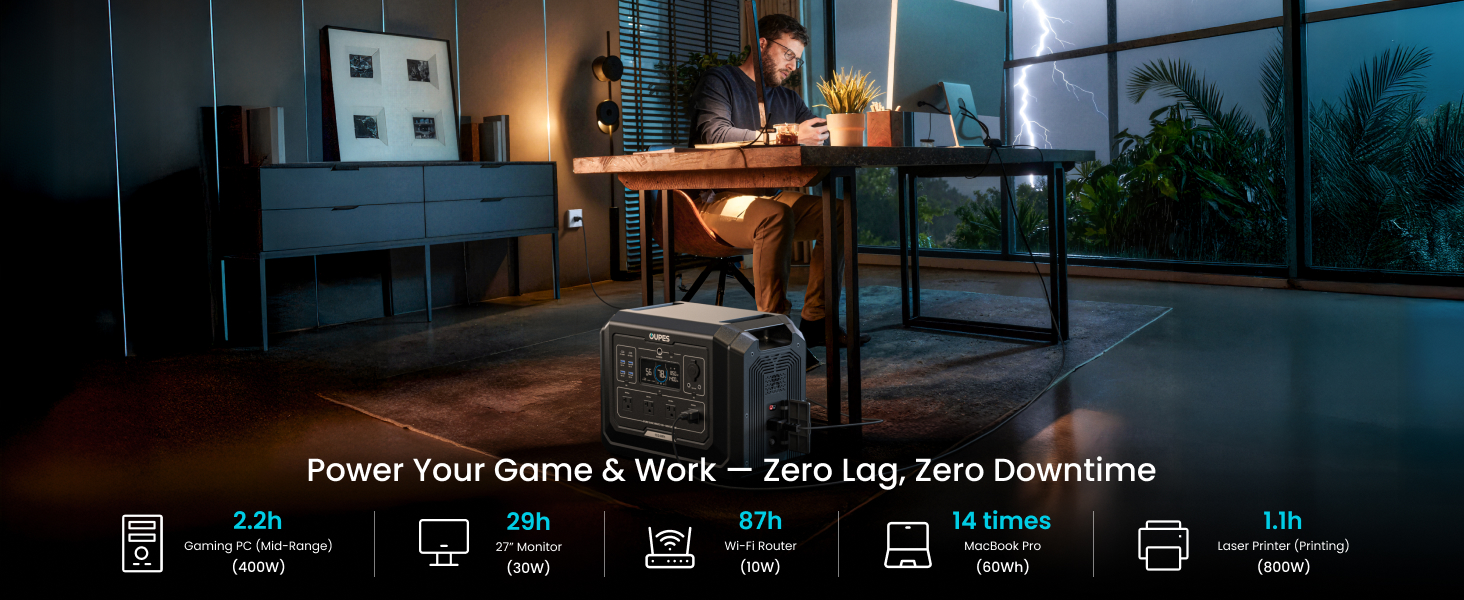
The Mega 1 Power Station and B2 Extra Battery provide a variety of output ports:
- Mega 1 Power Station: 4x 120V/2000W AC outlets, 2x USB-C 100W ports, 4x USB-A 18W ports, 2x DC5521 ports, and 1x car lighter socket.
- B2 Extra Battery: 1x 12V/30A Anderson port, 2x USB-C 100W ports, 4x USB-A 18W ports, 2x DC5521 ports, and 1x car lighter socket.
To use an output port, ensure the power station is on, then press the corresponding output button (e.g., AC, USB, DC) to activate it. The display will show the current output wattage.
4.4 Uninterruptible Power Supply (UPS) Function
The Mega 1 features a <20ms UPS function. When connected to an AC wall outlet and powering devices, if the grid power fails, the unit will automatically switch to battery power within 20 milliseconds, ensuring uninterrupted operation for connected electronics. This function requires the unit to be plugged into a wall outlet and turned ON.

4.5 Smart App Control
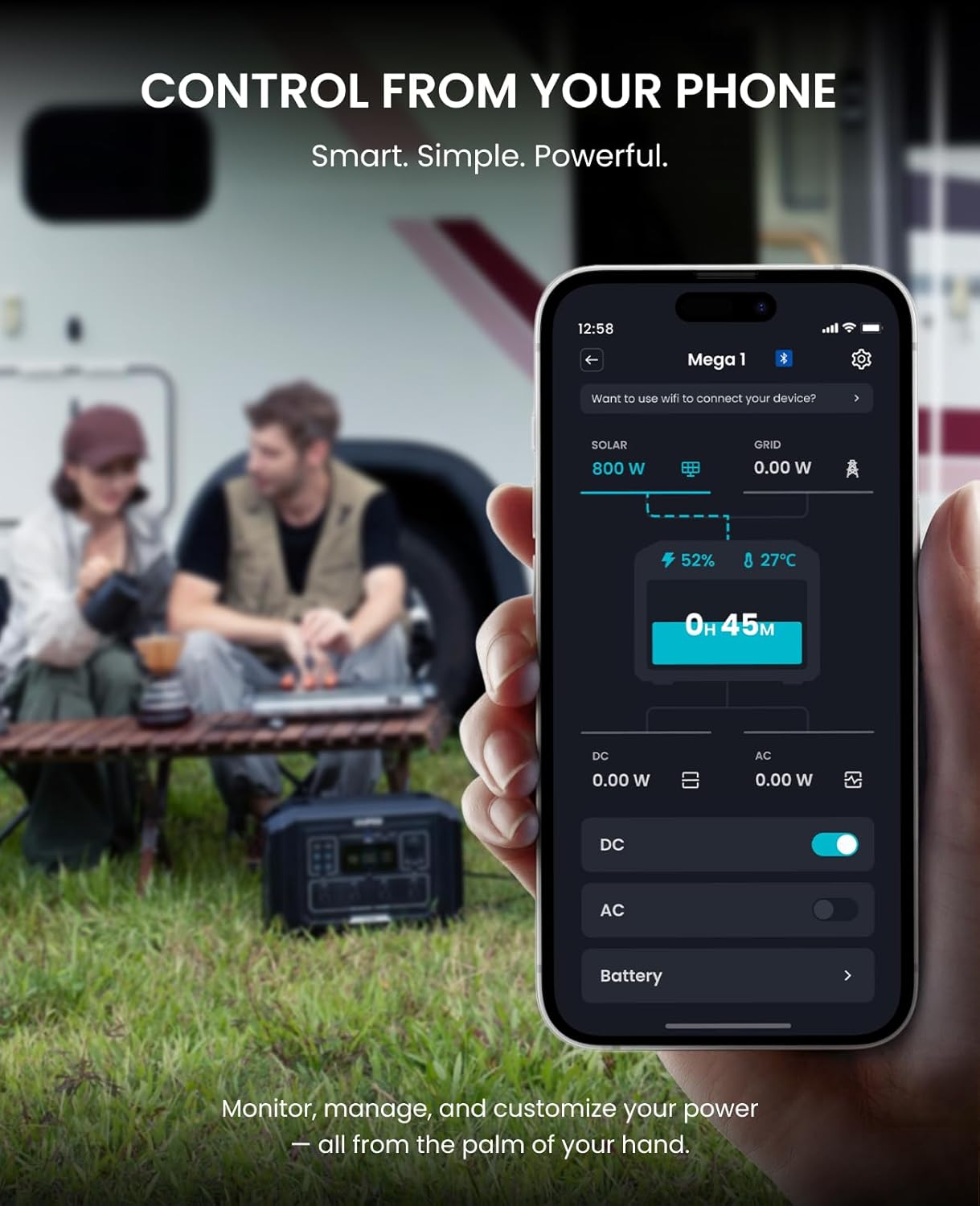
Monitor and control your OUPES Mega 1 Power Station remotely using the dedicated mobile application (available for iOS and Android). Connect via Wi-Fi or Bluetooth to view power usage, estimated runtime, port status, and adjust settings.
5. Maintenance
5.1 Battery Care
The OUPES Mega 1 uses LiFePO4 batteries, known for their longevity. To maximize battery lifespan:
- Avoid fully discharging the battery frequently.
- Store the unit in a cool, dry place away from direct sunlight.
- If storing for extended periods, charge the battery to approximately 50-80% every 3-6 months.
- The battery is rated for 3500+ life cycles to 80% capacity.

5.2 Cleaning and Storage
- Clean the exterior with a soft, dry cloth. Do not use abrasive cleaners or solvents.
- Ensure all ports are free of dust and debris.
- Store the unit in a well-ventilated area.
6. Troubleshooting
If you encounter issues with your OUPES Mega 1 Power Station, refer to the following common solutions:
- Unit Not Turning On: Ensure the battery is charged. Connect to an AC outlet for a few minutes to see if it powers on.
- No Output from Ports: Verify that the specific output (AC, DC, USB) is activated by pressing its respective button. Check if the total power draw exceeds the unit's 2000W continuous output limit.
- Slow Charging: Ensure all charging cables are securely connected. For solar charging, verify panels are in direct sunlight and angled correctly. Check for any obstructions.
- App Connectivity Issues: Ensure Bluetooth or Wi-Fi is enabled on your device and the power station. Try restarting both the app and the power station.
For further assistance, please contact OUPES customer support.
7. Specifications
| Feature | Detail |
|---|---|
| Brand | OUPES |
| Model Name | S1 (Mega 1) |
| Battery Type | LiFePO4 |
| Base Capacity (Mega 1) | 1024Wh |
| Extra Battery Capacity (B2) | 2048Wh |
| Total Capacity (Bundle) | 3072Wh (Mega 1 + B2) |
| AC Output (Continuous) | 2000W |
| AC Output (Peak/Surge) | 4500W |
| Voltage | 120 Volts (AC) |
| Charging Speed (0-80%) | 36 minutes (AC) |
| Max Charging Input (AC+Solar) | 2200W |
| Solar Input (MPPT) | 800W |
| UPS Switchover Time | <20ms |
| Output Ports (Mega 1) | 4x AC, 2x USB-C (100W), 4x USB-A (18W), 2x DC5521, 1x Car Lighter |
| Output Ports (B2 Battery) | 1x Anderson (12V/30A), 2x USB-C (100W), 4x USB-A (18W), 2x DC5521, 1x Car Lighter |
| Control | Smart APP (Wi-Fi/Bluetooth) |
| Dimensions (Mega 1) | 15.1"L x 9.1"W x 11.6"H |
| Item Weight (Mega 1) | 27.8 Pounds |
| Sound Level | 58 Decibels |
8. Warranty and Support
The OUPES Mega 1 Power Station Bundle comes with a 3-Year Warranty as per product specifications. While some promotional materials may indicate a 5-year warranty, please refer to your official product documentation for the exact warranty period applicable to your purchase. For warranty claims, technical support, or any inquiries, please contact OUPES customer service.
You can find more information and contact details on the official OUPES website or through their Amazon store page: OUPES Amazon Store.


