
EarFun EarFun K2
EarFun K2 Kids Bluetooth Headphones User Manual
Model: EarFun K2 | Brand: EarFun
Introduction
Welcome to the user manual for your new EarFun K2 Kids Bluetooth Headphones. These headphones are designed with children in mind, featuring safe volume limiting, comfortable materials, and a durable, foldable design. This manual provides essential information on setup, operation, maintenance, and troubleshooting to ensure a safe and enjoyable listening experience for your child.
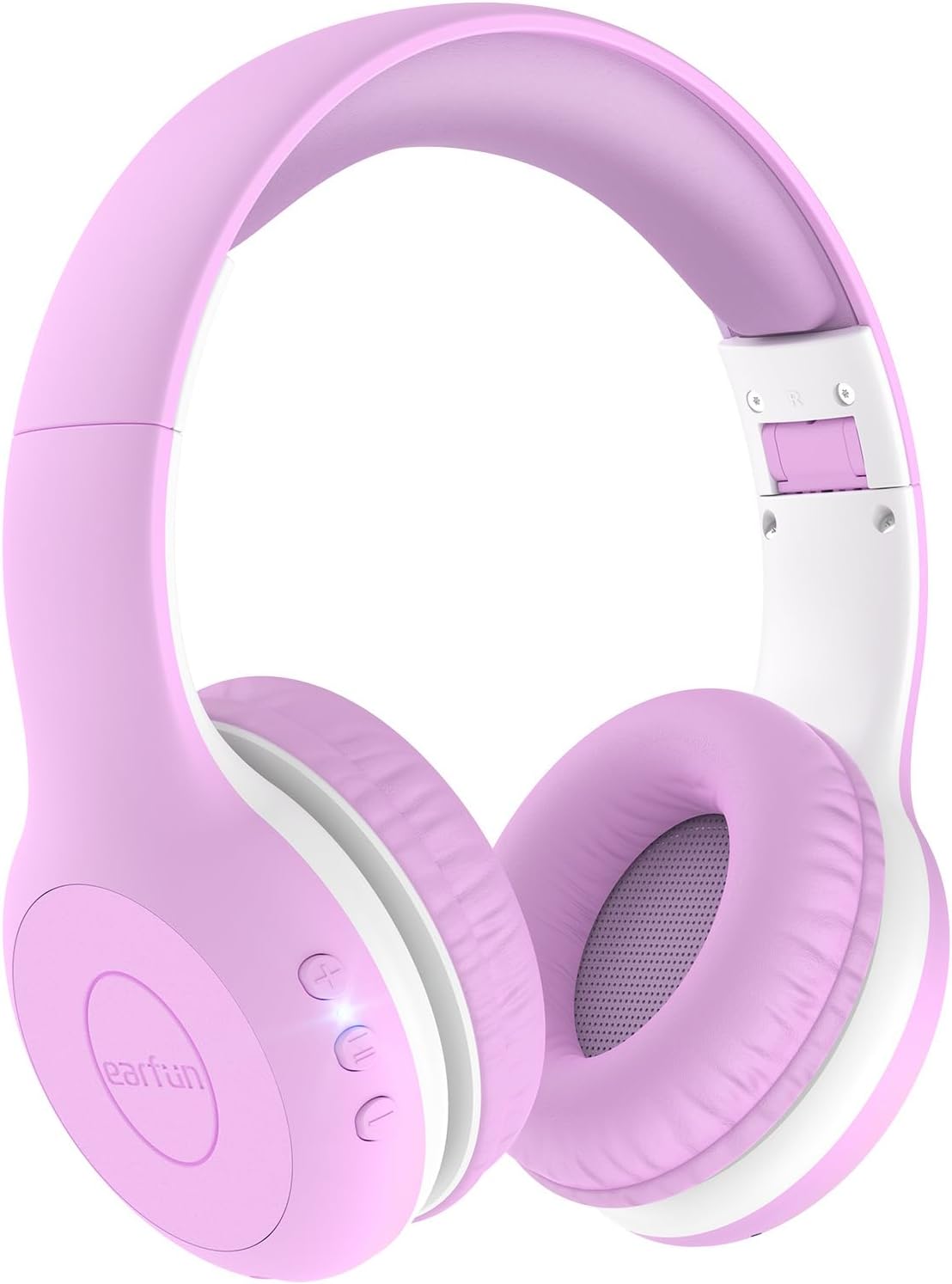
Image: EarFun K2 Kids Bluetooth Headphones in Violet color, showcasing the over-ear design and control buttons on the earcup.
What's in the Box
Please check the package contents to ensure all items are present:
- EarFun K2 Kids Bluetooth Headphone
- User Manual
- Charging Cable (USB-C)
- 3.5mm Audio Cable
Product Features
- Kids-Friendly and Comfy Material: Made from CPC-certified, RoHS2.0, and FCC compliant materials, featuring soft memory foam for a safe and cozy fit.
- Safe Volume Limiting: Adjustable volume limits at 74dB (Normal Mode), 85dB (Study Mode), and 94dB (Travel Mode) to protect children's hearing, meeting WHO recommended levels.
- Bluetooth 5.4 & Hands-Free Call: Ensures stable wireless connection and includes a built-in microphone for clear hands-free communication.
- Balanced Stereo Sound: Equipped with 40mm drivers for clear, crisp vocals and full dynamic bass, promoting good listening habits.
- Extended Playtime: Up to 40 hours of battery life on a single charge. A 2.5-hour charge via USB-C provides full battery.
- Reliable & Foldable Design: Constructed from wear-resistant material with an ergonomic headband that can be twisted and bent without breaking. The lightweight and foldable design enhances portability.

Image: Safety certifications for EarFun K2 headphones, highlighting compliance with CPC, RoHS, and FCC standards, along with the safe volume limits.

Image: Detailed view of the EarFun K2's thoughtful design, including 8-degree floating-axis, 8-level adjustable headband, and soft, comfy earcups.

Image: The EarFun K2 headphones folded for portability, shown next to a smartphone on a seesaw to illustrate their light weight (175g).
Setup
1. Charging the Headphones
Before first use, fully charge your EarFun K2 headphones.
- Connect the provided USB-C charging cable to the charging port on the headphones.
- Connect the other end of the cable to a USB power adapter (not included) or a computer's USB port.
- The LED indicator will show charging status (refer to LED indicator section for details). A full charge takes approximately 2.5 hours and provides up to 40 hours of playtime.

Image: Visual representation of the EarFun K2's long battery life (40 hours) and fast USB-C charging capabilities.
2. Bluetooth Pairing
To connect your EarFun K2 headphones to a Bluetooth-enabled device:
- Ensure the headphones are charged and powered off.
- Press and hold the Power button on the headphones until the LED indicator flashes blue and red, indicating pairing mode.
- On your device (smartphone, tablet, laptop), enable Bluetooth and search for available devices.
- Select "EarFun K2" from the list of found devices.
- Once connected, the LED indicator will turn solid blue or off, depending on the model.
The headphones will automatically attempt to reconnect to the last paired device when powered on.

Image: Illustration of the EarFun K2 headphones' Bluetooth 5.4 connectivity, emphasizing stable and low-power connection.
3. Wired Connection (Optional)
For devices without Bluetooth or when the battery is low, you can use the included 3.5mm audio cable.
- Plug one end of the 3.5mm audio cable into the audio jack on the headphones.
- Plug the other end into the 3.5mm audio output of your device (e.g., PC, tablet, laptop, Kindle Fire, cell phone).
- The headphones will function in wired mode, even if the battery is depleted.

Image: The 3.5mm audio cable and its compatibility with various devices like PCs, tablets, laptops, and cell phones, allowing for wired use.
Operating Instructions
Controls Overview
The EarFun K2 headphones feature intuitive controls located on the earcup.
- Power Button: Press and hold to power on/off. Press briefly to play/pause music or answer/end calls.
- Volume Up (+): Increase volume.
- Volume Down (-): Decrease volume.
- Volume Limiting Switch: (If applicable, refer to specific model for location) Allows selection between 74dB, 85dB, and 94dB modes.
Safe Volume Limiting
The EarFun K2 headphones are equipped with a volume limiting feature to protect your child's hearing. You can select from three different maximum volume levels:
- 74dB (Normal Mode): Suitable for quiet environments and general listening.
- 85dB (Study Mode): Ideal for educational content or slightly noisier settings.
- 94dB (Travel Mode): For use in louder environments like cars or airplanes, providing necessary volume without exceeding safe limits.
To switch between modes, locate the volume limiting switch on the headphones and adjust it to the desired setting.

Image: A child wearing the EarFun K2 headphones, with graphics explaining the three safe volume limiting modes: Normal (74dB), Study (85dB), and Travel (94dB).
Maintenance
Proper care will extend the life of your EarFun K2 headphones.
- Cleaning: Use a soft, dry cloth to wipe the headphones. Do not use abrasive cleaners or solvents.
- Storage: When not in use, store the headphones in a cool, dry place. The foldable design makes them compact for storage and travel.
- Avoid Moisture: The headphones are not water resistant. Avoid exposure to water, rain, or excessive humidity.
- Handle with Care: While durable, avoid dropping the headphones or subjecting them to strong impacts.
Troubleshooting
If you encounter issues with your EarFun K2 headphones, try the following solutions:
| Problem | Possible Solution |
|---|---|
| Headphones do not power on. | Ensure the headphones are fully charged. Connect to a power source and check the charging indicator. |
| Cannot pair with device. |
|
| No sound or low volume. |
|
| Sound is distorted or cuts out. |
|
Specifications
| Feature | Detail |
|---|---|
| Model Name | EarFun K2 |
| Connectivity Technology | Wireless (Bluetooth), Wired (3.5mm Jack) |
| Wireless Communication Technology | Bluetooth 5.4 |
| Age Range (Description) | Kids & Teens |
| Material | Plastic, Memory Foam |
| Compatible Devices | Smartphones, Tablets, Laptops, Desktops, Smart Speakers, Televisions |
| Item Weight | 175 Grams (6.2 ounces) |
| Water Resistance Level | Not Water Resistant |
| Frequency Range | 20Hz - 20,000Hz |
| Control Method | Remote (Buttons on earcup) |
| Audio Driver Type | Dynamic Driver (40mm) |
| Earpiece Shape | Over Ear |
| Manufacturer | EarFun |
| Color | Violet |
| Battery Life | Up to 40 hours |
| Charging Time | Approx. 2.5 hours (USB-C) |
| Volume Limit Modes | 74dB, 85dB, 94dB |
Warranty and Support
EarFun provides an 18-month hassle-free protection for the K2 Kids Bluetooth Headphones. For any product inquiries, technical support, or warranty claims, please contact EarFun customer service.
You can find more information and contact details on the official EarFun website or through your purchase platform.
Note: Keep your purchase receipt or order number handy when contacting support for faster service.
Related documentsEarFun K2


Ask a question about this manual
Ask about setup, troubleshooting, compatibility, parts, safety, or missing instructions. Manuals+ will review the question and use this page’s manual context to help answer it.