
1. Introduction
This manual provides essential information for the installation, operation, and maintenance of your PGST WiFi Wireless Home Alarm System. This system is designed to enhance your home security with advanced features and user-friendly controls. Please read this manual thoroughly before using the product to ensure proper functionality and safety.
2. Package Contents
The PGST WiFi Wireless Home Alarm System (PG105F-US-C) package includes the following components:
- 1x Alarm Host (Control Unit)
- 4x Door Sensors
- 2x Motion Detectors
- 2x Remote Controls
- 2x RFID Cards
- 1x Alarm Siren
- 1x Motion Sensor Bracket
- 1x Screw Kit (for mounting)
- 1x Charger (USB Type C)
- 1x User Manual

3. Setup
3.1. App Installation
Download the dedicated 'Smart Life' app from your device's app store (iOS/Android). Register and log in to your account to begin the setup process.
3.2. Connecting the Alarm Host
The alarm host supports 2.4GHz WiFi for dual connection. Ensure your router supports 2.4GHz WiFi. Connect the alarm host to the power supply. Follow the in-app instructions to connect the device to your WiFi network. The system also supports a SIM card for 4G connectivity, providing an alternative communication method.
3.3. Powering the System
The system can be powered via the included AC/DC charger. It also features an internal emergency battery with approximately 8 hours of life, ensuring continued operation during power outages.
3.4. Mounting the Alarm Host
The alarm host can be mounted to a wall using the provided screw kit. Choose a central location for optimal signal coverage and accessibility.

3.5. Adding Sensors
The system supports up to 99 sensors and 5 remotes. Follow the app's instructions to pair additional door/window sensors and motion detectors.
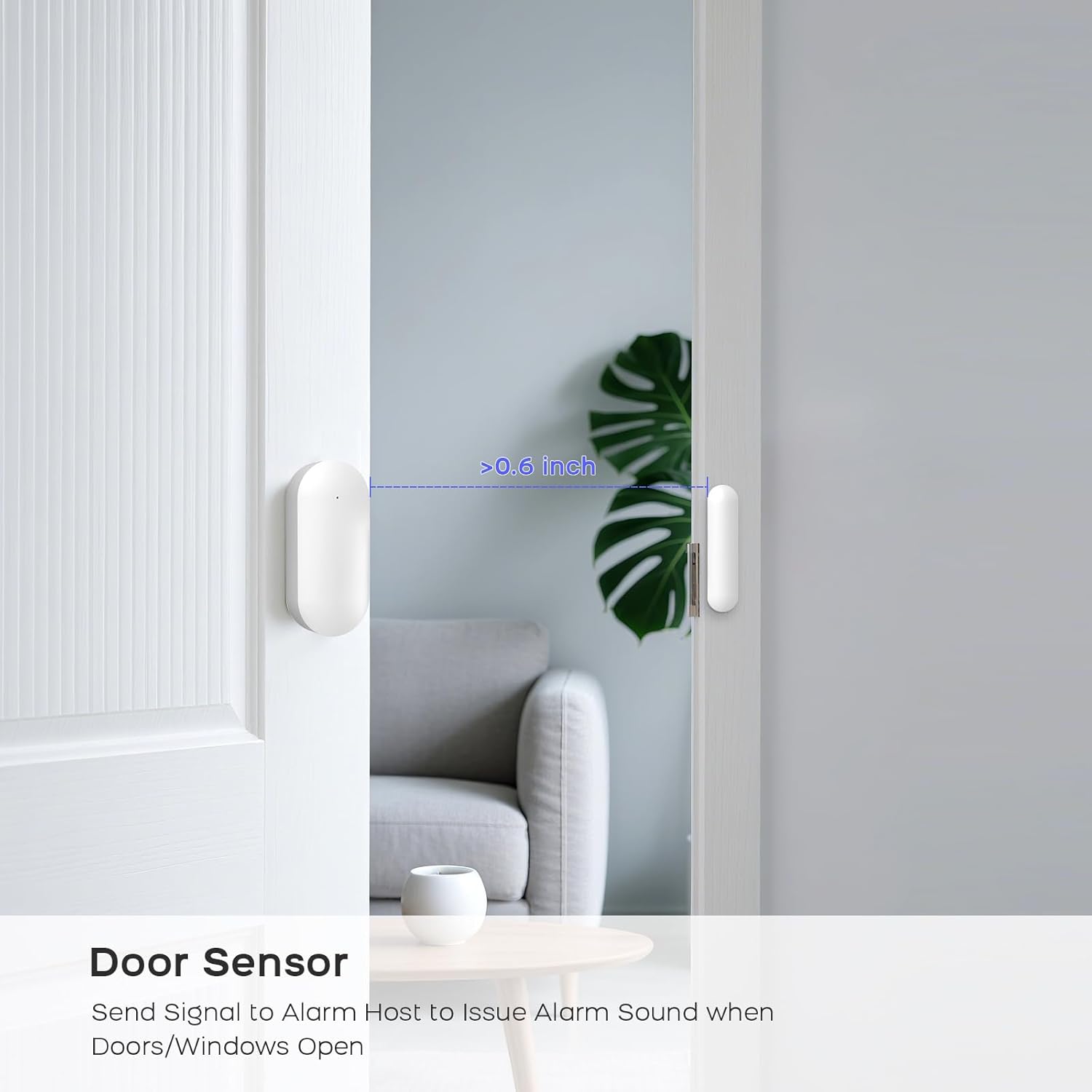
- Door/Window Sensors: These sensors come with pre-installed double-sided adhesive for easy, no-wiring installation. Place them on doors and windows, ensuring the two parts are aligned and within 0.6 inches of each other when the door/window is closed.
- Motion Detectors: Mount motion detectors in corners or areas where movement detection is crucial. The included bracket and screw kit facilitate installation.

4. Operating the System
4.1. Arming and Disarming
The PGST alarm system offers multiple methods for arming and disarming:
- Keypad: Enter your security code directly on the alarm host's 2.4-inch LCD touchscreen keypad.
- Mobile App: Use the Smart Life app to remotely arm, disarm, or set the system to 'Home' mode from anywhere.
- Remote Control: The included remote controls allow for quick arming, disarming, home arming, and an SOS panic function.
- RFID Card: Simply tap an RFID card on the alarm host for quick arming or disarming without needing to enter a code.
- Voice Control: Integrate with Alexa for convenient voice-activated arming and disarming commands.


4.2. Alarm Methods and Notifications
When a sensor is triggered, the system provides multiple alert methods:
- Audible Alarm: The system emits a loud 120dB siren to deter intruders.
- Remote Notifications: Receive immediate alerts via SMS, phone calls, and app notifications on your smartphone.
- Silent Alarm Mode: The system can be configured to turn off the audible alarm while still sending remote notifications.

4.3. Advanced Features
- Real-time Status Monitoring: The 2.4-inch LCD screen provides an intuitive interface for monitoring system status and configuring settings.
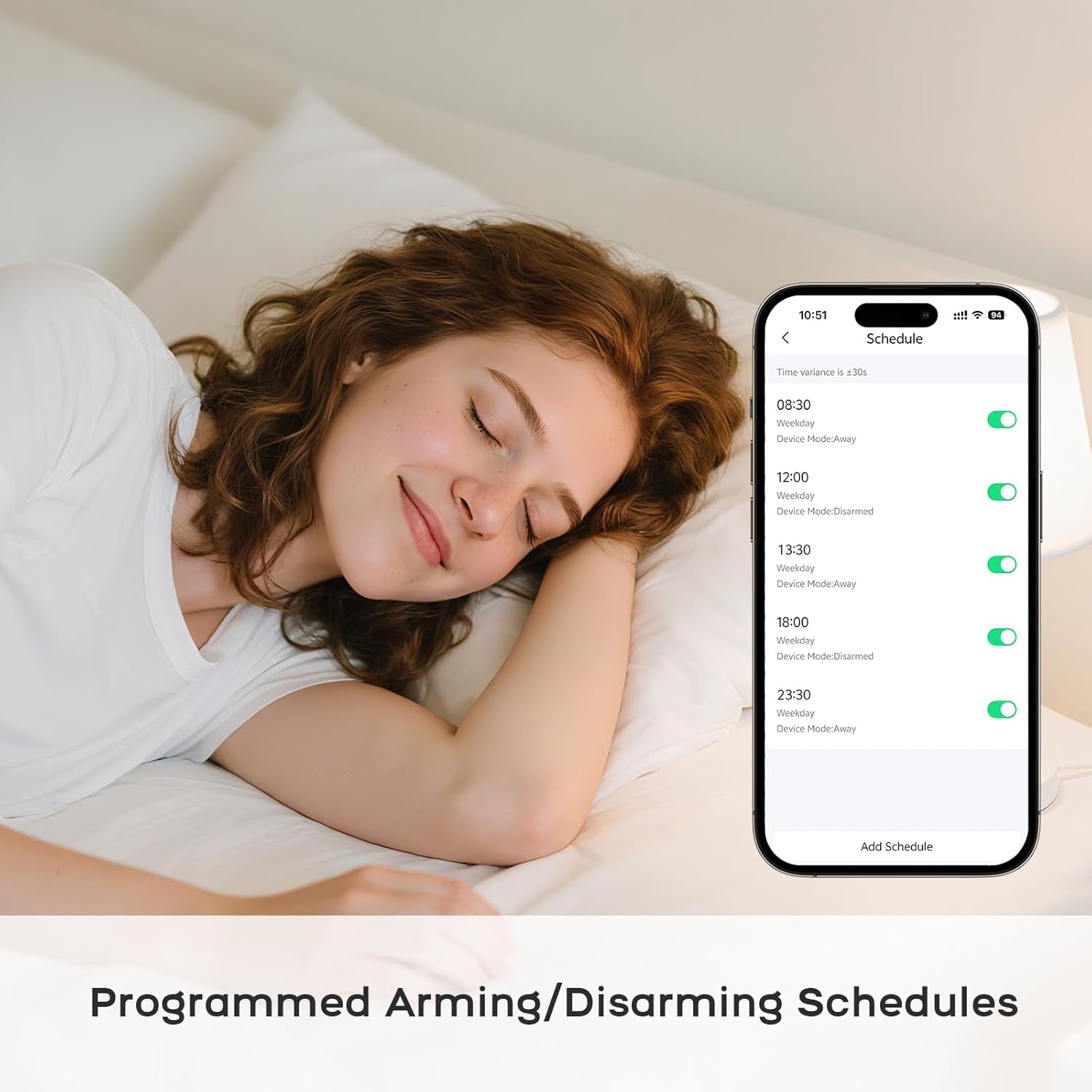
- Programmed Schedules: Set specific times for arming and disarming the system automatically.
- Expandability: Easily add more sensors and remotes to customize your security coverage for homes, apartments, or condos.
- Sensor Low Battery Reminder: The app automatically alerts you when a sensor's battery is low.

5. Maintenance
To ensure optimal performance and longevity of your PGST Home Alarm System, regular maintenance is recommended:
- Battery Check: Monitor sensor battery levels via the Smart Life app and replace them as needed. The main alarm host's internal battery provides approximately 8 hours of backup power; ensure it is regularly charged.
- Cleaning: Gently wipe the alarm host and sensors with a soft, dry cloth to remove dust and debris. Avoid using harsh chemicals or abrasive materials.
- Connectivity: Periodically check your WiFi connection and SIM card status to ensure continuous communication and alerts.
6. Troubleshooting
If you encounter any issues with your PGST Home Alarm System, consider the following basic troubleshooting steps:
- No Power: Ensure the alarm host is properly connected to the power adapter and that the outlet is functional. Check the internal battery charge level.
- Connectivity Issues: Verify your WiFi network is active and operating on 2.4GHz. Restart your router and the alarm host. If using a SIM card, ensure it is correctly inserted and has an active plan.
- Sensor Not Triggering: Check the sensor's battery. Ensure the sensor parts are correctly aligned and within the specified distance (for door/window sensors). Verify the sensor is properly paired with the alarm host via the app.
- App Notifications Not Received: Check your phone's notification settings for the Smart Life app. Ensure the app is running in the background and has necessary permissions.
- Alarm Too Quiet/Loud: Adjust the siren volume settings through the alarm host interface or the Smart Life app.
For persistent issues or advanced troubleshooting, please refer to the '24/7 Service' section for support contact information.
7. Specifications
| Feature | Specification |
|---|---|
| Brand | PGST |
| Model Number | PG105F-US-C |
| Color | Black & White |
| Power Source | AC/DC |
| Compatible Devices | Smartphone (iOS/Android) |
| Item Dimensions (L x W x H) | 8.3 x 6 x 3.74 inches |
| Connectivity Technology | Wireless (WiFi, 4G/GSM) |
| Installation Type | Screw-In / Adhesive |
| Alert Type | Audio & Motion, SMS, Phone Call, App Alerts |
| Item Weight | 1.68 pounds |
| Voltage | 5 Volts |
| Control Method | App, Keypad, Remote, Voice (Alexa) |
| Battery Cell Composition | Lithium Ion |
| Maximum Range | 300 Feet (Wireless) |
| Recommended Uses | Indoor |
| Battery Life (Internal) | 8 Hours |
| Noise Level (Siren) | 120 Decibels |
| Sensor Technology | IR, Motion Sensor, RFID |
| Connector Type | USB Type C |
8. Warranty and Support
PGST offers 24/7 customer service for any questions or assistance you may need regarding your product. Please refer to the contact information provided in your purchase documentation or on the official PGST website for support.


