
1. Introduction
Thank you for choosing the VGR V-375 Professional Ultra-Thin Electric Shaver. This manual provides essential information for the safe and effective use, maintenance, and troubleshooting of your new shaver. Please read these instructions carefully before first use and retain them for future reference.
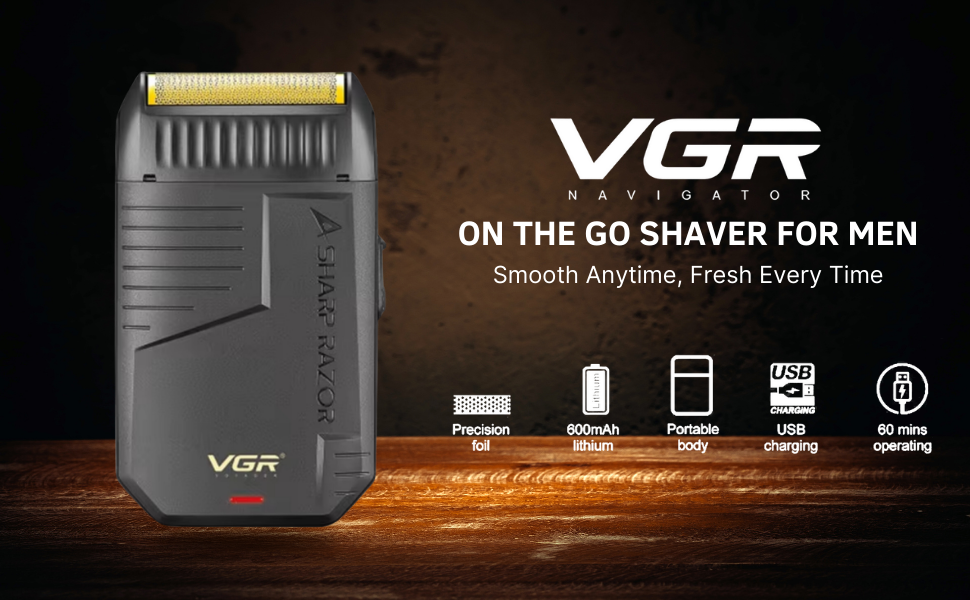
Image 1.1: The VGR V-375 Electric Shaver, highlighting its portable design, precision foil, USB charging, and 60-minute operating time.
2. Important Safety Information
To reduce the risk of electric shock, injury, or damage, always follow these basic safety precautions:
- Do not immerse the shaver in water or use it in the shower/bath if not explicitly stated as waterproof. This model is designed for dry shaving.
- Keep the appliance away from children.
- Unplug the shaver before cleaning.
- Do not use the shaver if it is damaged, especially the power cord or charging port.
- Use only the provided USB charging cable.
- Avoid using the shaver on irritated or damaged skin.
- Do not attempt to repair the shaver yourself. Contact customer support for assistance.
3. Package Contents
Please check the package for the following items:
- VGR V-375 Electric Shaver
- USB Charging Cable
- Cleaning Brush
- Protective Cap
- User Manual
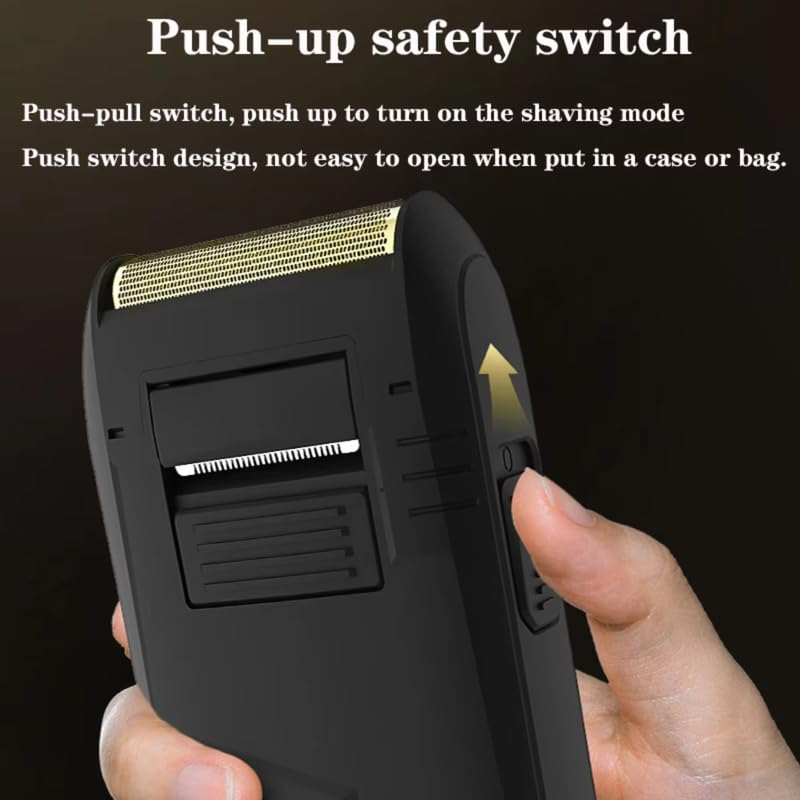
Image 3.1: The VGR V-375 Electric Shaver alongside its packaging.
4. Product Overview
Familiarize yourself with the components of your VGR V-375 shaver:
- Foil Head: Ultra-thin metal net slice for close shaving.
- Reciprocating Floating Blade: Provides efficient and comfortable shaving.
- Power Switch: Push-pull switch to turn the shaver on/off.
- USB Charging Port: For connecting the USB charging cable.
- Protective Cap: Covers the foil head when not in use.
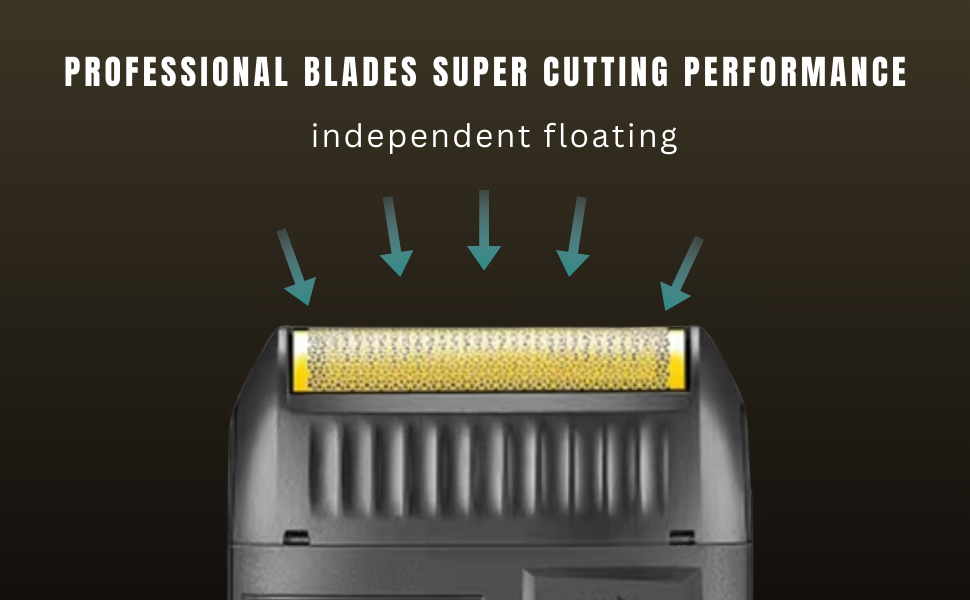
Image 4.1: Detail of the shaver's professional blades and independent floating mechanism.
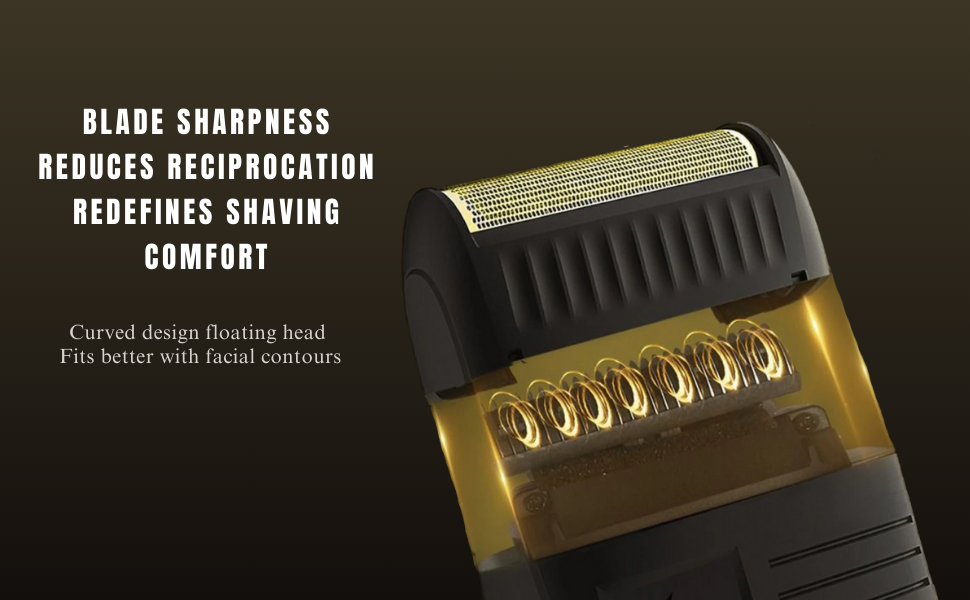
Image 4.2: The curved design floating head, engineered for comfort and contour adherence.
5. Setup and Charging
5.1 Initial Charge
Before using your VGR V-375 shaver for the first time, ensure it is fully charged. This helps to optimize battery performance and longevity.
- Connect the USB charging cable to the shaver's charging port.
- Plug the other end of the USB cable into a compatible USB power source (e.g., computer, USB wall adapter).
- The charging indicator light will illuminate.
- A full charge takes approximately 8 hours.
- Once fully charged, the shaver provides up to 60 minutes of continuous use.
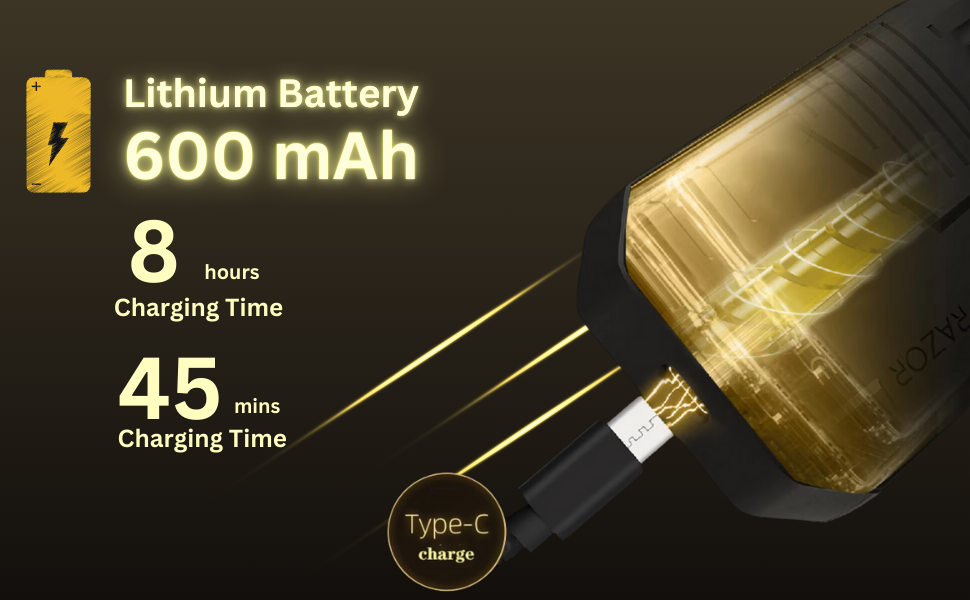
Image 5.1: The shaver's Type-C charging port and battery specifications.
6. Operating Instructions
6.1 Turning On/Off
To operate the shaver, locate the push-pull safety switch on the side of the device.
- To Turn On: Push the switch upwards to activate the shaving mode.
- To Turn Off: Push the switch downwards to deactivate the shaver.
The push switch design helps prevent accidental activation when stored in a bag or case.
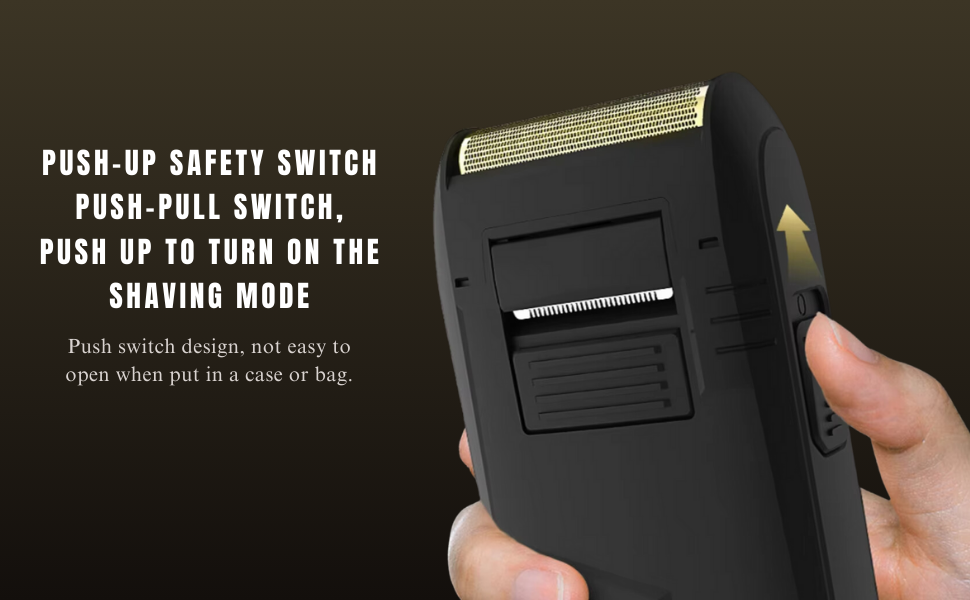
Image 6.1: The push-up safety switch mechanism.
6.2 Shaving Technique
For optimal results and comfort, follow these guidelines:
- Ensure your skin is clean and dry before shaving.
- Hold the shaver at a right angle (90 degrees) to your skin.
- Gently stretch your skin with your free hand to make the hairs stand upright.
- Move the shaver in short, circular motions or straight strokes against the direction of hair growth.
- Apply light pressure; excessive pressure is not necessary and can cause irritation.
- The floating blade system is designed to follow facial contours for a thorough and comfortable shave, even on sensitive skin.

Image 6.2: Demonstrating the use of the VGR V-375 shaver on the face.
7. Maintenance and Cleaning
Regular cleaning ensures optimal performance and extends the life of your shaver.
7.1 Daily Cleaning
- After each use, turn off the shaver.
- Remove the protective cap.
- Gently tap the shaver head to dislodge loose hair.
- Use the provided cleaning brush to remove any remaining hair from the foil and blade assembly.
- Replace the protective cap.
7.2 Deep Cleaning (Periodically)
- Ensure the shaver is turned off and unplugged.
- The shaver features a detachable head. Carefully remove the foil head assembly.
- Rinse the foil head under running water. Ensure no water enters the main body of the shaver.
- Allow the foil head to air dry completely before reattaching it to the shaver body.
- Do not use abrasive cleaners or harsh chemicals on any part of the shaver.
8. Troubleshooting
If you encounter issues with your VGR V-375 shaver, refer to the following table:
| Problem | Possible Cause | Solution |
|---|---|---|
| Shaver does not turn on. | Battery is depleted. | Charge the shaver for 8 hours. |
| Poor shaving performance. | Foil head or blades are dirty/clogged. | Clean the foil head and blades thoroughly. |
| Shaver pulls hair. | Blades may be dull or damaged. | Ensure proper cleaning. If problem persists, consider replacing the foil head/blades (contact support for availability). |
| Charging indicator not working. | Faulty cable or power source. | Try a different USB cable or power adapter. Ensure connections are secure. |
If the problem persists after trying these solutions, please contact VGR customer support.
9. Specifications
| Feature | Detail |
|---|---|
| Model Number | V-375 |
| Power Source | Battery Powered |
| Battery Type | Lithium Ion (600 mAh) |
| Battery Life | Up to 60 minutes |
| Charging Time | Approximately 8 hours |
| Blade Material | Stainless Steel |
| Head Type | Foil |
| Dimensions (LxWxH) | 12 x 8 x 3.5 cm |
| Item Weight | 190 g |
| Special Features | Detachable Head, Dry Shave, Portable |
| Manufacturer | Ningbo VGR Electric Appliance Co., Ltd., Yiwu Gemei Electric Appliance Co. Ltd |
10. Warranty and Support
The VGR V-375 Electric Shaver comes with a 12-month quality warranty from the date of purchase. This warranty covers manufacturing defects under normal use.
For warranty claims, technical support, or any questions regarding your product, please contact VGR customer service. Our team aims to respond within 24 hours to provide a satisfactory resolution.
Please retain your proof of purchase for warranty validation.


