
1. Introduction
Thank you for choosing the BTHFST Corner Vanity with Tri-Fold LED Mirror and Storage Stool. This manual provides essential information for the safe assembly, operation, and maintenance of your new vanity. Please read these instructions carefully before use and retain them for future reference.
2. Safety Information
Important Safety Precautions:
- Always unplug the vanity before assembly, usage, or cleaning.
- Be cautious of sharp edges and pinch points during assembly and usage.
- Do not place heavy objects on the vanity to avoid damage or injury.
- Keep the vanity away from heat sources and moisture to prevent electrical hazards.
- Ensure all connections are secure before using the charging station.
3. Product Overview and Features
The BTHFST Corner Vanity is designed to optimize space and provide comprehensive functionality for your daily routine. Key features include:
- Tri-Fold Mirror with Jewelry Hooks: Two side mirrors fold inwards, revealing 12 hooks for necklaces and jewelry.
- 3 Light Colors & Adjustable Brightness: Built-in LED light strip with touch screen switch offers cool white, warm white, and warm yellow light, each with adjustable brightness.
- Built-in Power Strip: Equipped with 2 USB ports and 2 standard AC outlets for convenient charging of electronic devices and powering beauty instruments.
- Cushioned Storage Stool: An upholstered bench with faux leather and high-density sponge, featuring an internal storage compartment.
- Corner Design: Space-saving design fits perfectly into room corners, providing double support for stability.
- Ample Storage Space: Includes a spacious tabletop, open shelves, 2 drawers, and rotating hidden shelves for cosmetics and beauty essentials.

A complete view of the BTHFST Corner Vanity in white, featuring a tri-fold mirror with LED lighting, a spacious tabletop, drawers, open shelves, and a matching cushioned storage stool.
4. Assembly Instructions
Detailed assembly instructions are provided in the separate assembly guide included with your product packaging. Please follow the step-by-step diagrams and instructions carefully. Ensure all parts are present before beginning assembly.
General Assembly Tips:
- Assemble on a soft, clean surface to prevent scratches.
- Do not overtighten screws.
- Ensure all connections are secure before moving or using the vanity.
5. Setup
5.1 Mirror Setup
The tri-fold mirror is designed for versatility. The two side mirrors can be rotated inwards. To do so, unlock the locking device located on the side of the mirror frame. This also reveals the jewelry hooks.
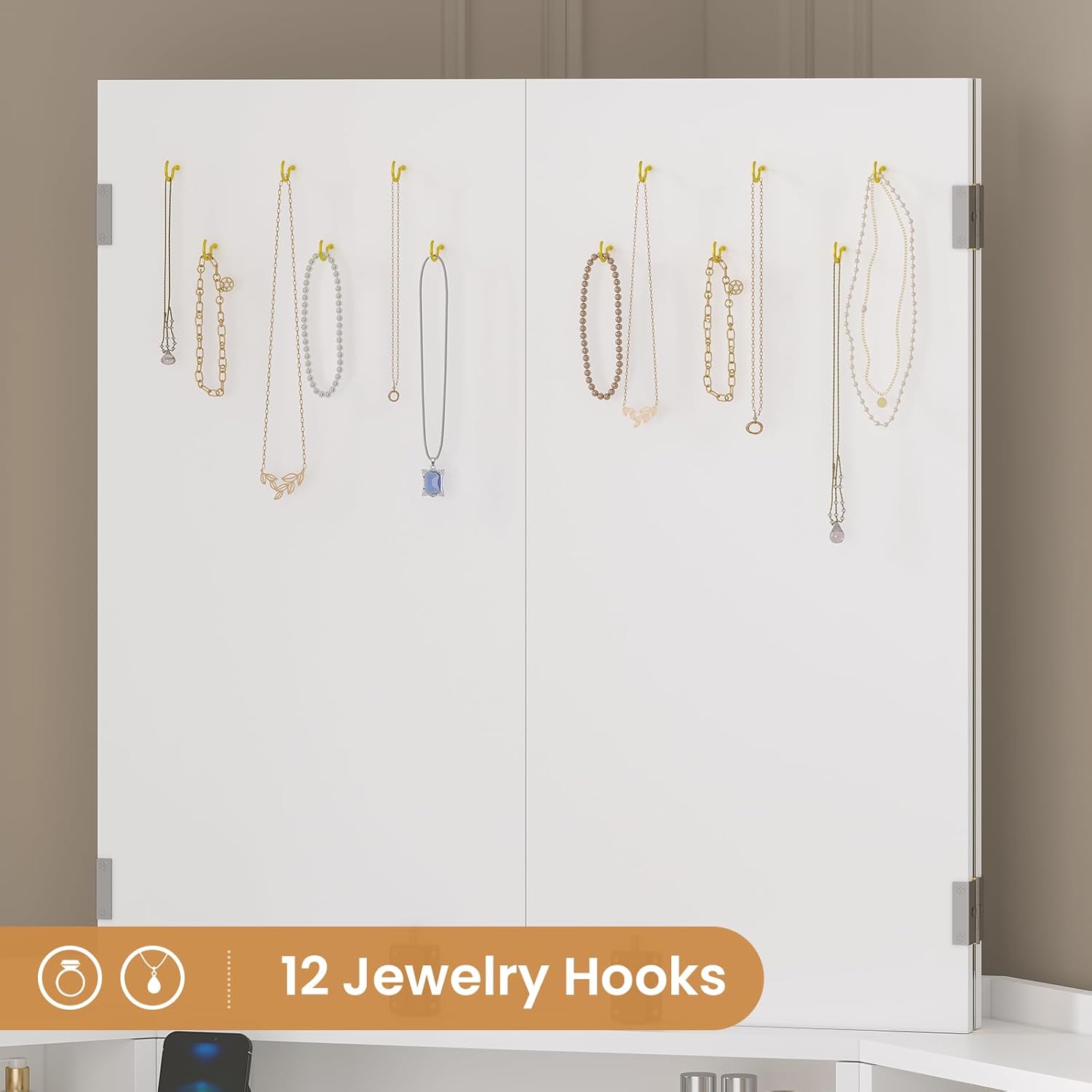
View of the 12 jewelry hooks positioned behind the foldable side mirrors, designed for hanging necklaces and other accessories.
5.2 Charging Station Connection
Locate the power cord for the built-in charging station. Plug the power cord into a standard wall outlet. The charging station includes 2 USB ports and 2 AC outlets for your convenience.

Close-up of the integrated charging station on the vanity, featuring two 125V/12A AC outlets and two 5V/2.1A USB ports, with a 5.9-foot power cord.
6. Operating Instructions
6.1 LED Mirror Lights
The mirror features a built-in LED light strip with a touch screen switch.
- Switch Light Color: Tap the touch switch to cycle through the three light colors: cool white, warm white, and warm yellow.
- Adjust Brightness: Press and hold the touch switch to adjust the brightness level for the selected light color.

Illustration showing the three adjustable light modes of the vanity mirror: Warm Light, Natural Light, and Cold Light, along with controls for switching color and adjusting brightness.
6.2 Using the Charging Station
Once the vanity is plugged into a wall outlet, the USB ports and AC outlets are ready for use. Simply plug in your devices or beauty tools as needed.
6.3 Utilizing Storage Features
- Drawers: Use the drawers for organized storage of makeup, tools, and other items. The main drawer includes a divider for better organization.
- Open Shelves: Place frequently used items on the open shelves for easy access.
- Rotating Hidden Shelves: The bottom right section features rotating shelves for discreet storage of bottles and larger items.
- Storage Stool: Lift the seat of the stool to access an additional storage compartment.

Image demonstrating the hidden rotating shelves on the bottom right side of the vanity, providing additional storage for various items.

A drawer with metal slides and an internal divider, designed for organizing makeup tools and accessories.
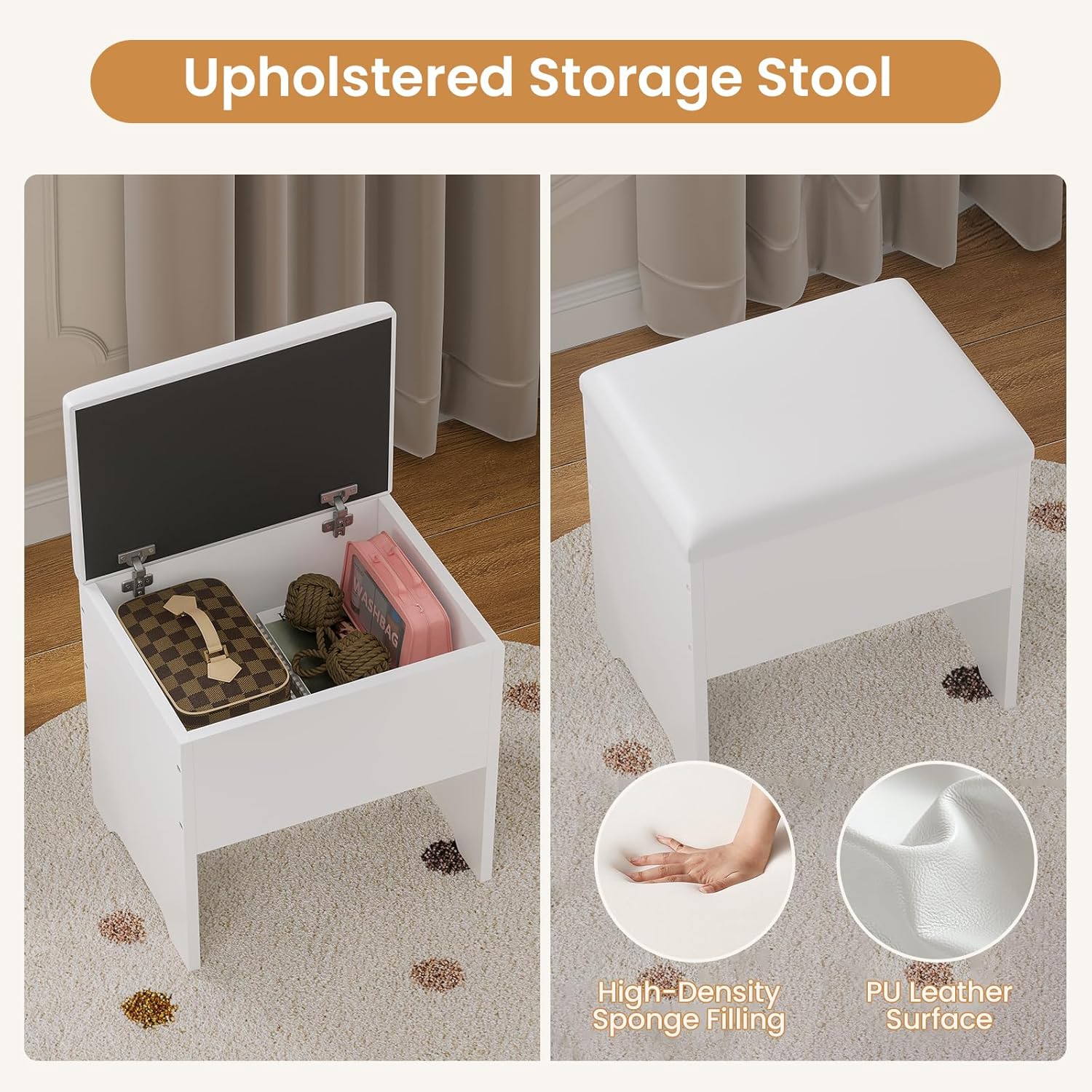
Images of the upholstered storage stool, highlighting its internal storage compartment and the materials used: high-density sponge filling and PU leather surface.
7. Maintenance
To ensure the longevity and appearance of your vanity:
- Cleaning: Wipe surfaces with a soft, damp cloth. Avoid harsh chemicals or abrasive cleaners.
- Mirror Care: Clean the mirror with a glass cleaner and a lint-free cloth. Do not spray cleaner directly onto the mirror to avoid damaging the LED components.
- Electrical Components: Ensure the charging station is unplugged before cleaning. Do not expose electrical components to water.
- Stool Care: Wipe the faux leather surface of the stool with a damp cloth.
8. Troubleshooting
If you encounter issues with your vanity, please refer to the following common problems and solutions:
- LED Lights Not Working:
- Ensure the vanity's power cord is securely plugged into a working wall outlet.
- Check if the touch switch is responsive. Try tapping and holding.
- Charging Station Not Functioning:
- Verify the main power cord is plugged in.
- Test the wall outlet with another device to confirm it has power.
- Ensure devices are properly connected to the USB ports or AC outlets.
- Stool Instability:
- Check all screws and fasteners on the stool and tighten if loose.
- Ensure the stool is placed on a flat, even surface.
For further assistance, please contact customer support.
9. Specifications
| Brand | BTHFST |
| Model Number | VD29 |
| Color | White |
| Product Dimensions | 21.5"D x 42.5"W x 55.4"H |
| Frame Material | Engineered Wood |
| Seat Height (Stool) | 17.5 Inches |
| Charging Station | 2 USB Ports, 2 AC Outlets (125V/12A, 5V/2.1A) |
| Power Cord Length | 5.9 Feet |

Detailed diagram illustrating the dimensions of the corner vanity (55.4 inches height, 42.5 inches width, 21.5 inches depth) and the storage stool (17.5 inches height, 16.1 inches width, 12 inches depth).
10. Product Video
An official product video showcasing the key features of the BTHFST Corner Vanity, including the tri-fold mirror, LED lighting, storage options, and the cushioned stool.
11. Warranty and Support
This product comes with a standard manufacturer's warranty. Please refer to the warranty card included in your packaging for specific terms and conditions. For technical support, replacement parts, or any inquiries, please contact BTHFST customer service through the retailer where you purchased the product.
Online Support: For additional resources and FAQs, please visit the BTHFST brand store on Amazon: BTHFST Store