
Baseus PPBD2P-1022
Baseus Portable Charger User Manual
Model: PPBD2P-1022
1. Introduction
This manual provides essential information for the safe and efficient operation of your Baseus Portable Charger. Please read it thoroughly before use and retain it for future reference.
The Baseus Portable Charger is a compact and powerful 10,000mAh power bank designed for fast charging your mobile devices on the go. Featuring a built-in braided USB-C cable, it offers convenience and durability for various charging needs.
2. Product Features and Components
2.1. Compact Design with Built-in Cable
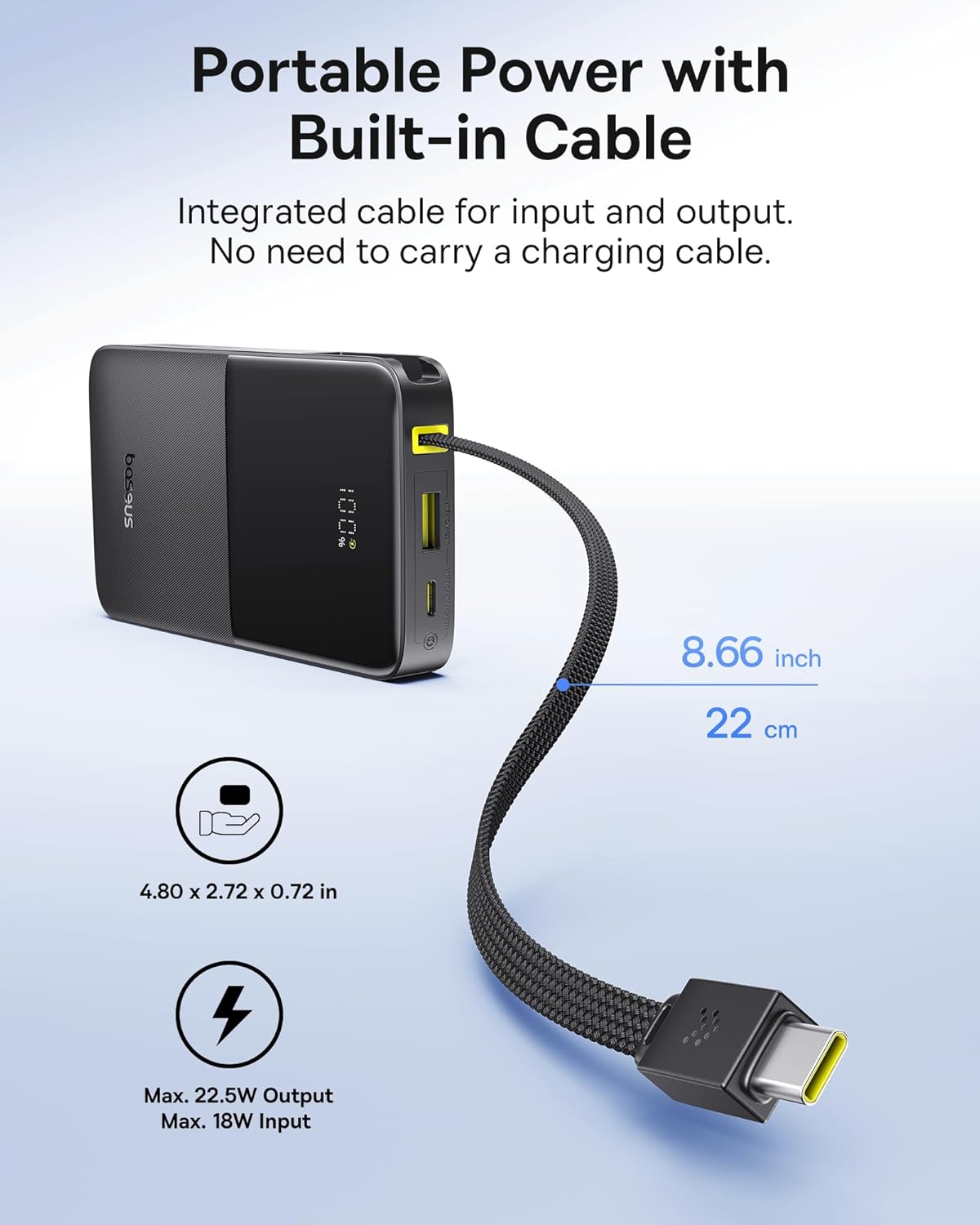
The power bank features a compact size of 4.8 x 2.7 x 0.7 inches and weighs 8.8 ounces, making it highly portable. It includes a built-in braided USB-C cable that doubles as a convenient carry lanyard. This integrated cable supports both input and output, eliminating the need for extra charging cables.
2.2. Fast Charging Capabilities

Equipped with 22.5W Power Delivery (PD) fast charging, this power bank can charge compatible devices significantly faster than standard chargers. It also supports PD18W/QC18W protocols. The built-in braided cable is designed for long-lasting use, tested for over 10,000 bends.
2.3. High Capacity and Multiple Outputs
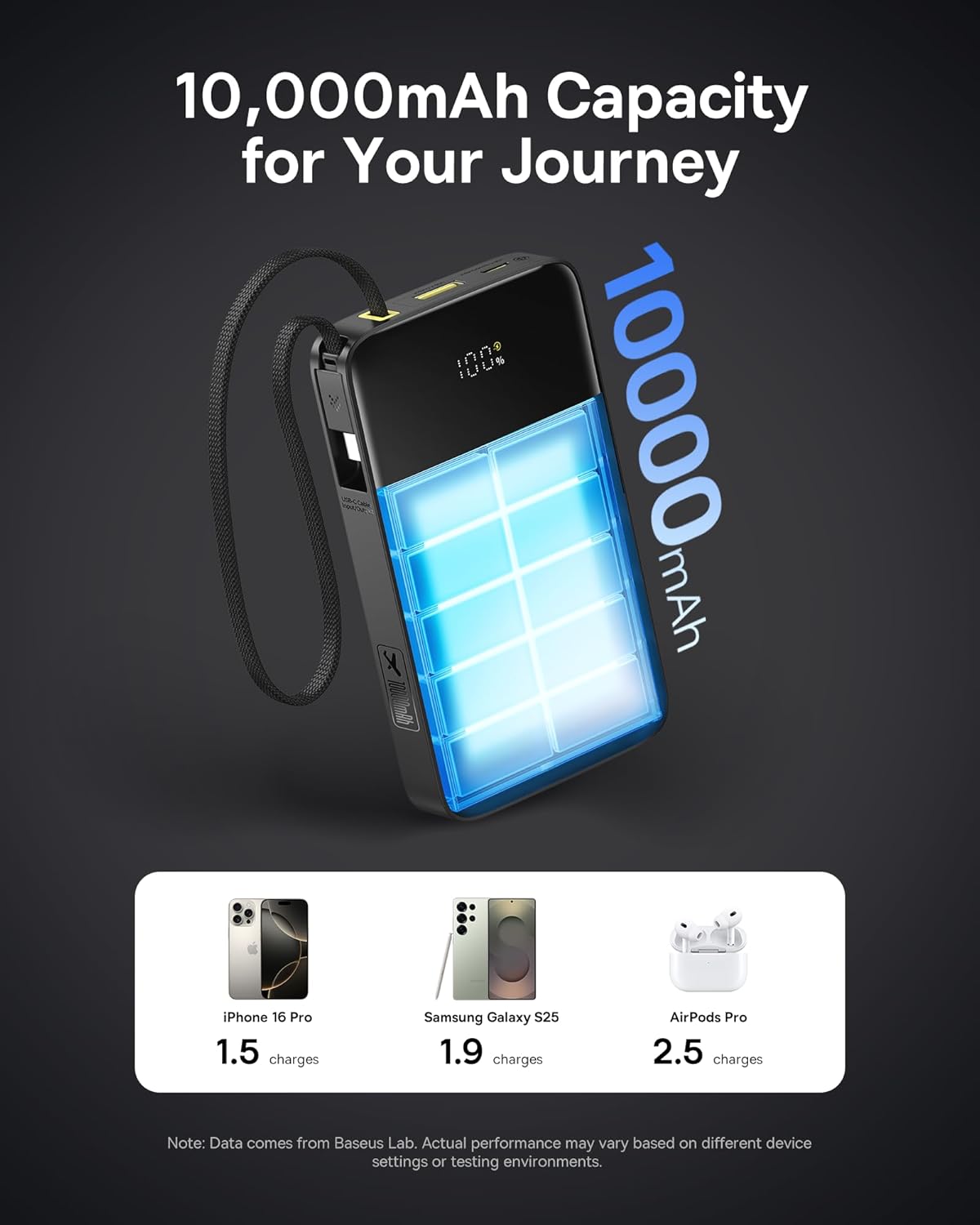
The 10,000mAh battery capacity provides ample power for multiple charges. It can charge an iPhone 16 Pro Max approximately 1.5 times, a Samsung S25 1.9 times, and iPad mini 5 more than once. The power bank features a USB-A output and a versatile USB-C input/output port, allowing simultaneous charging of up to three devices.
2.4. Digital Display and Pass-Through Charging

A clear digital display shows the remaining battery percentage. The power bank supports pass-through charging, meaning you can charge the power bank itself while it simultaneously charges connected devices.
3. Setup
- Initial Charge: Before first use, fully charge the power bank. Connect the built-in USB-C cable or a separate USB-C cable to the USB-C input/output port and plug it into a compatible 18W (or higher) wall charger. The digital display will show the charging progress. A full charge takes approximately 2 hours and 48 minutes with an 18W charger.
- Check Battery Level: Press the power button on the side of the power bank to view the current battery percentage on the digital display.
4. Operating Instructions
4.1. Charging Your Devices
The Baseus Portable Charger offers multiple ways to charge your devices:
- Using the Built-in USB-C Cable:
Unclip the built-in braided USB-C cable from its storage slot. Plug the USB-C connector directly into your compatible device (e.g., iPhone 15/16, Android phones, iPad). The power bank will automatically begin charging your device.

Description: This image shows the convenience of the built-in cable for on-the-go charging.
- Using USB-A Output Port:
Connect your device's USB-A charging cable (not included) to the USB-A output port on the power bank. Plug the other end of the cable into your device. The power bank will detect the connection and start charging.
- Using USB-C Input/Output Port:
For devices requiring a USB-C to USB-C connection (if the built-in cable is not suitable or in use), connect your own USB-C to USB-C cable (not included) to the USB-C input/output port on the power bank and to your device.
- Simultaneous Charging:
You can charge up to three devices concurrently by utilizing the built-in USB-C cable, the USB-A output port, and the USB-C input/output port with additional cables.
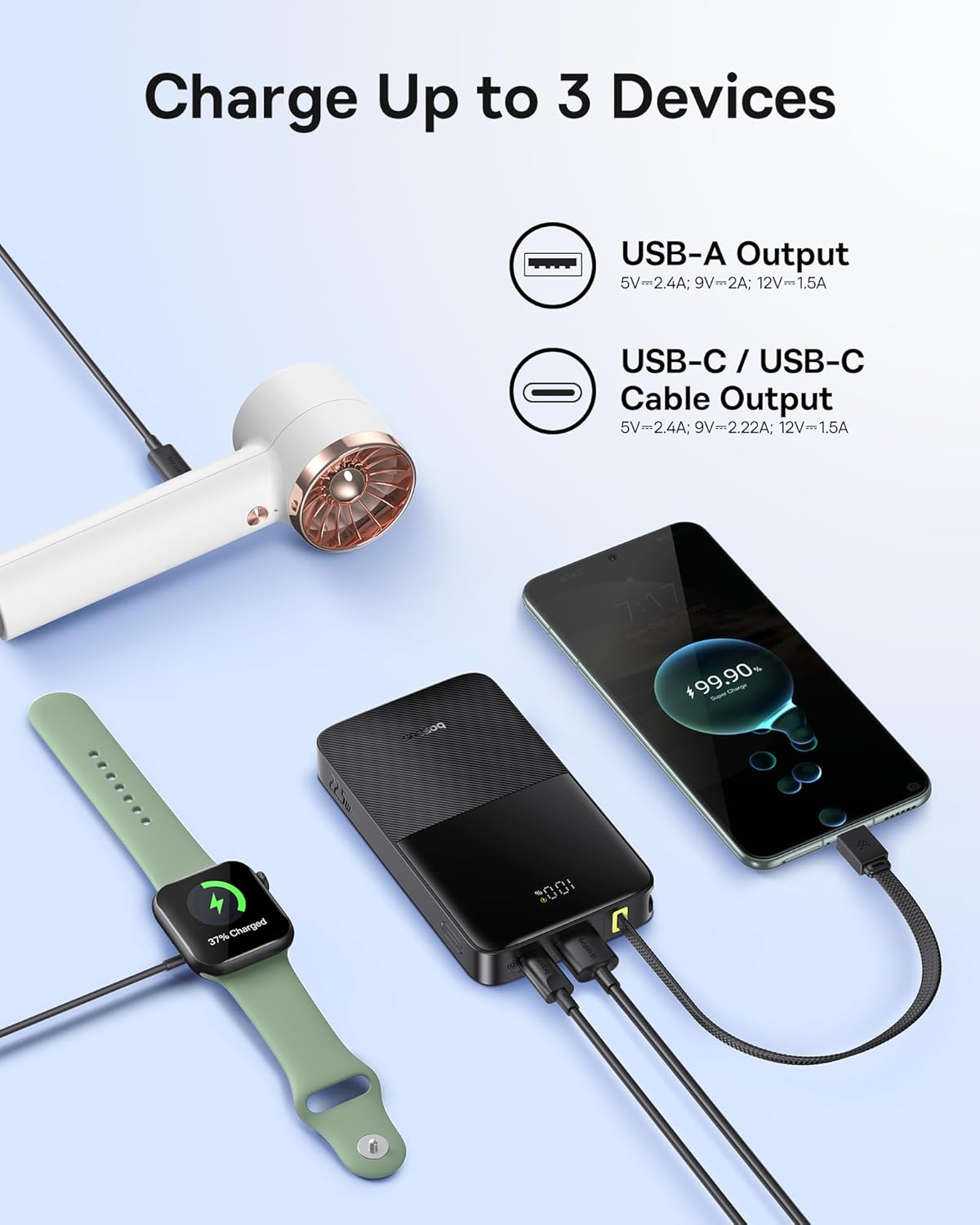
Description: This image illustrates the power bank's ability to charge multiple devices at once, including a smartwatch, a smartphone, and a small USB-powered hairdryer.
4.2. Recharging the Power Bank
To recharge the power bank, use the built-in USB-C cable or a separate USB-C cable connected to the USB-C input/output port. Plug the other end into a wall adapter (18W or higher recommended for fast charging) or a computer's USB port. The digital display will indicate the charging status.
5. Maintenance
- Cleaning: Use a soft, dry cloth to clean the surface of the power bank. Do not use liquid cleaners or aerosols.
- Storage: Store the power bank in a cool, dry place away from direct sunlight, extreme temperatures, and humidity.
- Battery Care: To prolong battery life, fully charge the power bank at least once every three months if not in regular use. Avoid fully discharging the battery frequently.
- Handling: Do not drop, disassemble, or attempt to repair the power bank yourself. This may void the warranty and cause damage.
6. Troubleshooting
| Problem | Possible Cause | Solution |
|---|---|---|
| Power bank not charging. | Cable not properly connected; Wall adapter not working; Power bank fully charged. | Ensure all connections are secure. Try a different wall adapter or cable. Check the digital display for 100%. |
| Device not charging from power bank. | Power bank battery low; Device cable faulty; Device not compatible; Power bank in standby. | Recharge the power bank. Try a different charging cable. Ensure your device is compatible with USB-C or USB-A charging. Press the power button to activate. |
| Slow charging. | Device not supporting fast charging; Using a low-power adapter for recharging. | Check your device's charging specifications. Use an 18W or higher wall adapter for optimal recharging speed. |
7. Specifications
- Model Number: PPBD2P-1022
- Battery Capacity: 10,000 Milliamp Hours (mAh)
- Product Dimensions: 4.8 x 2.7 x 0.7 inches
- Item Weight: 8.8 ounces
- USB-C Input/Output: 5V=2.4A, 9V=2.22A, 12V=1.5A (Max. 22.5W)
- USB-A Output: 5V=2.4A, 9V=2A, 12V=1.5A (Max. 22.5W)
- Total Output: 5V=2.4A
- Battery Type: Lithium Polymer
- Special Features: Built-in Braided USB-C Cable, Digital Display, Pass-Through Charging, Small Size, Airline-Approved (10,000mAh capacity is generally within airline limits for carry-on).
8. Official Product Video
Description: This official video from Baseus showcases the 22.5W PD fast charging capabilities and the compact design of the 10,000mAh power bank.
9. Warranty and Support
Baseus offers a 2-Year Replacement Promise for this product. For warranty claims, technical support, or any inquiries, please contact Baseus customer service through their official website or the retailer where the product was purchased. Please retain your proof of purchase for warranty validation.

Description: Image showing the product packaging highlighting the 2-Year Replacement Promise, indicating strong customer support.
Related documentsPPBD2P-1022


Ask a question about this manual
Ask about setup, troubleshooting, compatibility, parts, safety, or missing instructions. Manuals+ will review the question and use this page’s manual context to help answer it.