
Fila SW-26 (38-343-004)
FILA Smart Watch User Manual
Model: SW-26 (38-343-004)
Introduction
Thank you for choosing the FILA Smart Watch. This device is designed to enhance your daily life by providing convenient access to notifications, fitness tracking, and health monitoring features directly from your wrist. This manual provides essential information on how to set up, operate, and maintain your smart watch to ensure optimal performance and longevity.
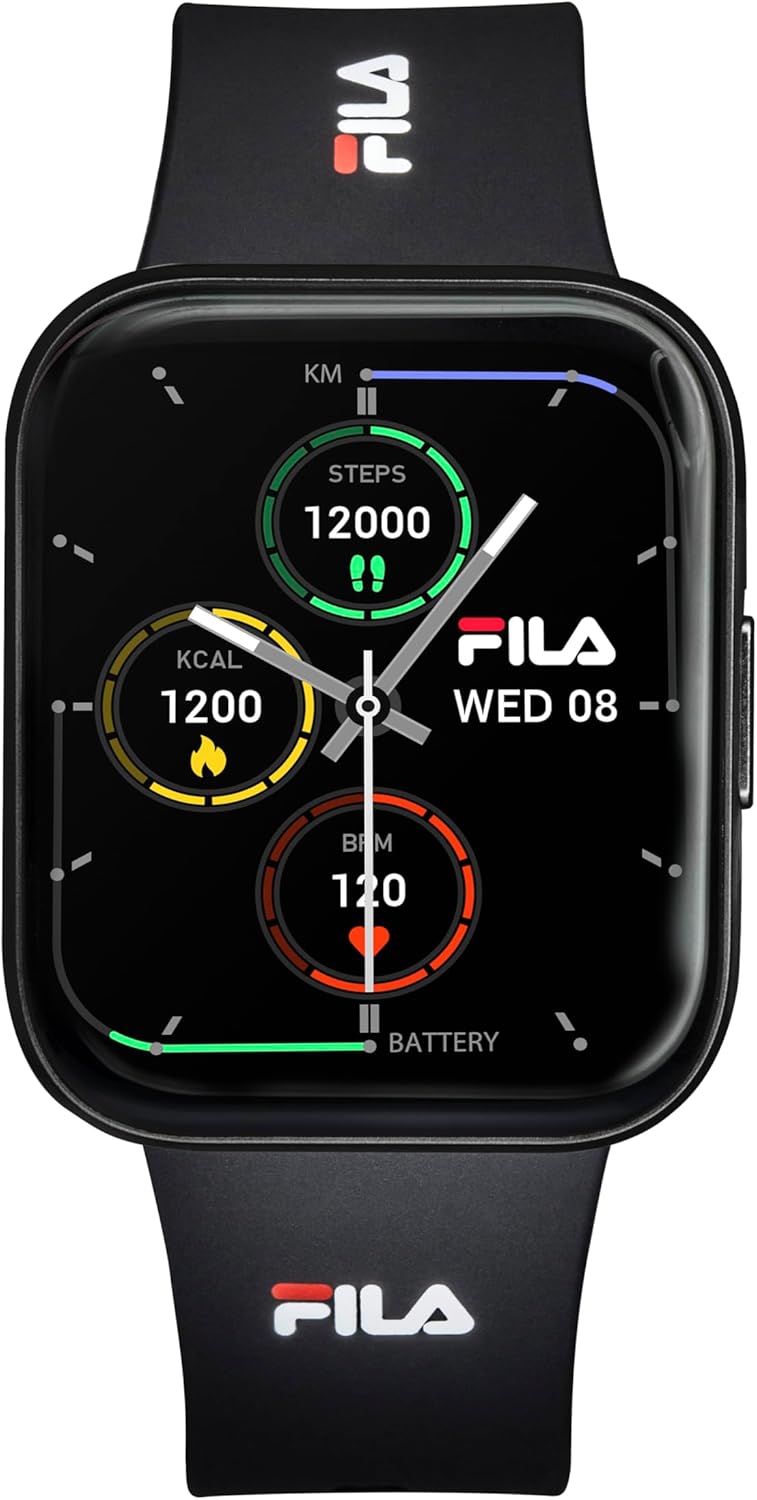
Image: Front view of the FILA Smart Watch, showcasing its digital display with fitness metrics like steps, calories, and heart rate, along with the time and date. The watch features a black silicone band with the FILA logo.
What's in the Box
Please check the contents of your package. If any items are missing or damaged, please contact customer support.
- FILA Smart Watch (SW-26)
- USB Charging Cable
- User Manual
Setup Guide
1. Charging the Smart Watch
Before first use, fully charge your smart watch. Connect the USB charging cable to the charging port on the back of the watch and plug the other end into a USB power adapter (not included) or a computer's USB port.
- Align the magnetic pins of the charging cable with the charging contacts on the back of the watch.
- The watch screen will display a charging indicator.
- A full charge typically takes approximately 2 hours.
2. Powering On/Off
- Power On: Press and hold the side button for 3-5 seconds until the FILA logo appears.
- Power Off: From the watch face, swipe down to access the quick settings, then tap the power icon, or navigate to Settings > System > Power Off. Confirm your selection.
3. App Installation and Pairing
To unlock the full potential of your FILA Smart Watch, download the companion app on your smartphone. The app is compatible with all current smartphone models.
- Scan the QR code provided in the quick start guide (if applicable) or search for "FILA Smart Watch" in your smartphone's app store (Google Play Store for Android, Apple App Store for iOS).
- Install the app and open it.
- Ensure Bluetooth is enabled on your smartphone.
- In the app, follow the on-screen instructions to add a new device. Select "FILA Smart Watch SW-26" from the list of available devices.
- Confirm the pairing request on both your watch and smartphone.

Image: Side view of the FILA Smart Watch worn on a wrist, highlighting the black silicone band and the watch's sleek profile. The display shows fitness data, and the Fila logo is visible on the band.
Operating Instructions
Basic Navigation
- Touchscreen: Swipe left/right to navigate between different functions (e.g., activity tracking, heart rate, weather). Swipe up/down to access notifications or quick settings.
- Side Button: Press once to return to the watch face or to wake the screen. Press and hold to access power options or specific functions depending on context.
Key Features
- Fitness Tracking: The watch automatically tracks your steps, distance, and calories burned throughout the day. View your daily progress on the watch face or in the companion app.
- Heart Rate Monitoring: The built-in optical sensor continuously monitors your heart rate. Access the heart rate interface on the watch to view real-time data. For best results, ensure the watch is snug but comfortable on your wrist.
- Sleep Monitoring: Wear the watch to bed to track your sleep patterns, including deep sleep, light sleep, and awake times. Detailed sleep analysis is available in the app.
- Notifications: Receive call, text, and app notifications directly on your wrist when connected to your smartphone. Manage notification settings through the companion app.
- Water Resistance: The FILA Smart Watch is water resistant. It is suitable for daily use and can withstand splashes, rain, and brief immersion in water. It is not recommended for swimming, diving, or high-pressure water activities.
Maintenance
Cleaning Your Smart Watch
- Regularly clean the watch case and silicone band with a soft, damp cloth.
- Avoid using harsh chemicals, abrasive cleaners, or solvents, as these can damage the watch's finish and components.
- Ensure the charging contacts on the back of the watch are clean and dry before charging.
Battery Care
- To prolong battery life, avoid fully discharging the watch frequently.
- Store the watch in a cool, dry place when not in use for extended periods.
- Charge the watch at least once every three months if stored for a long time to prevent deep discharge.
Troubleshooting
Common Issues and Solutions
| Issue | Possible Cause | Solution |
|---|---|---|
| Watch does not power on. | Low battery; device frozen. | Charge the watch for at least 30 minutes. If still unresponsive, perform a force restart by holding the side button for 10-15 seconds. |
| Cannot pair with smartphone. | Bluetooth off; app issue; watch not in pairing mode. | Ensure Bluetooth is on for both devices. Restart both the watch and phone. Reinstall the companion app. Forget the device in phone's Bluetooth settings and try pairing again. |
| Inaccurate heart rate/step count. | Watch fit too loose/tight; sensor dirty. | Ensure the watch is snug but comfortable on your wrist. Clean the sensor on the back of the watch. |
| Notifications not received. | App permissions; Bluetooth disconnected; app not running in background. | Check app notification permissions on your phone. Ensure Bluetooth connection is stable. Verify app is allowed to run in the background. |
Factory Reset
If issues persist, you may need to perform a factory reset. This will erase all data on the watch and restore it to its original settings. Navigate to Settings > System > Reset on your watch and confirm.
Specifications
| Feature | Detail |
|---|---|
| Model Number | 38-343-004 (SW-26) |
| Manufacturer | Fila |
| Connectivity Technology | Bluetooth |
| Wireless Communication Standard | Bluetooth |
| GPS | No GPS |
| Compatible Devices | Smartphone |
| Compatible Phone Models | All current smartphone models |
| Band Material Type | Silicone |
| Water Resistance Level | Water Resistant |
| Package Dimensions | 3.54 x 3.54 x 3.15 inches |
Warranty and Support
The FILA Smart Watch comes with a limited manufacturer's warranty. Please refer to the warranty card included in your product packaging or visit the official FILA website for detailed warranty terms and conditions.
For technical support, troubleshooting assistance, or any inquiries regarding your smart watch, please contact FILA customer support through their official website or the contact information provided in your product documentation.
Related documentsSW-26 (38-343-004)


Ask a question about this manual
Ask about setup, troubleshooting, compatibility, parts, safety, or missing instructions. Manuals+ will review the question and use this page’s manual context to help answer it.