
1. Introduction
Thank you for choosing the QREZAA FK-035 Smart Heated Towel Rack. This manual provides essential information for the safe and efficient installation, operation, and maintenance of your new towel warmer. Please read these instructions thoroughly before use and retain them for future reference.
2. Safety Information
- Ensure the product is installed by a qualified electrician in accordance with local electrical codes.
- Do not immerse the towel warmer in water or other liquids.
- Keep children and pets away from the towel warmer when it is in operation due to high surface temperatures.
- Do not use the towel warmer to dry items other than towels or approved garments.
- Avoid placing flammable materials near the towel warmer.
- Disconnect power before cleaning or performing any maintenance.
3. Package Contents
Verify that all components are present before beginning installation:
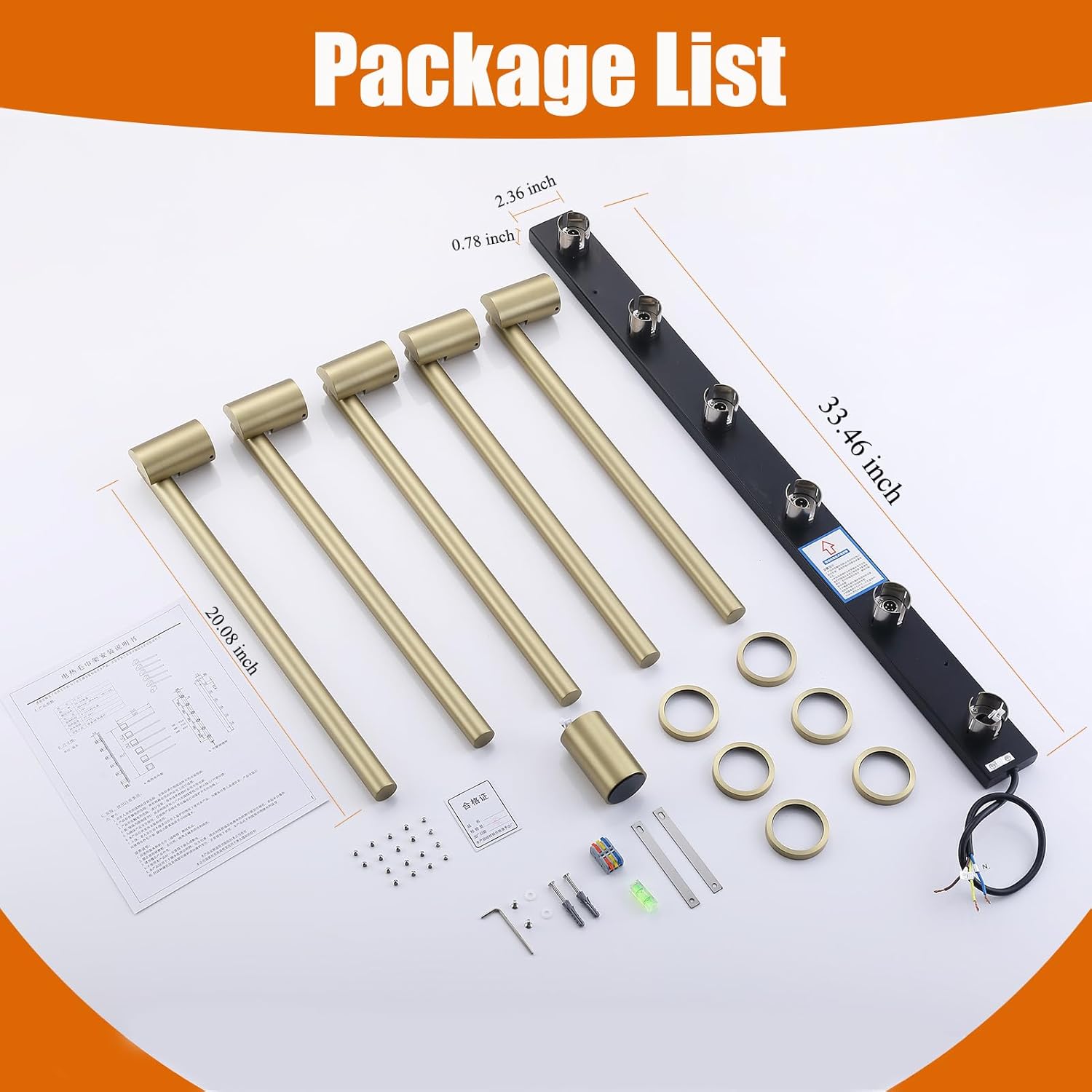
Image: All components included in the QREZAA FK-035 Heated Towel Rack package, laid out on a white surface.
- 5x Rotatable Heating Bars (Gold)
- Embedded Box
- Control Panel with LCD Display
- Mounting Hardware (screws, anchors, brackets)
- Power Cable
- Instruction Manual
4. Product Features
- Concealed Elegance: Designed for concealed mounting, blending seamlessly into your bathroom wall for a modern aesthetic.
- 180° Rotating Design: Five rotatable arms allow for optimal air circulation and efficient drying, saving space and improving organization.
- Smart Control: Control temperature, set timers, and manage settings remotely via a dedicated smartphone APP, Alexa, or Google Home.
- Advanced Carbon Fiber Heating: Enjoy faster, more even heat distribution with cutting-edge carbon fiber heating elements (93W).
- Visual Timer and Thermostat: Built-in timer (1-24h) and thermostat (113°F-140°F) customizable via LCD touchscreen or phone for energy efficiency.

Image: Key features of the QREZAA Heated Towel Rack, including carbon fiber heating, timer, thermostat, IPX4 waterproofing, and smart app control.
5. Specifications
| Feature | Detail |
|---|---|
| Brand | QREZAA |
| Model Number | FK-035 |
| Power | 93W (as per product title, feature bullets mention 75W, using title's 93W) |
| Color | Gold |
| Material | Brass |
| Finish Type | Gold |
| Installation Type | Screw-In (Hardwired, Concealed) |
| Item Weight | 12.17 pounds |
| Package Dimensions | 36.22 x 14.88 x 3.31 inches |
| Temperature Range | 113°F-140°F |
| Timer Settings | 1-24 hours |
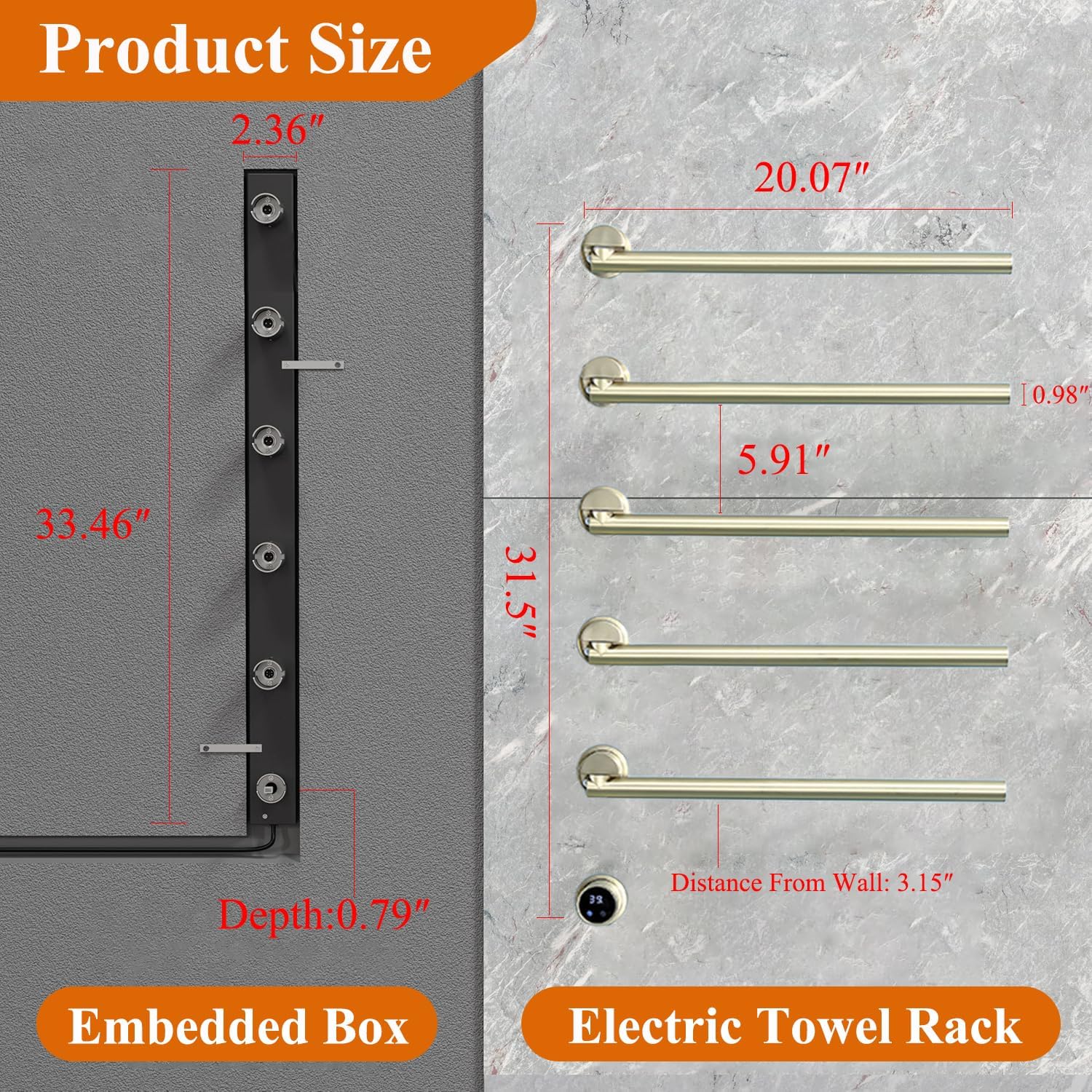
Image: Detailed product dimensions for both the embedded box and the visible electric towel rack.
6. Installation Instructions
This product requires hardwired installation. It is recommended to have a professional electrician perform the installation.
6.1. Pre-Installation Steps
- Prepare the Wall: Ensure the installation area is clean, dry, and structurally sound. Turn off the main power supply to the installation area.
- Marking the Installation Points: Use the provided template or measure carefully to mark the precise locations for the embedded box and the mounting points for the towel bars.
6.2. Embedded Box Installation
- Cut Wall Opening: Carefully cut an opening in the wall for the embedded box according to the marked dimensions.
- Wire Connections: Route the electrical wiring through the wall to the embedded box location. Connect the wires to the terminals inside the embedded box as per electrical codes.
- Secure Embedded Box: Insert the embedded box into the wall opening and secure it firmly using appropriate fasteners.
6.3. Towel Bar Assembly and Mounting
- Assemble Bars: Attach the individual rotatable towel bars to the main support structure, ensuring they are securely fastened.
- Connect to Embedded Box: Carefully connect the wiring from the towel bar assembly to the embedded box, ensuring all connections are tight and insulated.
- Mount Towel Rack: Align the towel rack assembly with the embedded box and secure it to the wall using the provided mounting hardware. Ensure it is level and stable.
6.4. Installation Videos
Refer to the following videos for visual guidance on the installation process:
Gold Luxury Towel Warmer Rack Installation
Video: A detailed guide on installing a gold luxury towel warmer rack, demonstrating the steps for mounting and securing the unit.
X-series Installation Tutorial (Concealed)
Video: Step-by-step instructions for the concealed installation of an X-series towel warmer, including wiring and mounting.
KZ-EL13 Unboxing and Hardwired Installation
Video: Unboxing and hardwired installation guide for the KZ-EL13 model, providing visual steps for electrical connections and mounting.
7. Operating Instructions
The QREZAA FK-035 offers multiple ways to control its functions:
7.1. LCD Touchscreen Control
The integrated LCD touchscreen allows direct control over temperature and timer settings.
- Power On/Off: Press the power icon to turn the unit on or off.
- Temperature Adjustment: Use the temperature icon to cycle through or adjust the desired temperature between 113°F and 140°F.
- Timer Setting: Use the timer icon to set the operating duration from 1 to 24 hours.
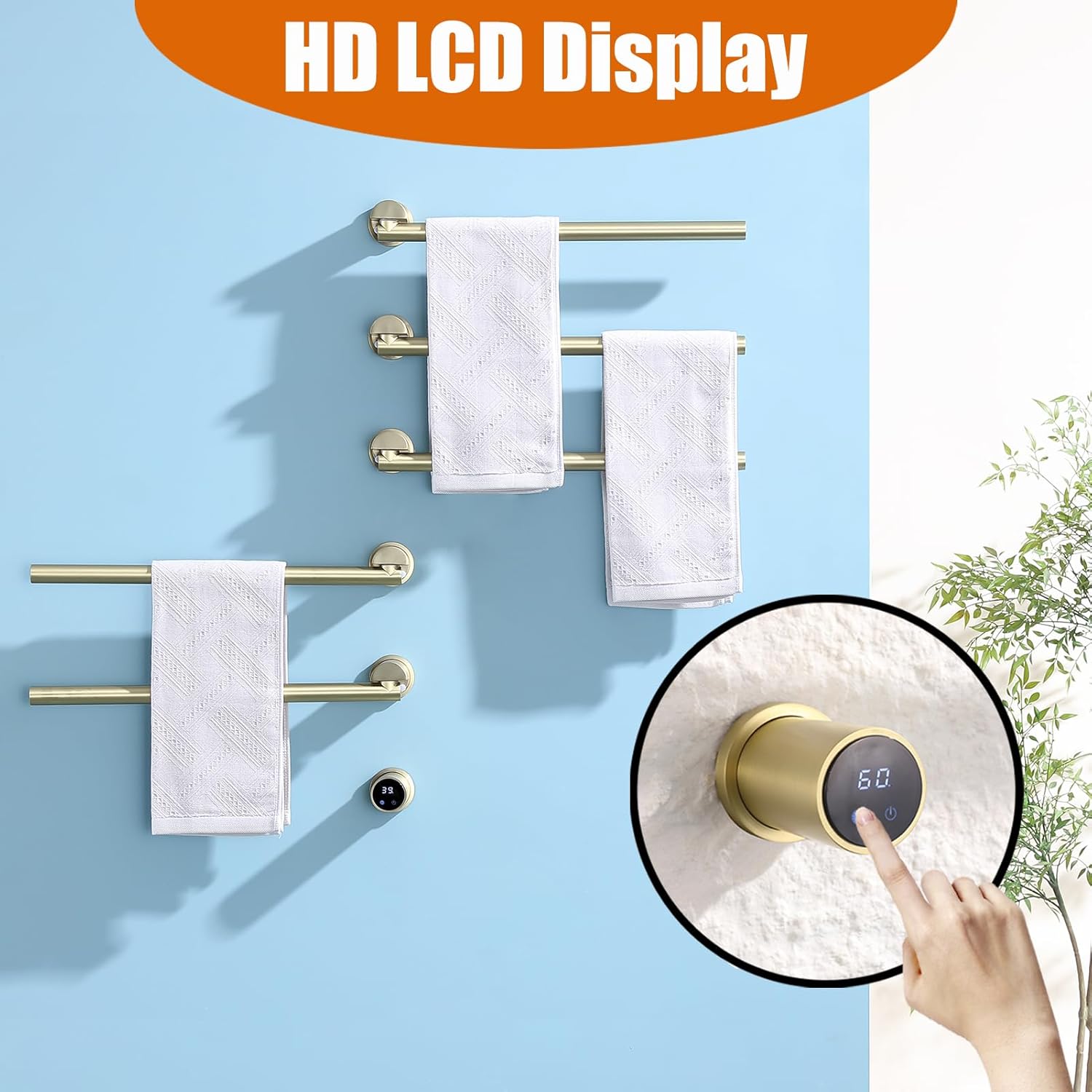
Image: Close-up of the HD LCD display on the towel warmer, showing temperature settings and touch controls.
7.2. Smart APP, Alexa, and Google Home Control
For remote control and advanced scheduling, utilize the smart APP or voice commands via Alexa or Google Home.
- APP Download: Download the recommended smart home APP (e.g., Smart Life) from your device's app store.
- Device Pairing: Follow the in-app instructions to pair your QREZAA FK-035 with the APP.
- Voice Assistant Integration: Link the smart APP to your Alexa or Google Home account.
- Remote Control: Adjust temperature, set timers, and create schedules from anywhere using the APP.
- Voice Commands: Use commands like "Alexa, turn on Electric Towel Rack" or "Google, turn on Towel Warmer."

Image: Demonstrates remote control capabilities using a smartphone app, Alexa, and Google Home devices.
7.3. Control Videos
Refer to the following videos for visual guidance on operating the controls:
Fahrenheit Celsius Temperature Switching Tutorial
Video: Tutorial on how to switch between Fahrenheit and Celsius temperature displays on the towel warmer's control panel.
Smart Wireless Electric Towel Warmer App Control
Video: Demonstrates how to control the electric towel warmer using a smart app, including setting schedules and adjusting temperature.
8. Maintenance
- Cleaning: Wipe the surface with a soft, damp cloth. Do not use abrasive cleaners or solvents.
- Inspection: Periodically check the power cord and connections for any signs of damage.
- Storage: If not in use for an extended period, ensure the unit is clean and stored in a dry place.
9. Troubleshooting
| Problem | Possible Cause | Solution |
|---|---|---|
| Towel warmer does not heat | No power supply; Unit not turned on; Faulty wiring. | Check power connection and circuit breaker; Ensure unit is powered on via touchscreen or app; Consult a qualified electrician. |
| Temperature not adjusting | Incorrect setting; Software glitch. | Verify settings on touchscreen or app; Restart the unit by cycling power. |
| Smart control not working | No Wi-Fi connection; Incorrect app pairing; Voice assistant not linked. | Check Wi-Fi connectivity; Re-pair device with app; Re-link app with Alexa/Google Home. |
10. Warranty and Support
For warranty information and customer support, please refer to the documentation included with your purchase or contact QREZAA customer service directly. Keep your purchase receipt as proof of purchase.