
1. Introduction
Thank you for choosing the HotYeah 16.1-inch 144Hz 1080P FHD Portable Monitor. This device is designed to enhance your productivity and entertainment experience by providing a vibrant, high-refresh-rate external display. Its lightweight and slim design, coupled with versatile connectivity options, make it an ideal companion for various devices and scenarios.
This manual provides essential information on setting up, operating, and maintaining your portable monitor. Please read it thoroughly before use to ensure optimal performance and longevity of your device.

Image: The HotYeah portable monitor connected to a laptop, showcasing its use as an extended display.
2. What's in the Box
Ensure all the following items are present in your package:
- 1 x HotYeah 16.1-inch 144Hz Portable Monitor
- 1 x USB-C to USB-A Cable
- 1 x USB-C to USB-C Cable
- 1 x Mini-HDMI to HDMI Cable
- 1 x Power Adapter
- 1 x Smart Cover Stand
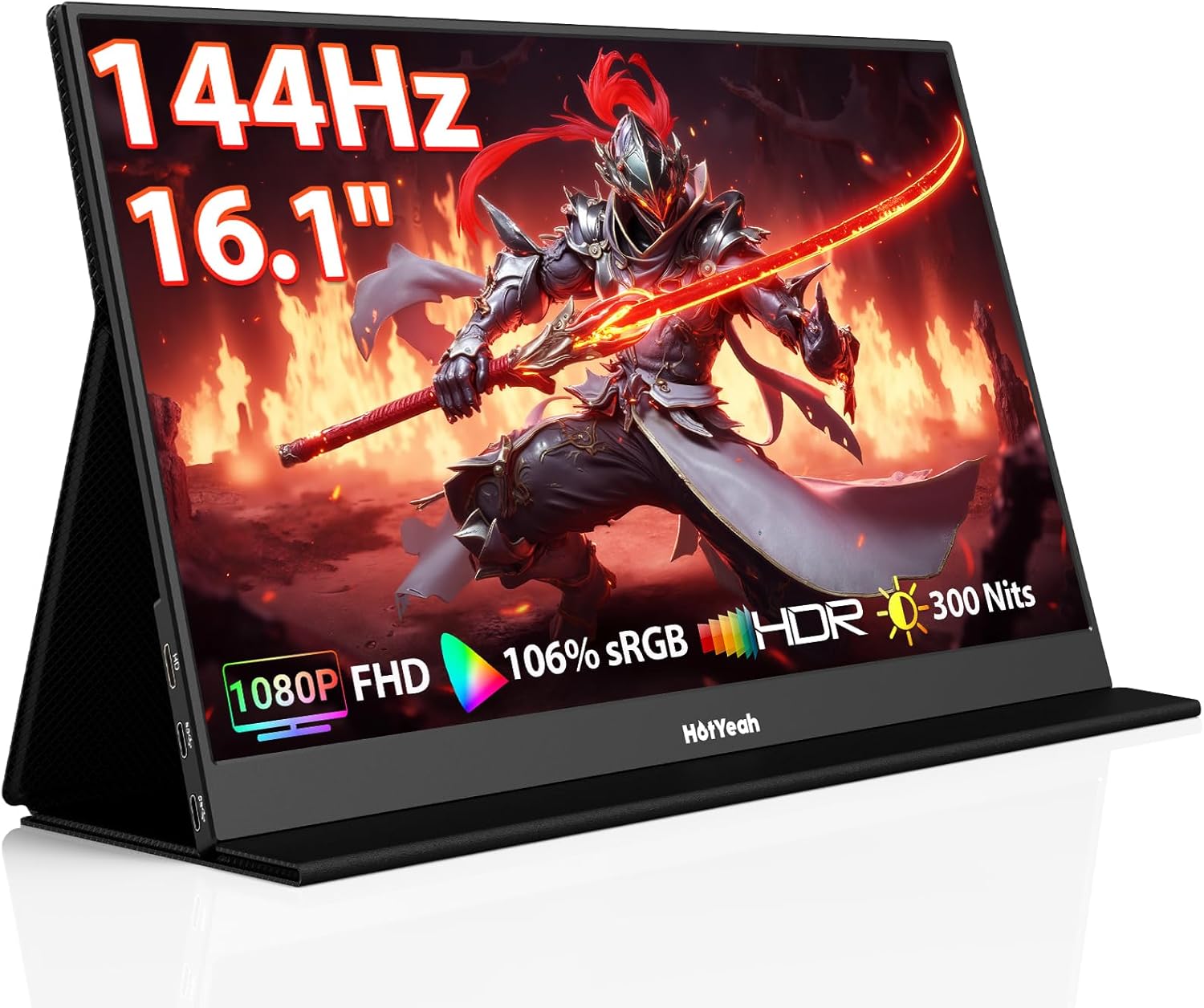
Image: All components included in the HotYeah Portable Monitor package, neatly arranged.
3. Product Features
- 144Hz Refresh Rate: Experience smooth, fluid visuals with a lightning-fast 144Hz refresh rate, ideal for gaming and fast-paced content.
- 1080P FHD Display: Enjoy crisp, clear images on the 16.1-inch IPS LCD matte panel with 1920x1080 resolution.
- Vibrant Color & HDR: Features 106% sRGB color gamut, 16.7M color display, and HDR mode for brighter highlights, better contrast, and true-to-life colors.
- Eye Care Technology: No-flickering and low blue light technology reduce eyestrain during extended use.
- Versatile Connectivity: Equipped with 2 full-function Type-C ports and 1 Mini-HDMI port for broad compatibility.
- Built-in Dual Speakers: Enjoy immersive sound without external audio devices.
- Portable Design: Weighing only 1.38 lbs and with a 0.22-inch slim frame, it's highly portable.
- Smart Cover Stand: The included durable PU leather cover doubles as a protective cover and an adjustable stand.

Image: Visual representation of the monitor's display quality and key technical specifications.

Image: The monitor showcasing its 144Hz refresh rate during a gaming session.
4. Setup
4.1 Connecting the Monitor
The HotYeah portable monitor offers flexible connection options:
- USB-C Connection (Single Cable): If your device (laptop, phone, tablet) has a full-function Type-C port (supporting Thunderbolt 3.0/4.0 or USB 3.1 Type-C DP ALT-MODE), you can use a single USB-C to USB-C cable for both power and video transmission.
- HDMI Connection (Dual Cables): For devices with an HDMI output, use the Mini-HDMI to HDMI cable for video. An additional USB-A to USB-C cable connected to the power adapter is required for power.

Image: Visual guide for single USB-C and dual HDMI cable connections.
4.2 Identifying Full-Function Type-C Port
Most full-function Type-C ports will have a unique lightning bolt symbol next to them, indicating support for data, audio, video, and power transmission.

Image: Symbols to identify a full-function Type-C port on your device.
4.3 Smart Cover as a Stand
The included PU leather smart cover can be folded to act as a stand. It features two grooves to adjust the viewing angle of the monitor.

Image: The smart cover configured as a stand, showing different viewing angles.
4.4 Video Guide: How to Install the HotYeah Smart Cover
Video: A step-by-step guide on how to correctly install and use the smart cover as a stand for your HotYeah portable monitor.
5. Operating the Monitor
5.1 Display Modes
The monitor supports various display modes to suit your needs:
- Extend Mode: Extends your desktop workspace across both screens, allowing for multitasking.
- Mirror Mode: Duplicates your primary screen's content onto the portable monitor.
- Single Screen Mode: Uses only the portable monitor as the display.
5.2 Screen Orientation
You can easily switch between landscape and portrait modes to match your workflow, such as photo editing, document reading, or data analysis.

Image: The monitor configured in both landscape and portrait orientations.
5.3 On-Screen Display (OSD) Menu
The OSD menu allows you to adjust various settings such as brightness, contrast, color temperature, and input source. Use the menu buttons on the side of the monitor to navigate and select options.
6. Maintenance
To ensure the longevity and optimal performance of your HotYeah portable monitor, follow these maintenance guidelines:
- Cleaning: Use a soft, lint-free cloth to gently wipe the screen. For stubborn smudges, slightly dampen the cloth with water or a screen-safe cleaner. Avoid harsh chemicals.
- Storage: When not in use, store the monitor in its smart cover to protect the screen from scratches and dust.
- Handling: Avoid applying excessive pressure to the screen or dropping the device.
- Environment: Keep the monitor away from extreme temperatures, direct sunlight, and high humidity.
7. Troubleshooting (FAQ)
Here are some common questions and solutions for your HotYeah portable monitor:
| Question | Answer |
|---|---|
| Are there any warm tips before buying this portable game monitor? | 1. Not support Bluetooth, wireless, and WiFi connection. No battery. Not touchscreen. 2. Devices without a full-function Type-C port or HDMI port may need an adapter (not included) to connect. 3. For phone and tablet, it only supports mirror mode. 5. iPhone (before 15 Gen) needs a lightning to HDMI adapter for connection. |
| I have charged my monitor for a long time. Why does the monitor still show "no signal"? | HotYeah 144Hz monitor DOES NOT have an internal battery. Please connect your host device to the monitor for use. |
| Why is the screen not smooth enough when connecting to my Switch? | 1. Please make sure your device/game supports 144Hz or above, otherwise it only can display the highest refresh rate supported by your host device/game. 2. If your device/game supports 144Hz or above, please set the monitor at the 144Hz refresh rate on the settings of your host device/game. |
| Will any USB-C to USB-C cable work well with this monitor? | No. The USB-C cable should be 3.1 version or above which supports video output. |
| Do I have to install a driver? | No. Just plug and play. |
| What's the function of each cable? | [USB-C to USB-C Cable]- For video output and power supply. [USB-C to USB-A Cable]- Only for power supply. [Mini-HDMI to HDMI Cable]- Only for video output. |

Image: Frequently Asked Questions for the HotYeah Portable Monitor.
8. Specifications
| Brand | HotYeah |
| Model Number | P161A10G |
| Screen Size | 16.1 Inches |
| Resolution | FHD 1080p (1920 x 1080 Pixels) |
| Refresh Rate | 144 Hz |
| Display Technology | IPS, LCD |
| Screen Surface Description | Matte |
| Aspect Ratio | 16:9, 4:3 |
| Contrast Ratio | 1200:1 |
| Brightness | 300 Candela |
| Color Gamut | 106% sRGB |
| Viewing Angle | 178 Degrees |
| Response Time | 1 Milliseconds |
| Connectivity Technology | HDMI, USB Type C |
| Hardware Connectivity | Thunderbolt, USB Type C, mini HDMI |
| Additional Features | Blue Light Filter, Built-In Speakers, Flicker-Free, Portable, Tilt Adjustment |
| Item Dimensions (D x W x H) | 0.39"D x 14.45"W x 9.01"H |
| Item Weight | 1.38 Pounds |
| Compatible Devices | Desktop, Gaming Console (Switch, PS5/4, Xbox), Laptop, Smartphone, Tablet |
9. Warranty and Support
HotYeah provides a 1-year manufacturer warranty and a 30-day return policy. For any questions or support, please contact our professional after-sales customer service team.
Email: support@hotyeahmonitor.com

Image: HotYeah's commitment to customer support and warranty.