
Introduction
Thank you for choosing the Raddy RF320 Shortwave Radio. This manual provides essential information for the safe and efficient operation of your device. Please read it thoroughly before use and retain it for future reference. The RF320 is a versatile portable radio offering comprehensive reception across AIR, FM, VHF, MW, SW, and WB bands, along with Bluetooth 5.0 connectivity, TF card playback, and emergency features like a flashlight and SOS function.
Safety Information
- Do not expose the radio to extreme temperatures, direct sunlight, or high humidity.
- Avoid dropping or subjecting the device to strong impacts.
- Keep the radio away from water and other liquids. It is not waterproof.
- Use only the specified charging cable and power adapter to prevent damage.
- Do not attempt to disassemble or modify the radio. This will void the warranty and may cause harm.
- Dispose of batteries according to local regulations.
Package Contents
Verify that all items are present in the package:
- Raddy RF320 Shortwave Radio
- USB Charging Cable
- 3m Cable Antenna
- Earphones
- Owner's Manual
Product Overview
Familiarize yourself with the radio's components and controls.
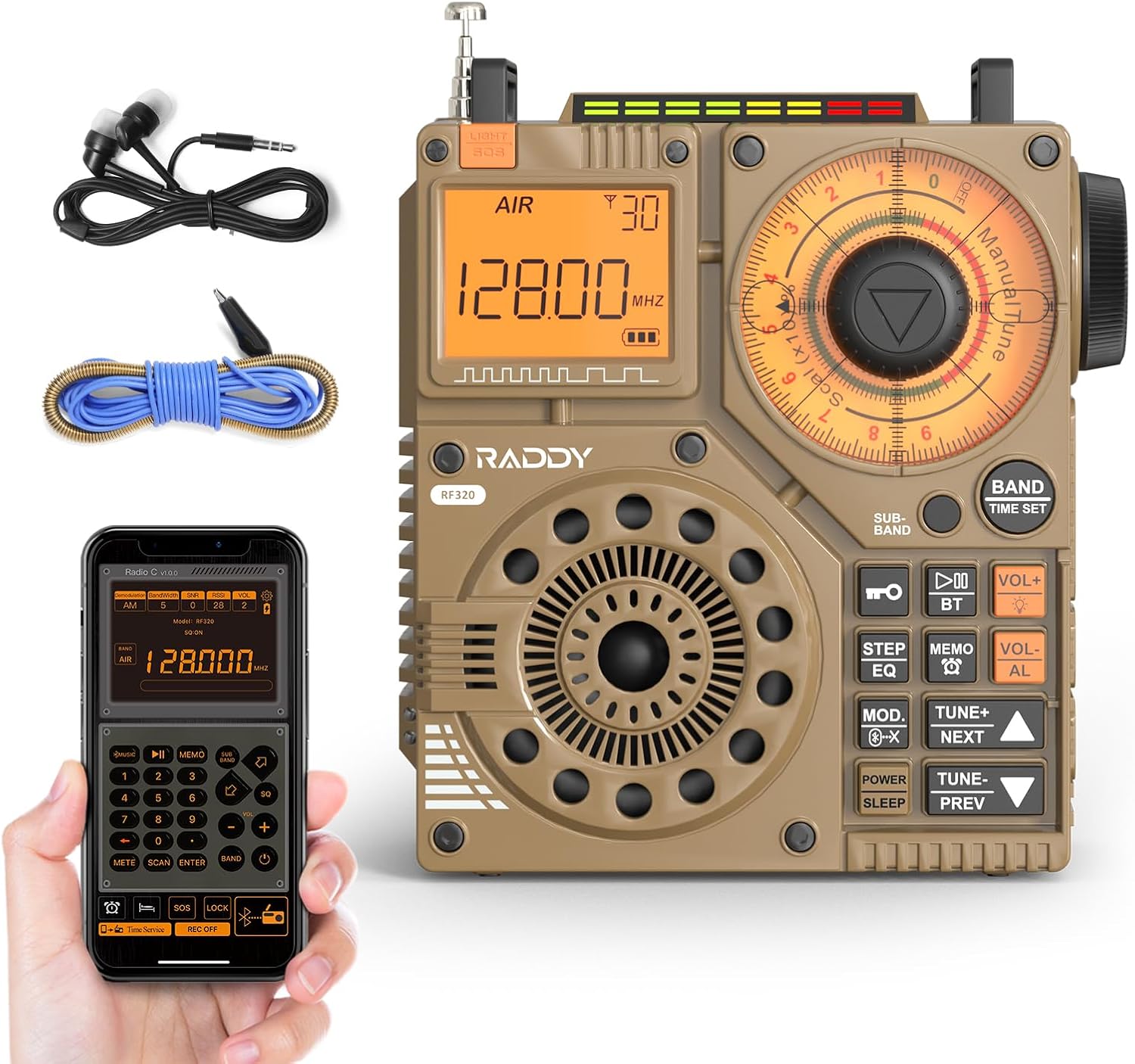
Figure 1: Front view of the Raddy RF320 Shortwave Radio, showing the display, speaker, and control buttons.

Figure 2: Side view of the Raddy RF320, illustrating the fine-tuning knobs and their function for precise frequency adjustment.
Key Features:
- Digital Display: Shows frequency, band, and other operational information.
- Tuning Knobs: For manual and fine-tuning adjustments.
- Band Selection Buttons: To switch between AIR, FM, VHF, MW, SW bands.
- Volume Control: Adjusts audio output level.
- Integrated Flashlight: For illumination in low-light conditions.
- SOS Function: Activates an emergency signal.
- Bluetooth 5.0: For wireless audio streaming.
- TF Card Slot: For direct playback of stored audio files.
- 3.5mm Audio Jack: For earphone connection.
Setup
1. Charging the Battery
The RF320 is powered by a built-in Lithium-ion battery. Before first use, fully charge the radio.
- Connect the USB charging cable to the radio's charging port.
- Connect the other end of the USB cable to a compatible USB power adapter (not included) or a computer's USB port.
- The charging indicator on the display will show the charging status. It will typically turn off or change color when fully charged.
2. Attaching the Antenna
For optimal reception, especially on SW and AIR bands, extend the telescopic antenna or connect the included 3m cable antenna.
- Telescopic Antenna: Extend it fully and adjust its direction for best signal.
- Cable Antenna: Plug the cable antenna into the designated antenna jack on the radio. Extend the cable antenna as much as possible, ideally outdoors or near a window, for improved shortwave reception.
Operating Instructions
1. Power On/Off
Press and hold the POWER button to turn the radio on or off.
2. Band Selection
Press the BAND button repeatedly to cycle through the available frequency bands: FM, AM (MW), SW, VHF, AIR, WB.
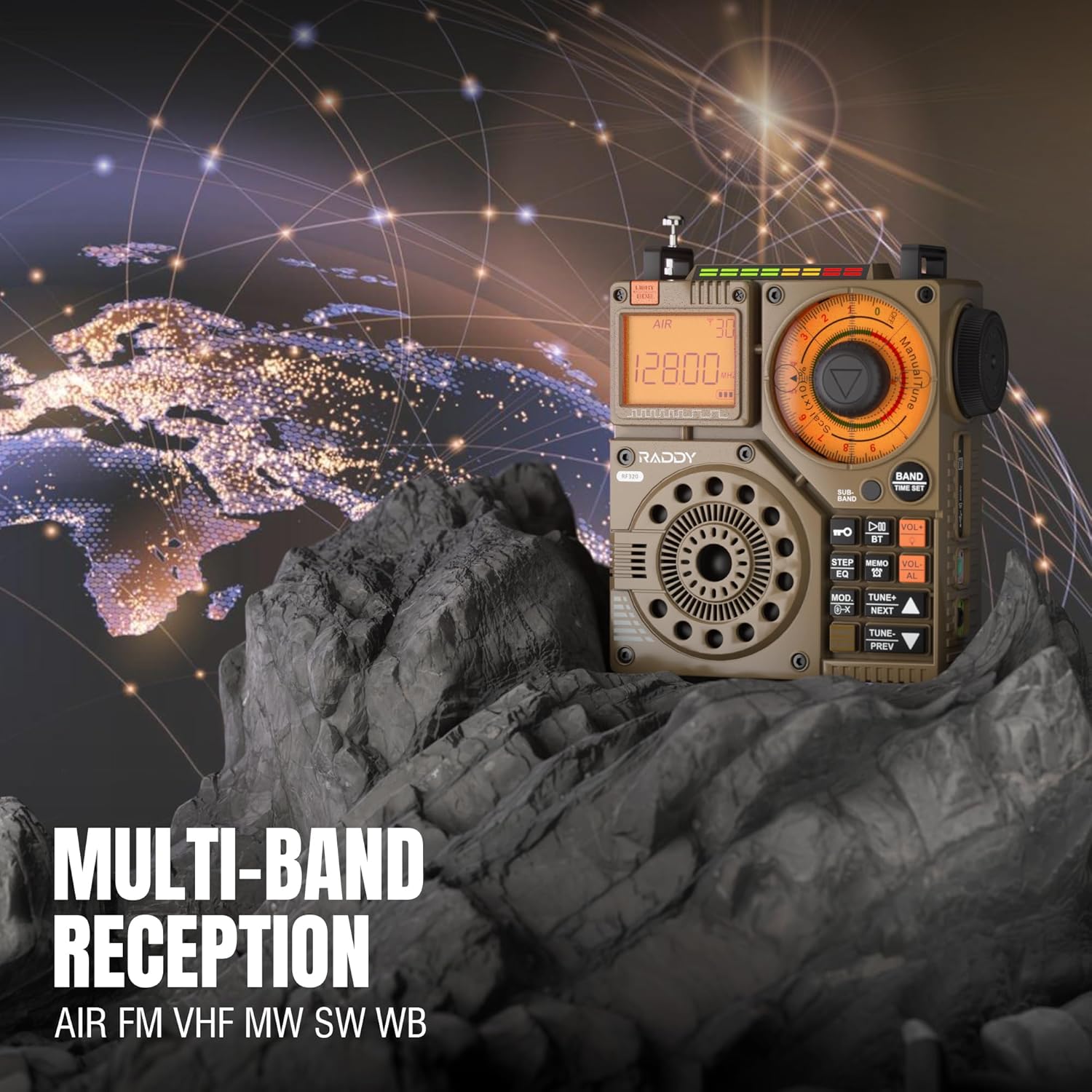
Figure 3: The Raddy RF320 radio on a rocky surface, symbolizing its multi-band reception capabilities across AIR, FM, VHF, MW, SW, and WB bands.
3. Tuning Methods
The RF320 offers multiple tuning options:
- Manual Tuning: Use the main tuning knob to adjust the frequency incrementally. The precise tuning knobs offer a minimum step value of 0.005 MHz for accurate frequency selection.
- Digital Tuning: Use the numeric keypad (if available on the device or via app) to directly enter a frequency.
- Automatic Search: Press the AUTO SCAN button to automatically scan and store available stations.
- Semi-Automatic Search: This function allows for scanning within a specific range or with user intervention. Refer to the on-screen prompts or app interface for details.
4. Station Storage
The radio can store up to 955 stations (199 for each of AIR, FM, VHF, MW, and SW bands).
- Tune to the desired station.
- Press and hold the MEMO button (or equivalent) to save the station.
- Use the NEXT/PREV buttons to navigate through stored stations.
5. Bluetooth (BT) Mode
Connect your smartphone or other Bluetooth-enabled device to stream audio wirelessly.
- Press the MODE button until 'BT' or 'Bluetooth' is displayed.
- On your device, search for Bluetooth devices and select 'Raddy RF320'.
- Once paired, you can play audio from your device through the radio's speaker.
6. TF Card Playback
Play audio files directly from a TF (MicroSD) card.
- Insert a TF card (up to 32GB, FAT32 format) with audio files into the TF card slot.
- Press the MODE button until 'TF' or 'Card' is displayed.
- Use the NEXT/PREV buttons to navigate tracks.

Figure 4: The Raddy RF320 radio next to a smartphone displaying music, highlighting its three operational modes: Bluetooth, TF Card, and Radio Receiver.
7. Flashlight and SOS Function
The RF320 includes an integrated flashlight and an SOS emergency signal.
- Flashlight: Press the LIGHT button to turn the flashlight on/off.
- SOS: Press and hold the SOS button to activate the emergency alarm and flashing light. Press again to deactivate.

Figure 5: Close-up of the Raddy RF320 radio with its integrated flashlight active, demonstrating its outdoor lighting capability.
8. App Control
The Raddy RF320 can be controlled via a dedicated application on iOS, Android, and HarmonyOS systems.
- Download the 'Radio C' application from your device's app store.
- Ensure Bluetooth is enabled on your smartphone and the RF320 radio.
- Open the app and follow the on-screen instructions to connect to your RF320.
- The app allows for digital tuning, channel naming, recording broadcasts, and other advanced controls.

Figure 6: The Raddy RF320 radio displayed alongside a smartphone running its control application, illustrating the ease of use with app integration.
Maintenance
- Clean the radio with a soft, dry cloth. Do not use abrasive cleaners or solvents.
- When not in use for extended periods, store the radio in a cool, dry place.
- Periodically charge the battery to maintain its lifespan, even if the radio is not being used.
- Ensure the telescopic antenna is retracted when not in use to prevent damage.
Troubleshooting
| Problem | Possible Cause | Solution |
|---|---|---|
| Radio does not power on. | Battery is depleted. | Charge the radio fully. |
| Poor radio reception. | Weak signal; antenna not extended. | Extend the telescopic antenna or connect the 3m cable antenna. Adjust antenna position. Move to an area with better signal. |
| Bluetooth connection fails. | Radio not in BT mode; device too far; pairing issue. | Ensure radio is in BT mode. Bring devices closer. Delete 'Raddy RF320' from your device's BT list and re-pair. |
| TF card not playing. | Card not inserted correctly; unsupported format; corrupted files. | Reinsert TF card. Ensure card is FAT32 format. Check if audio files are supported. |
| App control not working. | Bluetooth not connected; app not updated. | Ensure radio is paired via Bluetooth. Update the 'Radio C' app to the latest version. |
Specifications
| Feature | Specification |
|---|---|
| Brand | Raddy |
| Model Number | RF320 |
| Supported Radio Bands | AIR, FM, VHF, MW (AM), SW |
| Tuning Technology | FM, AM, VHF, SW, AIR |
| Connectivity Technology | Bluetooth 5.0 |
| Special Features | Digital Display, Integrated Flashlight, Rechargeable, Automatic Squelch, Keypad Lock, TF Card Playback, App Control, SOS Function |
| Product Dimensions (L x W x H) | 15L x 9W x 15H centimeters |
| Power Source | Battery Powered (1 Lithium-ion battery included) |
| Display Type | Digital Display (LCD/LED) |
| Hardware Interface | 3.5mm Audio Jack |
| Water Resistance Level | Not Waterproof |
| Internal Material | Metal |
| Country of Origin | China |
Warranty and Support
Warranty Information
Raddy products typically come with a standard manufacturer's warranty. Please refer to the warranty card included in your package or visit the official Raddy website for detailed warranty terms and conditions specific to the RF320 model. Keep your purchase receipt as proof of purchase for warranty claims.
Customer Support
For technical assistance, troubleshooting beyond this manual, or warranty inquiries, please contact Raddy customer support through their official website or the contact information provided with your product packaging. When contacting support, please have your product model (RF320) and purchase details ready.


